Airo
AI chief of staff for solo founders that handles follow-ups, inbox triage, and meeting prep
Gallery
About Airo
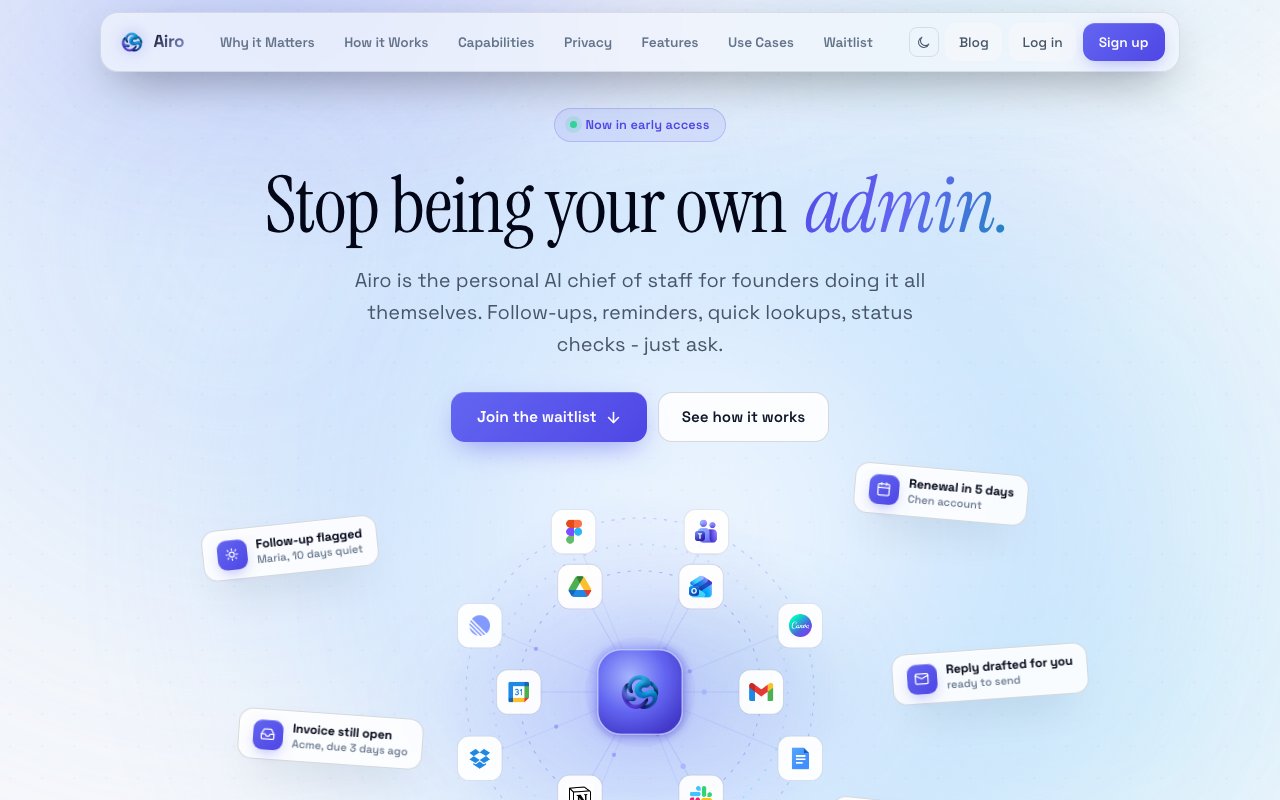
Airo is a personal assistant built for founders and solo operators who do not have an executive assistant or chief of staff. It connects to your email, calendar, and documents, then actively manages the administrative work that tends to slip through the cracks. You interact through natural conversation, asking things like whether you followed up with a particular contact or when a renewal is due, and Airo pulls the answer from your actual data rather than a generic knowledge base. The product positions itself as the AI chief of staff for people who are doing it all themselves. This is not another chatbot that answers generic questions; it is an assistant that knows your specific business context and acts on it.
The core value is proactive surfacing. Unlike a chatbot that waits for you to ask, Airo reaches out with morning briefs summarizing what matters before your first meeting. It flags items before they slip, including follow ups that have gone quiet, unpaid invoices that need chasing, and upcoming renewals that could sneak up on you. The morning brief arrives with priorities and context already pulled together, so you start the day knowing what needs attention rather than spending the first hour triaging your inbox and calendar. At the end of the day, it wraps up what got done and what is still pending, giving you closure on your working hours. This daily rhythm of briefing and wrap up is designed to replace the scattered attention that comes from checking multiple apps constantly.
Inbox triage is one of the primary workflows. Airo surfaces important mail while archiving noise, and it can prep draft replies so you spend less time composing routine responses. It understands which emails require your attention and which can wait, based on what it learns about your relationships and priorities. It extracts buried commitments from conversations and turns them into clear next steps you can act on. If someone mentioned a deadline three emails deep in a thread, Airo pulls that out rather than leaving it buried. Action recovery from scattered conversations is a consistent theme across the product, since most people lose track of obligations simply because they are distributed across too many places. The goal is to collapse that fragmentation into a single view.
Meeting prep happens automatically by pulling relevant context from emails and documents before you join a call. If you have a call with a client, Airo gathers the recent communication history, outstanding asks, and any documents related to that relationship so you walk into the meeting prepared rather than scrambling. This is particularly useful for founders who juggle dozens of relationships and cannot spend fifteen minutes before each call manually reviewing past conversations. It can also draft emails and documents in your voice based on what it has learned from your prior writing, and it compiles research into briefs and decks when you need to present information to others. The drafting is trained on your actual communication style, not a generic template.
The integration surface covers Gmail, Google Calendar, Drive, Docs, and Sheets as the core Google Workspace connections. Additional integrations include Slack, Notion, HubSpot, GitHub, and Linear. Once connected via OAuth, Airo learns from these apps rather than relying on general web knowledge. This is the differentiator from generic AI chatbots. ChatGPT does not know your inbox or your calendar. Airo does. That connection is what allows it to do follow up tracking, meeting prep, and proactive reminders without you copying and pasting context into a prompt each time. The integrations are additive, so you can start with just email and calendar and add others as you see value.
Privacy and control are handled through OAuth connections, which means Airo never sees your passwords. All actions require user approval before execution, so nothing happens without your say so. You maintain app by app connection control and can disconnect any integration with one click. The company states it does not sell your data. For founders who deal with sensitive client information or confidential business details, that boundary matters. The approval requirement means the assistant suggests actions rather than executing them autonomously, keeping you in control.
The audience is anyone running a business solo, whether that is a freelancer, agency owner, e commerce operator, or early stage founder. If you spend significant time context switching between email, calendar, and project tools just to stay on top of commitments, Airo is designed to collapse that overhead into a single conversational interface that already knows your data. It fits people who have tried to use generic AI assistants but found they had to copy and paste context every single time, which defeats the point. The conversational interface means you ask questions and give instructions in natural language rather than learning a new dashboard.
Airo is currently in invite only beta and free to use during that period. The listed price is zero dollars, so there is no cost barrier to trying it while the beta runs. Long term pricing has not been announced publicly, so anyone joining now gets full access at no charge while the product matures. You can join the waitlist and get onboarded gradually as capacity allows. For founders who want a chief of staff without hiring one, this is an attempt to fill that gap with AI that actually understands your business context.
Key Features
- Morning briefs with prioritized summaries
- Inbox triage with noise archiving and draft prep
- Automatic meeting prep from emails and docs
- Follow up tracking with proactive nudges
- Action extraction from buried commitments
- End of day wrap summarizing progress
Pros & Cons
What we like
- Connects to real email, calendar, and docs instead of guessing
- Proactively surfaces what you are about to miss
- Natural conversation interface requires no dashboard learning
- Free during the invite only beta
Room for improvement
- Invite only beta limits immediate access
- Long term pricing not yet announced
- Relies heavily on Google Workspace integrations
- Newer product with a smaller user base
Frequently Asked Questions
What is Airo?
How is Airo different from ChatGPT?
Is Airo free?
Who is Airo for?
Best For
Featured in
Alternatives to Airo

CalendHub
Smart scheduling and calendar management for teams
Kevin Gabeci Toolkits
Seven AI toolkits for writing books, making music, cutting video, and building agents.

Eased Into AI
Learn AI from zero. No jargon, no hype, just steps that work.

Fix It Gently
Calm, plain-English fixes for everyday tech problems.
Reviews (0)
Badge builder
Add Airo to your website
Choose a badge style and size, preview it here, then copy the generated HTML. Badge images are self-contained SVGs and do not require an external script.

<a href="https://toolindex.net/tools/airo?ref=badge" target="_blank" rel="noopener">
  <img src="https://toolindex.net/badge/airo/medium.svg" alt="Airo - Listed on Tool Index" width="180" height="50" />
</a>How to use the badge
- 1. Pick the style, size, and theme that fit your layout.
- 2. Copy the generated HTML from the code block.
- 3. Paste it into your footer, homepage, or press page.
Standard badge available
The standard listing badge is available now. Score and circle badges are limited to tools currently ranked in the top 10 of a category.
Badge clicks return visitors to this profile with a referral tag so the source remains identifiable.
Related Tools

Confluence
Atlassian's long-running team wiki that anchors many enterprise knowledge stacks
Asana
Project management for teams that live in projects, tasks and dependencies
Kevin Gabeci Toolkits
Seven AI toolkits for writing books, making music, cutting video, and building agents.

Logseq
An open-source outliner notes app where every bullet is a first-class block
Work on Airo? Request listing access or correction