Alyph
Visual canvas for AI conversations with branching, pruning, and multi model comparison
Gallery
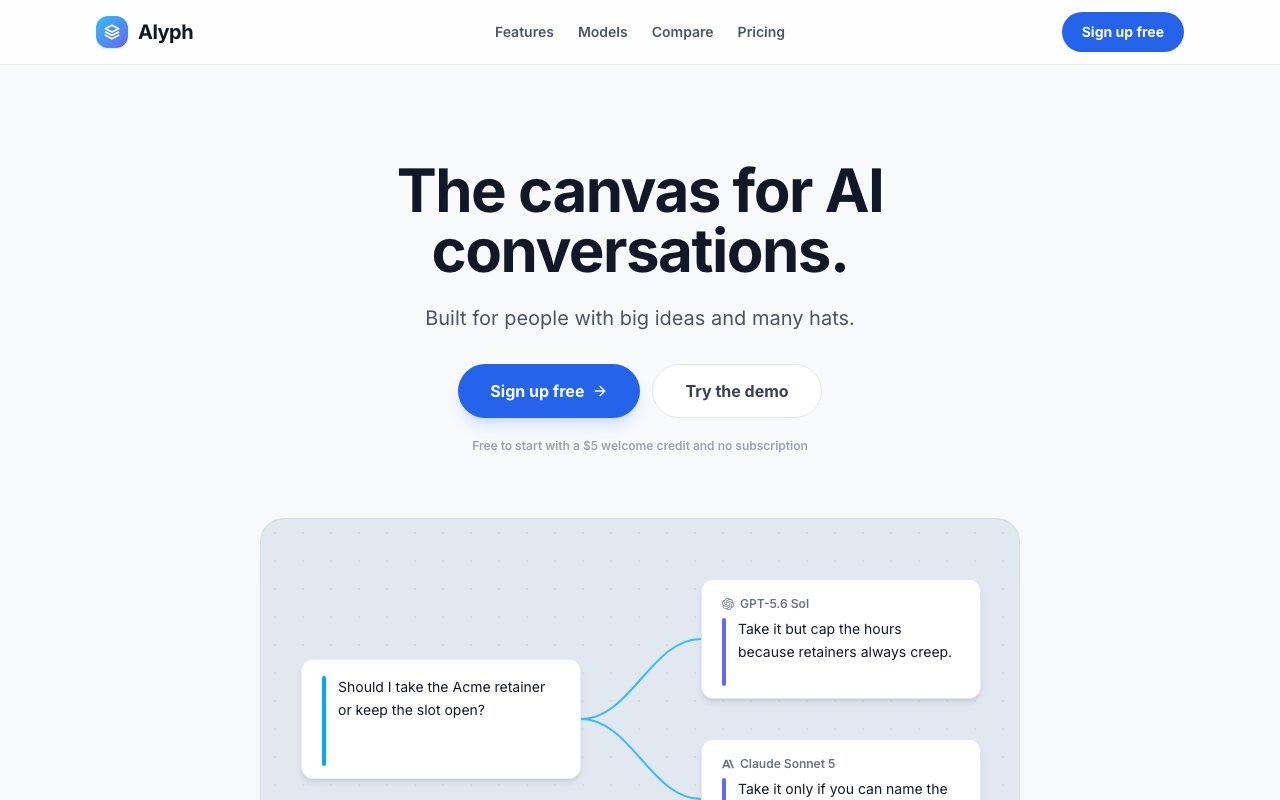
About Alyph
Alyph is a workspace for managing AI conversations as a visual canvas rather than a linear chat. You can branch discussions, prune dead ends, and send the same question to multiple models at once. If you have ever found yourself copying context between ChatGPT tabs, losing track of which thread had the good answer, or watching token budgets evaporate on failed attempts, this is the tool trying to fix that. The canvas format makes conversation structure visible and editable, rather than locked into a single scrolling list.
The core idea is that conversations with large language models are not linear. You explore, hit dead ends, backtrack, and try again. A traditional chat interface records all of that, including the mistakes, and carries it forward as context. Every message in a thread adds to the token count even when half of it is wrong turns you wish you could delete. Alyph calls this context pollution. The solution is to let you trim the failed attempts so the context the model sees stays clean and focused on what actually worked. By pruning the bad paths, you keep your context window lean and your answers more relevant.
Branching works the way you would expect. Before you go down a rabbit hole, you create a branch. If that direction works, great. If not, you have not cluttered the main thread with the experiment. This is useful for tasks like debugging where you might try several fixes before landing on the right one. Instead of feeding the model a history of broken code, you prune back to the working state and move forward. The final working solution replaces the earlier errors, and subsequent conversations do not carry the accumulated noise. You can branch at any point in a conversation, not just at the end, so you can revisit earlier turns and explore alternatives.
Multi model comparison is the other big feature. You can send the same prompt and context to ChatGPT, Claude, Gemini, DeepSeek, and over three hundred other models simultaneously, then compare answers side by side. For anyone doing research, picking the right model for a task, or just curious how different providers handle the same question, this cuts out the tab switching and copy pasting that slows you down. The comparison happens on the same canvas, so you see the results in one place rather than jumping between windows. If you are evaluating which model to use for a project, you can run the same prompts across all of them and see the differences directly.
File handling is generous. You can upload contracts, spreadsheets, and entire project folders without hitting artificial context limits. The platform stores up to five gigabytes for free. The model's context window is the real ceiling, not a quota enforced by the platform. If you are working on a project with many documents, you can keep them attached to the canvas and reference them across conversations. This makes it practical to work with large codebases or document sets that would not fit in a single chat session elsewhere.
Real time collaboration lets teams work on the same canvas, adding their own branches and comments as they go. The interface shows cursors and editing notifications for concurrent contributors, so you can see when a teammate is typing or has made changes. This turns the canvas into a shared workspace rather than a personal tool. For consulting teams or research groups where multiple people need to interact with the same models and context, the multiplayer feature keeps everyone on the same page.
Alyph explicitly positions itself as agency preserving. The marketing says tools that promise to think for you produce slop. Alyph does not do your work for you. It is a workspace that helps you organize and steer conversations, not an agent that runs off on its own. If you want a co pilot that takes over, this is not it. If you want a better interface for directing models yourself, it fits that use case. The philosophy is that the human stays in control and the tool just makes that control more visible and manageable.
Pricing is pay as you go with a five dollar welcome credit. You load a wallet, set a hard spending limit, and pay provider rates plus infrastructure margin. There is no subscription and no throttling. User data does not train public models. Five gigabytes of storage is included free. The target audience is solo founders, consultants, and small teams juggling multiple projects who want their AI conversations organized rather than scattered across a dozen chat windows. Image generation is also available on canvas alongside text, for workflows that need both. Canvases can also function as standard linear chats when you prefer, so the canvas structure is optional rather than mandatory.
Key Features
- Visual canvas for AI conversations
- Branching to explore without cluttering context
- Pruning to remove failed attempts
- Multi model comparison across 300+ models
- File uploads with 5GB free storage
- Real time team collaboration
Pros & Cons
What we like
- Cleans up context by removing dead end messages
- Compare answers from multiple models side by side
- Pay as you go with no subscription required
- Generous file storage included for free
Room for improvement
- Pay per use means costs can add up with heavy use
- Learning curve for canvas based workflow
- No offline or local mode
- Relies on third party model providers
Frequently Asked Questions
What is Alyph?
Is Alyph free?
Which AI models does Alyph support?
Who is Alyph for?
Best For
Featured in
Alternatives to Alyph

Apatero AI
The creator studio for AI image, video, audio, 3D, and avatars, now at apatero.ai.

SoloDevStack
A solo developer blog built on head-to-head tool comparisons, 580+ posts deep.
Apatero Studio
Creator studio for AI image, video, audio, 3D, and avatars. Every model worth using, in one workspace.

Melodex
Turn your idea into an AI-generated music video
Reviews (0)
Badge builder
Add Alyph to your website
Choose a badge style and size, preview it here, then copy the generated HTML. Badge images are self-contained SVGs and do not require an external script.

<a href="https://toolindex.net/tools/alyph?ref=badge" target="_blank" rel="noopener">
  <img src="https://toolindex.net/badge/alyph/medium.svg" alt="Alyph - Listed on Tool Index" width="180" height="50" />
</a>How to use the badge
- 1. Pick the style, size, and theme that fit your layout.
- 2. Copy the generated HTML from the code block.
- 3. Paste it into your footer, homepage, or press page.
Standard badge available
The standard listing badge is available now. Score and circle badges are limited to tools currently ranked in the top 10 of a category.
Badge clicks return visitors to this profile with a referral tag so the source remains identifiable.
Related Tools
Apatero AI
The creator studio for AI image, video, audio, 3D, and avatars, now at apatero.ai.
Kevin Gabeci Toolkits
Seven AI toolkits for writing books, making music, cutting video, and building agents.

Warp
The modern terminal reimagined with AI and collaboration

Bolt.new
Prompt-to-deployed full-stack app inside the browser
Work on Alyph? Request listing access or correction