
Apploye
Time tracking and employee monitoring for remote, hybrid, and in-office teams
Gallery
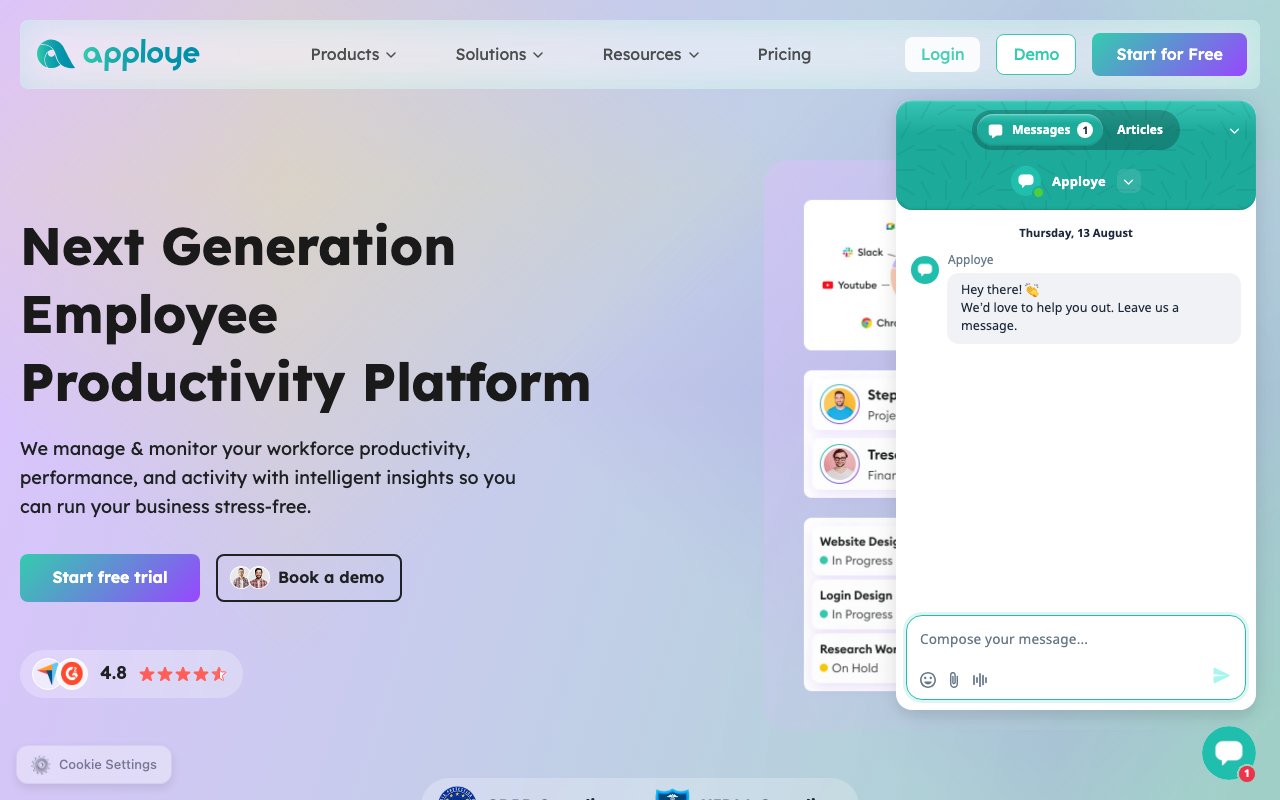
About Apploye
Apploye is a time tracking and employee monitoring platform for teams that work remotely, in a hybrid setup, or in an office. Employees run a lightweight app on Windows, Mac, or Linux, or on iOS and Android, and it tracks work time automatically, fills in online timesheets, and captures periodic screenshots along with the apps and websites being used. Managers get a dashboard that rolls all of that up into productivity metrics, activity reports, and a real-time view of who's working on what.
The problem it goes after is the visibility gap that opens up the moment a team stops sharing a room. Agencies need defensible billable hours, BPO and virtual assistant companies need proof of work for clients, and managers of distributed teams want some signal beyond a green dot in a chat app. Apploye's answer is to instrument the workday itself, with automated time capture, idle time detection, and screenshot cadences that scale with the plan, from one per hour on the free tier up to sixty per hour on the top plan.
It goes further than a stopwatch. Time gets logged against projects and tasks, so the same data that shows activity also feeds project budgets, client invoices, and payroll. There's a Pomodoro timer for people who like structured focus blocks, offline tracking for work that happens without a connection, and team and admin roles so the right people see the right reports. Integrations cover Asana, ClickUp, Trello, Jira, and Zapier, which means time tracking can attach to the task systems a team already uses instead of replacing them.
The reporting side is where managers actually live. The dashboard gives a real-time active view of who's currently working and what they're working on, and custom reports slice tracked time however the business needs to see it. Because time is logged against projects and tasks, the same records that show activity also show a project burning through its budget while there's still time to react. Client invoices generate from those tracked hours, payroll runs off them too, and the whole chain from minutes worked to money billed happens inside one system instead of being retyped across three.
For the employees doing the tracking, the day-to-day surface is small. You start a timer from the desktop app or let automatic tracking handle it, idle time detection keeps the record honest when you step away, and the Pomodoro timer is there if you like working in focus blocks. Work that happens offline still gets captured and synced later, and the mobile apps cover time that happens away from a desk.
The audience is broad but specific in character. Apploye positions itself for remote and hybrid teams, agencies tracking billable hours, BPO and VA companies, software development teams, accounting and legal firms, and call centers. The common thread is any business where hours are the product, or where a client or regulator expects an audit trail. The company says it has tracked over 7.7 million work sessions across more than 22,000 teams, and it maintains GDPR and HIPAA compliance, which matters for the legal and healthcare-adjacent firms in that list.
Where it stands out in a crowded category is mostly price and completeness. The Elite plan runs $4.50 per user per month on annual billing ($7 monthly), and the Power plan with heavier monitoring is $8 annually ($12 monthly), which undercuts a lot of the established names while still bundling timesheets, project budgeting, invoicing, and payroll in one place. A free Starter plan covers up to 10 users forever, though with tight limits like one screenshot per hour, a handful of tracked apps and sites per day, and one month of history. An Enterprise tier adds SSO, provisioning, higher API limits, and guided onboarding.
It's worth being clear-eyed about the category itself. Screenshot and activity monitoring is inherently sensitive, and some of Apploye's optional add-ons push further, including a stealth mode at $2 per user per month, screen recording at $4, and API access at $1. Apploye frames its approach as privacy-first monitoring, but how a rollout lands will depend heavily on how transparently a company introduces it to its people. Teams that want the invoicing and timesheets without the surveillance can dial the monitoring features down.
Getting started is low friction. There's a 10-day free trial with no credit card required, billing adjusts automatically as team members come and go, the owner account is free, and a 30-day money-back guarantee backs the paid plans. For teams that have outgrown honor-system timesheets, it's an inexpensive way to find out what the workday actually looks like.
Key Features
- Automatic time tracking with timesheets
- Screenshot and activity monitoring
- Apps and URL usage tracking
- Project budgets, invoicing, and payroll
- Idle time detection and offline tracking
- Asana, ClickUp, Trello, Jira, Zapier integrations
Pros & Cons
What we like
- Cheaper than most established time tracking suites
- Free Starter plan covers up to 10 users forever
- Bundles timesheets, invoicing, and payroll in one tool
- GDPR and HIPAA compliance for regulated teams
Room for improvement
- Screenshot monitoring can strain trust if rolled out carelessly
- Useful capabilities like screen recording and API access are paid add-ons
- Free plan is tightly limited on screenshots, tracked apps, and history
- Full tracking requires installing the desktop agent on every machine
Frequently Asked Questions
What is Apploye?
Is Apploye free?
Who is Apploye for?
How is Apploye different from other time trackers?
Best For
Featured in
Alternatives to Apploye

CalendHub
Smart scheduling and calendar management for teams
Kevin Gabeci Toolkits
Seven AI toolkits for writing books, making music, cutting video, and building agents.

Eased Into AI
Learn AI from zero. No jargon, no hype, just steps that work.

Fix It Gently
Calm, plain-English fixes for everyday tech problems.
Reviews (0)
Badge builder
Add Apploye to your website
Choose a badge style and size, preview it here, then copy the generated HTML. Badge images are self-contained SVGs and do not require an external script.

<a href="https://toolindex.net/tools/apploye?ref=badge" target="_blank" rel="noopener">
  <img src="https://toolindex.net/badge/apploye/medium.svg" alt="Apploye - Listed on Tool Index" width="180" height="50" />
</a>How to use the badge
- 1. Pick the style, size, and theme that fit your layout.
- 2. Copy the generated HTML from the code block.
- 3. Paste it into your footer, homepage, or press page.
Standard badge available
The standard listing badge is available now. Score and circle badges are limited to tools currently ranked in the top 10 of a category.
Badge clicks return visitors to this profile with a referral tag so the source remains identifiable.
Related Tools

Confluence
Atlassian's long-running team wiki that anchors many enterprise knowledge stacks
Asana
Project management for teams that live in projects, tasks and dependencies
Kevin Gabeci Toolkits
Seven AI toolkits for writing books, making music, cutting video, and building agents.

Logseq
An open-source outliner notes app where every bullet is a first-class block
Work on Apploye? Request listing access or correction