
Badge Your Classroom
Open free classroom timers, pickers, games, calculators, and printables without a login
Gallery
About Badge Your Classroom
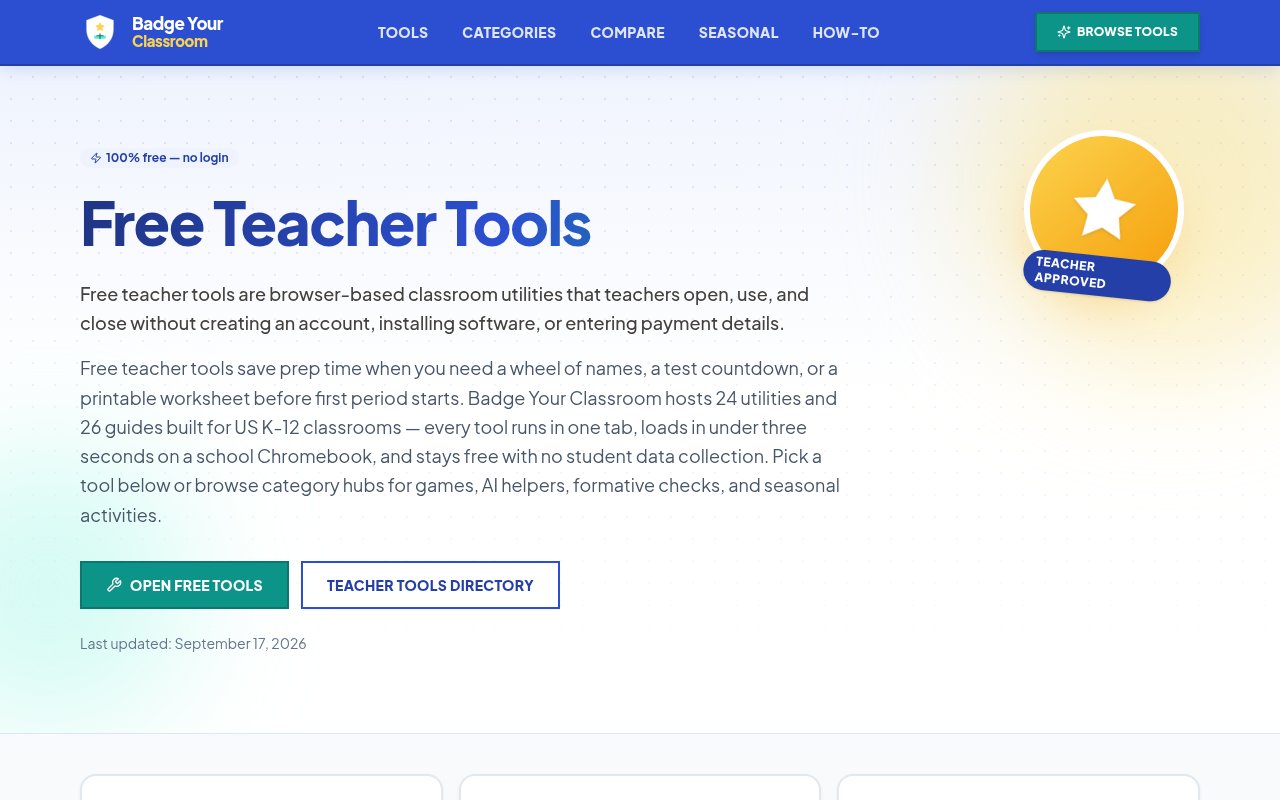
Badge Your Classroom is a free collection of small browser tools for US K-12 teachers. It brings routine classroom utilities into one site, including name pickers, timers, group makers, review games, GPA calculators, printable generators, graphic organizers, and a pair of AI-assisted helpers. Every tool is meant to open in a regular browser tab and work without an account, installation, subscription, or student roster. That makes the collection useful for jobs that are too small to justify adopting another classroom platform, such as choosing a student fairly, putting a countdown on the projector, or making a quick vocabulary activity before a lesson.
The directory currently presents 24 interactive tools and groups them around recognizable teacher tasks. Participation options include a wheel of names and a random name picker with selection history. Group and team generators split pasted lists for cooperative work or competition. Classroom management tools include countdown, classroom, and Pomodoro timers, along with a noise meter that displays live volume levels through color zones. For grading tasks, teachers can calculate standard or weighted GPA. The wheel can remove a winner and preserve a results history, which helps avoid immediately selecting the same student again. These utilities are deliberately focused. A teacher enters the relevant names, times, grades, or settings, uses the result, and can close the tab without maintaining a long-term workspace.
Games and printable makers cover a second set of needs. The site offers bingo cards from custom words or numbers, word searches, mazes, word scrambles, crosswords, cursive practice, flashcards, Venn diagrams, and word clouds. The bingo generator can create up to 40 distinct cards, while maze and word puzzle makers provide separate teacher answers. Venn diagrams support two or three circles and export as PDF handouts, and word clouds can be saved as PNG images for slides or displays. Many printable tools include teacher answer keys, adjustable settings, or export formats suited to handouts. Projector-friendly games include hangman and a linked Jeopardy builder, while dice support math lessons and chance activities. The collection is broad enough to help with warm-ups, vocabulary review, station work, transitions, and substitute plans, but each component remains simpler than a dedicated assessment or curriculum product.
Two AI-oriented pages cover homework help and report card comments. The site describes these as working in a sample or mock mode, with live generation available when an OpenAI API key is supplied. That distinction matters because the core site is free, but live model use depends on a separate credential rather than a bundled AI allowance. Teachers should also review generated educational text before using it. Beyond the tools, Badge Your Classroom publishes category hubs, product comparisons, seasonal activity pages, and classroom strategy guides. The guides are dated and presented as checked against vendor documentation, with educator review for classroom fit. This reference material helps a teacher choose between utilities, though it is separate from the interactive tools themselves.
Privacy and low setup are central to the design. Badge Your Classroom says it doesn't require personal information and keeps tool inputs and outputs in the browser unless the user chooses to save or export them. It does not store classroom data on its servers, and no student account is required. This can reduce the administrative burden when a district limits new logins or software installations. The tools are tested for ordinary school hardware and designed with keyboard support, large text, and projector contrast. JavaScript needs to be enabled, and teachers should still test an interactive page before class when a managed device has unusual browser restrictions.
Everything is advertised as free forever, with no paid tier, trial expiration, or email gate. Teachers, tutors, and homeschool educators may use the tools for instruction, and generated worksheets can be distributed within their own classes. The site asks users not to resell its pages or embed the widgets in a paid product. Badge Your Classroom is not a gradebook, student information system, or persistent lesson platform. Its value comes from collecting many disposable classroom actions in one place and keeping the path to each one short. For an educator who wants practical utilities without another dashboard to administer, that narrow approach is the point.
Key Features
- Twenty-four classroom utilities
- Random student selection tools
- Timers and noise meter
- Printable activity generators
- Projector-friendly review games
- Browser-local classroom data
Pros & Cons
What we like
- Works without teacher or student accounts
- Covers many everyday classroom tasks
- Keeps ordinary tool data in the browser
- Runs on common school browsers and Chromebooks
Room for improvement
- Focused on US K-12 classroom workflows
- Live AI helpers require a separate API key
- It does not manage grades or assignments
- Individual tools are intentionally lightweight
Frequently Asked Questions
What is Badge Your Classroom?
Is Badge Your Classroom free?
Do teachers or students need accounts?
Does it work on school Chromebooks?
Best For
Featured in
Alternatives to Badge Your Classroom

CalendHub
Smart scheduling and calendar management for teams
Kevin Gabeci Toolkits
Seven AI toolkits for writing books, making music, cutting video, and building agents.

Eased Into AI
Learn AI from zero. No jargon, no hype, just steps that work.

Fix It Gently
Calm, plain-English fixes for everyday tech problems.
Reviews (0)
No reviews yet
Be the first to share your experience with Badge Your Classroom
Sign in to write a reviewBadge builder
Add Badge Your Classroom to your website
Choose a badge style and size, preview it here, then copy the generated HTML. Badge images are self-contained SVGs and do not require an external script.

<a href="https://toolindex.net/tools/badge-your-classroom?ref=badge" target="_blank" rel="noopener">
  <img src="https://toolindex.net/badge/badge-your-classroom/medium.svg" alt="Badge Your Classroom - Listed on Tool Index" width="180" height="50" />
</a>How to use the badge
- 1. Pick the style, size, and theme that fit your layout.
- 2. Copy the generated HTML from the code block.
- 3. Paste it into your footer, homepage, or press page.
Standard badge available
The standard listing badge is available now. Score and circle badges are limited to tools currently ranked in the top 10 of a category.
Badge clicks return visitors to this profile with a referral tag so the source remains identifiable.
Related Tools

Confluence
Atlassian's long-running team wiki that anchors many enterprise knowledge stacks
Asana
Project management for teams that live in projects, tasks and dependencies
Kevin Gabeci Toolkits
Seven AI toolkits for writing books, making music, cutting video, and building agents.

Logseq
An open-source outliner notes app where every bullet is a first-class block
Work on Badge Your Classroom? Request listing access or correction