
Beckon
Bring the Mac Dock to the pointer with a quick radial app switcher
Gallery
About Beckon
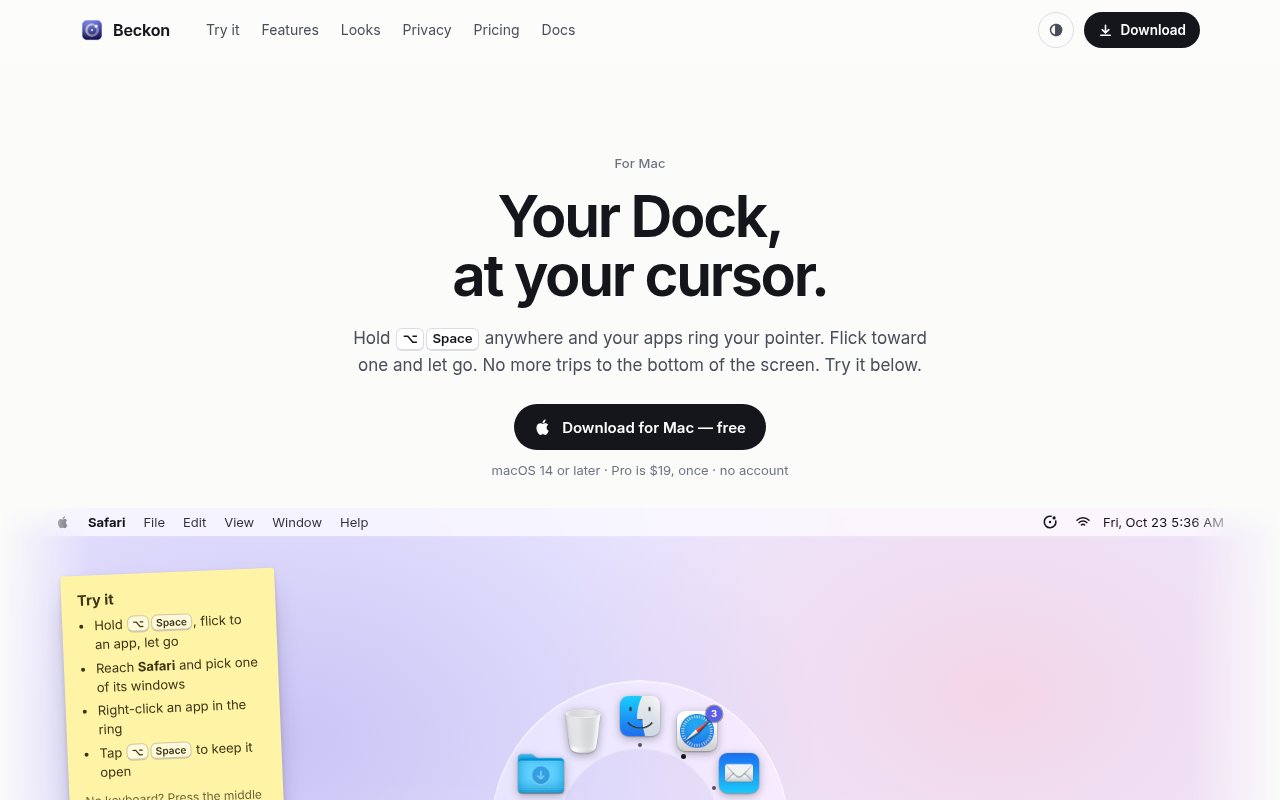
Beckon is a Mac utility that moves the practical parts of the Dock to wherever the pointer already is. Holding Option and Space opens a ring of applications around the cursor, and a short movement toward an icon selects it. The user can release immediately to switch, or tap the shortcut so the ring stays open for deliberate clicking. This addresses a very particular bit of desktop friction. On a large display, repeatedly moving down to a small Dock icon and back to the work area adds distance to every app change. Beckon replaces that trip with a directional gesture that can become familiar through repetition.
The ring follows the order of the Mac's Dock, which gives each app a stable direction instead of shuffling choices according to recent use. It can show open applications in the free version, while Pro also includes pinned apps that aren't running, folders, the Trash, and a custom app list. When an application has several windows, moving through its icon fans those windows out with live thumbnails. The user can continue toward the intended window and release, or switch to a column of window titles. That makes Beckon more specific than a launcher. It handles both choosing an application and landing in the particular window the user meant to bring forward. Pro users can also let Beckon hide the regular Dock, and turning that setting off restores the Dock as it was.
It also recreates useful Dock actions near the pointer. A right-click on an app in the ring exposes that application's windows and commands such as New Window, Show All Windows, Hide, and Quit. Holding Option changes Quit to Force Quit. Files can be dragged into the ring and dropped onto an application to open them there, onto a folder to move them, or onto the Trash. The standard shortcut can be replaced, and mouse-focused users can call the ring with a middle click. Beckon distinguishes between holding for a fast flick and tapping for a persistent ring, so it can support quick muscle-memory switching as well as slower visual selection. Five visual looks are available in the complete version, while the Glass look remains part of Free.
The utility is intentionally small and local. The site says it uses about 20 MB of memory and does nothing until the ring is called. It works entirely on the Mac, requires no account, and doesn't send information about apps or windows to Beckon's servers. Optional live window thumbnails remain in memory and aren't saved or uploaded. Accessibility permission is used to list and raise windows and to read app commands for the contextual menu. Screen Recording permission is used only for thumbnails. The core app can run without either permission, though the features that depend on them won't be available. Beckon otherwise checks a supplied license key and looks for an update once a day. The site explains both permissions before asking for them, which matters for a utility that sits across other applications.
Beckon fits people who spend much of the day moving among Mac apps with a mouse or trackpad, especially on wide or multiple displays. It complements Command and Tab rather than trying to remove it, since the keyboard shortcut is still convenient when both hands are already on the keys. The stable ring positions are part of the appeal because repeated directions can become quicker than visually searching a changing list. Its appeal is narrower for anyone who rarely uses the pointer, prefers a search-based launcher, or depends on another operating system. It requires macOS 14 Sonoma or later and supports both Apple silicon and Intel Macs. It isn't in the Mac App Store because its window switching behavior needs system access that the store doesn't permit, though the download is signed and notarized by Apple and updates itself.
Every download includes a fourteen-day Pro trial without an account. After the trial, Beckon continues as a free app with the radial ring for open apps, flick and click controls, a custom shortcut, middle-click activation, and the Glass appearance. Pro has a $19 launch price paid once, unlocks use on up to three Macs, and includes every update in the 1.x series. It adds pinned Dock items, folders, the Trash, live window thumbnails, file drops, contextual menus, Dock hiding, and all visual styles. A buyer receives a license key by email and can deactivate one Mac in Settings to free a slot for another. If a trial user had hidden the Dock, it returns when the app falls back to Free. This is a useful access model for a focused utility because the basic switching gesture remains available indefinitely, while the fuller Dock replacement is a one-time upgrade.
Key Features
- Cursor centered radial app ring
- Live window thumbnail selection
- Dock menus near the pointer
- File drops onto apps
- Custom shortcut and middle click
- Local private Mac operation
Pros & Cons
What we like
- Cuts pointer travel on large Mac displays
- Keeps app positions stable for muscle memory
- Works locally without an account
- Offers a useful permanent free mode
Room for improvement
- Available only for macOS 14 or later
- Full Dock replacement requires Pro
- Window features need Accessibility permission
- Not distributed through the Mac App Store
Frequently Asked Questions
What is Beckon?
Is Beckon free?
Does Beckon send window information online?
Which Macs can run Beckon?
Best For
Featured in
Alternatives to Beckon
View all
CalendHub
Smart scheduling and calendar management for teams
Kevin Gabeci Toolkits
Seven AI toolkits for writing books, making music, cutting video, and building agents.

Eased Into AI
Learn AI from zero. No jargon, no hype, just steps that work.

Fix It Gently
Calm, plain-English fixes for everyday tech problems.
Reviews (0)
Badge builder
Add Beckon to your website
Choose a badge style and size, preview it here, then copy the generated HTML. Badge images are self-contained SVGs and do not require an external script.

<a href="https://toolindex.net/tools/beckon?ref=badge" target="_blank" rel="noopener">
  <img src="https://toolindex.net/badge/beckon/medium.svg" alt="Beckon - Listed on Tool Index" width="180" height="50" />
</a>How to use the badge
- 1. Pick the style, size, and theme that fit your layout.
- 2. Copy the generated HTML from the code block.
- 3. Paste it into your footer, homepage, or press page.
Standard badge available
The standard listing badge is available now. Score and circle badges are limited to tools currently ranked in the top 10 of a category.
Badge clicks return visitors to this profile with a referral tag so the source remains identifiable.
Related Tools

Confluence
Atlassian's long-running team wiki that anchors many enterprise knowledge stacks
Asana
Project management for teams that live in projects, tasks and dependencies
Kevin Gabeci Toolkits
Seven AI toolkits for writing books, making music, cutting video, and building agents.

Logseq
An open-source outliner notes app where every bullet is a first-class block
Work on Beckon? Request listing access or correction