
BentoPDF
An open-source PDF toolkit that runs entirely in your browser, so files never leave your device
Gallery
About BentoPDF
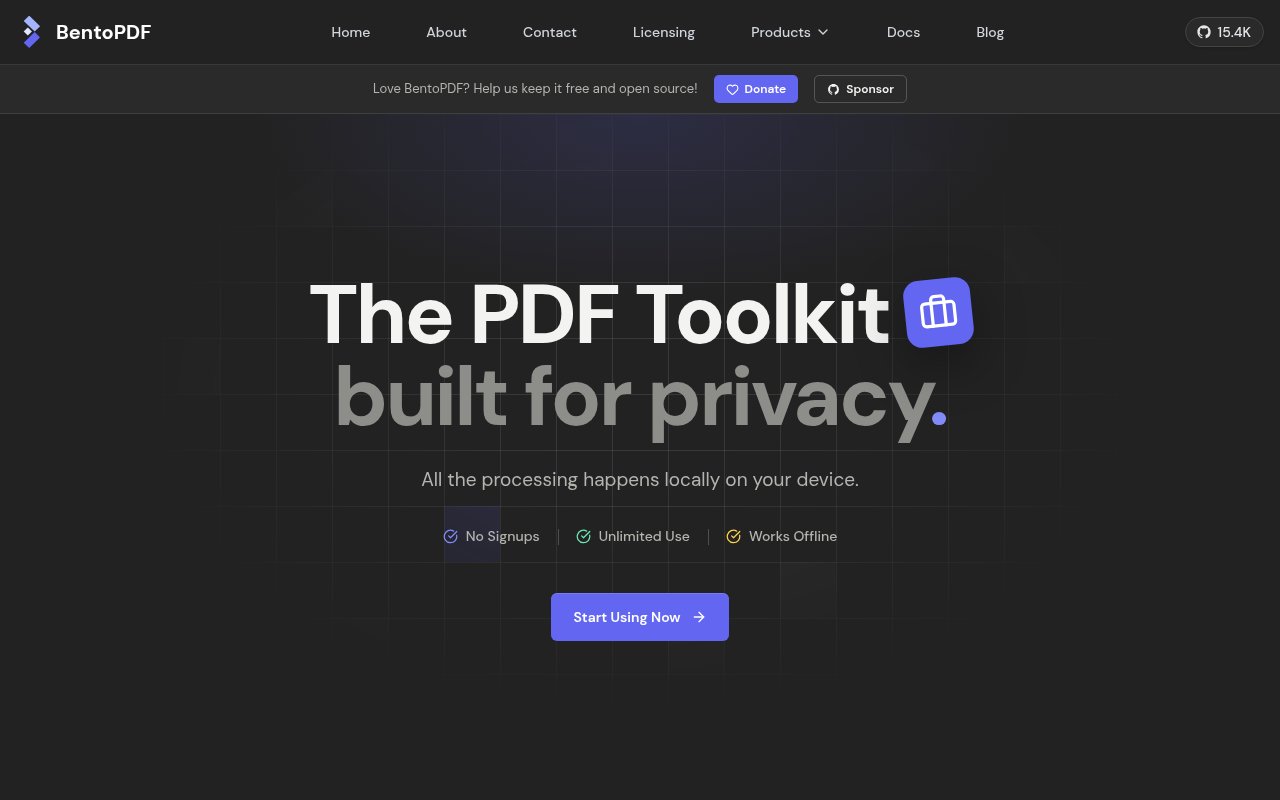
BentoPDF is a free, open-source PDF toolkit that runs entirely in your browser. Every operation, from merging and splitting to compression, OCR and conversion, happens on your own machine, and the files never leave it. There's no upload, no account, no file size limit and no watermark, and the project states plainly that it intends to stay free.
The reason it exists is the quiet privacy problem behind every free online PDF tool. Most of them work by uploading your document to a server, processing it there and handing back a result, which means your contract, medical record or payslip has just been copied to a machine you don't control. BentoPDF removes that step by doing the work client-side, so the privacy claim isn't a policy, it's an architecture.
Under the hood it's a web app built with TypeScript, and it leans on a set of established libraries compiled to run in the browser. PDF.js and pdf-lib handle reading and editing, a WebAssembly build of LibreOffice covers Office document conversion, and heavier jobs pull in PyMuPDF, Ghostscript and CoherentPDF, also running locally. Two engines get special billing. Hyper Compress is the project's own open-source compression engine, described as lossless, and Kura is a preflight engine that checks and converts documents against PDF/A, PDF/UA and PDF/X standards, which is the sort of capability that usually lives in expensive desktop software.
The tool list is long, over a hundred by the site's own count. Merge, split, reorder and rotate are the basics, and beyond them sit OCR for scanned documents, editing and annotation, form creation, digital signatures, encryption, watermarking, and conversion to and from Office formats and images. Because everything runs in the browser, an offline or air-gapped deployment is possible, and self-hosting is a first-class option with Docker images, static hosting on services like Netlify or GitHub Pages, custom branding and deployment under a subdirectory. Using it is as plain as it sounds. Open bentopdf.com, pick a tool, drop in a file, and download the result. The first time a heavier tool loads it fetches the library it needs, after which it runs locally. For a team deployment, the Docker image or a static build behind your own domain gives everyone the same toolkit with your branding, and the air-gapped option means it can live on a network with no internet at all once the libraries are in place.
It's for anyone who handles documents they'd rather not upload, which covers a lot of people. Individuals get a no-signup tool that just works. Legal, healthcare, finance and public-sector teams get a way to offer PDF tooling internally without a data-processing conversation. Developers and IT teams get an AGPL codebase they can run on their own infrastructure and, if they need it, a paid commercial licence for closed-source deployments.
What makes it different is the combination of scope and licence. There are other privacy-minded PDF tools, but few offer this many operations, ship preflight and standards conversion, and publish the whole thing under AGPL-3.0 with a working self-host path. The project has a large community behind it, with more than fifteen thousand stars on GitHub and an active Discord, and it's at version 2.8 with a visible changelog rather than a one-off demo. Compared with the alternatives, the trade is clear. The upload-based free tools are convenient and cost you your privacy. Desktop suites keep files local but cost real money per seat and take a licence conversation for every new person. BentoPDF is free, keeps files local, and the AGPL licence is the only thing you have to think about, and only if you're embedding it in a product of your own. For a business that just wants staff to stop uploading contracts to random websites, self-hosting it is close to a no-brainer.
The trade-offs follow from the design. Running everything in the browser means large files and heavy jobs like OCR depend on your device's memory and processor, and some of the advanced libraries load from a CDN on first use, so a fully offline setup takes a little preparation. The interface is a general toolkit rather than a polished single-purpose editor, and the AGPL licence is something to read before embedding it in a proprietary product. Browser support matters too, since the WebAssembly pieces need a modern browser. Access is open source. The hosted version at bentopdf.com is free with no limits, the code is on GitHub under AGPL-3.0, and a one-time $79 commercial licence covers organisations that want to deploy it without the copyleft obligations. Documentation, an FAQ, GitHub issues and Discord are the support channels.
Key Features
- All processing in the browser, no uploads
- Merge, split, OCR, edit, sign, and convert
- Hyper Compress lossless compression engine
- Kura preflight for PDF/A, PDF/UA, and PDF/X
- Self-hosting via Docker or static hosting
- AGPL-3.0 with an optional commercial licence
Pros & Cons
What we like
- Files never leave your device
- No signup, no limits, no watermarks
- Standards preflight rarely found in free tools
- Large community and active development
Room for improvement
- Heavy jobs depend on your device's memory and CPU
- Some advanced libraries load from a CDN on first use
- General toolkit rather than a polished editor
- AGPL terms need reading before proprietary embedding
Frequently Asked Questions
What is BentoPDF?
Is BentoPDF free?
Do my files get uploaded?
Can I self-host BentoPDF?
Best For
Featured in
Alternatives to BentoPDF
View all
CalendHub
Smart scheduling and calendar management for teams
Kevin Gabeci Toolkits
Seven AI toolkits for writing books, making music, cutting video, and building agents.

Eased Into AI
Learn AI from zero. No jargon, no hype, just steps that work.

Fix It Gently
Calm, plain-English fixes for everyday tech problems.
Our take
Tool Index Editorial · Sep 2026· 4.5/5
BentoPDF is a free, open source PDF toolkit that performs its work in the browser, keeping documents on the user's device. Its range is exceptional for a local web app, covering more than 100 tools for editing, merging, splitting, OCR, signatures, conversion, redaction, forms, workflow building, and archival standards. There is no account, watermark, or usage limit, and Docker, static, and air gapped deployments are documented.
We found the privacy architecture more persuasive than a promise to delete uploads later. The project also has a large public community and a dual licensing path for organizations that cannot use the AGPL. Heavy OCR and conversions still depend on the user's CPU and memory, some components need preparation for a fully offline deployment, and the broad interface is less focused than a desktop editor. Those are fair tradeoffs for one of the strongest free PDF toolkits available.
Editorial opinion from the Tool Index team, written from the public product pages. Not a user review.
Reviews (0)
Badge builder
Add BentoPDF to your website
Choose a badge style and size, preview it here, then copy the generated HTML. Badge images are self-contained SVGs and do not require an external script.

<a href="https://toolindex.net/tools/bentopdf?ref=badge" target="_blank" rel="noopener">
  <img src="https://toolindex.net/badge/bentopdf/medium.svg" alt="BentoPDF - Listed on Tool Index" width="180" height="50" />
</a>How to use the badge
- 1. Pick the style, size, and theme that fit your layout.
- 2. Copy the generated HTML from the code block.
- 3. Paste it into your footer, homepage, or press page.
Standard badge available
The standard listing badge is available now. Score and circle badges are limited to tools currently ranked in the top 10 of a category.
Badge clicks return visitors to this profile with a referral tag so the source remains identifiable.
Related Tools

Confluence
Atlassian's long-running team wiki that anchors many enterprise knowledge stacks
Asana
Project management for teams that live in projects, tasks and dependencies
Kevin Gabeci Toolkits
Seven AI toolkits for writing books, making music, cutting video, and building agents.

Logseq
An open-source outliner notes app where every bullet is a first-class block
Work on BentoPDF? Request listing access or correction