
Biasly
Detects manipulation techniques and bias in news articles and videos using AI
Gallery
About Biasly
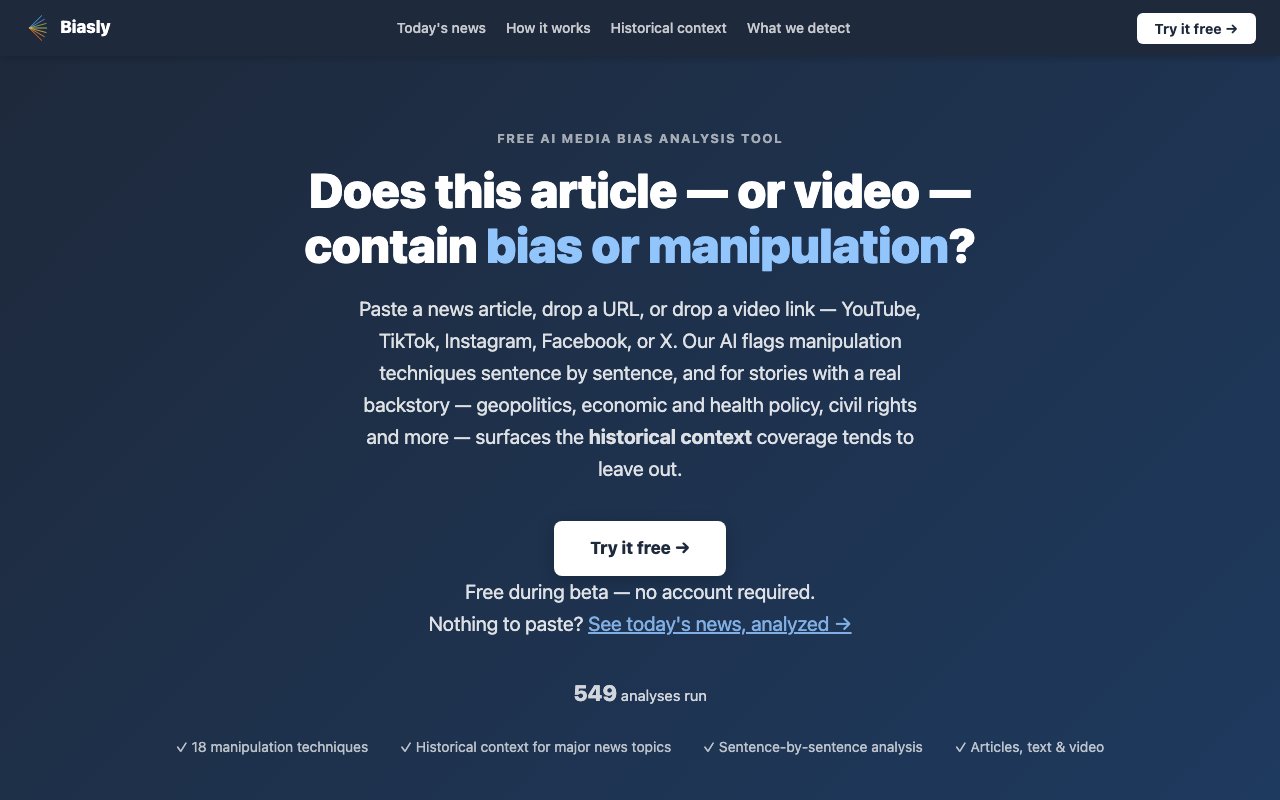
Biasly is a web based tool that analyzes news content for manipulation and bias. You give it a URL, paste in text, or link a video from YouTube, TikTok, Instagram, Facebook, or X, and it runs the content through a two stage AI pipeline. The first stage is a fine tuned transformer that flags each sentence as manipulative or neutral. This classifier was trained on labeled examples with particular emphasis on geopolitical framing, historical revisionism, military euphemisms, and economic populist rhetoric. The second stage uses Claude to identify the specific technique in play and generate a readable explanation. The output is a sentence by sentence breakdown, so you can see exactly where and how the content tries to shape your perception rather than just inform it.
The distinction Biasly makes is between factual accuracy and manipulative framing. A sentence can be factually accurate and still use manipulative framing. Traditional fact checkers tell you whether claims are true or false. Biasly tells you how language is used to steer you, even when the underlying facts are correct. That matters because manipulation often hides behind technically true statements. Knowing the difference between information and persuasion is what media literacy actually requires, and this tool tries to surface that distinction at the sentence level.
The tool detects eighteen manipulation techniques. The full list includes loaded language, name calling and ad hominem attacks, appeal to fear, bandwagon appeal, false urgency, black and white fallacy, historical revisionism, war crime euphemisms, false equivalence and whataboutism, geopolitical framing, appeal to prejudice, conspiracy appeal, exaggeration and hyperbole, victim blaming, scapegoating, card stacking, glittering generalities, and repetition. Each flagged sentence comes with a short explanation of what technique it matches and why that counts as manipulation. The system uses per technique decision thresholds calibrated on a held out evaluation set to balance precision and recall, so the labels are not arbitrary.
For articles that quote sources, a distribution panel shows who is quoted and by what affiliation. It identifies whether sources are government officials, military personnel, analysts, civilians, or organizations, and notes the national origin of each. An article quoting fourteen officials from one side and zero from the other will say so, regardless of whether the prose itself is flagged. The tool treats quoted balance as one of the strongest signals of editorial framing, because perspective gaps often reveal more than the words themselves.
One feature that sets it apart is the historical context panel. When content touches on geopolitical conflicts, financial crises and regulation, healthcare and immigration policy, public health debates, or civil rights movements, Biasly surfaces background information that the article may have left out. The panel has two tabs. One provides a neutral encyclopedic overview. The other compares the article's coverage against commonly omitted events, labeling it as what this article does not tell you. Context is generated by Claude Sonnet 4.6 as analysis runs, with responses streaming over about twenty seconds and the topic and citations appearing in the first three to five seconds. Every factual claim links to Wikipedia with HEAD validation so there are no hallucinated links. Results cache for thirty days. Routine business, sports, and celebrity stories return no historical context because there is nothing meaningful to add.
The tool handles long form content well. It can process articles up to five hundred paragraphs across five pages, Guardian style live blog pagination, and video transcripts broken into one minute segments with timestamps. For videos it pulls the transcript and runs the same analysis, so you can check a ten minute YouTube segment or a TikTok clip the same way you would a written article. Language support is English only at present.
During the beta period Biasly is free with no account required. You go to the analyze page, drop in a link or text, and get results. The long term model suggests a potential paid tier for higher volume or API access, but the core article analysis is intended to stay free. The service stores a 200 character preview of the input, the verdict, confidence score, list of flagged techniques, and for URLs and videos the source link. Full article bodies are not retained, and data is not sold or shared. An API is on the roadmap but not yet formalized. Biasly is for anyone who reads or watches news critically and wants help catching manipulation that might otherwise slip past. Journalists fact checking competitors, educators teaching media literacy, researchers studying framing, and ordinary readers who want a second set of eyes all fit the profile.
Key Features
- Sentence-level manipulation detection
- Eighteen labeled bias techniques
- Video transcript analysis with timestamps
- Source distribution panel
- Historical context surfacing
- Support for articles up to 500 paragraphs
Pros & Cons
What we like
- Free during beta with no account required
- Explains the specific technique behind each flag
- Works on articles, videos, and pasted text
- Historical context helps reveal what's omitted
Room for improvement
- Beta product with uncertain long-term pricing
- Detects framing, not factual accuracy
- No API access during beta
- Relies on Claude for technique identification
Frequently Asked Questions
What is Biasly?
Is Biasly free?
Does Biasly tell me if something is true or false?
What platforms does Biasly support?
Best For
Featured in
Alternatives to Biasly

Apatero AI
The creator studio for AI image, video, audio, 3D, and avatars, now at apatero.ai.

SoloDevStack
A solo developer blog built on head-to-head tool comparisons, 580+ posts deep.
Apatero Studio
Creator studio for AI image, video, audio, 3D, and avatars. Every model worth using, in one workspace.

Melodex
Turn your idea into an AI-generated music video
Reviews (0)
Badge builder
Add Biasly to your website
Choose a badge style and size, preview it here, then copy the generated HTML. Badge images are self-contained SVGs and do not require an external script.

<a href="https://toolindex.net/tools/biasly-ai?ref=badge" target="_blank" rel="noopener">
  <img src="https://toolindex.net/badge/biasly-ai/medium.svg" alt="Biasly - Listed on Tool Index" width="180" height="50" />
</a>How to use the badge
- 1. Pick the style, size, and theme that fit your layout.
- 2. Copy the generated HTML from the code block.
- 3. Paste it into your footer, homepage, or press page.
Standard badge available
The standard listing badge is available now. Score and circle badges are limited to tools currently ranked in the top 10 of a category.
Badge clicks return visitors to this profile with a referral tag so the source remains identifiable.
Related Tools
Apatero AI
The creator studio for AI image, video, audio, 3D, and avatars, now at apatero.ai.
Kevin Gabeci Toolkits
Seven AI toolkits for writing books, making music, cutting video, and building agents.

Warp
The modern terminal reimagined with AI and collaboration

Bolt.new
Prompt-to-deployed full-stack app inside the browser
Work on Biasly? Request listing access or correction