
bubbleTranslate
Translate selected text, screen regions, and full pages without leaving the desktop
Gallery
About bubbleTranslate
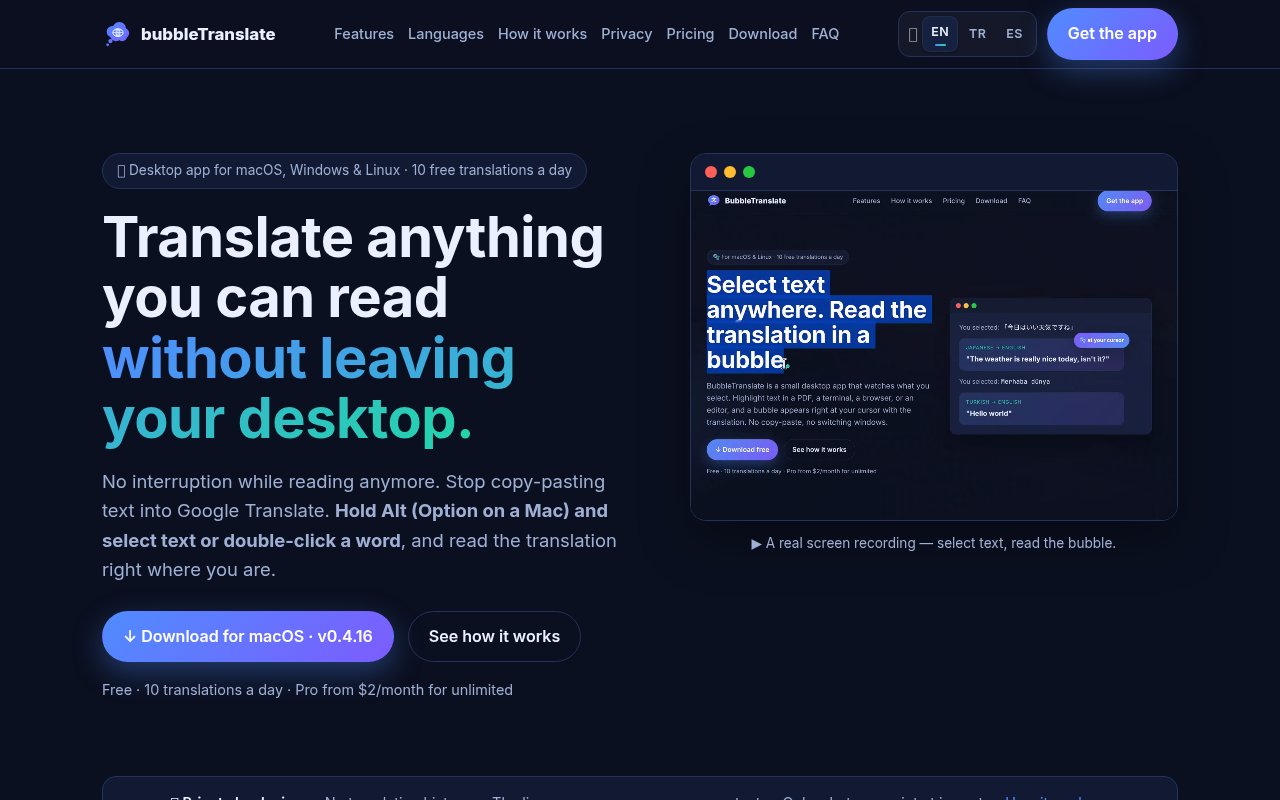
bubbleTranslate is a desktop translation app designed to keep reading from turning into a trip to another tab. It runs in the menu bar or system tray on macOS, Windows, and Linux, then places a translation next to the text a person is already viewing. Instead of copying a sentence, opening a translation site, pasting it, and finding the original place again, the reader holds Alt, or Option on a Mac, while selecting text. A small bubble appears beside the pointer and hides itself after a short delay. The app works at the operating system level, so the source can be a browser, PDF, document, chat, code editor, or another desktop application. That broad reach is the point. It's meant to preserve attention while someone reads material in a language they don't fully know.
The basic selection workflow is deliberately restrained. Ordinary highlighting and copying continue to behave normally because translation is triggered only when the configured key is held. A double click can translate one word, while a longer selection handles a phrase or paragraph. The source language is detected automatically and the bubble identifies the detected language along with the chosen target. Seventeen common target languages appear as quick choices, including English, Turkish, German, French, Spanish, Arabic, Chinese, Japanese, and Korean. People can also enter another language code accepted by the underlying providers. Settings cover the trigger key, target language, text size, visual theme, and the time before a bubble disappears. If one online translation provider is unavailable, the app automatically tries another.
bubbleTranslate also handles words that aren't exposed as selectable text. A region shortcut dims the screen and lets the reader draw a rectangle around a screenshot, scanned page, game, or video still. Text recognition happens on the local computer, then the recognized words are sent for translation and the result appears beneath the captured region. A separate full screen shortcut reads the visible screen and replaces paragraphs in place while preserving their layout, font, size, and colors. Code, commands, and file names are intended to remain untouched, and a key press or click restores the original view. The free plan includes three full screen translations per day. Screen reading has some platform details to consider, especially on Linux, where the built in reader has limited character support unless Tesseract and the needed language packs are installed.
Its privacy model is unusually concrete for a small translation utility. There is no account or sign up for the free version, and the app doesn't keep a permanent translation history. Recent items remain in memory only for the current session. Settings, the license, and the daily usage count live as local files. Selected text still has to reach an online translation provider, so the app requires an internet connection, but the license service doesn't receive that text. A Pro purchase is processed by Paddle, and the license service keeps the buyer's email, license status and end date, plus one device identifier per machine. On macOS the selection feature needs Accessibility permission, while region capture needs Screen Recording permission. Those permissions reflect how the app reads the current selection and visible pixels.
This is a practical fit for researchers reading foreign papers, developers working through documentation and issue threads, support staff handling multilingual conversations, language learners checking unfamiliar words, and anyone moving between material in several languages. It is less suited to people who need document production features, collaborative terminology management, or offline translation. The app focuses on immediate reading rather than editing and exporting a translated document. Installation also differs by operating system. The macOS build is signed and notarized, the Linux build targets distributions with glibc 2.28 or newer, and the Windows build can be downloaded directly or through the Microsoft Store. Direct Windows downloads may prompt a SmartScreen warning because that executable isn't code signed. The application source is visible on GitHub for transparency, though the site says it isn't published for reuse.
Access is freemium and doesn't ask for a payment method to start. The free edition allows ten ordinary translations each day, works across the three supported desktop platforms, and includes provider fallback without requiring an account. Pro costs $2 per month or $20 per year and removes the translation limit on as many as three machines under one license key. That is a simple upgrade boundary for frequent readers, while occasional use remains genuinely useful for free. Buyers should remember that translation quality comes from the available online providers and that screen recognition can depend on operating system support and local OCR setup. For someone whose main frustration is breaking concentration to translate a sentence, bubbleTranslate offers a focused answer with clear limits and modest pricing.
Key Features
- Cursor based selection translation
- Automatic source language detection
- Local screen region recognition
- Full screen in place translation
- Automatic translation provider fallback
- Custom shortcuts and visual themes
Pros & Cons
What we like
- Works across ordinary desktop applications
- Keeps translations beside the original text
- Requires no account for free use
- Explains its data handling clearly
Room for improvement
- Translations still require an internet connection
- Free use is capped each day
- Linux OCR may need Tesseract setup
- macOS requires accessibility permissions
Frequently Asked Questions
What is bubbleTranslate?
Is bubbleTranslate free?
Does bubbleTranslate work with screenshots?
Does bubbleTranslate store translated text?
Best For
Featured in
Alternatives to bubbleTranslate

CalendHub
Smart scheduling and calendar management for teams
Kevin Gabeci Toolkits
Seven AI toolkits for writing books, making music, cutting video, and building agents.

Eased Into AI
Learn AI from zero. No jargon, no hype, just steps that work.

Fix It Gently
Calm, plain-English fixes for everyday tech problems.
Reviews (0)
Badge builder
Add bubbleTranslate to your website
Choose a badge style and size, preview it here, then copy the generated HTML. Badge images are self-contained SVGs and do not require an external script.

<a href="https://toolindex.net/tools/bubbletranslate?ref=badge" target="_blank" rel="noopener">
  <img src="https://toolindex.net/badge/bubbletranslate/medium.svg" alt="bubbleTranslate - Listed on Tool Index" width="180" height="50" />
</a>How to use the badge
- 1. Pick the style, size, and theme that fit your layout.
- 2. Copy the generated HTML from the code block.
- 3. Paste it into your footer, homepage, or press page.
Standard badge available
The standard listing badge is available now. Score and circle badges are limited to tools currently ranked in the top 10 of a category.
Badge clicks return visitors to this profile with a referral tag so the source remains identifiable.
Related Tools

Confluence
Atlassian's long-running team wiki that anchors many enterprise knowledge stacks
Asana
Project management for teams that live in projects, tasks and dependencies
Kevin Gabeci Toolkits
Seven AI toolkits for writing books, making music, cutting video, and building agents.

Logseq
An open-source outliner notes app where every bullet is a first-class block
Work on bubbleTranslate? Request listing access or correction