
CADProps
View, measure, compare, convert, and share CAD files in a browser
Gallery
About CADProps
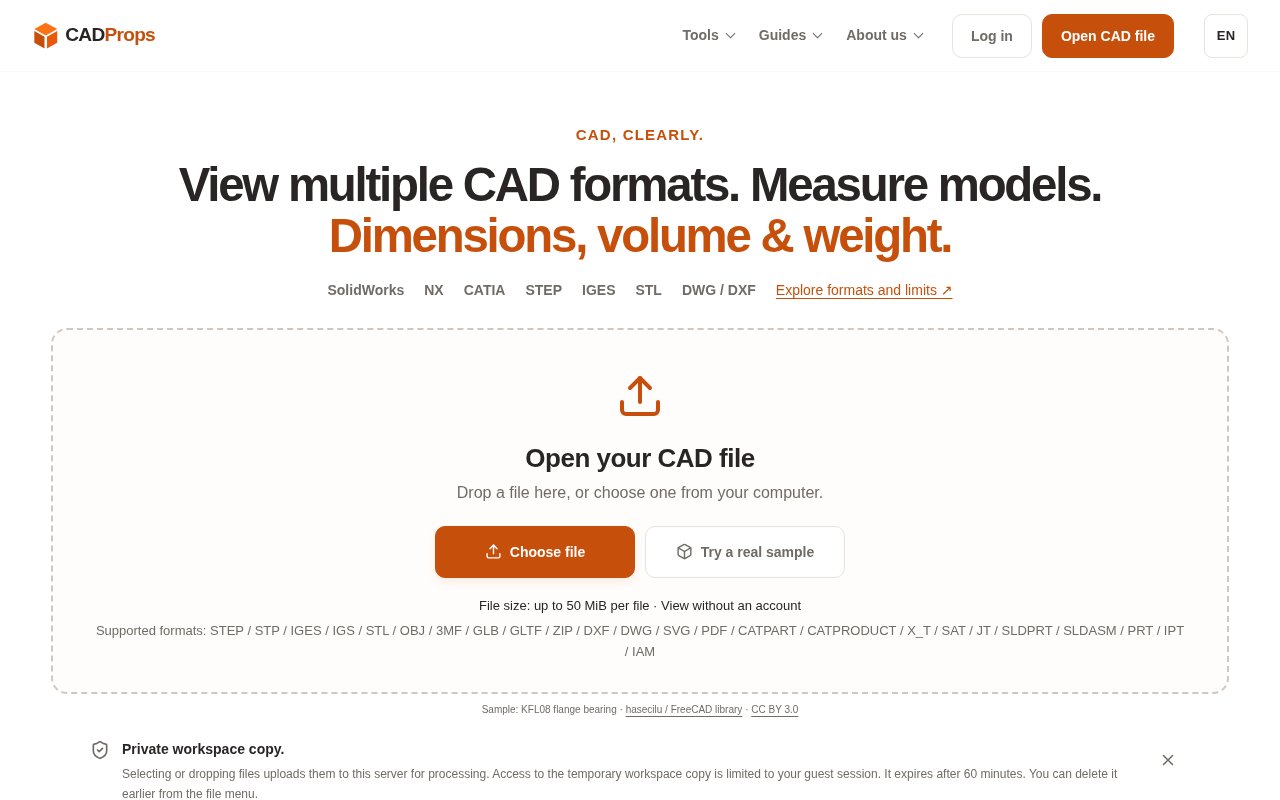
CADProps is a browser-based collection of tools for opening and inspecting CAD and mesh files without installing the original design application. It combines a 3D viewer with dimensions, surface area, volume, mass estimates, file comparison, conversion, batch property export, and model sharing. Viewing and measurement can begin without an account, which is useful when someone has received a file from a supplier or colleague and needs to understand it quickly. The service doesn't edit or author CAD models. Its focus is the smaller review tasks that happen around engineering, manufacturing, quoting, and handoff.
A user chooses a supported file or drops it into a temporary workspace, where processing starts immediately. The server reads the source geometry and creates a mesh for interactive viewing. For STEP and IGES files, properties can be calculated from boundary representation geometry, while mesh properties are identified as approximate. Users can inspect parts, change views, verify units, take supported measurements, and choose a material density to estimate mass. CADProps keeps those distinctions visible because a numeric result is only useful when the geometry type, units, assembly scope, and calculation method are understood.
Format coverage is broad but deliberately qualified. Public viewers cover formats including STEP, IGES, SolidWorks parts and packaged assemblies, Parasolid X_T, Siemens NX, Autodesk Inventor, CATIA, ACIS SAT, JT, STL, OBJ, 3MF, GLB, GLTF, DWG, and DXF. Native assembly formats can depend on external components, so CADProps asks users to package the root file and its local dependencies in a ZIP while preserving relative paths. When components are missing, the result stays visibly incomplete, and any dimensions or properties apply only to the geometry that actually loaded.
Beyond viewing, CADProps can compare two 3D models visually and numerically. STEP pairs also support solid differences, which can help with a revision check when the original coordinates are meaningful. Batch processing gathers properties into a CSV, and failed files remain visible with a reason instead of silently disappearing. Conversion paths include several native CAD formats to STEP, STEP to common exchange and mesh formats, IGES to STEP, and conversion between STL and OBJ. The site warns that a successful conversion doesn't prove manufacturing acceptance, so important outputs still need to be reopened in the receiving workflow and checked. A sample library supplies known inputs for testing viewers, units, solids, open surfaces, and mesh workflows.
Sharing is available through fixed model links that can expire after 7 or 30 days and can optionally require a password. A recipient can rotate the model, inspect available properties, use section views, and measure in a browser without installing CAD software or signing in. The original source file isn't offered as a download through the shared page. Even so, anyone with an unprotected link can forward it, and browser display data can be captured, so the feature is better treated as convenient review access than as a complete digital rights system.
File handling is unusually well explained for a lightweight web utility. Guest files are processed temporarily on the server and scoped to the browser session. Clearing the workspace cancels processing and deletes temporary guest files. Signed-in files can remain in an account library until they are deleted or expire, and deleting a saved source also revokes its share links. CADProps says original CAD files are treated as confidential and aren't sent to external CAD processing services. Teams with strict confidentiality or residency requirements should still compare those published practices with their own policy before uploading sensitive models.
The public product presents viewing and measurement without an account and asks users to sign in for conversion, saved files, and sharing. It doesn't publish subscription plans or a paid product tier, so CADProps is best classified as free based on the available site information. Public content pages may carry advertising, and the company separately offers custom development for organizations that need a tailored workflow or private setup. The strongest fit is an occasional or early-stage inspection task where installing a full desktop CAD package would be disproportionate. Version compatibility, incomplete assemblies, and approximate mesh measurements mean it should support engineering judgment rather than replace it.
Key Features
- Multi-format browser CAD viewing
- Geometry measurements and properties
- Visual and numeric file comparison
- Validated CAD format conversion
- Batch property CSV export
- Expiring password-protected share links
Pros & Cons
What we like
- Viewing and measurement work without an account
- Explains geometry, format, and accuracy limits clearly
- Supports many native, exchange, and mesh formats
- Combines inspection, comparison, conversion, and sharing
Room for improvement
- Mesh measurements are approximate rather than exact
- Native file support depends on version and readable geometry
- Conversion and saved libraries require an account
- Uploaded models are processed on the service's servers
Frequently Asked Questions
What is CADProps?
Can CADProps be used without an account?
Are CADProps measurements exact?
How does CADProps handle uploaded files?
Best For
Featured in
Alternatives to CADProps

Framer
Visual website builder that lets designers ship production-grade marketing sites with real CMS, SEO controls, and code components.

Tailwind CSS
Rapidly build custom designs without leaving your HTML

Apatero Studio
Creator studio for AI image, video, audio, 3D, and avatars. Every model worth using, in one workspace.

Pixel Painters
Unlimited graphic design subscriptions built only for churches and ministries
Reviews (0)
Badge builder
Add CADProps to your website
Choose a badge style and size, preview it here, then copy the generated HTML. Badge images are self-contained SVGs and do not require an external script.

<a href="https://toolindex.net/tools/cadprops?ref=badge" target="_blank" rel="noopener">
  <img src="https://toolindex.net/badge/cadprops/medium.svg" alt="CADProps - Listed on Tool Index" width="180" height="50" />
</a>How to use the badge
- 1. Pick the style, size, and theme that fit your layout.
- 2. Copy the generated HTML from the code block.
- 3. Paste it into your footer, homepage, or press page.
Standard badge available
The standard listing badge is available now. Score and circle badges are limited to tools currently ranked in the top 10 of a category.
Badge clicks return visitors to this profile with a referral tag so the source remains identifiable.
Related Tools
Apatero Studio
Creator studio for AI image, video, audio, 3D, and avatars. Every model worth using, in one workspace.
Tailwind CSS
Rapidly build custom designs without leaving your HTML

Figma
Collaborative interface design tool

Marvel
Lightweight prototyping platform for turning images and screens into clickable mobile and web prototypes.
Work on CADProps? Request listing access or correction