
Captain
AI travel agent on Telegram that searches live flight prices and tracks fare changes
Gallery
About Captain
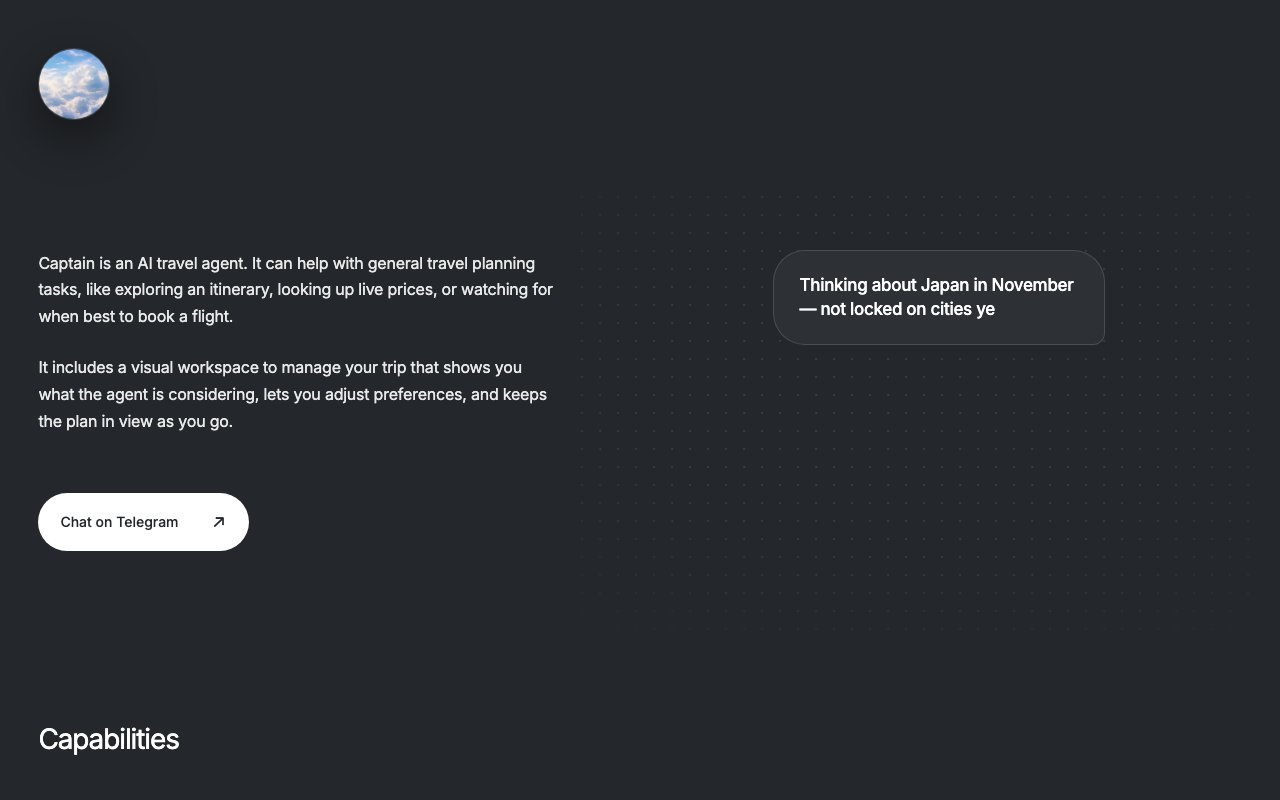
Captain is an AI travel planning assistant that lives inside Telegram. You open a chat, describe where you want to go and when, and it returns real flight options with live pricing pulled from Duffel. It handles everything from fuzzy early planning through final booking research, all in a conversational interface rather than the usual search form. If you have a vague idea for a trip months from now, Captain can talk through it with you. If you have firm dates and just need to compare flights, it handles that too. The range of the conversation scales to wherever you are in the planning process, so you are not locked into a rigid workflow that assumes you already know exactly what you want.
The problem it solves is the friction of flight comparison. Instead of filling out departure city, arrival city, dates, cabin class, and stopover preferences across half a dozen tabs, you just tell Captain what you need in plain language. It parses flexible constraints like a week in May, before Wednesday, or something direct with no connections and returns ranked options that match. If you mention a budget limit or a preference for a particular airline, it factors that in on every subsequent search. Constraints persist across sessions, so you are not re entering the same preferences each time you pick up the thread. The assistant maintains context as your plans evolve, which makes it useful for complex itineraries where you are still figuring out the shape of the trip.
Under the hood, Captain connects to Duffel for live fare data, so the prices you see are current rather than cached from hours or days ago. It supports one way, round trip, and multi city routes. If you are planning a loop through several cities with open segments, you can describe that in plain language and Captain will assemble the options. Voice notes are supported alongside text input, so you can dictate your requirements on the go rather than typing everything out. This is especially useful on mobile when you want to capture a travel thought quickly without switching to a full search interface. The visual workspace inside Telegram lets you see your itinerary, compare flight options, tweak preferences like cabin class or stop limits, and toggle price monitoring for routes you have not committed to yet.
Price monitoring is where Captain becomes a passive tool rather than an on demand one. Once monitoring is on for a route, Captain checks fares daily and pings you when there is a meaningful drop or spike. The alerts are filtered to avoid noise, so you are not getting a notification every time a fare ticks by a few dollars. If you are waiting for the right moment to book but do not want to manually refresh search results every day, this takes that work off your plate. The activity feed inside the workspace shows watched flights so you can review the price history at a glance and decide whether the current price represents a good deal or whether waiting is still the right move.
The assistant does not book flights for you. It is a research and monitoring layer. When you are ready to buy, you select the flight and complete the purchase through the airline or an online travel agency. That separation keeps Captain lightweight and avoids the compliance headaches of handling payment. Flight fares come from Duffel and are subject to change or expiration, so you should expect final prices to differ slightly at checkout depending on how long you wait between search and booking. This is standard for any flight comparison tool, and Captain does not obscure it.
Captain fits travelers who do a lot of trip planning, especially those with complex itineraries or loose dates. If you usually open a dozen tabs to compare options, this condenses the workflow into a single chat thread that remembers your preferences. It also suits people who want to wait for a price drop but do not want to check manually every day. The conversational format lowers the barrier to exploring options, because you do not need to fill in every field on a search form just to see what is available. You can ask a speculative question like what would it cost to fly to Lisbon in October and get real numbers back without committing to anything.
Where it stands apart from generic flight search engines is the conversational memory. Your cabin preference, airline blacklist, and budget constraints persist, so you do not have to re enter them every time you start a new search. And because it runs inside Telegram, you can pick up the conversation on any device without installing a separate app or syncing data between platforms. Pricing is not detailed on the landing page, but the product appears to operate on a freemium basis given the onboarding flow and the fare monitoring feature. If flight bookings are eventually added, that model might shift, but for now it positions itself as a research tool rather than a transactional one.
Key Features
- Conversational flight search via Telegram
- Live fare data through Duffel
- Multi city and flexible date support
- Stored preferences for airlines and budget
- Daily price monitoring with alerts
- Voice note input alongside text
Pros & Cons
What we like
- No separate app to install since it runs in Telegram
- Remembers your preferences across sessions
- Handles flexible date ranges and complex itineraries
- Price alerts surface only meaningful fare changes
Room for improvement
- Does not book flights, just researches them
- Requires Telegram, which not everyone uses
- Pricing model is not clearly documented
- Younger product with a smaller user base
Frequently Asked Questions
What is Captain?
Can Captain book flights for me?
Is Captain free to use?
Who is Captain for?
Best For
Featured in
Alternatives to Captain

Apatero AI
The creator studio for AI image, video, audio, 3D, and avatars, now at apatero.ai.

SoloDevStack
A solo developer blog built on head-to-head tool comparisons, 580+ posts deep.
Apatero Studio
Creator studio for AI image, video, audio, 3D, and avatars. Every model worth using, in one workspace.

Melodex
Turn your idea into an AI-generated music video
Reviews (0)
Badge builder
Add Captain to your website
Choose a badge style and size, preview it here, then copy the generated HTML. Badge images are self-contained SVGs and do not require an external script.

<a href="https://toolindex.net/tools/captain-travel?ref=badge" target="_blank" rel="noopener">
  <img src="https://toolindex.net/badge/captain-travel/medium.svg" alt="Captain - Listed on Tool Index" width="180" height="50" />
</a>How to use the badge
- 1. Pick the style, size, and theme that fit your layout.
- 2. Copy the generated HTML from the code block.
- 3. Paste it into your footer, homepage, or press page.
Standard badge available
The standard listing badge is available now. Score and circle badges are limited to tools currently ranked in the top 10 of a category.
Badge clicks return visitors to this profile with a referral tag so the source remains identifiable.
Related Tools
Apatero AI
The creator studio for AI image, video, audio, 3D, and avatars, now at apatero.ai.
Kevin Gabeci Toolkits
Seven AI toolkits for writing books, making music, cutting video, and building agents.

Warp
The modern terminal reimagined with AI and collaboration

Bolt.new
Prompt-to-deployed full-stack app inside the browser
Work on Captain? Request listing access or correction