CardGo
Encrypted, reusable context cards you attach to ChatGPT, Claude, Gemini, Perplexity, and Grok chats
Gallery
About CardGo
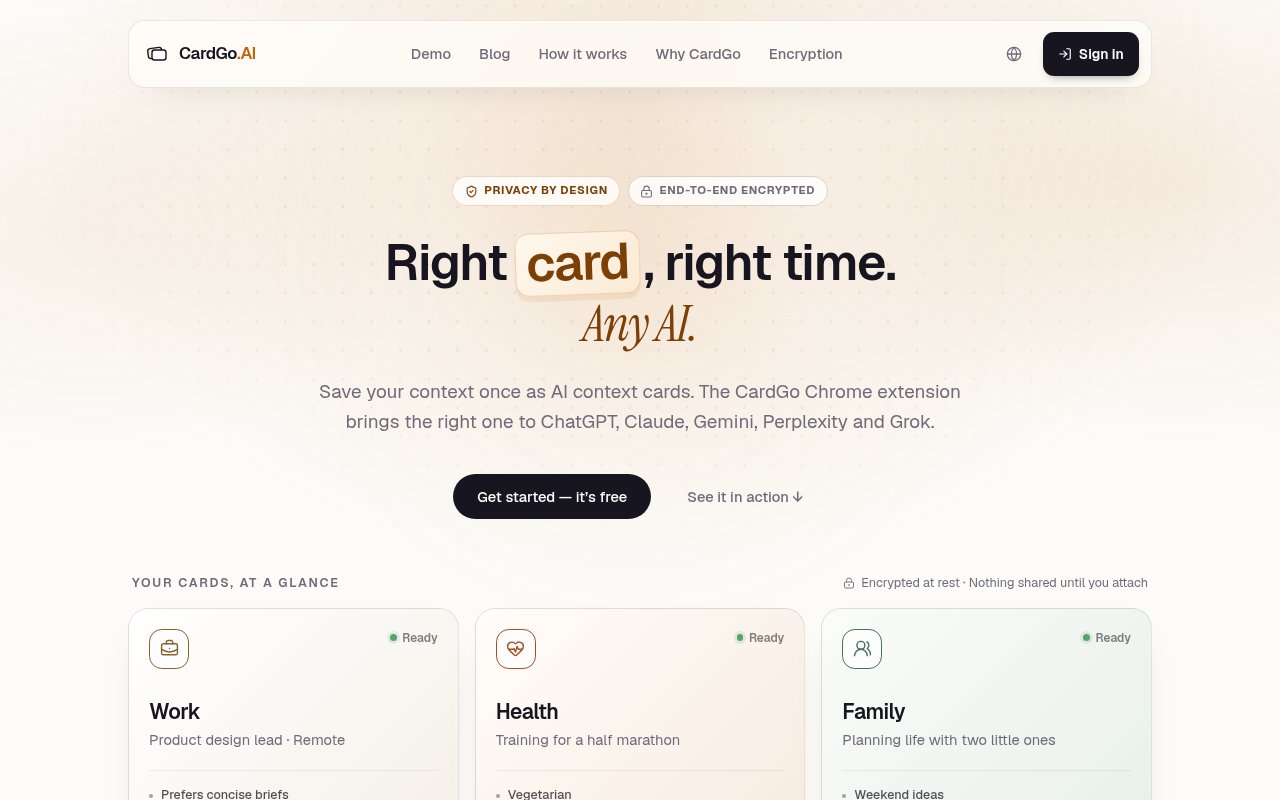
CardGo is a Chrome extension that gives you a set of reusable context cards about yourself and drops them into whichever AI chat you happen to be using. Instead of retyping who you are, what you're working on and how you like answers formatted every time you open ChatGPT, Claude, Gemini, Perplexity or Grok, you write that once as a card, then attach it to a conversation with a click. The cards are encrypted in your browser before they ever sync, so CardGo's own servers only hold ciphertext.
The problem is one every heavy AI user recognises. Each assistant has its own memory feature, and each one is a silo. What ChatGPT has learned about you doesn't follow you to Claude, and what either has decided to remember isn't something you wrote or can easily audit. So people keep a text file of boilerplate and paste it in, or they just repeat themselves. CardGo replaces the text file with something structured, portable and private.
Cards come in seven types that map to the things an assistant usually needs to know. Profile covers who you are, Now covers what you're currently doing, Goals and Guidance cover where you're headed and how you want to be helped, Memory and Timeline hold context and history, and Skills lists what you can do. You write them yourself, which is the point; this is user-authored context rather than model-generated inference. When you're in a supported chat, the extension shows your cards, you preview exactly what will be sent, and attaching one inserts it into the message box of that conversation. Only the card you attach goes to that provider, and only when you attach it. Getting started takes a few minutes. Install the extension from the Chrome Web Store, create an account if you want your cards to sync between machines, and write your first card. Profile is the obvious place to begin, since it's the one you'll attach most. Then open ChatGPT or Claude, pick the card from the extension, read the preview, and attach it. The card lands in the message box, you add your actual question, and you send it as normal. Nothing about the AI service changes; CardGo is only ever typing into the box on your behalf.
The encryption model is the part worth reading twice. Cards are encrypted locally using AES-256-GCM with a key generated on your device, and that key never leaves your browser. Sync moves ciphertext between your devices through CardGo's servers, which can't read it. The only party that ever sees a card in the clear is the AI provider you attach it in, at the moment you attach it. That's a meaningfully stronger posture than most productivity tools that store personal context.
It's for people who use more than one assistant and are tired of the cold start, and for anyone who is uneasy about built-in memory features deciding what to retain. Consultants and freelancers who switch context between clients get a lot out of it, since a card per client is a natural fit. Developers who keep a standing set of preferences about language, style and tooling can encode those once and stop repeating them.
Where it differs from native AI memory is control and portability. Built-in memory is model-generated, opaque and locked to one product. CardGo's cards are written by you, shown to you before they're sent, attached per conversation rather than always on, and work across five services from a single place. It works wherever those products let you type, because the insertion happens in the message box rather than through any special integration with the provider. Compared with the two usual workarounds, the difference is discipline. A text file of boilerplate works until it sprawls, goes stale, or gets pasted into the wrong chat with a client's details still in it. Custom instructions inside one product are tidy but stop at that product's border. CardGo makes you split context into typed cards, which is a little more work upfront and a lot less work every day after, and it means the sensitive parts are encrypted at rest rather than sitting in a notes app.
The limits are plain. It's Chrome only, so Safari and Firefox users are out for now, and it covers the web interfaces of those five assistants rather than desktop apps or APIs. Attaching is manual by design, which some people will find tedious after the novelty wears off. And the free tier caps you at seven cards, which is enough for most individuals but will feel tight for anyone running many client profiles. Access is free to start with no credit card. The free tier includes up to seven encrypted cards with cross-device sync, and the site doesn't currently list any paid plan, so there's nothing to compare against yet. The extension is in the Chrome Web Store, there's a signup and login for sync, and the privacy policy and a comparison page against built-in AI memory are published on the site.
Key Features
- Seven card types from Profile to Skills
- AES-256-GCM encryption with device-held keys
- Works in ChatGPT, Claude, Gemini, Perplexity, and Grok
- Preview before anything is sent
- Manual per-conversation attachment
- Cross-device sync of ciphertext only
Pros & Cons
What we like
- Context you wrote yourself, not model guesses
- Servers never see the plaintext or the key
- One set of cards across five assistants
- Free to start with no credit card
Room for improvement
- Chrome extension only
- Web chat interfaces only, not desktop apps or APIs
- Attaching cards is a manual step every time
- Free tier caps you at seven cards
Frequently Asked Questions
What is CardGo?
Is CardGo free?
Can CardGo read my cards?
Which AI services does CardGo work with?
Best For
Featured in
Alternatives to CardGo
View all
Apatero AI
The creator studio for AI image, video, audio, 3D, and avatars, now at apatero.ai.

SoloDevStack
A solo developer blog built on head-to-head tool comparisons, 580+ posts deep.
Apatero Studio
Creator studio for AI image, video, audio, 3D, and avatars. Every model worth using, in one workspace.

Melodex
Turn your idea into an AI-generated music video
Our take
Tool Index Editorial · Sep 2026· 3.5/5
CardGo stores reusable context cards and inserts the chosen card into ChatGPT, Claude, Gemini, Perplexity, or Grok through a Chrome extension. Cards are encrypted in the browser before sync, and users preview what will be attached to each conversation. That makes the product a controlled alternative to copying boilerplate from a notes file or trusting each assistant's separate memory feature.
We like the explicit sharing boundary. CardGo says it cannot read the encrypted cards on its servers, and nothing goes to an AI provider until the user chooses it. The current product is still Chrome and web chat focused, with desktop and mobile keyboard versions marked as coming soon. Manual attachment adds friction, supported sites can change their interfaces, and the free offer does not yet come with a clear paid roadmap. It is useful for multi assistant users, but not a universal context layer yet.
Editorial opinion from the Tool Index team, written from the public product pages. Not a user review.
Reviews (0)
Badge builder
Add CardGo to your website
Choose a badge style and size, preview it here, then copy the generated HTML. Badge images are self-contained SVGs and do not require an external script.

<a href="https://toolindex.net/tools/cardgo?ref=badge" target="_blank" rel="noopener">
  <img src="https://toolindex.net/badge/cardgo/medium.svg" alt="CardGo - Listed on Tool Index" width="180" height="50" />
</a>How to use the badge
- 1. Pick the style, size, and theme that fit your layout.
- 2. Copy the generated HTML from the code block.
- 3. Paste it into your footer, homepage, or press page.
Standard badge available
The standard listing badge is available now. Score and circle badges are limited to tools currently ranked in the top 10 of a category.
Badge clicks return visitors to this profile with a referral tag so the source remains identifiable.
Related Tools
Apatero AI
The creator studio for AI image, video, audio, 3D, and avatars, now at apatero.ai.
Kevin Gabeci Toolkits
Seven AI toolkits for writing books, making music, cutting video, and building agents.

Warp
The modern terminal reimagined with AI and collaboration

Bolt.new
Prompt-to-deployed full-stack app inside the browser
Work on CardGo? Request listing access or correction