
Cayu
Build domain-specific Python agents that can work reliably across hours or days
Gallery
About Cayu
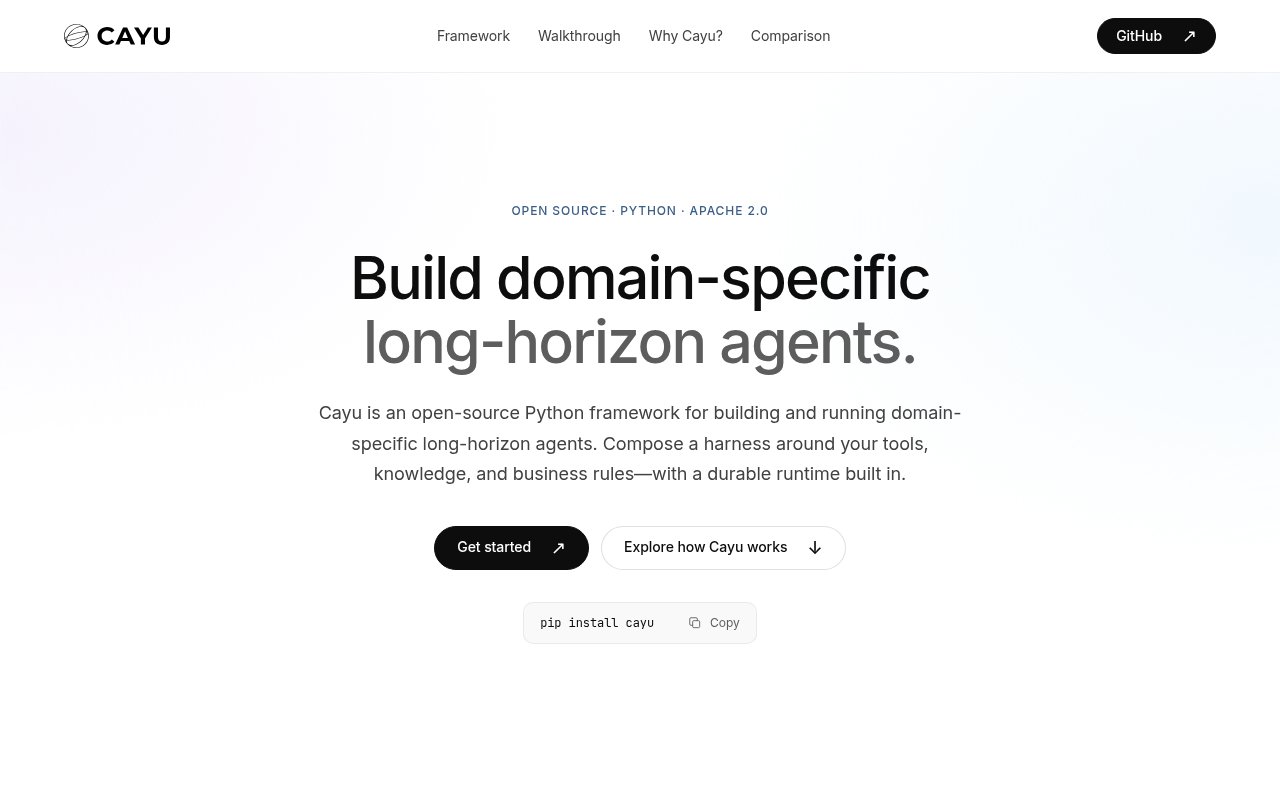
Cayu is an open-source Python framework for building domain-specific agents whose work may continue for hours or days. It brings the agent harness and the execution runtime into one project, so a team can define the context, tools, policies, memory, business rules, and verification that surround a model. The point isn't to provide a general chat interface. It's to give developers a structured foundation for an agent that performs a bounded job in a real domain and keeps working when the path to completion involves many decisions.
That long-horizon focus addresses a problem that appears after a promising agent prototype meets production. A one-shot prompt can return an answer, but operational work has state, interruptions, external effects, budgets, approvals, and uncertain outcomes. Cayu records sessions, events, and checkpoints in durable storage so progress can survive a stopped worker. A replacement worker can inspect the recorded state and continue, while an action whose effect is uncertain can be reconciled against outside evidence or sent to a person instead of being silently repeated. This makes waiting and recovery part of the workflow rather than exceptional cases bolted on later.
Developers start in ordinary Python. The project generator creates places for prompts, tools, policies, memory, domain code, tests, and evaluations, along with a basic model-only agent to extend. Teams can connect Python functions and business systems, choose a model provider, configure storage, and define the completion checks that decide when work is actually done. Cayu supports OpenAI, Anthropic, Amazon Bedrock, Google Vertex AI, OpenAI-compatible services, and custom provider contracts. Its components are replaceable, so model access, context assembly, knowledge retrieval, storage, and execution don't have to be tied to one vendor.
The integrated runtime covers the less visible machinery behind a working agent. It can keep durable session history, coordinate tasks and workers, pause for human approval, enforce tool policies, reserve and settle model budgets, and track usage through structured events and OpenTelemetry. It also includes an operator dashboard for inspecting sessions, workflows, usage, and evaluations. Tool effects and permissions are represented separately, and approval can be scoped to a particular requested action. Cayu can also place credentials behind configured proxies so an authorized tool can act without receiving the underlying secret, though native Python tools still need an execution boundary appropriate to the code. Recorded sessions can be resumed or forked, while tasks use dispatch, worker leases, and heartbeats to coordinate work beyond one request. Artifacts and approvals can persist across restarts, and a stale worker can be fenced from work it no longer owns. These details help when an agent is a continuing process rather than a single model call.
Cayu fits engineering teams building agents for document processing, finance, accounting, enterprise operations, or other domains where rules and evidence matter as much as model output. It is most useful when a job spans thousands of steps, waits for a reviewer, touches real systems, or must stay within a cost or authority limit. The framework expects the team to supply the actual domain behavior and interface. That makes it a better match for developers creating an agent product than for someone looking for a finished assistant that works without coding.
Its clearest distinction is the attention given to what happens beyond the happy path. Session forks, recovery-aware task execution, durable artifacts, trajectory evaluations, cost attribution, and checks around ambiguous external effects all live in the framework's model of the work. The project also makes its boundaries explicit. Local runners are for trusted code, tool permissions don't create an operating-system sandbox, and evaluations only establish the criteria a team defines. Recorded model usage and estimated cost are treated as separate measures, since an estimate depends on the team's own price book and the usage data a provider returns. Those caveats help set expectations for teams that need to reason carefully about authority and reliability.
The core framework is available under the Apache 2.0 license and installs as a Python package. It requires Python 3.11 or newer and can run locally, on a team's cloud account, in a private network, or on premises. Cayu Cloud is optional and provides a shared workspace for building, deploying, operating, and improving agents, but the public site doesn't publish self-service Cloud prices. The open-source package is therefore the clearest route for evaluating Cayu, while teams that need the managed workspace or enterprise help will need to contact the company.
Key Features
- Durable sessions and recovery
- Typed tools and approval policies
- Replaceable model provider contracts
- Budgets and cost attribution
- Trajectory evaluations and replay
- Included operator dashboard
Pros & Cons
What we like
- Treats interruptions and recovery as core runtime concerns
- Keeps domain behavior editable in ordinary Python
- Supports several model providers and custom contracts
- Runs on infrastructure the team controls
Room for improvement
- Requires Python engineering and domain design
- Open-source project is still early
- Native tools still need a suitable execution boundary
- Cloud pricing isn't published publicly
Frequently Asked Questions
What is Cayu?
Does Cayu require Cayu Cloud?
Which model providers can Cayu use?
Who is Cayu for?
Best For
Featured in
Alternatives to Cayu
View all
Almanac
A hosted, source-cited wiki that turns your files into context your AI agents can use

Demi AI
Demi helps busy professionals eliminate repetitive admin work across their favorite tools.

Lindy
No-code AI agents that handle email, meetings, and recurring workflows
Vapi
Build voice AI agents that take and place phone calls
Our take
Tool Index Editorial · Sep 2026· 3.5/5
Cayu is an open source Python framework for building domain specific agents that may work for hours, pause, recover, and continue toward a defined result. It is for engineering teams whose agents need tools, policies, memory, approvals, budgets, and durable execution rather than a single prompt loop. The framework is Apache 2.0 licensed and installs with pip. The site does not publish a Cloud price.
We like that sessions, state, workers, recovery, and evaluation are presented as one runtime concern. The walkthrough also makes clear that teams provide the domain knowledge and verification. That is both the strength and the limitation. Cayu is infrastructure, not a finished assistant, and useful deployments will require Python work, careful tool boundaries, operational storage, and tests that reflect the real definition of done.
Editorial opinion from the Tool Index team, written from the public product pages. Not a user review.
Reviews (0)
Badge builder
Add Cayu to your website
Choose a badge style and size, preview it here, then copy the generated HTML. Badge images are self-contained SVGs and do not require an external script.

<a href="https://toolindex.net/tools/cayu?ref=badge" target="_blank" rel="noopener">
  <img src="https://toolindex.net/badge/cayu/medium.svg" alt="Cayu - Listed on Tool Index" width="180" height="50" />
</a>How to use the badge
- 1. Pick the style, size, and theme that fit your layout.
- 2. Copy the generated HTML from the code block.
- 3. Paste it into your footer, homepage, or press page.
Standard badge available
The standard listing badge is available now. Score and circle badges are limited to tools currently ranked in the top 10 of a category.
Badge clicks return visitors to this profile with a referral tag so the source remains identifiable.
Related Tools

OpenBenchmarks
Public, externally validated benchmarks that help agents pick SaaS APIs
Almanac
A hosted, source-cited wiki that turns your files into context your AI agents can use

Wizard
Self-extending Rust terminal AI agent that works with any model

Chariot
Elastic cloud infrastructure for deploying and scaling AI agent fleets with persistent storage
Work on Cayu? Request listing access or correction