
Ceptile
Search the live web with cited AI answers, quick links, notes, and translation
Gallery
About Ceptile
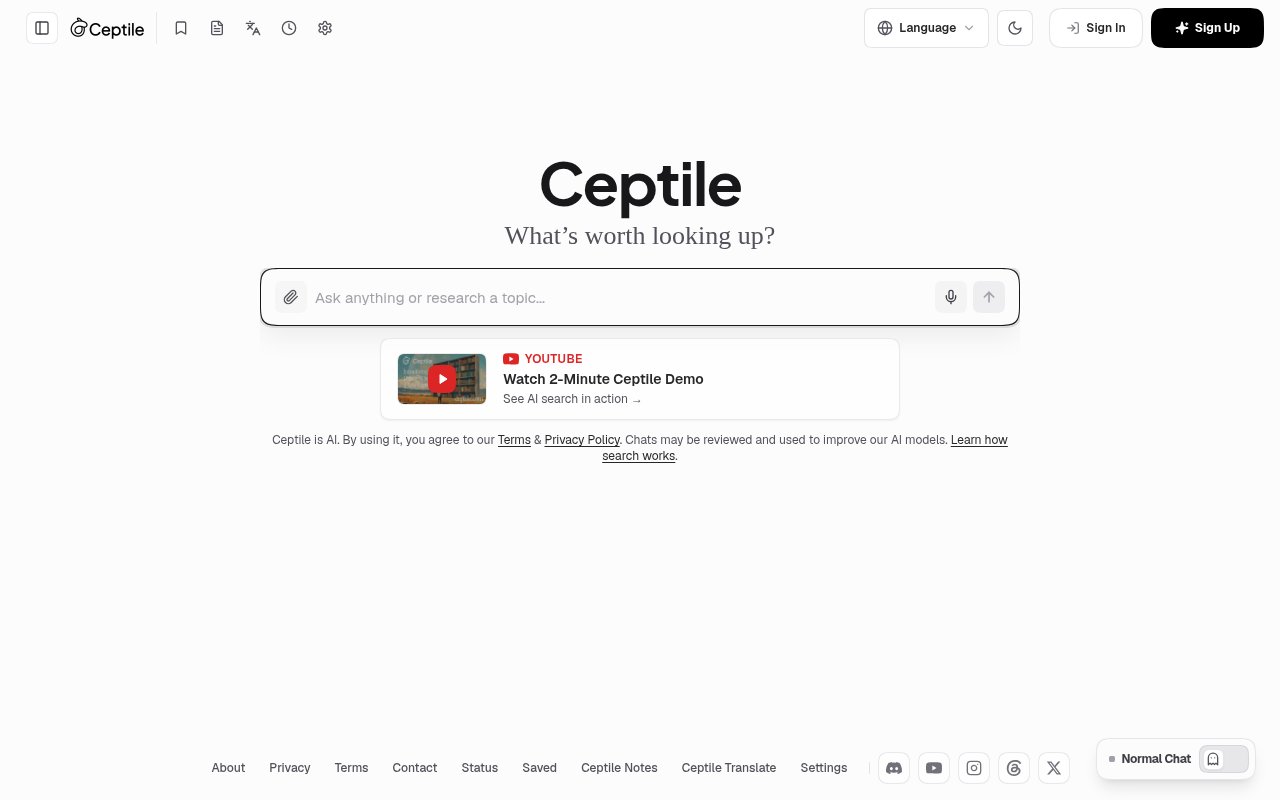
Ceptile is a free AI search engine that combines live web retrieval, conversational answers, traditional links, citations, and research tools in one browser experience. It is designed for questions that benefit from a synthesized response but still need a route back to the underlying evidence. Instead of returning only a page of links or only a chatbot response, Ceptile plans searches, retrieves current material, evaluates candidate passages, and writes a direct answer with clickable source references. Quick links remain available for deeper navigation, so the user can move between a concise explanation and the wider web without starting over in another tool.
A search begins with intent analysis. Ceptile interprets a natural-language question, works out whether it needs news, historical material, documentation, comparisons, or another type of evidence, and formulates targeted subqueries. It then searches the live web across multiple primary sources in parallel. Candidate material is scored for topical relevance, freshness, authority, and factual consistency, while the system says it filters clickbait, sponsored blogs, outdated speculation, and low-signal content before synthesis. The resulting answer uses interactive citation markers that link to source URLs and provide previews, making it easier to inspect where a claim came from. The query layer is designed for natural questions in any language, so it doesn't require a special prompt format. Ceptile can distinguish breaking news from historical, scientific, technical, or comparative requests and adjust its retrieval plan accordingly. That planning step is useful when one question contains several factual parts that would otherwise need separate searches.
Visual material is separated from the answer rather than mixed through the prose. Ceptile collects discovered images, photos, videos, and diagrams in a dedicated gallery with source credits and a full-screen viewer. This keeps the main response readable while still giving research topics a visual layer. The service also offers temporary chat for searches that shouldn't remain in history. Temporary sessions aren't written to conversation history, don't persist in the database, and don't update AI memory. A user can choose a personalized temporary mode that uses existing preferences or a blank-slate mode with no past chat context.
The product extends beyond search with a notes workspace and saved-source library. Notes can be written or dictated, formatted in Markdown, tagged, previewed in a split view, and exported as Markdown files. Voice entry detects spoken punctuation, while the larger editor supports formatting and revision in a focused view. Notes preserve links to original queries and source URLs, which is useful when a quick search grows into an ongoing research thread. Citations and web links can be bookmarked with one click, filtered by publisher, domain, or snippet keyword, and reopened in the conversation where they were found. Ceptile describes this library as local-first with cloud synchronization, combining responsive access with availability across devices.
Translation is integrated into both the research flow and a dedicated workspace. Selecting text in an answer or note opens an in-context translation option, so a passage can be understood without switching tabs. The standalone Ceptile Translate page supports more than 50 languages, automatic detection, voice dictation, audio pronunciation, and romanization for non-Latin writing systems. It includes major global languages and Indian regional languages such as Hindi, Marathi, Bengali, Tamil, Telugu, and Gujarati. The translation flow preserves Markdown and links, and translated pairs can be saved directly into Ceptile Notes with language tags. That combination fits students, researchers, journalists, developers, and knowledge workers who collect sources across languages and want citations, commentary, translations, and their own observations to stay connected.
Ceptile is open to everyone without a paid subscription, and the site presents search, image and news exploration, and conversational chat as free access. There is no advertised paid tier or enterprise service level. Standard chats may be reviewed and used to improve its AI models, so sensitive searches are better suited to the temporary mode and users should read the privacy policy before relying on the service. The product also tells users to verify time-sensitive facts, which is sensible even with live retrieval and citations. Its appeal is the breadth of the free research workflow, while the main tradeoff is accepting a young, evolving service and checking the linked evidence rather than treating any generated answer as final.
Key Features
- Live multi-source web retrieval
- Cited AI answer synthesis
- Dedicated visuals gallery
- Temporary private search sessions
- Markdown notes and source vault
- Translation across 50-plus languages
Pros & Cons
What we like
- Links generated claims to original sources
- Combines search and research notes
- Includes multilingual voice and audio tools
- Offers free access without a subscription
Room for improvement
- Standard chats may support model improvement
- Time-sensitive answers still need verification
- Features and technical details may evolve
- No paid service tier is described
Frequently Asked Questions
What is Ceptile?
Is Ceptile free?
How does Ceptile handle private searches?
What can Ceptile Notes store?
Best For
Featured in
Alternatives to Ceptile

Apatero AI
The creator studio for AI image, video, audio, 3D, and avatars, now at apatero.ai.

SoloDevStack
A solo developer blog built on head-to-head tool comparisons, 580+ posts deep.
Apatero Studio
Creator studio for AI image, video, audio, 3D, and avatars. Every model worth using, in one workspace.

Melodex
Turn your idea into an AI-generated music video
Reviews (0)
Badge builder
Add Ceptile to your website
Choose a badge style and size, preview it here, then copy the generated HTML. Badge images are self-contained SVGs and do not require an external script.

<a href="https://toolindex.net/tools/ceptile?ref=badge" target="_blank" rel="noopener">
  <img src="https://toolindex.net/badge/ceptile/medium.svg" alt="Ceptile - Listed on Tool Index" width="180" height="50" />
</a>How to use the badge
- 1. Pick the style, size, and theme that fit your layout.
- 2. Copy the generated HTML from the code block.
- 3. Paste it into your footer, homepage, or press page.
Standard badge available
The standard listing badge is available now. Score and circle badges are limited to tools currently ranked in the top 10 of a category.
Badge clicks return visitors to this profile with a referral tag so the source remains identifiable.
Related Tools
Apatero AI
The creator studio for AI image, video, audio, 3D, and avatars, now at apatero.ai.
Kevin Gabeci Toolkits
Seven AI toolkits for writing books, making music, cutting video, and building agents.

Warp
The modern terminal reimagined with AI and collaboration

Bolt.new
Prompt-to-deployed full-stack app inside the browser
Work on Ceptile? Request listing access or correction