
Chalk
Native Mac diagram app with AI integration via Model Context Protocol
Gallery
About Chalk
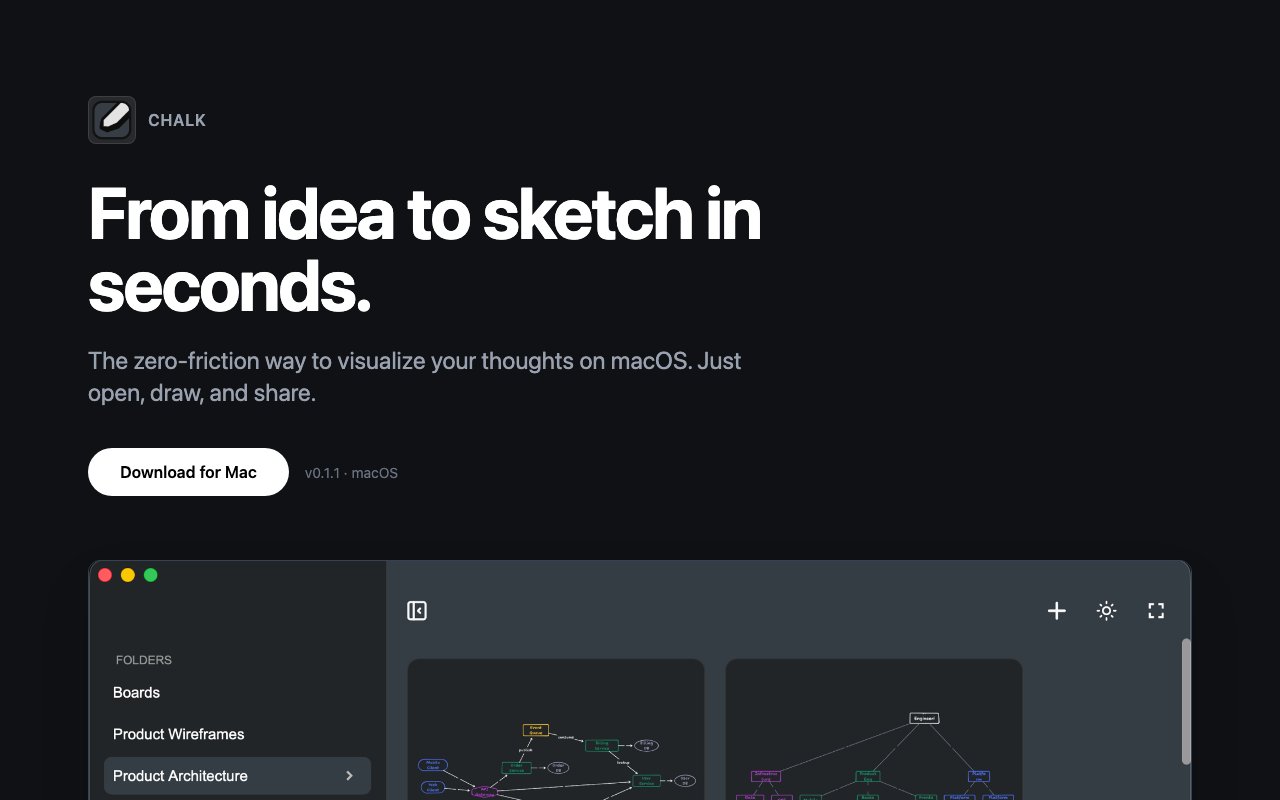
Chalk is a native macOS drawing app built for quick sketches, screenshot annotations, and visual brainstorming. It launches fast, stays out of your way, and copies whatever you draw straight to the clipboard as a PNG. The idea is to remove every barrier between having a visual thought and sharing it. No project setup, no export dialogs, no tabs or panels competing for attention. You open Chalk, draw something, hit copy, and paste it into Slack, Notion, a code comment, or wherever else you need to explain something visually. For developers, designers, product managers, and anyone who communicates through documentation or chat, that speed matters. The seconds you save on each sketch add up when visual communication is part of your daily workflow.
The interface is deliberately minimal. When you open Chalk, you get a blank canvas and a small toolbar with the basics. Freehand pen for quick scribbles, arrows for pointing at things, text for labels, boxes and other shapes for diagrams. That's the core set. There's no layer system, no vector editing with anchor points, no advanced typography controls, no color picker with a thousand options. The app assumes you're not trying to create polished artwork or final deliverables. You're trying to explain something quickly, and you'll throw the sketch away once it's served its purpose. This isn't Figma or Illustrator or even a stripped-down version of those tools. It's the digital equivalent of grabbing a whiteboard marker, scribbling a diagram on a conference room whiteboard, snapping a photo with your phone, and moving on. Chalk just makes that process faster, cleaner, and more portable.
Screenshot annotation follows the same philosophy. Paste an image from your clipboard, and Chalk opens it as your canvas. Draw arrows pointing to the bug you're reporting, circle the button that needs to change, add a quick text note explaining the issue. Then copy the annotated version back out and paste it into your bug tracker, your PR comment, your Slack thread. The workflow stays tight because Chalk doesn't try to be an image editor. It doesn't crop, it doesn't apply filters, it doesn't adjust levels. It adds your markup on top and gets out of the way. For developers doing code reviews, QA testers documenting issues, or support staff explaining interface changes, this narrow focus means less friction.
The app saves your work locally and automatically, so you don't lose anything if you close the window and come back later. Your sketches persist on your machine in Chalk's data directory. But the app doesn't try to organize your sketches into projects, doesn't sync them to a cloud service, doesn't offer collaboration features or version history. Everything stays on your machine, which means no accounts to create, no cloud dependency to rely on, no latency waiting for uploads, and no privacy concerns about your quick annotations living on someone else's server. If you want to save a sketch permanently, you copy it out and put it where you want it. If you don't, it quietly sits in local storage until you need it again or delete it.
One feature that sets Chalk apart from basic drawing tools is integration with AI-assisted coding tools. Chalk works with Claude, Cursor, Windsurf, and VS Code to generate diagrams from prompts. The exact workflow depends on which tool you're using, but the general idea is that you can describe a diagram in natural language and have the AI create it within Chalk's canvas. For developers explaining system architecture, diagramming data flows, sketching state machines, or illustrating API request sequences, this bridges the gap between verbal description and visual output. You describe what you want, the AI generates a first draft, and you refine it manually if needed. It's not a replacement for dedicated diagramming tools with proper shape libraries and export options, but it's useful for quick mockups when you don't want to context-switch to a separate application or learn a diagramming DSL.
The app targets professionals who share visual explanations frequently and need speed more than features. Developers annotating UI bugs in pull request comments. Designers sketching quick wireframe ideas before opening a real design tool. Product managers diagramming user flows in Slack conversations. Support staff circling interface elements in documentation screenshots. Technical writers capturing quick illustrations for docs. The common thread is that these users need to create visuals quickly and share them immediately, without the overhead of a full design application that assumes you're building something permanent and polished.
Chalk is free to use right now, with unlimited sketches and full access to all drawing tools and clipboard functionality. A Pro version is listed as coming soon, though there's no public detail yet on what additional features it might include or what the pricing will be. The app requires macOS and takes advantage of native performance optimizations, so it launches quickly and doesn't feel sluggish even on older hardware. If you're on Windows or Linux, you'll need to look elsewhere since there's no cross-platform version available. For Mac users who've ever wished they could just draw something fast and paste it somewhere without navigating menus and export dialogs, Chalk delivers exactly that experience without the cruft that slows down heavier applications.
Key Features
- Native macOS drawing and annotation
- One-click PNG export to clipboard
- Model Context Protocol integration
- Screenshot paste and markup
- Local-first auto-save storage
- Zero-configuration setup
Pros & Cons
What we like
- Exports directly to clipboard for fast sharing
- MCP support lets AI assistants generate diagrams
- No accounts or cloud dependency required
- Lightweight alternative to full design tools
Room for improvement
- macOS only, no Windows or Linux support
- Early version with Pro pricing still undefined
- Limited to basic shapes and freehand tools
- Requires separate MCP setup for AI features
Frequently Asked Questions
What is Chalk?
How does the AI integration work?
Is Chalk free?
Does Chalk require an internet connection?
Best For
Featured in
Alternatives to Chalk
View all
Framer
Visual website builder that lets designers ship production-grade marketing sites with real CMS, SEO controls, and code components.

Apatero Studio
Creator studio for AI image, video, audio, 3D, and avatars. Every model worth using, in one workspace.

Pixel Painters
Unlimited graphic design subscriptions built only for churches and ministries
Reviews (9)
Two months in, no regrets
Three months of Chalk later, here is what holds up. It just works, day after day, without surprises. Performance has been steady even when I lean on it hard. No regrets so far.
Genuinely impressed
Three months of Chalk later, here is what holds up. The defaults are sensible, so I was not fighting settings on day one. Recommending it to people in a similar spot.
Finally something that fits
Chalk solves a real problem for me without making a fuss about it. Got real value out of screenshot paste and markup. Support actually answered when I had a question, which surprised me. Mostly using it for sketching architecture diagrams during debugging. Recommending it to people in a similar spot.
Recommended without reservation
Chalk has quietly become part of my daily flow. The thing I keep coming back to is how reliable it is. It does what it says, which is rarer than it should be. Found it works best for sketching architecture diagrams during debugging. No regrets so far.
Good, with a few caveats
Chalk solves a real problem for me without making a fuss about it. The core workflow is smooth once you are set up. What stands out is how little babysitting it needs. The catch is macos only, no windows or linux support. Easy yes for anyone weighing the same trade offs.
Solid daily driver
Came to Chalk after getting frustrated with what I had before. The no accounts or cloud dependency required is more useful than I expected. Mostly using it for annotating screenshots for bug reports. It earns its place in my stack.
Solid but not perfect
Chalk has quietly become part of my daily flow. Got real value out of no accounts or cloud dependency required. The catch is early version with pro pricing still undefined. Would sign up again without thinking twice.
Quietly excellent
Picked Chalk for the price, stayed for the quality. Their take on local-first auto-save storage is genuinely good. The interface stays out of my way, which I appreciate. It fits well for annotating screenshots for bug reports. No regrets so far.
Exactly what I needed
Started using Chalk casually, now it is pinned in my dock. The defaults are sensible, so I was not fighting settings on day one. It fits well for annotating screenshots for bug reports. Worth it for what I get out of it.
Badge builder
Add Chalk to your website
Choose a badge style and size, preview it here, then copy the generated HTML. Badge images are self-contained SVGs and do not require an external script.

<a href="https://toolindex.net/tools/chalk?ref=badge" target="_blank" rel="noopener">
  <img src="https://toolindex.net/badge/chalk/medium.svg" alt="Chalk - Listed on Tool Index" width="180" height="50" />
</a>How to use the badge
- 1. Pick the style, size, and theme that fit your layout.
- 2. Copy the generated HTML from the code block.
- 3. Paste it into your footer, homepage, or press page.
Standard badge available
The standard listing badge is available now. Score and circle badges are limited to tools currently ranked in the top 10 of a category.
Badge clicks return visitors to this profile with a referral tag so the source remains identifiable.
Related Tools
Apatero Studio
Creator studio for AI image, video, audio, 3D, and avatars. Every model worth using, in one workspace.

Tailwind CSS
Rapidly build custom designs without leaving your HTML

Figma
Collaborative interface design tool

Marvel
Lightweight prototyping platform for turning images and screens into clickable mobile and web prototypes.
Work on Chalk? Request listing access or correction