
ChatGPT
AI assistant for conversation and content generation
Gallery
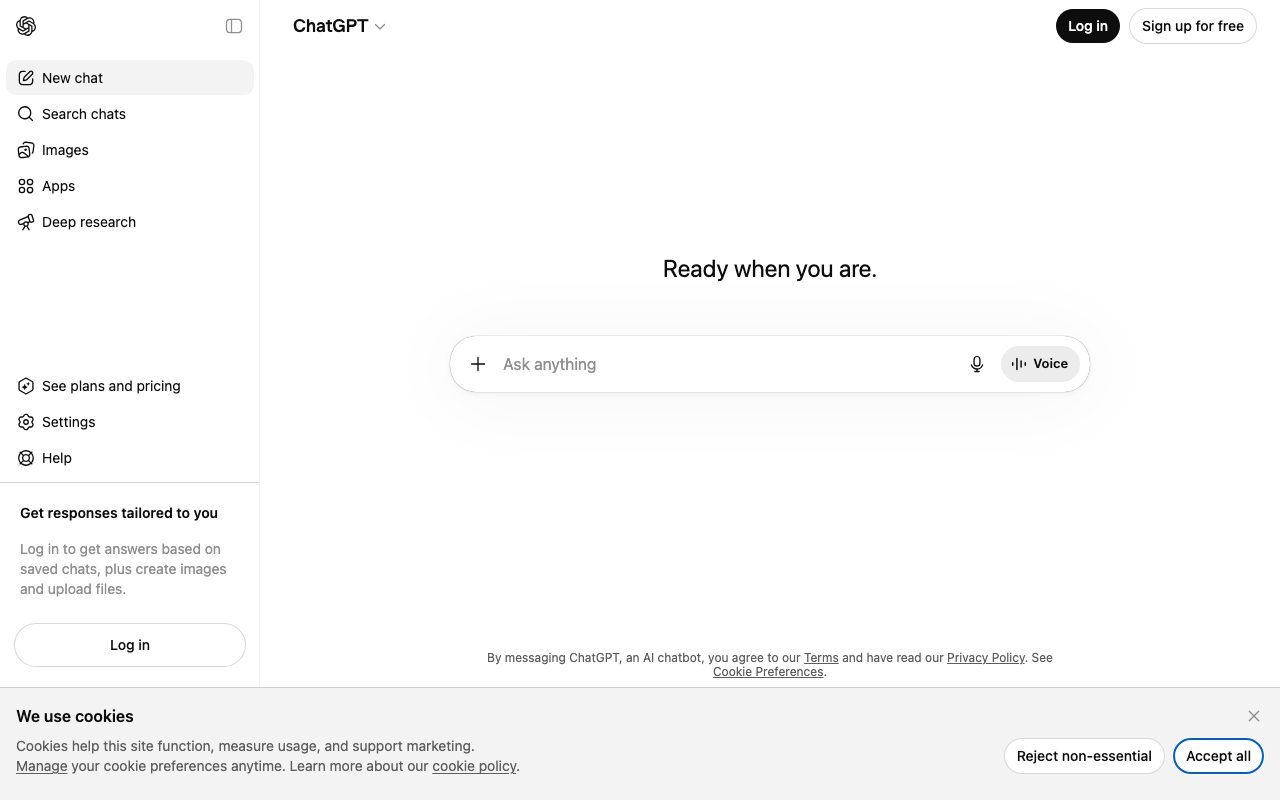
About ChatGPT
ChatGPT is the AI assistant that turned a research curiosity into a daily habit for hundreds of millions of people. OpenAI's conversational front-end for GPT-4o, GPT-4 Turbo, and the o1/o3 reasoning models. The product that made "AI" feel inevitable in two years.
Most people don't need a benchmark deep-dive to decide on ChatGPT. They've already used it. The question is whether it's still the best choice now that Claude, Gemini, and a dozen others compete on the same terrain.
For general-purpose use, ChatGPT remains the safest default. The custom GPT ecosystem and the breadth of features keep it ahead, even when individual model benchmarks tilt elsewhere.
What ChatGPT actually does
At surface level, you type, it responds. Underneath sit several distinct models. GPT-4o for fast multimodal work, GPT-4.5 or successors for complex prose, and the o-series reasoning models for math, code, and step-by-step planning.
Image generation through DALL-E. Image understanding through vision models. Voice mode for conversations that feel like phone calls. Code interpreter that runs Python in a sandbox. Web browsing through real-time search. File analysis on uploaded PDFs and spreadsheets.
Custom GPTs let you spin up named assistants with custom instructions, knowledge files, and actions. The GPT Store hosts thousands of these. Some are useful, most are filler.
Who ChatGPT is for
Knowledge workers who write, code, research, and analyze. ChatGPT shortens nearly every task that involves words. Drafting emails, summarizing long docs, coding small scripts, brainstorming, learning new concepts.
Students use it for tutoring and writing help. Engineers use it as a paired Stack Overflow that doesn't shame them. Marketers, analysts, and consultants use it to draft, edit, and outline.
If you only ever write code professionally, you might prefer Claude. For everyone else, ChatGPT's breadth covers the most use cases out of the box.
Pricing breakdown
The free tier gives you GPT-4o-mini access plus limited GPT-4o messages. It's enough for casual use. Heavy users hit limits within a few hours.
ChatGPT Plus runs $20 per month. You get higher message limits on the best models, image generation, voice, and Custom GPTs.
ChatGPT Pro at $200 per month unlocks unlimited access to o-series reasoning models and longer context. It's overkill for most. Worth it if you do daily heavy reasoning work.
Team and Enterprise tiers add admin controls, data privacy guarantees, and SAML SSO for organizations.
Standout features
Voice mode is genuinely impressive. Latency is low, the personality feels natural, and you can talk to it while walking. It's the closest thing to a real conversational assistant on the market.
Custom GPTs are useful for repeated workflows. Build one with a system prompt and reference docs once, use it forever. Sharing them with a team multiplies the value.
The o-series reasoning models change what's possible on complex problems. Math, programming, scientific reasoning. They think before responding, often for 30 seconds or more, and the answer quality jumps.
Memory and projects
ChatGPT remembers facts about you across conversations if you let it. Projects let you organize threads around a single topic with shared context. Both quietly make day-to-day use better.
Honest tradeoffs
ChatGPT confidently produces wrong information. Less than it used to, but still daily. Treat outputs like a smart but unreliable junior who needs to be checked.
Knowledge cutoffs lag real time. Browsing and search help. They don't fully fix the freshness gap on niche topics.
Free-tier limits push heavy users to pay. The Plus tier itself has GPT-4 caps, which power users hit on deep work days.
If you only buy one AI subscription, ChatGPT is still the safe pick for breadth. If you write code all day, also consider Claude.
ChatGPT vs alternatives
Versus Claude, ChatGPT has more features (voice, image gen, GPTs, code interpreter). Claude often produces better long-form writing and code reasoning. Many power users pay for both. See the comparison.
Versus Gemini, ChatGPT wins on conversational quality and ecosystem. Gemini wins on Google integration and free-tier generosity.
Versus Perplexity, ChatGPT is a general assistant. Perplexity is a search-first answer engine. They overlap less than people think.
Browse more on the best AI chatbots or the ChatGPT alternatives page.
Bottom line
ChatGPT remains the default AI assistant for most people because it covers the most ground. The Plus tier is one of the highest ROI subscriptions available if you do any kind of knowledge work.
Verify everything important. Don't paste confidential client data into a free account. Use it as a thinking partner, not a source of truth. Inside those guardrails, ChatGPT changes how you work.
Getting more from ChatGPT
Treat ChatGPT like a junior collaborator. Give it context about what you're working on, what you've already tried, and what shape of answer you want. Vague prompts produce vague answers.
Use the o-series reasoning models for hard problems. Math, code debugging, multi-step planning. The latency is higher; the accuracy jump usually justifies the wait.
Save useful conversations as Projects. Long-running threads with shared context outperform fresh conversations once you build up a working knowledge base.
Custom GPTs that actually work
Build a Custom GPT for any task you do more than once a week. Editing, code reviewing, summarizing, translating. The instructions plus reference docs combination beats raw prompting.
Share Custom GPTs across your team. Onboarding new hires becomes faster when "use the company-style-guide GPT" is a real thing.
Don't ship Custom GPTs to the public store unless you're prepared for the noise. The store is crowded; discovery is hard.
Where ChatGPT falls short
Hallucinations on factual claims remain a problem. Less than two years ago; still daily. Verify anything important against a source before acting on it.
The model doesn't know what it doesn't know. It will confidently answer questions outside its training data unless you frame the question carefully.
Real-time information requires browsing or search. Even then, freshness lags by hours sometimes. For breaking news or live data, ChatGPT isn't the right tool.
Common ChatGPT questions
Is ChatGPT Plus worth $20? For knowledge workers using AI daily, almost always yes. Casual users can stay on the free tier.
Should I use Plus or Pro? Pro at $200 makes sense if you do reasoning-heavy work daily. Most users don't need it.
Is ChatGPT safe for confidential data? Free and Plus tiers train on your conversations by default unless you opt out. Team and Enterprise tiers don't. Use the right tier for sensitive work.
Browse more options at tools for writing.
ChatGPT for engineering work
The Code Interpreter sandbox is excellent for data analysis, file conversions, and quick scripting. Drop a CSV, ask for the analysis, get back results plus the code that produced them.
For coding tasks, Claude often beats ChatGPT on long, complex codebases. ChatGPT is competitive on smaller scripts and one-off tasks.
Don't paste production credentials into ChatGPT. Even the Plus tier has data-handling considerations. Enterprise tier is the right call for any sensitive code.
ChatGPT for research and learning
Treat ChatGPT as a tutor, not a textbook. Ask it to explain concepts, then verify against authoritative sources. The combination accelerates learning faster than either alone.
Build study guides as Custom GPTs. Upload the textbook PDFs, set the GPT to behave as a Socratic tutor. Quiz yourself; the GPT remembers the curriculum.
Use voice mode for verbal practice. Language learning, interview prep, presentation rehearsal. The conversational quality is genuinely useful for these contexts.
Productivity habits with ChatGPT
Save prompts that work into a personal library. Reuse, don't reinvent. Most knowledge workers have 20-30 prompt patterns they use repeatedly.
Time-box your ChatGPT sessions. The tool can spiral into "let me just ask one more thing." Set deliberate boundaries.
Final thoughts on ChatGPT
Two years in, ChatGPT is no longer the only serious option. It's still the most well-rounded one. The breadth, the ecosystem, and the polished consumer experience keep it ahead even when individual benchmarks tilt elsewhere.
Use it daily. Build prompts you reuse. Pair it with verification against authoritative sources. Watch the cost-versus-benefit as you scale usage; the Plus tier remains exceptional value for serious users.
Browse other AI options at the best AI assistants and tools for AI writing.
Quick recap
ChatGPT remains the safe default AI assistant. Breadth, ecosystem, polish, and a steady release cadence keep it ahead even as competitors gain ground on specific axes.
Use Plus if you do knowledge work daily. Pro at the higher tier earns its keep only for users running heavy reasoning tasks regularly. Free is fine for casual use.
Pair ChatGPT with verification habits. Hallucinations remain real; the workflow that uses ChatGPT as a thinking partner with human oversight outperforms blind trust by a wide margin.
Browse more options at the best AI tools, the broader AI productivity category, and ChatGPT alternatives.
Tutorial / Demo
Key Features
- Natural language conversation
- Code writing and debugging
- Document analysis and summarization
- Image understanding (GPT-4)
- DALL-E image generation (Plus)
- Custom GPTs for specific tasks
- Plugin ecosystem
- API access for developers
Pros & Cons
What we like
- Incredibly versatile - handles almost anything
- Natural, conversational interface
- Continuously improving capabilities
- Large ecosystem of custom GPTs
- Strong coding assistance
Room for improvement
- Can produce incorrect information confidently
- Knowledge cutoff (not real-time)
- Plus subscription required for best features
- Usage limits on GPT-4
Frequently Asked Questions
What is ChatGPT used for?
Is ChatGPT free to use?
What are the pros and cons of ChatGPT?
Who should use ChatGPT?
Best For
Featured in
Tags
Alternatives to ChatGPT



Our take
Tool Index Editorial · May 2026· 4.6/5
If you're evaluating ChatGPT, the headline is simple: ai assistant for conversation and content generation, and most teams will get value out of the box.
The standout points: Incredibly versatile - handles almost anything, Natural, conversational interface, and Continuously improving capabilities. Where it stumbles: Can produce incorrect information confidently and Knowledge cutoff (not real-time).
Recommendation: this is a strong default when you need writing and editing. If can produce incorrect information confidently would be a dealbreaker, the alternatives section below is worth a scroll.
Editorial opinion from the Tool Index team, written from the public product pages. Not a user review.
Reviews (7)
Promising but rough around the edges
Honest take: ChatGPT delivers most of what the marketing promises. The thing I keep coming back to: continuously improving capabilities. Got real value out of DALL-E image generation (Plus). It would be a 5 if not for usage limits on GPT-4. Might revisit when they iterate further.
Pros
- Continuously improving capabilities
Cons
- Knowledge cutoff (not real-time)
- Plus subscription required for best features
Recommended without reservation
ChatGPT isn't perfect but it's the best I've used in this category. Honestly impressed by how incredibly versatile - handles almost anything. Image understanding (gpt-4) works the way you'd hope. Wish they'd address how plus subscription required for best features. Would buy again without thinking twice.
Pros
- Large ecosystem of custom GPTs
Underrated honestly
Have been using ChatGPT for a while, here's where I land. The thing I keep coming back to: strong coding assistance. Their take on document analysis and summarization is solid. Honest gripe: knowledge cutoff (not real-time). Hard to imagine going back to my previous setup.
Pros
- Incredibly versatile - handles almost anything
- Natural, conversational interface
- Large ecosystem of custom GPTs
Recommended without reservation
The pitch for ChatGPT sounded too good to be true. Mostly true. What stands out is how strong coding assistance. Got real value out of plugin ecosystem. Easy yes for anyone weighing the same trade-offs.
Pros
- Natural, conversational interface
- Incredibly versatile - handles almost anything
- Large ecosystem of custom GPTs
Cons
- Plus subscription required for best features
- Can produce incorrect information confidently
Onboarded the team in a day
Got ChatGPT on the recommendation of someone I trust. The biggest win has been incredibly versatile - handles almost anything. Found it works best for learning and education. Hard to imagine going back to my previous setup.
Pros
- Natural, conversational interface
- Large ecosystem of custom GPTs
- Continuously improving capabilities
Three months in, here's the verdict
ChatGPT has quietly become part of my daily flow. Real selling point: continuously improving capabilities. It fits well for learning and education. Wish they'd address how usage limits on GPT-4. Solid pick for my use case, your mileage may vary.
Pros
- Natural, conversational interface
Stuck the landing for our team
ChatGPT has quietly become part of my daily flow. Genuine strength: large ecosystem of custom GPTs. It fits well for coding assistance.
Badge builder
Add ChatGPT to your website
Choose a badge style and size, preview it here, then copy the generated HTML. Badge images are self-contained SVGs and do not require an external script.

<a href="https://toolindex.net/tools/chatgpt?ref=badge" target="_blank" rel="noopener">
  <img src="https://toolindex.net/badge/chatgpt/medium.svg" alt="ChatGPT - Listed on Tool Index" width="180" height="50" />
</a>How to use the badge
- 1. Pick the style, size, and theme that fit your layout.
- 2. Copy the generated HTML from the code block.
- 3. Paste it into your footer, homepage, or press page.
Score badge available
ChatGPT qualifies for the score and circle badges based on its current top-10 positionin Writing.
Badge clicks return visitors to this profile with a referral tag so the source remains identifiable.
Related Tools

Confluence
Atlassian's long-running team wiki that anchors many enterprise knowledge stacks

Apatero AI
The creator studio for AI image, video, audio, 3D, and avatars, now at apatero.ai.
Kevin Gabeci Toolkits
Seven AI toolkits for writing books, making music, cutting video, and building agents.

Warp
The modern terminal reimagined with AI and collaboration
Work on ChatGPT? Request listing access or correction