
Gemini
Google's multimodal assistant wired into Search, Workspace, and Android
Gallery
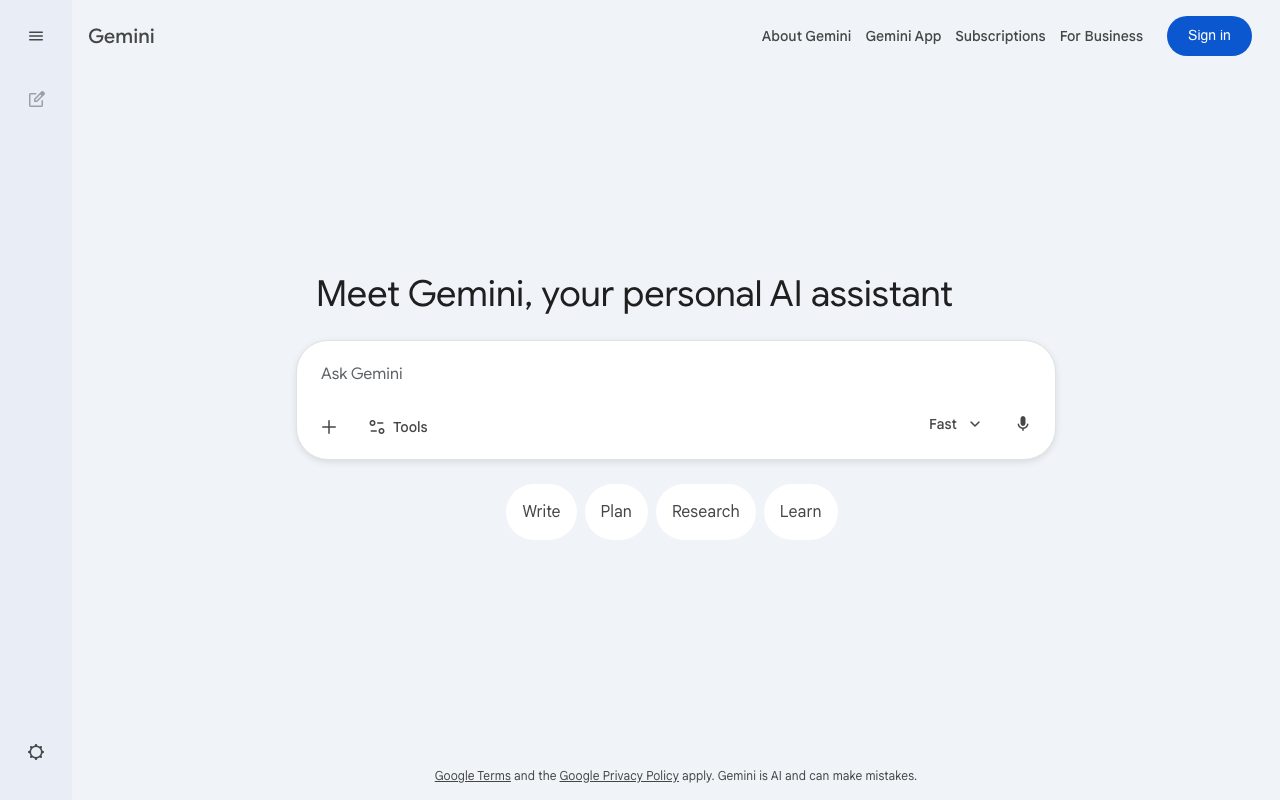
About Gemini
Gemini is Google's flagship AI assistant, multimodal from the start, and wired directly into Search, Workspace, and Android. It competes head-to-head with ChatGPT and Claude, and unlike either, it has the full Google product surface to live inside.
For most people, Gemini's best version is the one that ships inside Gmail, Docs, and Sheets without a separate app. For developers, the Gemini API and AI Studio offer the most generous free tier in frontier AI right now. Both stories matter.
What Gemini actually is
Gemini refers to two related things. There's the Gemini family of models, currently Gemini 2.5 Pro, Flash, and other variants, all multimodal across text, images, audio, and video. And there's the Gemini consumer product, the chat interface at gemini.google.com plus the integrations across Google's apps.
The model handles the standard chat tasks well. Where it pulls ahead is the integration surface. Asking Gemini to summarize a Doc, draft a Sheet formula, or pull insights from your Drive feels native because it is. The data plumbing is already there.
Multimodal in practice
Gemini accepts images, video, and audio as inputs natively. You can paste a screenshot and ask questions about it. You can upload a meeting recording and get a summary. The context window on Gemini 2.5 Pro is one million tokens, which means you can drop entire codebases or hours of video and still get coherent answers.
Who Gemini fits
Gemini fits people already living in Google Workspace. If your day is Gmail, Docs, Sheets, and Meet, Gemini's value is multiplied by the integration. The same query in ChatGPT requires copy-paste and context loss.
For developers, Gemini's API is the cheapest serious option for production work, especially the Flash models. Researchers and students benefit from the free tier in AI Studio, which is nearly unlimited for many tasks. People who don't use Google products get less unique value than Claude or ChatGPT users.
Gemini pricing
Gemini has a free tier at gemini.google.com that gives you the standard model with daily limits. Gemini Advanced, part of the Google One AI Premium plan, costs $19.99 per month and unlocks the largest models, longer context, and integrations across Workspace.
For developers, AI Studio gives free access to most Gemini models with generous rate limits. The paid Gemini API has aggressive pricing, often a fraction of GPT-4o or Claude 3.5 Sonnet at comparable quality on many tasks. Workspace customers get Gemini features baked into their existing seats on certain plans.
Gemini features that pull weight
Deep Research is a Gemini agent that browses, reads, and synthesizes a structured report on any topic. It runs for several minutes and produces something closer to a junior analyst's first draft than a chat reply. That feature alone justifies a Gemini Advanced subscription for many knowledge workers.
Gems are custom GPT-style configurations of Gemini with prompts and behavior pinned. Live Voice runs natural conversations with low latency, useful for hands-free situations. Image generation through Imagen produces strong photorealistic and stylized output.
Workspace integration
Gemini in Gmail drafts replies, summarizes threads, and finds attachments. In Docs it co-writes, suggests, and reformats. In Sheets it generates formulas and explains data. In Meet it transcribes, summarizes, and writes follow-up notes. Each of those alone would be a feature; together they reshape how Workspace feels day to day.
Tradeoffs
Gemini still trails Claude on long-form writing nuance and trails ChatGPT on plugin-style ecosystem breadth. The model occasionally gives generic or hedge-heavy answers, especially on sensitive topics where Google's risk posture is conservative. Power users notice this.
The product UX is fragmented. Gemini exists in five places that don't quite agree on which features they support. The mobile app, the web app, the Workspace integrations, and the API all have different feature sets. Google is consolidating, but it's still messy.
Gemini's killer advantage isn't the model, it's the data integration. If your work lives in Google Workspace, no other AI gets close.
Gemini vs alternatives
Compared to ChatGPT, Gemini is roughly tied on quality with a clear edge on multimodal inputs and Workspace integration. ChatGPT wins on plugin breadth, image generation polish, and the developer ecosystem. Compared to Claude, Gemini is faster and cheaper at scale but Claude often produces better long-form text.
Compared to Perplexity, Gemini's Deep Research is functionally similar but better integrated. See our best AI assistants guide and Gemini vs ChatGPT breakdown.
Bottom line on Gemini
Gemini is the right primary AI for anyone living in Google Workspace and the right developer API for teams that care about cost. The Gemini Advanced subscription pays for itself if you use Workspace daily and lean on Deep Research even occasionally.
If you're not in Google's ecosystem and you're picking one AI to subscribe to, Claude or ChatGPT may serve you better. But for most knowledge workers, having Gemini on top of free Workspace seats is one of the best AI deals available right now.
Gemini for developers
The Gemini API is genuinely the most cost-efficient frontier AI option in 2026. Gemini 2.5 Flash handles most production workloads at a fraction of GPT-4o or Claude 3.5 Sonnet pricing. For high-volume tasks like content moderation, summarization, classification, or simple agent loops, the cost difference compounds dramatically.
AI Studio is the developer playground. It gives you free access to most Gemini models with generous rate limits, no credit card required. You can prototype, evaluate, and even run small production apps entirely from AI Studio. When you outgrow it, the Gemini API uses the same model endpoints with paid tiers.
Function calling and tools
Gemini supports structured function calling with JSON Schema definitions. The model can call your defined functions, parse responses, and chain calls together for multi-step workflows. The tool use is solid but slightly less polished than Claude's or GPT-4o's at edge cases. For straightforward use cases, all three work similarly.
Gemini also has native code execution. You can let the model write and run Python in a sandbox. For tasks involving data analysis, math, or quick computations, this is a meaningful productivity unlock. The sandbox handles common libraries and outputs results inline.
Gemini Workspace integration depth
The Workspace integrations are where Gemini's strategic moat lives. Help me write in Docs draws from your existing documents and email context. Help me visualize in Slides generates relevant images for your presentation theme. Help me organize in Sheets creates formulas based on natural language descriptions.
The data plumbing is invisible but powerful. When Gemini in Gmail summarizes a thread, it has access to the full thread history, attachments, and related contacts. ChatGPT or Claude can match the summary quality only after you copy-paste everything in. The integration removes that friction entirely.
Common Gemini questions
How does Gemini compare to Claude on coding? Claude is currently considered the strongest pure coding model, especially for complex refactoring or architecture decisions. Gemini 2.5 Pro is competitive on many tasks and significantly cheaper. For high-volume code generation in production, Gemini's economics often win.
Is Gemini good at long context? Excellent. The 1 million token context window is the largest among production frontier models. You can paste an entire small codebase, a book, or several hours of audio transcripts and get coherent answers. Some accuracy degrades at the very long end, but the practical capability is real.
Can I use Gemini for sensitive data? The free tier and Workspace integrations have data usage policies that vary by tier. Workspace Business and Enterprise come with data privacy commitments that match enterprise requirements. The consumer Gemini Advanced has lighter commitments. Check the specific tier you're on if data sensitivity matters.
Gemini Deep Research in detail
Deep Research deserves its own section because it's the feature most likely to change how knowledge workers operate. You give it a topic or question. It plans a research approach, browses web sources, reads what it finds, and produces a structured report with citations. The whole process takes 5 to 15 minutes.
The output quality lands somewhere between a good intern's first draft and a competent analyst's quick brief. Not finished work, but a strong starting point. For market research, competitive analysis, technical investigation, and academic background, Deep Research saves hours per query. The value compounds across a team.
Final take on Gemini
Gemini's role in the AI landscape is unique. It's the only frontier model with a major productivity suite as a distribution surface. That advantage compounds. Workspace customers get Gemini access without separate subscriptions. Workflow integrations feel native because they actually are. The data plumbing that takes other AI products copy-paste exercises just works.
The model quality has caught up to ChatGPT and Claude on most benchmarks and exceeds them on multimodal and long-context tasks. The pricing on the API is the most aggressive in the category for comparable quality. For developers building production AI applications at scale, Gemini's economics are genuinely compelling.
For users picking one primary AI subscription in 2026, the answer depends on context. Heavy Workspace users should default to Gemini Advanced. Developers concerned about API costs should default to Gemini for production. Users prioritizing pure model quality on text and reasoning may still prefer Claude. ChatGPT remains strong for plugin breadth and ecosystem. The market has multiple reasonable answers, and Gemini is firmly in the top tier rather than playing catch-up as it was a year ago.
Tutorial / Demo
Key Features
- Multimodal input across text, image, audio, and video
- Up to 1M-token context on Gemini 2.x Pro
- Deep Research mode that browses and cites sources
- Gems for saved custom assistants
- Integration with Workspace apps
- Live voice conversations on mobile
Pros & Cons
What we like
- Tight integration with Google services everyone already uses
- Massive context window on the paid tier
- Generous free access through google.com
- Strong at image and video understanding
Room for improvement
- Output quality is uneven model-to-model and revision-to-revision
- Workspace integration is shallower than the marketing implies
- Can be over-cautious and refuse benign requests
- Privacy posture depends heavily on whether you're a Google One subscriber
Frequently Asked Questions
Is Gemini free to use?
Gemini vs ChatGPT, which is smarter?
Does Gemini work inside Gmail and Docs?
Is there a Gemini API for developers?
Can Gemini browse the web in real time?
Best For
Featured in
Tags
Alternatives to Gemini
View all



Our take
Tool Index Editorial · May 2026· 4.3/5
What Gemini is really selling — beyond the marketing copy — is google's multimodal assistant wired into search, workspace, and android.
What it actually does well: Tight integration with Google services everyone already uses, Massive context window on the paid tier, and Generous free access through google.com. Where it stumbles: Output quality is uneven model-to-model and revision-to-revision and Workspace integration is shallower than the marketing implies.
Recommendation: this is a strong default when you need drafting and editing inside Gmail and Docs. If output quality is uneven model-to-model and revision-to-revision would be a dealbreaker, the alternatives section below is worth a scroll.
Editorial opinion from the Tool Index team, written from the public product pages. Not a user review.
Reviews (2)
Cancelled after two months
Came to Gemini after frustration with what I had before. Where it really wins is strong at image and video understanding. The integration with Workspace apps is more useful than I expected. Main use case: quick answers from your phone via Assistant. That said, privacy posture depends heavily on whether you're a Google One subscriber is a real gripe. Probably better for someone with different needs.
Cons
- Can be over-cautious and refuse benign requests
Pulled its weight from week one
Tried Gemini on a side project first. Genuine strength: generous free access through google.com. Got real value out of gems for saved custom assistants. Not perfect: can be over-cautious and refuse benign requests.
Pros
- Tight integration with Google services everyone already uses
- Generous free access through google.com
- Strong at image and video understanding
Badge builder
Add Gemini to your website
Choose a badge style and size, preview it here, then copy the generated HTML. Badge images are self-contained SVGs and do not require an external script.

<a href="https://toolindex.net/tools/gemini?ref=badge" target="_blank" rel="noopener">
  <img src="https://toolindex.net/badge/gemini/medium.svg" alt="Gemini - Listed on Tool Index" width="180" height="50" />
</a>How to use the badge
- 1. Pick the style, size, and theme that fit your layout.
- 2. Copy the generated HTML from the code block.
- 3. Paste it into your footer, homepage, or press page.
Standard badge available
The standard listing badge is available now. Score and circle badges are limited to tools currently ranked in the top 10 of a category.
Badge clicks return visitors to this profile with a referral tag so the source remains identifiable.
Related Tools

Apatero AI
The creator studio for AI image, video, audio, 3D, and avatars, now at apatero.ai.
Kevin Gabeci Toolkits
Seven AI toolkits for writing books, making music, cutting video, and building agents.

Warp
The modern terminal reimagined with AI and collaboration

Bolt.new
Prompt-to-deployed full-stack app inside the browser
Work on Gemini? Request listing access or correction