
Check Page SEO
Chrome extension for on-page SEO audits with competitor comparison and Search Console integration
Gallery
About Check Page SEO
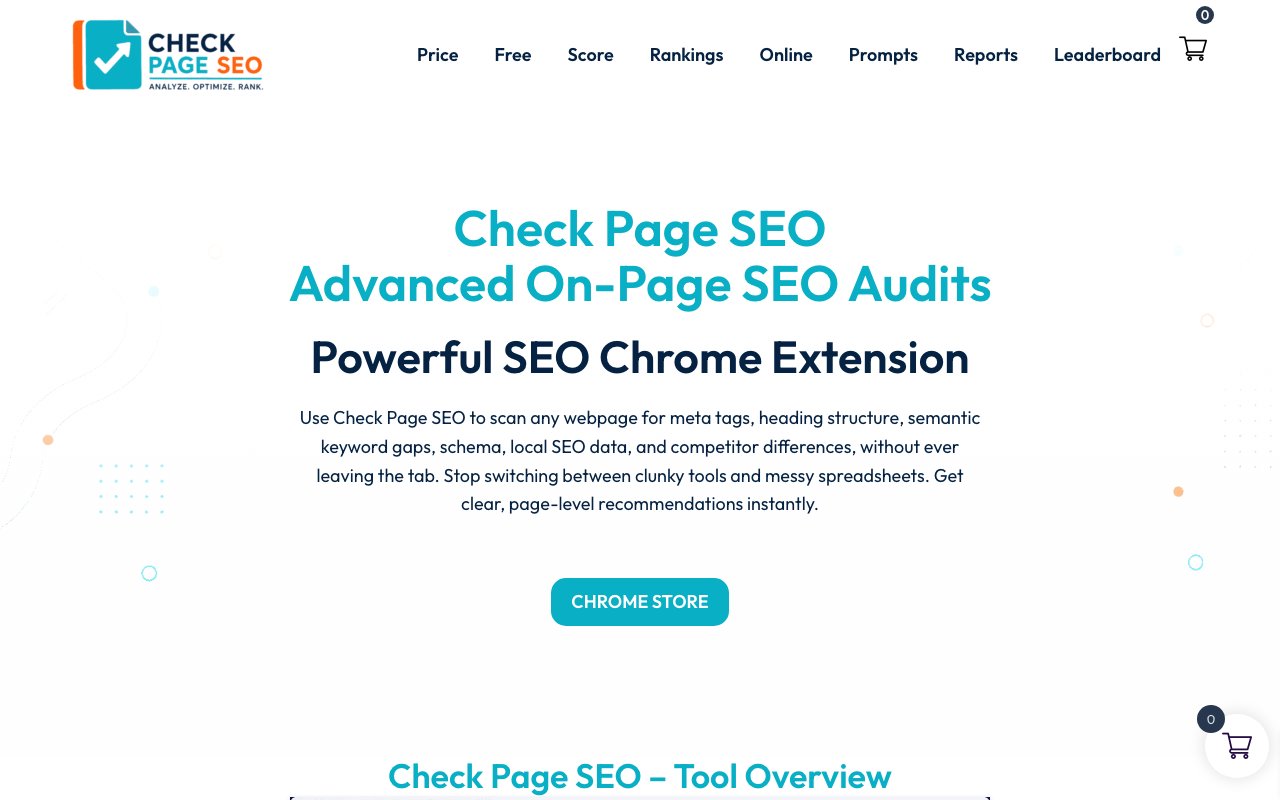
Check Page SEO is a Chrome browser extension that performs on-page SEO audits directly inside your browser tab. Instead of copying URLs into a separate web-based tool and waiting for it to crawl the page, you navigate to any site, click the extension, enter a target keyword, and get an instant breakdown of what's working and what's not. The audit covers metadata, heading hierarchy, keyword density, image alt text, internal and external links, schema markup, canonical tags, and indexability signals. Results appear in a side panel so you can see the issues alongside the page itself, which makes the feedback loop much tighter than traditional crawl-based auditing tools.
The core value is speed and context. SEO professionals, whether freelance consultants, agency staff, or in-house marketers, spend a lot of time auditing pages. Every URL you paste into a web tool is friction. Every tab switch interrupts focus. Check Page SEO eliminates that by putting the audit where the work happens. You're already on the page, so the analysis happens there without any context switching. For developers who want to sanity-check pages before launch, this also works. Run the extension, verify the basics are in place, and ship without waiting for a crawl report to come back hours later.
Competitor comparison extends the tool beyond single-page audits. You can run the extension on your page and a competitor's, then view a side-by-side breakdown of differences. This shows gaps in metadata, keyword usage, heading structure, link profiles, and schema implementation. For content teams trying to understand why a rival outranks them for a specific term, this comparison surfaces actionable differences. Maybe the competitor has a longer meta description, or they're using FAQ schema you don't have, or their heading structure is more granular. The comparison makes those gaps visible without manual inspection.
Integration with Google Search Console connects audit data to real performance metrics. If you authorize the extension to pull from your Search Console account, it can show how the page you're auditing actually performs in search. You see impressions, clicks, average position, and click-through rate alongside the on-page factors. This closes the loop between what's technically correct and what's actually driving traffic. A page might pass every audit check but still underperform because the keyword targets are wrong or the snippet isn't compelling. Having both data sources in one view helps identify which problem you're solving.
Local SEO receives dedicated attention, which matters for agencies serving brick-and-mortar clients. The extension can extract Google Business Profile data and evaluate local ranking factors like NAP consistency, local schema markup, and proximity signals. Checking these from within the browser saves the toggle between Search Console, Google Business, and whatever audit tool you're using. For multi-location businesses, this consolidation adds up to significant time savings across dozens of pages.
AI-powered prompts are included for content improvement. Once the audit identifies gaps, the extension generates prompts you can use with AI writing tools to address them. If a page lacks semantic depth for the target keyword, you get a prompt suggesting how to expand it. This bridges the gap between identifying a problem and producing the fix, though the actual writing still happens elsewhere. It's a convenience feature rather than a complete solution, but it reduces the friction between audit and execution.
Report generation turns quick checks into client deliverables. You can export a professional-looking report covering the on-page audit, competitor comparison, and keyword analysis. For consultants who bill for SEO audits, this export capability means the extension isn't just a productivity tool but a revenue tool. You run the audit, export the PDF, and send it to the client without recreating the findings in a separate document. The report includes visual breakdowns and recommendations, formatted for non-technical stakeholders who need to understand the issues without reading raw data.
Pricing includes both free and paid tiers, though exact costs aren't detailed prominently on the landing page. The extension is distributed through the Chrome Web Store, which means installation is standard and updates are automatic. Testimonials on the site suggest an active user base among SEO consultants and freelancers who use the tool daily. For anyone who audits pages regularly and wants the process faster, Check Page SEO reduces the friction significantly by keeping everything inside the browser.
Key Features
- On-page SEO audit from the browser
- Metadata and heading structure analysis
- Keyword density with LSI term detection
- Competitor page comparison
- Google Search Console integration
- Professional report export
Pros & Cons
What we like
- Audits run directly on the page without URL copying
- Competitor comparison highlights ranking gaps
- Pulls live data from Google Search Console
- Supports local SEO and GBP extraction
Room for improvement
- Chrome only, no Firefox or Safari version
- Pricing details are not fully transparent
- Requires Search Console access for performance data
- Less suited for bulk site-wide crawls
Frequently Asked Questions
What is Check Page SEO?
Is Check Page SEO free?
Does it integrate with Google Search Console?
Can I compare my page to a competitor?
Best For
Featured in
Alternatives to Check Page SEO

Moz Pro
SEO toolset with keyword research, site audits, link analysis, and the well-known Domain Authority and Page Authority metrics.
Frase
AI-assisted SEO content tool that turns SERP research into briefs, outlines, and optimized drafts inside one editor.

Rank Compound
SEO content that compounds. What actually moved rankings, measured, with the failures shown.

Postdex
An exclusive marketplace for finished, human-made articles. Every piece sells once.
Reviews (0)
Badge builder
Add Check Page SEO to your website
Choose a badge style and size, preview it here, then copy the generated HTML. Badge images are self-contained SVGs and do not require an external script.

<a href="https://toolindex.net/tools/checkpageseo?ref=badge" target="_blank" rel="noopener">
  <img src="https://toolindex.net/badge/checkpageseo/medium.svg" alt="Check Page SEO - Listed on Tool Index" width="180" height="50" />
</a>How to use the badge
- 1. Pick the style, size, and theme that fit your layout.
- 2. Copy the generated HTML from the code block.
- 3. Paste it into your footer, homepage, or press page.
Standard badge available
The standard listing badge is available now. Score and circle badges are limited to tools currently ranked in the top 10 of a category.
Badge clicks return visitors to this profile with a referral tag so the source remains identifiable.
Related Tools

SEOdata.dev
Simple API for keyword search volume, CPC, and competition data
Frase
AI-assisted SEO content tool that turns SERP research into briefs, outlines, and optimized drafts inside one editor.

Surfer SEO
Content optimization tool that scores drafts in real time against the top-ranking pages for any target keyword.

Screaming Frog SEO Spider
Desktop website crawler trusted by SEO professionals for technical audits, broken link checks, and structured data analysis.
Work on Check Page SEO? Request listing access or correction