
ClickRemix
Customize any website with plain-English requests, no coding required
Gallery
About ClickRemix
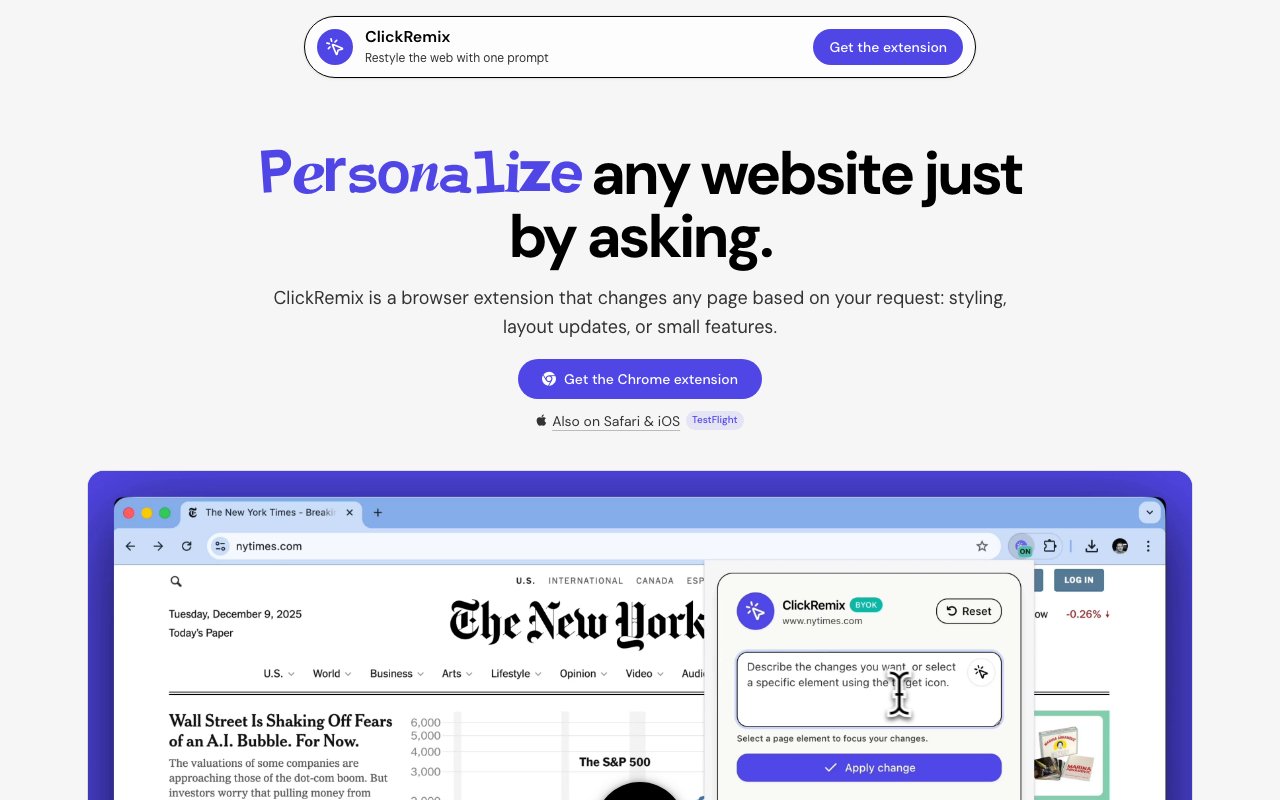
ClickRemix is a Chrome extension that lets you rebuild how a website looks and behaves by describing the change in plain English. Instead of learning CSS or writing a userscript, you tell it what you want, hide a sidebar, widen a cramped column, darken a glaring page, and it generates the code and applies it to the page you're on. The pitch is small, personal browser tweaks that used to need a developer, now made from a single sentence. Think of it as assembling a tiny custom extension for each site you care about, without ever opening an editor.
The problem it solves is that the web rarely fits any one person perfectly. A site you use every day might bury the thing you actually need, waste half the screen on chrome you never touch, or ship a color scheme that hurts to look at after dark. Normally you'd either live with it or dig into browser developer tools and hand-write overrides that break the next time the site updates. ClickRemix sits in the middle, turning a described intent into working CSS and JavaScript that changes the page without touching the site's own source. It's the kind of fix people used to ask a developer friend for or give up on entirely, brought down to a sentence you can write yourself in a few seconds.
Under the hood it injects the generated styles and scripts into the page at view time, so nothing about the original site is permanently altered. You can preview a change before committing to it, toggle it on and off whenever you like, and edit the underlying code directly if the plain-English version got you most of the way there. Each tweak is saved per domain, so the customizations you build for one site load automatically the next time you visit and stay out of the way everywhere else. That per-site scoping is what keeps it from turning into a global mess of conflicting rules. Because each domain carries its own set of tweaks, a change you make to clean up one site never leaks over and breaks the layout of another, which is a common trap with blanket userstyles that try to apply everywhere at once.
Persistence is handled through your Chrome profile, which means saved styles sync with the browser you're already signed into rather than living on a separate account you have to manage. There's also offline support for anything you've already saved, so tweaks you rely on keep working even when you're not connected to the internet. For people who don't want to start from a blank slate, a template library offers pre-made styles you can apply and then adjust to taste, which lowers the barrier for anyone who isn't sure how to describe what they want yet. Starting from a template and then telling it to tweak the result is often faster than describing a whole change from scratch, and it gives newcomers a sense of what the tool can reasonably do before they invest more effort.
The audience is broad because almost everyone has a site they wish worked a little differently. The makers point it at students tidying up cluttered learning portals, developers who want a quick visual override without spinning up a full extension project, and creators shaping the tools they stare at all day. It's a no-code entry point that still exposes real CSS and JavaScript underneath, so it works for someone who just wants a cleaner page and for someone who wants to read and refine exactly what got generated.
Where it stands apart is the framing around building rather than just recoloring. Plenty of extensions offer a fixed dark mode or a one-button ad hider as canned features. ClickRemix treats the browser as something you customize per site from a prompt, closer to writing your own small tool for each domain than flipping a preset switch someone else designed. The editable-code layer is what keeps it from being a black box, since you can always see what it produced and tune it, which matters when a site changes and a tweak needs a nudge. That openness also makes it a gentle way to learn, because a curious user can read the generated CSS and start to understand why a given rule moved an element the way it did.
Pricing runs on a credit model that's easy to reason about. You can start with no account and ten free credits a month, and there's a beta tier offering fifty credits currently at no cost while that phase lasts. A Pro plan at $9.99 a month provides a hundred credits. Each new style request spends one credit, but once a style is saved it stays free to keep using forever, so the credits only meter fresh generation rather than the tweaks you've already built. For most people the free or beta allowance is enough to cover the handful of sites they actually want to reshape.
Key Features
- Plain-English website customization
- Generated CSS and JavaScript injection
- Live preview and on-off toggle
- Editable underlying code
- Per-domain saved styles
- Pre-made style template library
Pros & Cons
What we like
- Turns a described change into working code with no CSS needed
- Never modifies the underlying site source
- Editable output means you're not stuck with a black box
- Saved styles sync through your Chrome profile and work offline
Room for improvement
- Chrome-only, no other browsers mentioned
- Credit model meters each new generation
- Complex site changes may still need manual code edits
- Younger product with a small community
Frequently Asked Questions
What is ClickRemix?
Do I need to know how to code?
Is ClickRemix free?
How does the credit system work?
Best For
Featured in
Alternatives to ClickRemix

Framer
Visual website builder that lets designers ship production-grade marketing sites with real CMS, SEO controls, and code components.

Sanity
Composable content platform with a customizable studio, real-time collaboration, and a queryable structured content backend.

Carrd
Single-developer-built site builder for fast, single-page sites: link-in-bio pages, landing pages, and personal cards.

Teachizy
France-based no-code platform for building, hosting, and selling online courses without tech skills
Reviews (11)
Exactly what I needed
Started using ClickRemix casually, now it is pinned in my dock. The core workflow is smooth once you are set up. It just works, day after day, without surprises. No regrets so far.
Does the job, a few gripes
Tried ClickRemix on a side project first, then rolled it out everywhere. The pre-made style template library is more useful than I expected. Mostly using it for prototyping a small browser tweak without building an extension. My only gripe is credit model meters each new generation. Worth it for what I get out of it.
It just works
Have been running ClickRemix for a while, here is where I land. The generated css and javascript injection is more useful than I expected. It handles the boring parts so I can focus on the work that matters. It fits well for prototyping a small browser tweak without building an extension.
Exactly what I needed
Started using ClickRemix casually, now it is pinned in my dock. Where it really wins is editable output means you're not stuck with a black box. Setup was painless and I was productive the same day. Mostly using it for hiding distracting elements while you work.
Does the job, a few gripes
Hadn't planned on switching, but ClickRemix was hard to ignore. The thing I keep coming back to is how reliable it is. It does what it says, which is rarer than it should be. It would be a five if not for chrome-only, no other browsers mentioned.
It just works
Started using ClickRemix casually, now it is pinned in my dock. What stands out is how little babysitting it needs. The thing I keep coming back to is how reliable it is.
Powerful once it clicks
Three months of ClickRemix later, here is what holds up. What stands out is how it handles pre-made style template library. Mostly using it for hiding distracting elements while you work. The catch is chrome-only, no other browsers mentioned. Glad I made the switch.
Solid daily driver
Hadn't planned on switching, but ClickRemix was hard to ignore. Setup was painless and I was productive the same day. Found it works best for decluttering a busy site you use every day.
It just works
Have been running ClickRemix for a while, here is where I land. The never modifies the underlying site source is more useful than I expected. It does what it says, which is rarer than it should be. Mostly using it for prototyping a small browser tweak without building an extension.
Worth a look
ClickRemix has quietly become part of my daily flow. Setup was painless and I was productive the same day. Found it works best for decluttering a busy site you use every day. Recommending it to people in a similar spot.
Worth a look
Hadn't planned on switching, but ClickRemix was hard to ignore. Got real value out of per-domain saved styles. It fits well for prototyping a small browser tweak without building an extension. Easy yes for anyone weighing the same trade offs.
Badge builder
Add ClickRemix to your website
Choose a badge style and size, preview it here, then copy the generated HTML. Badge images are self-contained SVGs and do not require an external script.

<a href="https://toolindex.net/tools/clickremix?ref=badge" target="_blank" rel="noopener">
  <img src="https://toolindex.net/badge/clickremix/medium.svg" alt="ClickRemix - Listed on Tool Index" width="180" height="50" />
</a>How to use the badge
- 1. Pick the style, size, and theme that fit your layout.
- 2. Copy the generated HTML from the code block.
- 3. Paste it into your footer, homepage, or press page.
Standard badge available
The standard listing badge is available now. Score and circle badges are limited to tools currently ranked in the top 10 of a category.
Badge clicks return visitors to this profile with a referral tag so the source remains identifiable.
Related Tools
Sanity
Composable content platform with a customizable studio, real-time collaboration, and a queryable structured content backend.

Bubble
Full-stack no-code platform for building real web applications with visual programming, a database, and a workflow engine.

Tally
Form builder with a Notion-like editor, conditional logic, payments, and a generous free tier with unlimited submissions.

Glide
No-code platform that turns spreadsheets and databases into mobile and web apps, with computed columns and AI actions.
Work on ClickRemix? Request listing access or correction