
CodeAgent Mobile
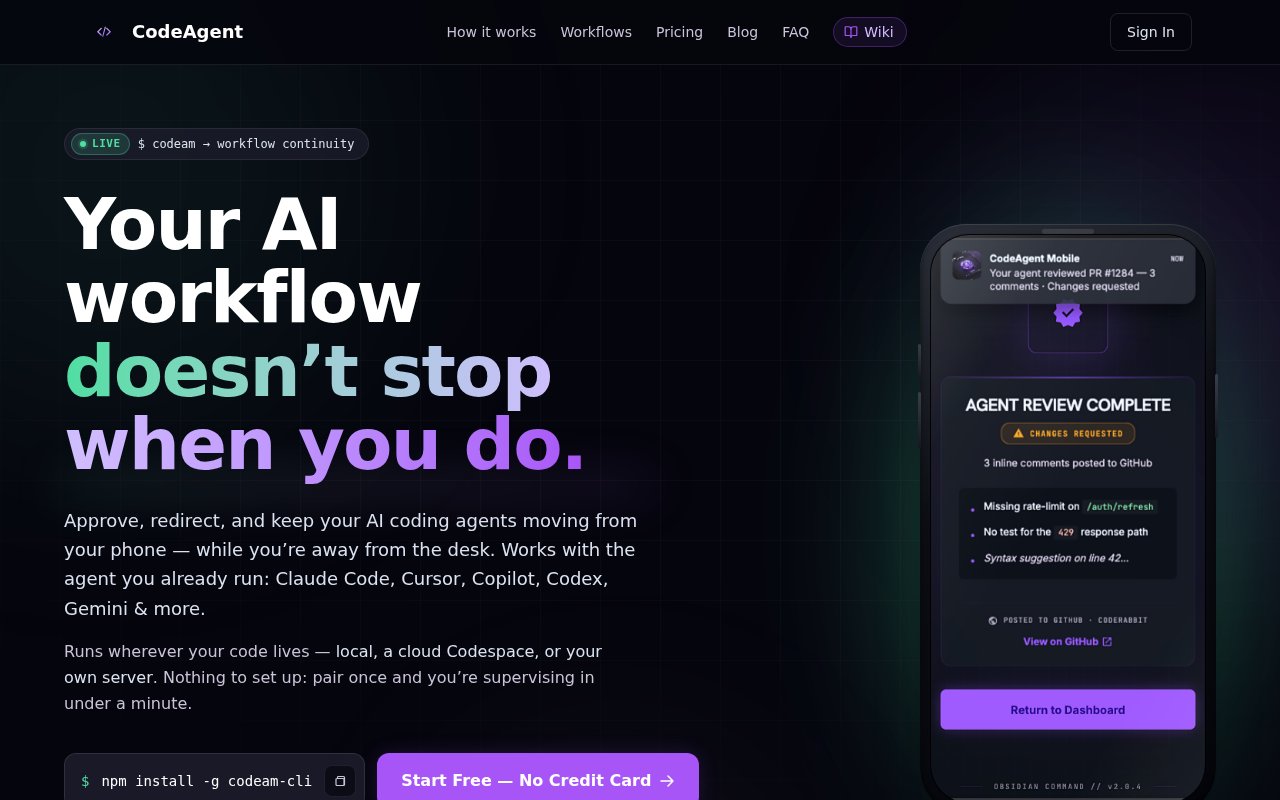
Approve, redirect and keep your AI coding agents moving from your phone
Gallery
About CodeAgent Mobile
CodeAgent Mobile is a supervision layer for the AI coding agents you already run. You pair the agent inside your editor or terminal with the mobile app once, and from then on the session lives on every device you sign in on. The agent keeps working on your machine, its output streams to your phone in chunks, and you approve, redirect or end a turn from wherever you happen to be. It works with Claude Code, Cursor, Copilot, Codex, Gemini and the other agents your IDE already drives, and it runs wherever your code lives, whether that's a laptop, a cloud Codespace or your own server.
The problem it solves is the dead time that appears the moment you step away from the desk. An agent that finishes a task or hits a decision point sits idle until you're back, and a long run that drifts in the wrong direction keeps burning tokens until someone notices. CodeAgent Mobile turns those moments into a notification you can act on in seconds, so the workflow continues even when you're on a train, in a meeting or making coffee. The pitch is workflow continuity, not writing code on a phone screen.
Setup is a single pairing. You install the CLI with npm, or use the plugin for VS Code, Cursor, Windsurf or a JetBrains IDE, then scan a QR code from the mobile app. From that point the thread keeps its history across surfaces, so you can walk away from the desk, pick the session up again on a laptop, or hand it to a teammate without re-explaining anything. Team Spaces let a few collaborators watch and steer the same active session, and voice prompts let you talk to the agent instead of typing on a small keyboard.
The more ambitious piece is starting work from a ticket. Pick a Jira, Linear or Azure DevOps work item and CodeAgent detects the repository, remembers which board maps to which repo, pulls in linked references such as a Figma mockup, a Sentry crash or a GitHub pull request, packs the context and launches an agent-ready session with the acceptance criteria turned into a checklist. You choose an intent such as implement, test or investigate, and the agent can comment the resulting pull request back onto the ticket when it's done.
It's built for developers who run agents for real work and want to stay in the loop without being chained to a screen: solo builders shipping from anywhere, engineers who kick off long refactors before lunch, and small teams that want one person to be able to approve an agent's next step while another reviews the diff. If your agent usage is short interactive bursts at the keyboard, there's less here for you. The value shows up once tasks run long enough that being away from the desk becomes the bottleneck.
What sets it apart is that it doesn't replace your agent or your editor. Plenty of tools promise coding from a phone; CodeAgent Mobile instead wraps the agent you've already chosen with approval flows, cross-device continuity and an audit trail, and it does that for several agents at once rather than betting on one vendor. Pro adds an exportable log of every prompt, approval, file change and deploy, context compression for long runs, persistent cloud previews with a stable public URL, and priority support.
Under the hood the agent never leaves your environment. The IDE plugin or CLI streams the session to CodeAgent's service, the phone renders it live, and each approval or redirect travels back as an instruction to the agent that's already running. Because nothing about the agent itself changes, you keep your existing model choice, your repository access and your local tooling, and you can end a run from the phone if it's heading somewhere you don't like. Pairing is per device, so a laptop, a work machine, a phone and a tablet can all hold the same thread.
The product has some traction to point at rather than only promises. The site reports several hundred installs of the VS Code, Cursor and Windsurf extensions, over ten thousand downloads of the JetBrains plugin, tens of thousands of monthly downloads of the npm CLI, and native apps on both stores. A two-minute demo on the homepage shows a session running unattended while the person approves and redirects it from a phone with nothing running on the laptop.
Access is freemium. The free plan is free forever with five agent tasks a day, a handful of AI reviews and Smart Composer calls, one active cloud workspace, two paired devices and one linked agent, with no credit card required. Pro removes the daily caps, lets you pair up to five devices and share sessions with up to five collaborators, and adds the integrations, audit log and voice minutes; it's billed yearly at about sixteen dollars a month, with a monthly option and a fourteen-day money-back guarantee on the first purchase. Native apps are on the App Store and Google Play.
Key Features
- Phone approval and redirect of running agents
- One-time QR pairing with IDE plugins and CLI
- Cross-device session continuity and handoff
- Ticket-to-session launch from Jira and Linear
- Team Spaces for shared active sessions
- Exportable agent action audit log
Pros & Cons
What we like
- Works with the agents and editors you already use
- Free tier needs no credit card and never expires
- Long agent runs no longer stall while you're away
- Runs against local, Codespace or self-hosted setups
Room for improvement
- Free tier caps you at five agent tasks a day
- Most useful only when agent tasks run long
- Voice minutes, audit log and integrations sit on Pro
- Younger product with a smaller community
Frequently Asked Questions
What is CodeAgent Mobile?
Is CodeAgent Mobile free?
Which agents does it support?
Does it let me write code on my phone?
Best For
Featured in
Alternatives to CodeAgent Mobile

LiquidBrain
Dedicated AI supercompute with unlimited tokens, unlimited context, and full data sovereignty

FlexInference
Deadline-aware LLM router that finds cheaper inference inside the time you allow
Luma Dream Machine
Fast, photoreal video generation from the team behind Genie 3D
AssemblyAI
Speech-to-text API with diarization, summarization, and LLM features
Our take
Tool Index Editorial · Oct 2026· 3.5/5
CodeAgent Mobile lets developers supervise running coding agents from a phone, approve or redirect work, and carry a session across an IDE, CLI, phone, or cloud workspace. It is most useful for long jobs that would otherwise stall at a permission or clarification prompt. The free plan includes three agent tasks per day, two paired devices, and one linked agent. Pro costs $191.99 per year, about $16 a month when billed annually.
We like that it wraps existing agents instead of forcing a new coding model. The tradeoff is that session data and commands pass through another service even though the agent keeps running in the user's environment, so teams should review its security model before connecting sensitive repositories. Short interactive sessions gain little, and the free daily cap is easy to hit once the product becomes genuinely useful.
Editorial opinion from the Tool Index team, written from the public product pages. Not a user review.
Reviews (0)
No reviews yet
Be the first to share your experience with CodeAgent Mobile
Sign in to write a reviewBadge builder
Add CodeAgent Mobile to your website
Choose a badge style and size, preview it here, then copy the generated HTML. Badge images are self-contained SVGs and do not require an external script.

<a href="https://toolindex.net/tools/codeagent-mobile?ref=badge" target="_blank" rel="noopener">
  <img src="https://toolindex.net/badge/codeagent-mobile/medium.svg" alt="CodeAgent Mobile - Listed on Tool Index" width="180" height="50" />
</a>How to use the badge
- 1. Pick the style, size, and theme that fit your layout.
- 2. Copy the generated HTML from the code block.
- 3. Paste it into your footer, homepage, or press page.
Standard badge available
The standard listing badge is available now. Score and circle badges are limited to tools currently ranked in the top 10 of a category.
Badge clicks return visitors to this profile with a referral tag so the source remains identifiable.
Related Tools

Kevin Gabeci
Solo developer building web apps, cozy browser games, and AI creator toolkits.

Coolify
Self-hostable, open source alternative to Heroku and Netlify

Apatero AI
The creator studio for AI image, video, audio, 3D, and avatars, now at apatero.ai.
Kevin Gabeci Toolkits
Seven AI toolkits for writing books, making music, cutting video, and building agents.
Work on CodeAgent Mobile? Request a listing correction