
Contents Pilot
Plan, design, review, and schedule Instagram posts from one workspace
Gallery
About Contents Pilot
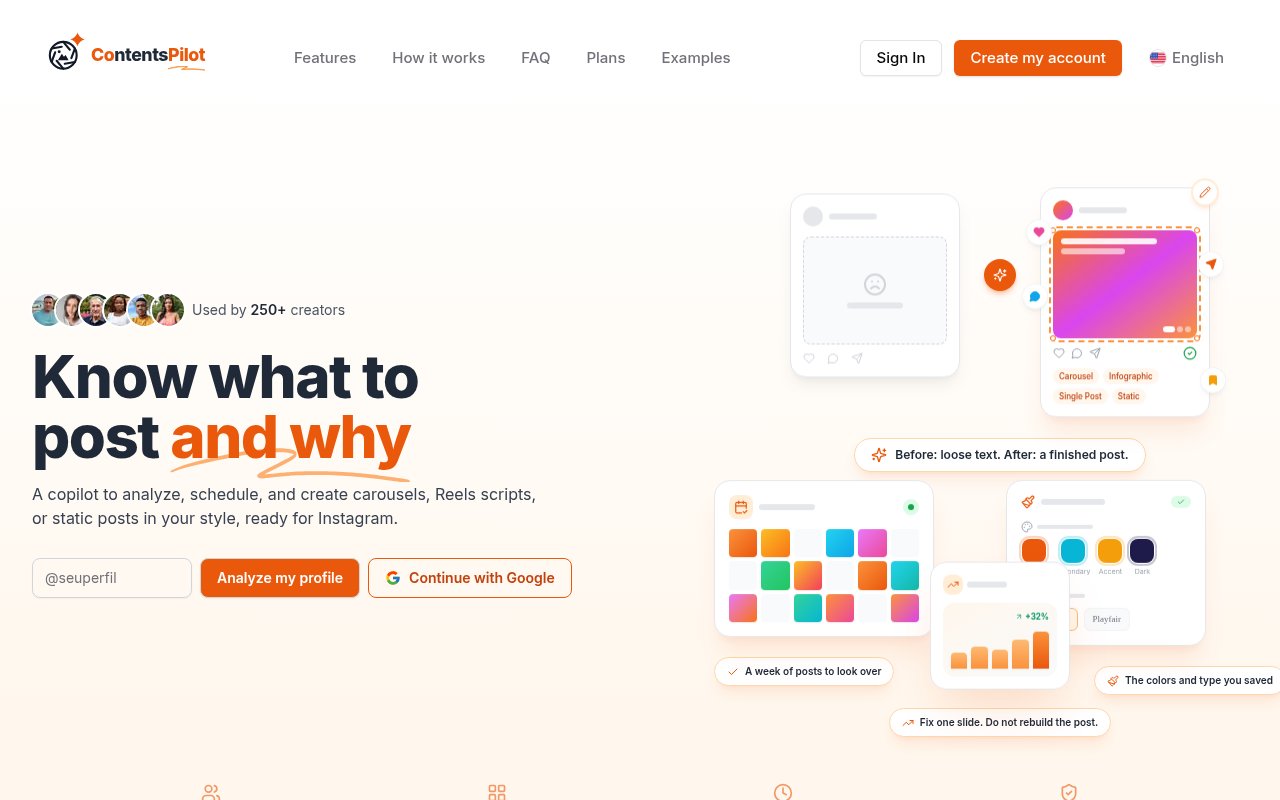
Contents Pilot is an AI content workspace for professionals and small businesses that use Instagram to attract clients. It analyzes an existing profile, suggests what to publish, and builds the copy and design for carousels, static posts, and infographics. A user reviews the result before scheduling or publishing it through the platform. The product is positioned for people who sell expertise, including consultants, coaches, mentors, SaaS teams, educators, and service professionals. It is more specific than a general writing assistant because it combines topic selection, visual identity, editing, scheduling, and performance feedback around an Instagram feed.
Setup begins with the creator's niche, profile, and the visual system they want to keep. Contents Pilot can read posts that have already worked on the connected profile and look at patterns from other accounts in the same space. The user saves colors, typography, a logo, tone of voice, audience personas, and content pillars so new posts begin with a recognizable identity. The tool then joins copy and artwork instead of returning only a caption. Users choose and refine the topic, read each line and slide, and adjust the draft before anything is approved for the calendar.
Planning is tied to a reason for publishing. A post can be framed to explain a concept, motivate an audience, answer an objection, share an insight, or begin a conversation. The service can prepare a week of posts and explain why each item belongs in the plan. It also draws on recent niche topics and competitor patterns to surface ideas, while leaving the user to decide whether a trend is worth using. Its Sherlock tools show patterns in hooks, slides, and calls to action from profiles in the user's niche. Several languages are supported, with local phrasing and calls to action rather than a raw word-for-word translation. This makes the planning layer useful to creators who know their subject but lose time deciding how to turn it into a feed.
The design side includes a catalog of layouts for covers, content slides, calls to action, grids, quotes, photos, and other arrangements. Saved brand choices are applied to generated work, and the editor allows text, colors, and individual slides to be changed. Contents Pilot varies how covers and slides are combined so a calendar doesn't have to repeat one rigid template. Carousels, static posts, and infographics are available now. The product page labels Reels scripts and Stories as coming soon, so buyers who primarily need finished short-form video production should check the current application rather than assume every advertised format is equally mature.
Review and memory form a continuing loop. The user reads the proposed post, removes generic language, changes a slide, or rewrites a line. Contents Pilot says those edits are retained so later drafts are less likely to repeat material the user rejected. After approval, the post can be scheduled or published through an Instagram connection that uses Meta's official Graph API. The system doesn't publish an AI draft without the user's approval. Reach, comments, engagement, follower changes, and other available results can then appear in the dashboard and inform the next round of ideas.
This approach fits a solo expert or small content team that needs regular output but doesn't want to move among a writing tool, Canva, a calendar, and a scheduler for each post. It can also support a consultant managing several brand identities, though the number of brands depends on the plan. Its narrow Instagram focus is a strength when that is the main client acquisition channel, because the workflow is built around actual feed formats and Meta publishing. It is a limitation for teams expecting one calendar to distribute finished content across LinkedIn, TikTok, YouTube, and other networks.
Contents Pilot is freemium. The free plan includes three AI generated carousels, static posts, or infographics each month for one brand, along with captions, hashtags, weekly suggestions, and standard AI generation. Free exports carry a Contents Pilot watermark. Paid Start and Pro plans increase weekly output, remove the watermark, add the premium editor, scheduling, metrics, continuous learning, and competitor analysis, with Pro covering up to three brands and adding more advanced planning and suggestions. The public site offers weekly, monthly, and annual billing views. That gives a new user enough free output to test the voice and designs before deciding whether the integrated workflow saves meaningful time.
Key Features
- Instagram profile content analysis
- Branded carousel and post generation
- Integrated slide and text editor
- AI content calendar planning
- Official Instagram scheduling
- Edit-aware content memory
Pros & Cons
What we like
- Creates copy and artwork inside one focused workflow
- Uses saved brand identity across generated posts
- Requires review before scheduling or publication
- Offers a real free tier for testing output
Room for improvement
- Direct publishing currently focuses on Instagram only
- Free plan exports include a Contents Pilot watermark
- Reels scripts and Stories are labeled as coming soon
- Three-brand support requires the higher paid plan
Frequently Asked Questions
What is Contents Pilot?
Does Contents Pilot publish automatically?
Is Contents Pilot free?
Who is Contents Pilot for?
Best For
Featured in
Alternatives to Contents Pilot

Apatero AI
The creator studio for AI image, video, audio, 3D, and avatars, now at apatero.ai.

SoloDevStack
A solo developer blog built on head-to-head tool comparisons, 580+ posts deep.
Apatero Studio
Creator studio for AI image, video, audio, 3D, and avatars. Every model worth using, in one workspace.

Melodex
Turn your idea into an AI-generated music video
Reviews (0)
Badge builder
Add Contents Pilot to your website
Choose a badge style and size, preview it here, then copy the generated HTML. Badge images are self-contained SVGs and do not require an external script.

<a href="https://toolindex.net/tools/contents-pilot?ref=badge" target="_blank" rel="noopener">
  <img src="https://toolindex.net/badge/contents-pilot/medium.svg" alt="Contents Pilot - Listed on Tool Index" width="180" height="50" />
</a>How to use the badge
- 1. Pick the style, size, and theme that fit your layout.
- 2. Copy the generated HTML from the code block.
- 3. Paste it into your footer, homepage, or press page.
Standard badge available
The standard listing badge is available now. Score and circle badges are limited to tools currently ranked in the top 10 of a category.
Badge clicks return visitors to this profile with a referral tag so the source remains identifiable.
Related Tools
Apatero AI
The creator studio for AI image, video, audio, 3D, and avatars, now at apatero.ai.
Kevin Gabeci Toolkits
Seven AI toolkits for writing books, making music, cutting video, and building agents.

Warp
The modern terminal reimagined with AI and collaboration

Bolt.new
Prompt-to-deployed full-stack app inside the browser
Work on Contents Pilot? Request listing access or correction