
CopyLasso
Free macOS app that captures text from anywhere on your screen using local OCR
Gallery
About CopyLasso
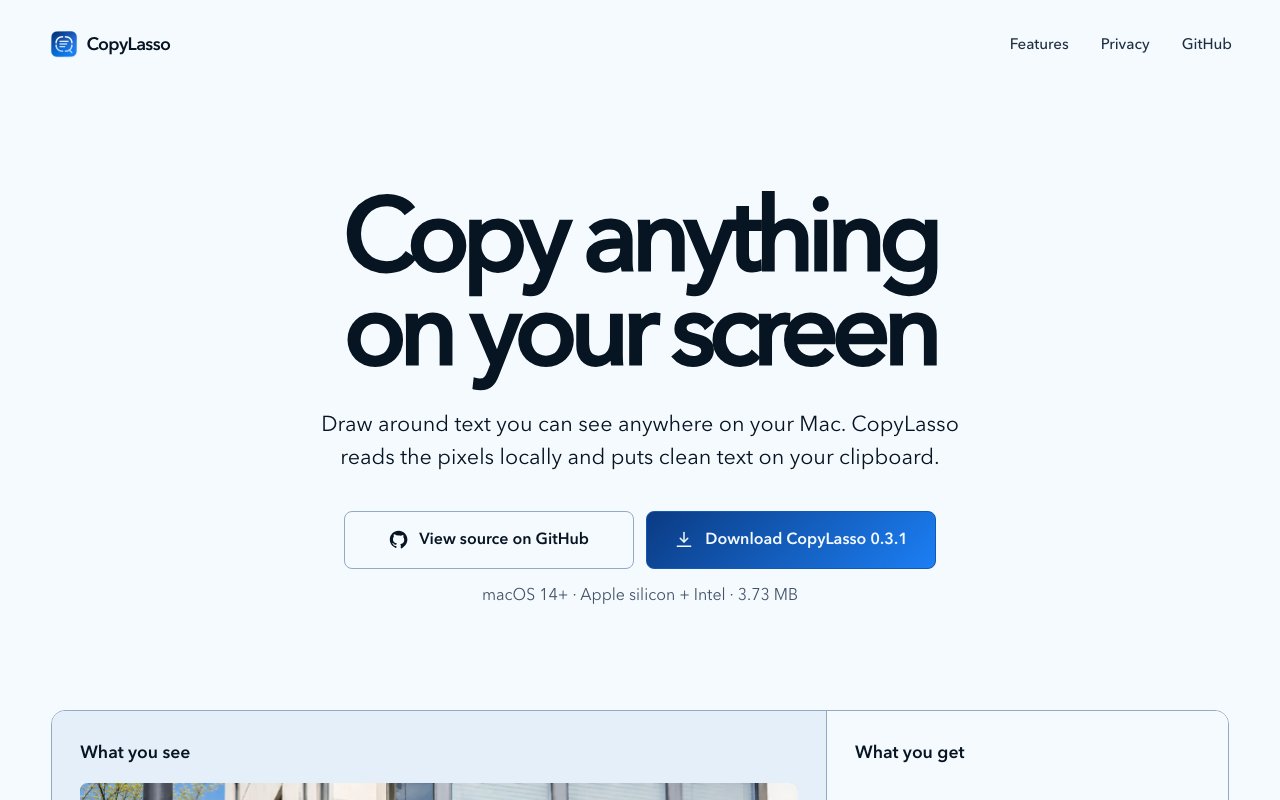
CopyLasso is a macOS utility that lets you draw around any text on your screen and copy it to your clipboard using optical character recognition. The default shortcut is Command Shift 2, which activates a selection overlay. Drag a box around whatever you want to capture, and the recognized text lands on your clipboard ready to paste. It works on images, paused videos, remote desktops, screenshots, PDF renders, application menus, code snippets, or anywhere else text appears visually but cannot be selected the normal way. The tool reads pixels directly using Apple's Vision framework, so it handles situations where you would otherwise have to type things out manually.
The problem CopyLasso solves is one of those small daily annoyances that adds up over time. Someone sends you a screenshot with important information in it. You are in a remote desktop session and cannot copy text from the client window. You pause a video to grab a quote. You are looking at a scanned document or an image of a receipt. A colleague shares a photo of a whiteboard from a meeting. You want to grab an error message from a video tutorial. Each of these situations normally requires manual transcription. CopyLasso skips that step by treating the screen as a source of text, not just a display. You select a region, the OCR runs, and the result goes straight to your clipboard like any normal copy operation.
Beyond plain text, CopyLasso recognizes multiple barcode and code formats. It can read QR codes, Code 128, Data Matrix, PDF417, and Aztec codes. When you draw around one of these codes, the app extracts the payload as plain text. It never executes or opens the content, which is a deliberate safety choice. You get the raw data to do with as you want, whether that is a URL, a product identifier, or an embedded string. For developers and anyone who works with barcoded content, having a quick way to decode what a code contains without scanning it with a phone is genuinely useful.
Everything happens locally on your Mac. There is no cloud processing, no account to create, no data leaving your machine. CopyLasso does not store screenshots or upload anything. It processes the pixels you select, extracts the text, and that is the end of the data flow. For anyone working with sensitive information like credentials, financial data, or confidential documents, the on device approach matters. The app explicitly states it has no accounts, no analytics, no telemetry, and no cloud OCR. The only network activity is checking for updates through an authenticated feed, and you can disable even that if you prefer complete offline operation.
Multilingual support lets you prioritize different languages if you work with text that is not English. The app uses macOS language settings by default but allows manual configuration to optimize recognition for specific languages. OCR accuracy depends on text clarity, font size, and orientation. The developer notes that handwriting, rotated text, and complex layouts reduce recognition quality, which is typical for any OCR system. Printed text in standard orientations produces the best results. Selections must stay within a single display boundary, and protected content may resist capture due to macOS security restrictions like the ones that block screen recording in certain apps.
The app includes an optional capture history feature that is disabled by default. When enabled, it stores only successful recognition results in encrypted local storage. It never retains actual screenshots, just the extracted text. This creates a searchable log of everything you have captured, useful if you need to reference something you grabbed earlier but did not paste right away. You can configure custom keyboard shortcuts, selectable OCR languages, update frequency, audio feedback for successful captures, and whether the app launches at login. The settings stay minimal because the app does one thing, but the configurability is there for power users who want it.
CopyLasso runs on macOS 14 or later and works natively on both Apple silicon and Intel Macs. The current version is 0.3.1. The download is about 3.7 megabytes, distributed as a DMG with SHA 256 checksum verification so you can confirm the download has not been tampered with. The entire project is open source under the MIT license, with the code available on GitHub. The repository includes unit tests, UI tests, and continuous integration scripts. If you want to inspect exactly what the app does before running it, or you want to build it yourself, the source is there to read and compile.
CopyLasso is completely free with no paid tiers, subscriptions, or in app purchases. The developer, Bennett Hilberg, publishes it as a standalone utility without any monetization. For a tool that does one thing well and respects privacy, that simplicity is the entire value proposition. You get a fast, focused utility that solves a real problem without trying to become a platform or extract ongoing payments. The app stays out of your way until you need it, then does exactly what you expect.
Key Features
- Screen region text capture via OCR
- QR code and barcode decoding
- Multilingual recognition support
- Fully local on-device processing
- Encrypted capture history option
- Works with images, videos, and remote desktops
Pros & Cons
What we like
- Completely free and open source under MIT license
- All processing happens locally with no cloud uploads
- Works on any visual text including screenshots and video frames
- Lightweight at just 4 megabytes
Room for improvement
- macOS only, no Windows or Linux version
- Requires macOS 14 or later
- OCR accuracy depends on text clarity and size
- Single developer project with limited support
Frequently Asked Questions
What is CopyLasso?
Is CopyLasso free?
Does CopyLasso send data to the cloud?
What Mac versions does CopyLasso support?
Best For
Featured in
Alternatives to CopyLasso

CalendHub
Smart scheduling and calendar management for teams
Kevin Gabeci Toolkits
Seven AI toolkits for writing books, making music, cutting video, and building agents.

Eased Into AI
Learn AI from zero. No jargon, no hype, just steps that work.

Fix It Gently
Calm, plain-English fixes for everyday tech problems.
Reviews (0)
Badge builder
Add CopyLasso to your website
Choose a badge style and size, preview it here, then copy the generated HTML. Badge images are self-contained SVGs and do not require an external script.

<a href="https://toolindex.net/tools/copylasso?ref=badge" target="_blank" rel="noopener">
  <img src="https://toolindex.net/badge/copylasso/medium.svg" alt="CopyLasso - Listed on Tool Index" width="180" height="50" />
</a>How to use the badge
- 1. Pick the style, size, and theme that fit your layout.
- 2. Copy the generated HTML from the code block.
- 3. Paste it into your footer, homepage, or press page.
Standard badge available
The standard listing badge is available now. Score and circle badges are limited to tools currently ranked in the top 10 of a category.
Badge clicks return visitors to this profile with a referral tag so the source remains identifiable.
Related Tools

Confluence
Atlassian's long-running team wiki that anchors many enterprise knowledge stacks
Asana
Project management for teams that live in projects, tasks and dependencies
Kevin Gabeci Toolkits
Seven AI toolkits for writing books, making music, cutting video, and building agents.

Logseq
An open-source outliner notes app where every bullet is a first-class block
Work on CopyLasso? Request listing access or correction