
CraftVis
AI image editor that transforms photos through natural language instructions
Gallery
About CraftVis
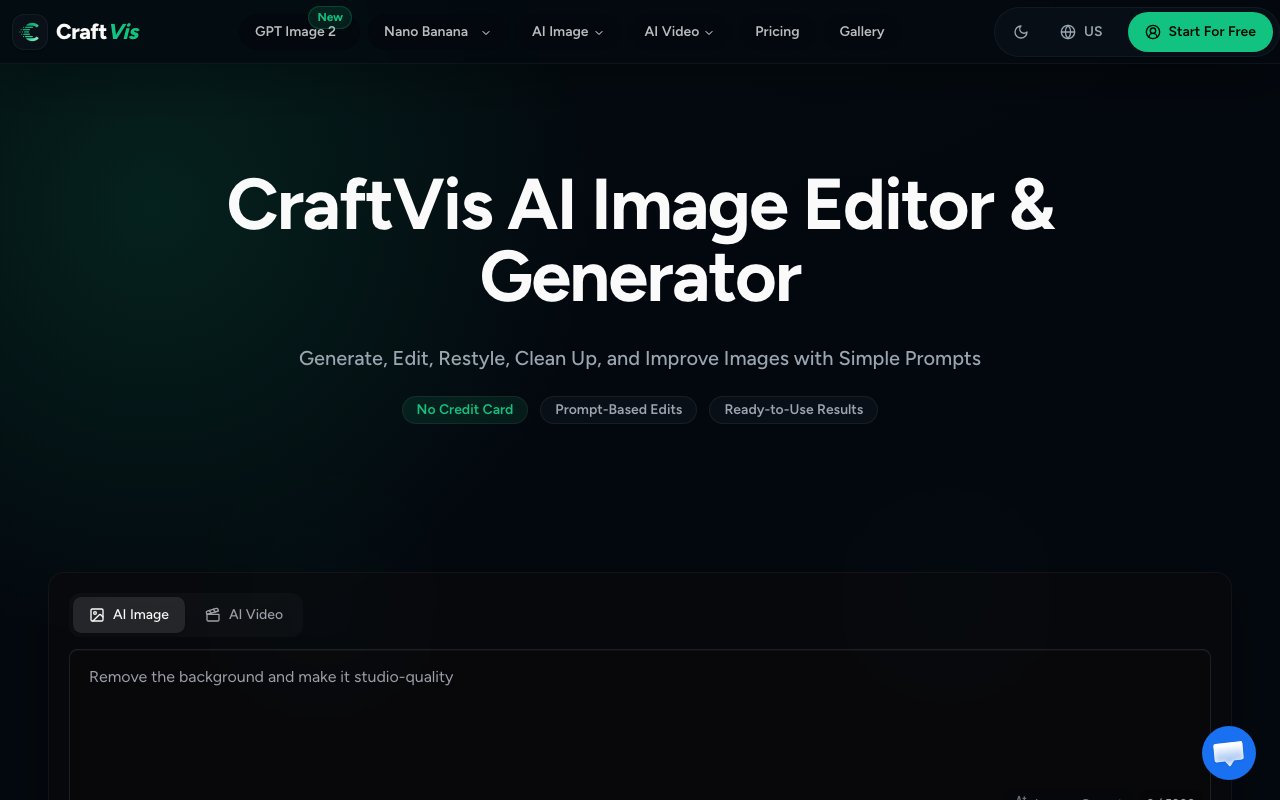
CraftVis is an online AI image editor designed around a simple premise. Rather than learning complex photo editing software with layers, masks, blend modes, and manual adjustments, users describe what they want changed in plain language and let AI models handle the execution. The platform positions itself as the middle ground between basic Instagram filters and professional tools like Photoshop or Lightroom. It targets people who need polished visuals on a practical timeline without spending months learning keyboard shortcuts and technique.
The core workflow starts with uploading an existing image. From there, users write a text prompt describing the desired change, select which AI tool to apply, and generate the result. This covers everything from background replacement to style refinement to creating multiple coordinated variations from a single source image. The emphasis is on transforming what you already have rather than generating entirely new images from scratch, though generation capabilities are included in the toolset. You might upload a product photo and ask for better lighting, or take a portrait and move the subject into a different environment while keeping their face and pose intact.
Multiple AI models are available within the platform, including Nano Banana and GPT Image 2 among others. Each model has different strengths depending on the task at hand. Some excel at photorealistic adjustments while others handle artistic restyling better. Users can choose based on whether they're doing quick product photo touch-ups, creative restyling for social media content, or detailed editing work that requires preserving specific elements. The platform handles all the computational overhead in the cloud, meaning there's nothing to install locally and no hardware requirements beyond a web browser and an internet connection.
Generated images are stored in CraftVis's cloud storage for sixty to one hundred twenty days depending on your subscription tier. This gives you time to download finished work without worrying about losing access if you don't grab files immediately. A private generation mode ensures your work isn't visible to other users or used for training purposes, which matters for commercial work or anything you want to keep confidential. All paid tiers include commercial use rights, so there's no ambiguity about licensing if you're using the platform for client projects or your own business assets.
The target audience spans several practical use cases that share a common need for visual content without design expertise. E-commerce sellers use it to improve product photography without hiring a retoucher. Getting the lighting right on product shots, removing distracting backgrounds, or creating lifestyle context around a standalone product are all tasks that used to require either professional skills or professional rates. Social media managers generate content variations for different platforms from a single base image, adapting aspect ratios and visual styles without starting over each time. Freelance designers polish rough concepts before presenting to clients, turning sketches and mockups into something closer to a finished look for approval before committing to full production.
Small business owners refresh brand assets without waiting for agency turnaround or dealing with revision cycles that drag on for weeks. The platform handles the kind of quick visual updates that would otherwise sit in a queue behind more important work at a design firm. Content marketers building campaign materials can iterate quickly, testing different visual directions without burning budget on each variation. The common thread across all these users is people who need professional-looking visuals on a practical timeline and budget but lack either the skills or the time to produce them through traditional means.
One of the distinguishing features is preservation of composition during editing. When you adjust an image, CraftVis maintains the original face, pose, and character direction while refining quality. This matters for product shots where the subject needs to stay exactly positioned, or for portraits where the likeness has to remain recognizable after processing. Targeted editing lets users fix specific areas rather than regenerating an entire image and hoping the rest stays intact. You can address just the background, just the lighting on a face, or just a specific object without affecting everything else in the frame.
Pricing runs on a credit system with both subscription and one-time purchase options. The Starter plan at nine dollars ninety cents monthly includes four thousand credits and sixty days of cloud storage. Creator at twenty-four ninety monthly includes ten thousand credits with ninety days storage and is positioned as the most popular tier for regular content producers. Studio at seventy-nine ninety monthly provides thirty-four thousand credits and one hundred twenty days storage for agencies and high-volume workflows. Credit packs are also available as one-time purchases ranging from twelve hundred to forty thousand credits, and those credits never expire. A free tier exists with daily check-in credits, letting users test the platform before committing to a paid plan. First-time subscribers can request a refund within seven days for the value of remaining unused credits.
Key Features
- Natural language image editing
- Text-to-image generation
- Background replacement tool
- Multiple AI model access
- Batch variation generation
- Style and lighting adjustments
Pros & Cons
What we like
- Edit images through plain text descriptions
- Access to multiple AI models in one interface
- Works on both uploads and AI-generated images
- No design skills required for professional results
Room for improvement
- Credit system resets monthly
- Results depend on prompt quality
- Less precise than manual editing tools
- Higher tiers needed for heavy usage
Frequently Asked Questions
What is CraftVis?
Is CraftVis free?
What AI models does it use?
Who is CraftVis for?
Best For
Featured in
Alternatives to CraftVis


Reviews (11)
It just works
Found CraftVis on a Show HN thread and I am glad I clicked. The defaults are sensible, so I was not fighting settings on day one. It does what it says, which is rarer than it should be. Mostly using it for creating branded visuals without design expertise.
Pulled its weight from week one
CraftVis has quietly become part of my daily flow. What stands out is how it handles edit images through plain text descriptions. What stands out is how little babysitting it needs. No regrets so far.
Does the job, a few gripes
Picked CraftVis for the price, stayed for the quality. Their take on access to multiple ai models in one interface is genuinely good. My only gripe is less precise than manual editing tools. Recommending it to people in a similar spot.
It just works
Found CraftVis on a Show HN thread and I am glad I clicked. The natural language image editing is more useful than I expected. Would sign up again without thinking twice.
Worth a look
Came to CraftVis after getting frustrated with what I had before. Where it really wins is multiple ai model access. It earns its place in my stack.
Decent with some rough edges
Came to CraftVis after getting frustrated with what I had before. The interface stays out of my way, which I appreciate. Found it works best for cleaning up product photos for e-commerce. My only gripe is higher tiers needed for heavy usage. Would sign up again without thinking twice.
Genuinely impressed
Have been running CraftVis for a while, here is where I land. Setup was painless and I was productive the same day. Mostly using it for cleaning up product photos for e-commerce. No regrets so far.
Finally something that fits
Found CraftVis on a Show HN thread and I am glad I clicked. Their take on style and lighting adjustments is genuinely good. The defaults are sensible, so I was not fighting settings on day one. Recommending it to people in a similar spot.
Two months in, no regrets
Three months of CraftVis later, here is what holds up. Their take on natural language image editing is genuinely good. Mostly using it for cleaning up product photos for e-commerce. Glad I made the switch.
Finally something that fits
Hadn't planned on switching, but CraftVis was hard to ignore. Setup was painless and I was productive the same day. Glad I made the switch.
Recommended without reservation
Hadn't planned on switching, but CraftVis was hard to ignore. The natural language image editing is more useful than I expected. Mostly using it for creating branded visuals without design expertise. It earns its place in my stack.
Badge builder
Add CraftVis to your website
Choose a badge style and size, preview it here, then copy the generated HTML. Badge images are self-contained SVGs and do not require an external script.

<a href="https://toolindex.net/tools/craftvis?ref=badge" target="_blank" rel="noopener">
  <img src="https://toolindex.net/badge/craftvis/medium.svg" alt="CraftVis - Listed on Tool Index" width="180" height="50" />
</a>How to use the badge
- 1. Pick the style, size, and theme that fit your layout.
- 2. Copy the generated HTML from the code block.
- 3. Paste it into your footer, homepage, or press page.
Standard badge available
The standard listing badge is available now. Score and circle badges are limited to tools currently ranked in the top 10 of a category.
Badge clicks return visitors to this profile with a referral tag so the source remains identifiable.
Related Tools

HairstylesPro
Try hundreds of hairstyles on your own photo before you commit to a cut

Recraft
AI image generator built around vector output and brand styles

AIMakeTattoo
Turn text descriptions into visual tattoo concepts with style and placement options
Flux by Black Forest Labs
Open and hosted image models that power half the AI art stack
Work on CraftVis? Request listing access or correction