
Ideogram
AI image model that actually renders text correctly
Gallery
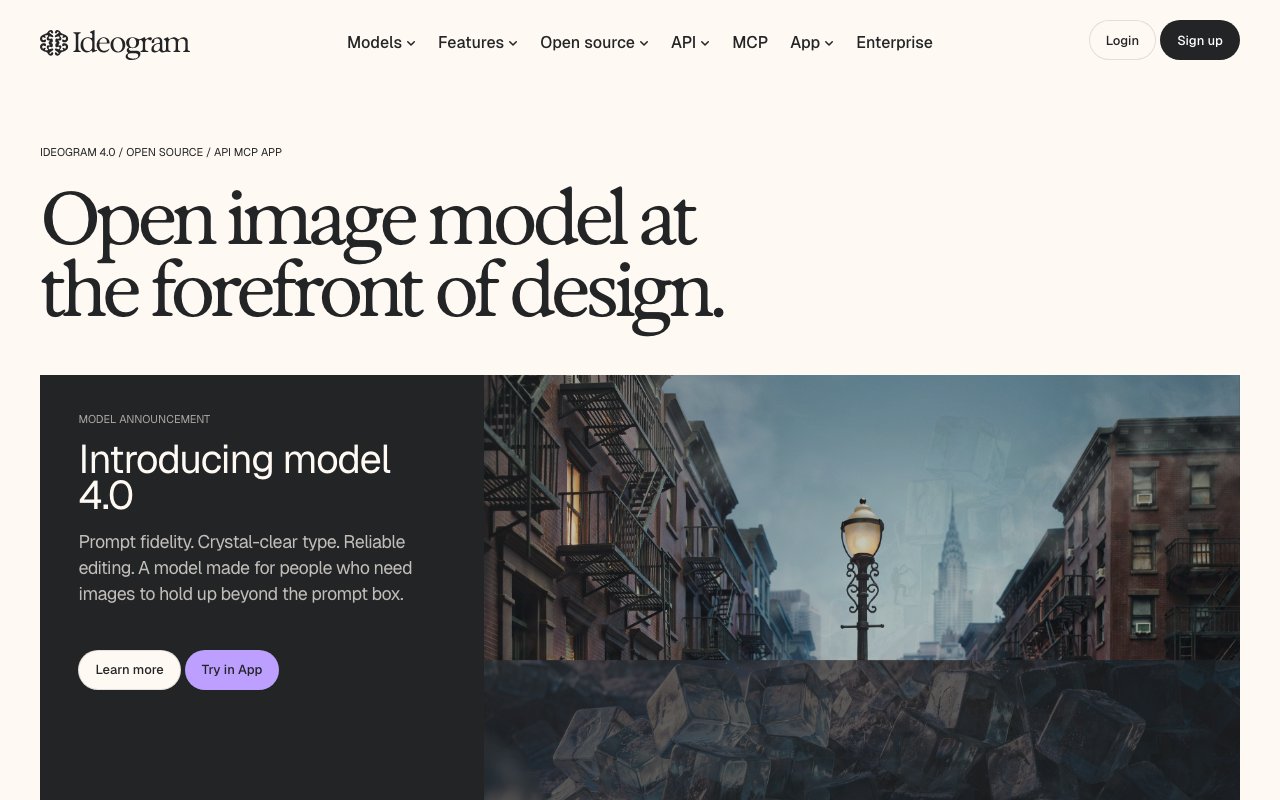
About Ideogram
Ideogram is the AI image generator that finally got text inside images right. Type a prompt that includes words. Ideogram renders them legibly. That sounds simple until you remember every other model has been hallucinating letters for two years.
The pitch is concrete. If you need a logo, a poster, an album cover, or a social post with actual text, Ideogram beats Midjourney and DALL-E on this specific axis.
It's not a Photoshop replacement. It's not the most photorealistic generator either. But for the niche of typography aware AI imagery, Ideogram is the leader and has been since 2023.
What Ideogram does
Ideogram generates images from text prompts. The interface is web first. You type a prompt. You pick an aspect ratio and a style. You hit generate and four variants come back in around ten seconds.
The differentiator is text rendering. Ideogram's models are trained to handle words inside images. Posters, ads, mockups, book covers, t-shirt designs. The text comes out readable without manual fixing.
Beyond text, Ideogram supports remix (variations of an existing image), upscale, and style controls. The Magic Prompt feature expands a short input into a richer description. Useful when you don't want to write a paragraph.
Who Ideogram is for
Designers, marketers, indie creators, and content folks who need branded imagery on a deadline. The text rendering removes the typical annoying step of recreating the image and pasting type on top.
Indie hackers use it for landing page heroes, social previews, and Product Hunt assets. The output looks intentional, not stock.
Authors and small publishers use it for book covers. Etsy sellers use it for product mockups. Newsletter writers use it for visual headers. The text capability shows up everywhere.
Pricing
Free tier gives you a daily quota of slow generations. Enough to evaluate the product or generate one image a day for a side project.
Basic plan starts around $8 per month with priority generations and more daily credits. Plus jumps higher for power users with longer queues. Pro covers unlimited slow generations and commercial usage.
The pricing is friendly compared to Midjourney's flat $10 to $30 a month. Ideogram's free tier is more generous, which is rare in this category in 2026.
Features that earn it the spot
Text rendering is the headline. Type "a vintage poster that says SUMMER FESTIVAL 2026" and the result actually says SUMMER FESTIVAL 2026. Other models guess at the letters. Ideogram nails them.
Style preservation across a prompt batch is solid. Generate four variants and they share aesthetic DNA. Useful when you're picking the strongest one for a client.
The community feed shows other generations and their prompts. You learn faster by remixing existing prompts than by writing yours from scratch. Plus it's just fun to scroll.
Where Ideogram falls short
Photorealism still trails Midjourney. If you need a hyper realistic portrait, Midjourney v6 plus aesthetic upscaling will probably win that battle.
The control surface is lighter than ComfyUI or Flux based pipelines. No ControlNet. No LoRA mixing. Power users will hit the ceiling.
Some prompts that involve complex composition (specific positioning of multiple subjects) struggle. Ideogram's strengths are graphic and editorial. It's not a 3D scene composer.
Ideogram vs the alternatives
Midjourney is the photorealism leader. Different niche than Ideogram. Many people pay for both. We compare in Ideogram vs Midjourney.
DALL-E inside ChatGPT is convenient but text rendering still trails. See best AI image generators for the full field.
Flux models via Fal.ai or Replicate are the open source contenders. Stable Diffusion XL via Civitai is for the tinkerers. Browse Ideogram alternatives for more.
If you're shipping marketing assets that include text more than once a week, Ideogram pays for itself in saved Photoshop time. The text rendering alone justifies switching from Midjourney for half your work.
Common Ideogram questions
Can I use Ideogram images commercially? Yes on the paid plans. The free tier outputs are restricted to non commercial use in some scenarios.
Does Ideogram have an API? Yes, on a separate API plan with usage based pricing. Browse AI design tools for related picks.
How does Ideogram compare to Canva's AI? Canva's image generator is fine for simple cases. Ideogram has more model capability and better text. Different use cases.
The bottom line on Ideogram
Ideogram is the AI image generator I reach for when text matters. Posters, social cards, book covers, branded content. The output is usable without fighting the model.
If your work involves typography in imagery, Ideogram is non negotiable in your stack. Pair it with Midjourney for photorealistic shots and you've covered most marketing image needs.
The category moves fast and someone might catch up next quarter. For now Ideogram still leads the typography niche and the price is fair. Try it for a week and you'll see whether it slots into your workflow. Browse the toolindex catalog for the broader AI image landscape.
Prompting Ideogram effectively
Be specific about text. Use quotes around the exact words you want rendered. "A poster that reads 'SUMMER FESTIVAL 2026' in bold serif type." The model handles quoted text more reliably.
Style references work. Mention the genre. Vintage poster. Modern minimalist. Brutalist. Risograph print. The model has strong style associations from training.
Composition cues matter. Center, top, bottom, left, right. The text placement instructions land better than you'd expect from a diffusion model.
Ideogram for branded content
Pick a consistent style baseline. Same color palette, same type treatment, same composition logic. Run prompt batches through the same style. The output feels like a brand, not a random scroll.
Save your best prompts. Build a prompt library specific to your brand. Reuse and remix. Consistency comes from prompt patterns more than from model magic.
Combine Ideogram with a manual edit pass in Photoshop or Figma. The model handles 80 percent. The last 20 percent (logo placement, exact spacing, brand color tweak) is faster in a real editor.
Ideogram remix and iteration
Generate four. Pick the best. Remix the best with prompt tweaks. Iterate three to five rounds. The final image is rarely the first generation.
The Magic Prompt feature expands a short input. Useful for exploration. Disable it when you have a precise prompt and want literal interpretation.
Save iterations. Sometimes the third round looks worse than the second. Backtrack to the better baseline before continuing.
Ideogram in a creator workflow
For YouTube thumbnails, Ideogram nails the bold text plus dramatic image style. Generate ten options per video. Pick the strongest in 15 minutes.
For book covers, the typography aware model handles title and author lines without manual layout. Browse the community for cover style references first.
For social media graphics, generate variants for different platforms. The aspect ratio control covers Instagram, X, LinkedIn, and Pinterest formats.
Ideogram Magic Prompt deep dive
Magic Prompt expands your short input into a richer description. The expansion influences style, lighting, composition, and detail level.
For exploration, leave it on. The model surprises you with directions you didn't think to specify.
For precise control, turn it off. Your prompt goes through unchanged. Useful when you've tuned a prompt and want literal interpretation.
Ideogram aspect ratios that matter
Square 1:1 for Instagram feed and album art. The default for many use cases.
Vertical 9:16 for TikTok, Stories, and Reels. The model handles this aspect well.
Horizontal 16:9 for YouTube thumbnails and presentation slides. Wider compositions sometimes feel less coherent on diffusion models. Ideogram does better than most.
3:2 and 2:3 for poster designs and book covers. The model has training data biased toward editorial layouts at these ratios.
Ideogram community and inspiration
The community feed shows generations and prompts from other users. Browse for style inspiration. Remix prompts that catch your eye.
Filter by category. Posters. Logos. Characters. Photography. The category specialists tend to share the best prompts in their niche.
Save your favorites. The library builds your personal style references over time. Pull from it when you start a new project.
Ideogram for product design mockups
Generate product mockups for marketing pages. Mug designs. T shirt prints. Phone case patterns. The text rendering means you can mock up actual product copy.
The output isn't print ready. Treat it as concept work. Final production assets need vector recreation in Illustrator or Figma.
For Etsy and POD sellers, the speed of generating concept variants helps test demand before investing in production. Generate. Post. Watch interest. Decide.
Ideogram for marketing teams
Marketing teams use Ideogram for ad creative variants, social posts, blog headers, and quick concept work. The text rendering matters daily.
Standardize on prompt patterns for brand consistency. Document them. New team members ramp faster with shared references.
Pair Ideogram with traditional design tools for final production. The model gets you 80 percent. Figma gets the last 20 percent.
Ideogram cost vs alternatives
The Ideogram pricing is competitive. $8 to $20 a month covers most individual creator needs.
Compare to Midjourney's $10 to $30 plans. Ideogram costs less and offers a real free tier. Midjourney pays better on photorealism.
For teams, Ideogram has team plans with shared spaces. The economics work for small marketing teams without enterprise budgets.
Tutorial / Demo
Key Features
- Industry-leading text rendering inside images
- Magic Prompt for prompt expansion
- Style references and remix
- Canvas for inpainting and editing
- Direct sharing and community feed
- API access for developers
Pros & Cons
What we like
- Best in class for posters, logos, and any image with text
- Decent free tier
- Clean, fast UI
- Magic Prompt helps non-prompt-engineers
Room for improvement
- Photorealism still trails Midjourney and Flux
- Compositions can feel a little flat
- Community feed is public by default on free plans
- Pricing tiers add up if you generate at scale
Frequently Asked Questions
What makes Ideogram different from Midjourney?
Is Ideogram free?
Can I use Ideogram images commercially?
Does Ideogram have an API?
How well does Ideogram do logos?
Best For
Featured in
Tags
Alternatives to Ideogram
View all
Reve
AI image generator from the team formerly behind Halfmoon, built for prompt adherence and text
DALL-E
OpenAI's image generator, now folded into ChatGPT and the gpt-image-1 Images API for text-to-image and edits
Adobe Firefly
Adobe's commercially safe generative AI for images and video, trained on licensed and public domain content

Stable Diffusion
Stability AI's open-weight text-to-image model family you can self-host or call via API
Our take
Tool Index Editorial · May 2026· 4.4/5
Ideogram is the kind of tool you adopt when you want ai image model that actually renders text correctly.
Worth highlighting: Best in class for posters, logos, and any image with text, Decent free tier, and Clean, fast UI. The friction points: Photorealism still trails Midjourney and Flux and Compositions can feel a little flat.
In short: Ideogram is a solid pick when you need designing posters, flyers, and album art with embedded text, and a harder sell if photorealism still trails Midjourney and Flux would be a dealbreaker.
Editorial opinion from the Tool Index team, written from the public product pages. Not a user review.
Reviews (6)
The kind of tool you forget you're paying for
Took a few weeks for Ideogram to click, then it stuck. Where it really wins is decent free tier. Canvas for inpainting and editing works the way you'd hope. Worth the price for what I get out of it.
Pros
- Magic Prompt helps non-prompt-engineers
Surprised how much we use this
Ideogram is one of those tools you stop noticing because it just works. The thing I keep coming back to: best in class for posters, logos, and any image with text. Found it works best for ad creative with copy baked into the image. Glad I made the switch.
Did exactly what I needed
The pitch for Ideogram sounded too good to be true. Mostly true. What stands out is how best in class for posters, logos, and any image with text. The API access for developers is more useful than I expected. Found it works best for replacing stock imagery on social posts. That said, compositions can feel a little flat is a real gripe. Still recommending it to people in similar setups.
Pros
- Best in class for posters, logos, and any image with text
- Decent free tier
Cons
- Compositions can feel a little flat
Hoped for more honestly
Ideogram isn't perfect but it's the best I've used in this category. Genuine strength: clean, fast UI. That said, pricing tiers add up if you generate at scale is a real gripe.
Cons
- Community feed is public by default on free plans
Quietly excellent
Picked Ideogram for the lower price, stayed for the actual quality. Where it really wins is decent free tier. It fits well for ad creative with copy baked into the image. It would be a 5 if not for pricing tiers add up if you generate at scale. Sticking with Ideogram.
Pros
- Magic Prompt helps non-prompt-engineers
- Decent free tier
Cons
- Compositions can feel a little flat
Ideogram, better than expected
The pitch for Ideogram sounded too good to be true. Mostly true. The thing I keep coming back to: decent free tier. Worth calling out the industry-leading text rendering inside images too. Main use case: designing posters, flyers, and album art with embedded text. Hard to imagine going back to my previous setup.
Pros
- Best in class for posters, logos, and any image with text
- Clean, fast UI
- Magic Prompt helps non-prompt-engineers
Badge builder
Add Ideogram to your website
Choose a badge style and size, preview it here, then copy the generated HTML. Badge images are self-contained SVGs and do not require an external script.

<a href="https://toolindex.net/tools/ideogram?ref=badge" target="_blank" rel="noopener">
  <img src="https://toolindex.net/badge/ideogram/medium.svg" alt="Ideogram - Listed on Tool Index" width="180" height="50" />
</a>How to use the badge
- 1. Pick the style, size, and theme that fit your layout.
- 2. Copy the generated HTML from the code block.
- 3. Paste it into your footer, homepage, or press page.
Score badge available
Ideogram qualifies for the score and circle badges based on its current top-10 positionin AI Image Generators.
Badge clicks return visitors to this profile with a referral tag so the source remains identifiable.
Related Tools

Apatero AI
The creator studio for AI image, video, audio, 3D, and avatars, now at apatero.ai.
Kevin Gabeci Toolkits
Seven AI toolkits for writing books, making music, cutting video, and building agents.

Warp
The modern terminal reimagined with AI and collaboration

Bolt.new
Prompt-to-deployed full-stack app inside the browser
Work on Ideogram? Request listing access or correction