
Cronloop
Run AI agents on a schedule with persistent memory and tool integrations
Gallery
About Cronloop
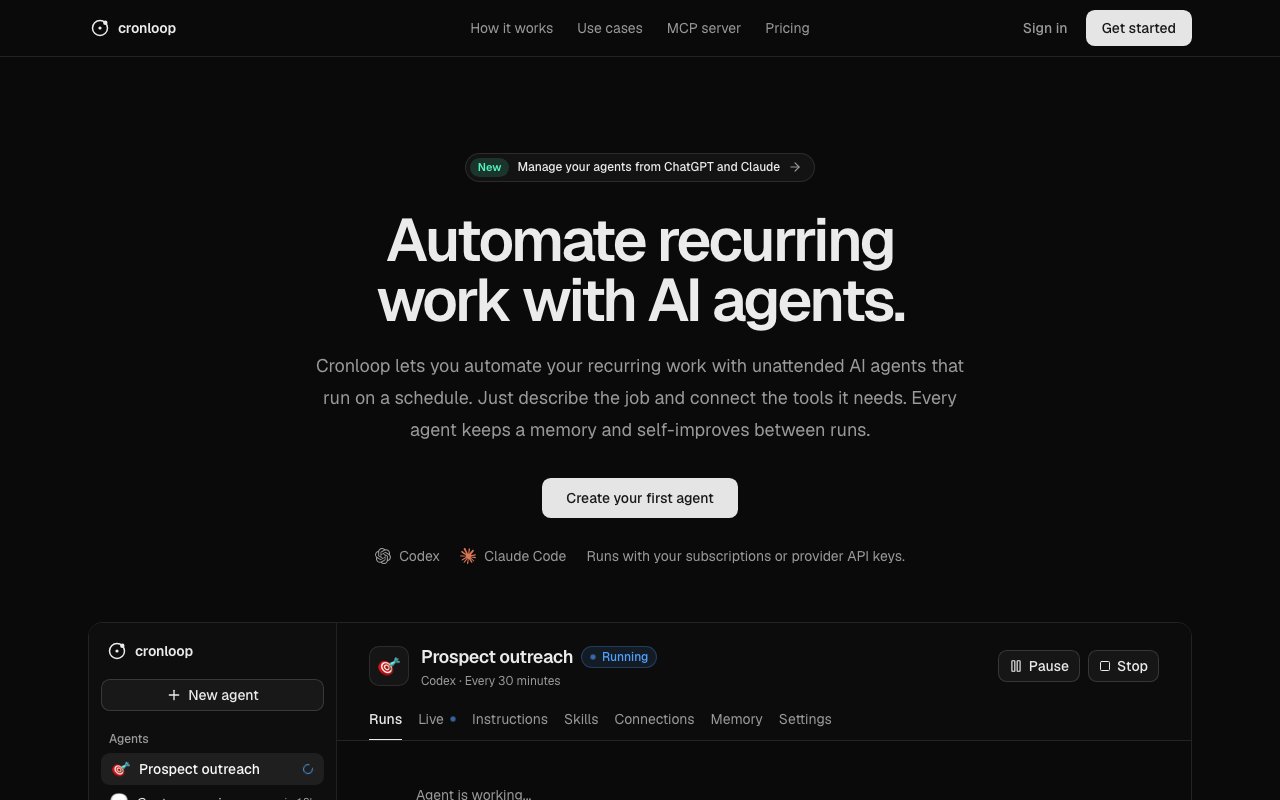
Cronloop is a platform for running AI agents on a schedule without anyone watching. You describe what you want done in Markdown, connect the tools the agent needs, set a frequency, and let it run unattended. The agent executes on your schedule, remembers what happened in previous runs, and can take actions across email, CRM, databases, APIs, and more. Think of it as cron jobs for AI work, not just scripts. The key difference from a normal automation is that an AI sits in the loop making decisions, so you can hand off tasks that require judgment rather than just mechanical triggers.
The problem it solves is that most AI assistants are conversational. They wait for you to prompt them, do one thing, and forget. If you want an agent to check your inbox every morning, qualify leads, and update your CRM, you'd have to sit there prompting it every day. Cronloop lets you define that job once and have it run on repeat, with the agent maintaining state between runs so it can pick up where it left off and improve over time. The platform calls this self-improvement, which in practice means the agent refines its approach based on what worked in previous runs. A prospecting agent that ran last week already knows which contacts bounced, which responded positively, and which went cold, so it can adjust its strategy without you re-briefing it.
Setting up a job means writing a Markdown brief that tells the agent what to do. You describe the task in plain language, the platform interprets it, and you hook up whatever tools the agent needs. It integrates with over 50 services out of the box, including Gmail, HubSpot, Notion, GitHub, Slack, Zendesk, and generic APIs, MCPs, and CLI access. Each run executes in a sandboxed environment where the agent can even install dependencies it needs, so there's isolation and flexibility. The agent's memory persists across runs so it can learn patterns and refine its approach. You can also watch jobs in real time through live output streaming if you want to see what the agent is doing mid-run, or review detailed run history afterwards to understand what happened.
The use cases span sales, support, marketing, and engineering. Sales teams use it for prospecting and demo booking, having the agent qualify leads and schedule meetings without human involvement. Support teams automate ticket triage, letting the agent categorize and route issues before anyone looks at the queue. Marketing runs content optimization loops, checking SEO rankings and generating updates or drafting social posts on a schedule. Engineering generates pull requests from monitored changes, handles code review preparation, or monitors infrastructure for anomalies. Operations teams automate report generation and data reconciliation. Anything repetitive that touches multiple tools and benefits from judgment rather than just rules is a candidate.
What makes it different from basic automation platforms is the agent layer. Tools like Zapier or Make wire up triggers and actions, but they don't think. You can't tell Zapier to decide whether a lead is worth following up on, or to write a different message based on what the prospect said last time. Cronloop sits an AI in the loop that can handle ambiguity, make decisions, and adapt. The agents understand context, so they can look at the whole situation rather than following a fixed decision tree. It also works as an MCP server, so you can access your scheduled agents from ChatGPT or Claude as a remote connector if you want to invoke tasks from within a conversation or check on what your agents have been doing without leaving your usual chat interface.
The audience is teams across sales, support, marketing, and operations who have recurring workflows that are too nuanced for simple automation but too repetitive for humans to do manually every time. If you've built a Zap or a Make scenario and wished it could think about what to do next rather than just following a flowchart, Cronloop fills that gap. It's also relevant for anyone experimenting with agentic workflows who wants a managed environment rather than spinning up their own infrastructure to run scheduled agents. The sandboxed execution means you don't have to worry about environment setup, dependency conflicts, or keeping a server running.
Pricing starts with a free tier that gives you 3 agents, 200 run-minutes per month, and hourly minimum frequency with 10-minute max runs and one concurrent run. That's enough to try the platform on a real workflow before committing. The Pro tier at $25 per month, or $20 if billed annually, removes agent limits, drops minimum frequency to 5 minutes, extends max run time to 60 minutes, and allows 3 concurrent runs. You bring your own model through a ChatGPT or Claude subscription or via API keys, and Cronloop doesn't charge separately for model usage beyond your plan's run-minute limits. Authentication happens through GitHub or Google, and once you're in, defining your first agent is a matter of writing a brief and connecting tools.
Key Features
- Scheduled AI agent execution
- Persistent memory between runs
- Integrations with 100+ services
- Markdown-based job definitions
- Sandboxed execution environment
- MCP server for ChatGPT and Claude
Pros & Cons
What we like
- Agents remember state across scheduled runs
- Plain Markdown briefs, no code required
- Free tier includes 3 agents and 200 minutes
- Works as MCP server for conversational access
Room for improvement
- Free tier limited to hourly minimum frequency
- Complex jobs may hit 10-minute run cap on free
- Requires API keys for some model providers
- Newer platform with a smaller community
Frequently Asked Questions
What is Cronloop?
How is Cronloop different from Zapier or Make?
Is Cronloop free?
Do I need my own API key for the AI models?
Best For
Featured in
Alternatives to Cronloop

Stack AI
No-code platform for building and deploying enterprise AI agents and workflows on a visual canvas

Almanac
A hosted, source-cited wiki that turns your files into context your AI agents can use

Demi AI
Demi helps busy professionals eliminate repetitive admin work across their favorite tools.
Vapi
Build voice AI agents that take and place phone calls
Reviews (0)
Badge builder
Add Cronloop to your website
Choose a badge style and size, preview it here, then copy the generated HTML. Badge images are self-contained SVGs and do not require an external script.

<a href="https://toolindex.net/tools/cronloop?ref=badge" target="_blank" rel="noopener">
  <img src="https://toolindex.net/badge/cronloop/medium.svg" alt="Cronloop - Listed on Tool Index" width="180" height="50" />
</a>How to use the badge
- 1. Pick the style, size, and theme that fit your layout.
- 2. Copy the generated HTML from the code block.
- 3. Paste it into your footer, homepage, or press page.
Standard badge available
The standard listing badge is available now. Score and circle badges are limited to tools currently ranked in the top 10 of a category.
Badge clicks return visitors to this profile with a referral tag so the source remains identifiable.
Related Tools

OpenBenchmarks
Public, externally validated benchmarks that help agents pick SaaS APIs
Almanac
A hosted, source-cited wiki that turns your files into context your AI agents can use

Wizard
Self-extending Rust terminal AI agent that works with any model

Chariot
Elastic cloud infrastructure for deploying and scaling AI agent fleets with persistent storage
Work on Cronloop? Request listing access or correction