
CurateKit
Collect links and quotes, then publish them as websites or newsletters
Gallery
About CurateKit
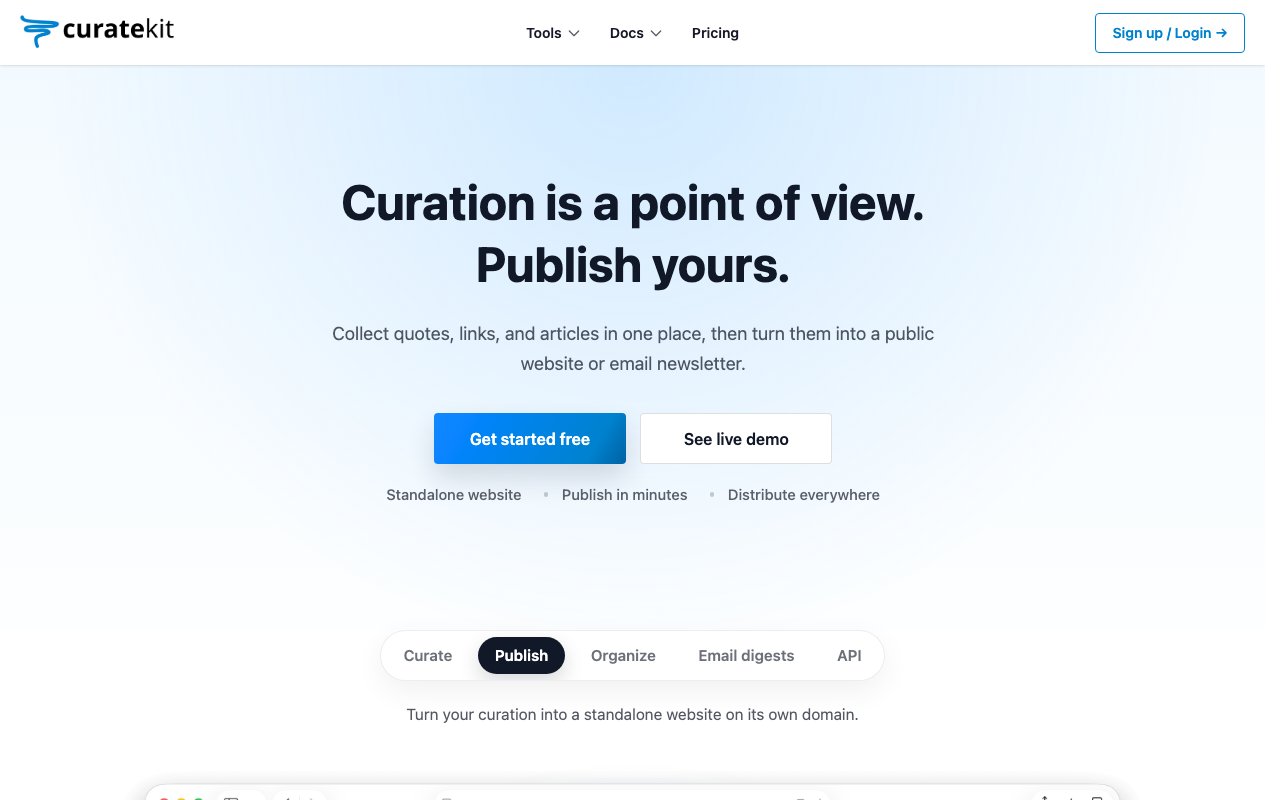
CurateKit is a content curation platform that lets you collect links, quotes, and articles in one place, then turn those collections into public websites or email newsletters. It's built for people who spend time finding interesting things online and want a structured way to share that point of view with an audience. Instead of scattered bookmarks that never leave your browser or notes that pile up without purpose, you get a system that goes from capture to publication in a single workflow. The promise is straightforward: you curate, and CurateKit handles the rest. For anyone whose value is in filtering rather than writing, this is a tool designed around how you already work.
The capture side works through browser extensions for Chrome, Firefox, and Edge, plus a dashboard interface and mobile access. When you find something worth saving, you add it to a list with a click. Lists can be organized by topic, like books you're reading, restaurants you've tried, articles worth sharing, or tools you recommend. The flexibility here is deliberate. CurateKit doesn't assume what kind of content you're curating or how you want to organize it, so the same tool works for a personal reading list, a professional resource collection, a newsletter about a niche topic, or a directory of recommendations in your area of expertise. You build the structure that fits how you think. The categories are yours to define.
What sets this apart from a bookmarking tool is the publishing layer. Once you've built a collection, you can publish it as a standalone website, optionally on your own custom domain. The platform handles the hosting and presentation, so you don't need to build anything yourself or manage infrastructure. Your curated lists become public pages that look professional and are discoverable by search engines on the paid plan. If you prefer email, you can send digests to subscribers on a schedule you choose. This is where it overlaps with newsletter tools like Substack or Beehiiv, but the emphasis is on curation rather than long-form writing. You're sharing what you've found, not primarily what you've written. The publishing is designed to be lightweight enough that you can ship a newsletter without writing an essay.
For people who've built audiences around their taste and recommendations rather than original essays, this format makes more sense than a traditional newsletter platform. The value you provide is in filtering and organizing, not in producing thousands of words every week. CurateKit leans into that distinction. You're not expected to write elaborate commentary on every link. The collection itself is the content. This appeals to people who have strong opinions about what's worth reading or trying but don't want the pressure of consistent long-form output. If you've ever wanted to run a newsletter but felt like you didn't have time to write, curation is the answer and CurateKit is designed for it.
There's also an API for developers who want to pull their curated content into other apps or workflows. This makes CurateKit usable as a backend for a content-driven product, not just a personal publishing tool. If you're building something that needs organized, human-curated collections, like a recommendations engine, a reading list feature, or a resource directory, you can treat it as infrastructure rather than a destination. The API documentation is available at curatekit.dev, and there are live demos showing what published collections look like in practice. For developers, this opens up the possibility of building on top of curation without building the curation layer yourself.
The free tier gives you a subdomain, RSS feeds, API access, 100 emails per month, and two team members per collection. That's enough to try the workflow and see if curation fits how you work. The Pro plan at $10 per month adds custom domains, search engine indexing, 10,000 emails per month, and support for up to 100 team members. List and item limits also increase dramatically on Pro, going from 1,000 lists and 10,000 items per list on free to 100,000 lists and 1,000,000 items. Annual billing drops the price to about $8.33 per month, which is a 17% savings. For most individual curators, the free tier will cover the basics, with Pro making sense once you want a custom domain, search visibility, or a larger email list. The team collaboration features matter for organizations building shared resource collections or running curation as a group activity rather than a solo project.
Key Features
- Browser extensions for Chrome, Firefox, and Edge
- Organize content into topic-based lists
- Publish collections as standalone websites
- Send email digests to subscribers
- Custom domain support on Pro plan
- Developer API for programmatic access
Pros & Cons
What we like
- Goes from capture to publication in one tool
- Free tier includes API access and RSS feeds
- Custom domains available without technical setup
- Flexible enough for personal use or content products
Room for improvement
- More useful for curating than original writing
- Email limits on free tier are restrictive for growth
- Publishing features are basic compared to full website builders
- Smaller community than established newsletter platforms
Frequently Asked Questions
What is CurateKit?
How is CurateKit different from bookmarking tools?
Is CurateKit free?
Who is CurateKit for?
Best For
Featured in
Alternatives to CurateKit
View all
CalendHub
Smart scheduling and calendar management for teams
Kevin Gabeci Toolkits
Seven AI toolkits for writing books, making music, cutting video, and building agents.

Confluence
Atlassian's long-running team wiki that anchors many enterprise knowledge stacks
Kibu
Vertical software for disability service providers covering compliance, documentation, and programming
Reviews (11)
Two months in, no regrets
Picked CurateKit for the price, stayed for the quality. The flexible enough for personal use or content products is more useful than I expected. Performance has been steady even when I lean on it hard. Easy yes for anyone weighing the same trade offs.
Recommended without reservation
Started using CurateKit casually, now it is pinned in my dock. Got real value out of browser extensions for chrome, firefox, and edge. Found it works best for running a newsletter based on links rather than long-form posts.
It just works
Three months of CurateKit later, here is what holds up. Where it really wins is flexible enough for personal use or content products. Would sign up again without thinking twice.
Worth a look
Picked CurateKit for the price, stayed for the quality. Their take on custom domain support on pro plan is genuinely good. The defaults are sensible, so I was not fighting settings on day one. It earns its place in my stack.
Solid daily driver
Have been running CurateKit for a while, here is where I land. Got real value out of goes from capture to publication in one tool. No regrets so far.
Solid daily driver
Came to CurateKit after getting frustrated with what I had before. Their take on custom domains available without technical setup is genuinely good. Hard to imagine going back to my old setup.
Genuinely impressed
CurateKit solves a real problem for me without making a fuss about it. What stands out is how it handles free tier includes api access and rss feeds. It fits well for building a curated reading list to share with an audience.
Pulled its weight from week one
Found CurateKit on a Show HN thread and I am glad I clicked. Where it really wins is send email digests to subscribers. Support actually answered when I had a question, which surprised me. It fits well for creating a public resource directory for a niche topic. No regrets so far.
Powerful once it clicks
Came to CurateKit after getting frustrated with what I had before. The flexible enough for personal use or content products is more useful than I expected. Setup was painless and I was productive the same day. Mostly using it for powering a content product with the api backend. It would be a five if not for smaller community than established newsletter platforms. Worth it for what I get out of it.
Solid but not perfect
Tried CurateKit on a side project first, then rolled it out everywhere. The organize content into topic-based lists is more useful than I expected. It fits well for building a curated reading list to share with an audience. My only gripe is email limits on free tier are restrictive for growth. Hard to imagine going back to my old setup.
Good, with a few caveats
Hadn't planned on switching, but CurateKit was hard to ignore. Got real value out of browser extensions for chrome, firefox, and edge. My only gripe is smaller community than established newsletter platforms. Worth it for what I get out of it.
Badge builder
Add CurateKit to your website
Choose a badge style and size, preview it here, then copy the generated HTML. Badge images are self-contained SVGs and do not require an external script.

<a href="https://toolindex.net/tools/curatekit?ref=badge" target="_blank" rel="noopener">
  <img src="https://toolindex.net/badge/curatekit/medium.svg" alt="CurateKit - Listed on Tool Index" width="180" height="50" />
</a>How to use the badge
- 1. Pick the style, size, and theme that fit your layout.
- 2. Copy the generated HTML from the code block.
- 3. Paste it into your footer, homepage, or press page.
Standard badge available
The standard listing badge is available now. Score and circle badges are limited to tools currently ranked in the top 10 of a category.
Badge clicks return visitors to this profile with a referral tag so the source remains identifiable.
Related Tools
Confluence
Atlassian's long-running team wiki that anchors many enterprise knowledge stacks
Asana
Project management for teams that live in projects, tasks and dependencies
Kevin Gabeci Toolkits
Seven AI toolkits for writing books, making music, cutting video, and building agents.

Logseq
An open-source outliner notes app where every bullet is a first-class block
Work on CurateKit? Request listing access or correction