
dassi
Teach repeatable browser work once and run it again on a schedule
Gallery
About dassi
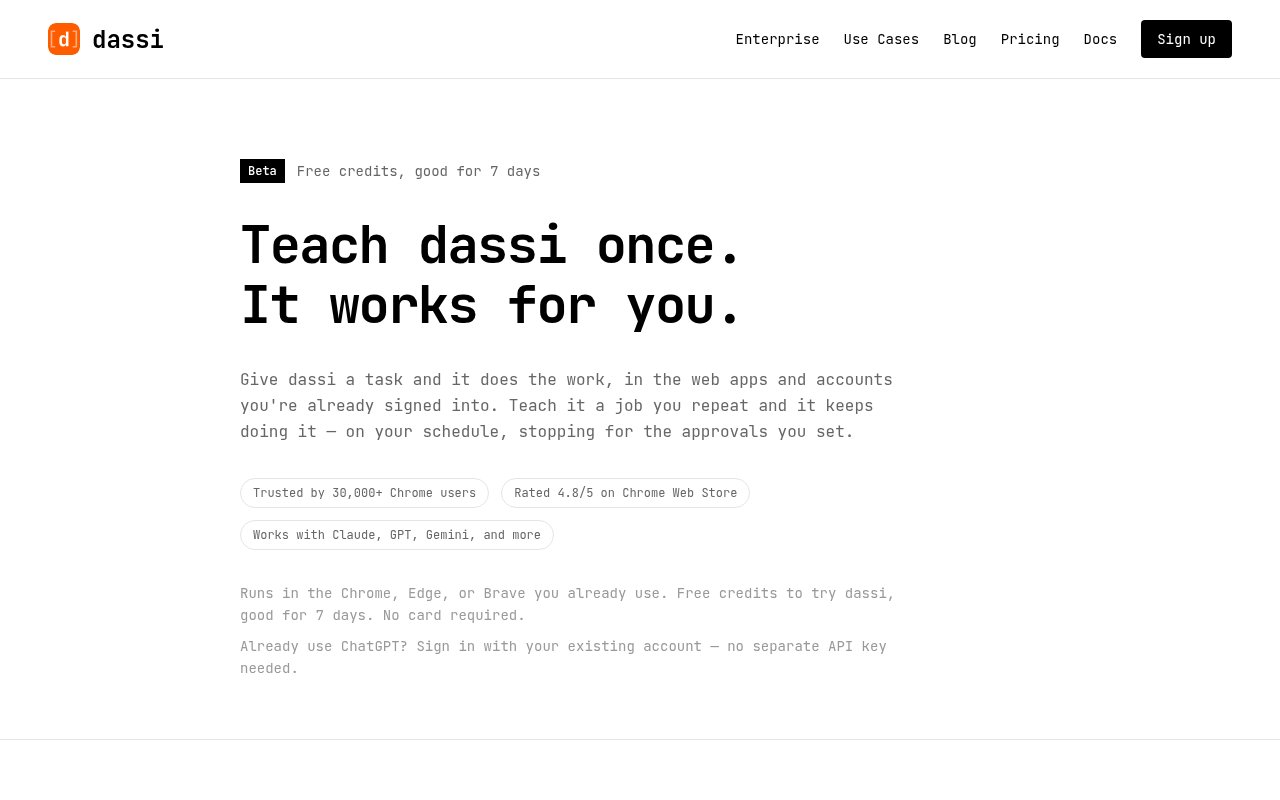
dassi is an AI browser agent for automating work inside the web apps a person already uses. It runs in the side panel of Chrome, Edge, or Brave and acts through the accounts that are already signed in. A user can describe a task in plain English or walk the agent through it once, then save successful work as a repeatable workflow. The product is aimed at jobs that come back every day or week, such as checking records across two systems, collecting numbers from dashboards, updating an applicant tracking system, or filling a report. It sits between a one-time chat assistant and conventional browser automation, with an emphasis on teaching a recurring job in context.
The basic flow has three parts. First, the user gives dassi a task or demonstrates how it should be done. Next, the user chooses the sites involved, supplies changing inputs, sets a schedule, and marks actions that require approval. The agent can then run on demand or when the schedule fires. It reports completion and surfaces exceptions that need human judgment instead of treating every uncertain choice as permission to continue. Saved workflows retain a plain-language plan, their input sites, approval rules, and a run history. The schedule can cover daily, selected weekday, every-few-days, or monthly patterns. If the process changes or the agent makes a poor choice, the user can correct it, edit the stored memory, pause the workflow, or walk through the job again.
dassi works through the existing browser session rather than asking for separate connectors to every service. That makes it useful for internal tools and niche web applications that don't expose an integration, as long as a person can perform the task in a tab. The site gives examples that span reconciling marketplace payouts against store orders, screening applicants against hiring criteria, writing notes back to an applicant tracking system, and gathering weekly figures from dashboards into a spreadsheet. It can handle common browser-accessible documents including Excel, Word, Google Sheets, Google Docs, and PDFs. Scheduled work happens on the user's own machine, so the browser must be open when the run is due. If it was closed, the workflow runs after the browser opens again.
The agent supports several model providers rather than tying every workflow to one model. The site names Claude, GPT, Gemini, Grok, DeepSeek, Kimi, OpenRouter models, and local options. Users can bring their own provider keys or buy plans with managed model credits. dassi also tries to reduce the cost of repeat runs. It caches context within a run and writes a small JavaScript library for sites it has learned, allowing later steps to call known functions instead of repeatedly interpreting the same interface. The workflow can be triggered from the browser, and remote interactions can notify the user through Telegram or email when a decision is required. Users can approve a whole session when appropriate instead of confirming every click one at a time.
Privacy and control are important parts of its design, although the details depend on how it is configured. Browser actions run on the user's machine, and configured provider keys plus local conversations are stored in the browser. The selected AI provider still processes the instructions and relevant page content it needs to choose actions. Managed credit requests pass through dassi's relay. Optional remote MCP access also stores task instructions and results on dassi's servers so an authorized AI application can retrieve them. Those remote task records don't expire automatically, and disabling access doesn't delete earlier records. The approval system lets a user decide which actions must stop for confirmation, but any browser agent working in signed-in accounts still calls for careful limits and review.
dassi is a good fit for operations, recruiting, commerce, and administrative teams with repetitive browser work that crosses web apps. Its differentiator is persistence. A general assistant completes the task in front of it, while a dassi workflow keeps the schedule, plan, approvals, corrections, site knowledge, and history for the next run. Access is paid after a seven-day allocation of trial credits, with no card required for the trial. Plans with included AI credits start at $25 per month when billed monthly. A lower-cost Developer plan is available for users who bring their own model keys. Pricing rises with usage and support level, so the practical value depends on how much recurring browser work a workflow can reliably replace.
Key Features
- Teach-by-demonstration browser tasks
- Reusable scheduled workflows
- Configurable action approvals
- Persistent corrections and memory
- Multiple AI model providers
- Workflow history and notifications
Pros & Cons
What we like
- Works with accounts already open in the browser
- Turns successful tasks into scheduled repeatable workflows
- Keeps approval rules and corrections across future runs
- Supports managed credits or personal model keys
Room for improvement
- Scheduled runs need the desktop browser open
- Limited to Chrome, Edge, and Brave workflows
- Trial credits expire after seven days
- Page content is still processed by the chosen model provider
Frequently Asked Questions
What is dassi?
Does dassi need separate integrations for every app?
Which AI models can dassi use?
Is dassi free?
Best For
Featured in
Alternatives to dassi
View all
Almanac
A hosted, source-cited wiki that turns your files into context your AI agents can use

Demi AI
Demi helps busy professionals eliminate repetitive admin work across their favorite tools.

Lindy
No-code AI agents that handle email, meetings, and recurring workflows
Vapi
Build voice AI agents that take and place phone calls
Our take
Tool Index Editorial · Sep 2026· 3.5/5
dassi is a browser agent that learns a repeated web task from instructions or a walkthrough, then saves the plan, schedule, approvals, corrections, and run history. We found the recurring-work focus more concrete than a general browsing assistant. It can act in already signed-in Chrome, Edge, or Brave sessions and stop before sensitive actions. Trial credits last seven days, and paid plans start at $25 monthly or $21 per month on annual billing.
The fit is operations work that crosses dashboards, spreadsheets, inboxes, and internal tools without good APIs. Scheduled jobs still require the desktop browser to be open, and the chosen model provider receives the relevant instructions and page content. Any agent acting inside authenticated accounts needs narrow permissions and review. Buyers should also test a real workflow before accepting the site's time-saved estimates.
Editorial opinion from the Tool Index team, written from the public product pages. Not a user review.
Reviews (0)
Badge builder
Add dassi to your website
Choose a badge style and size, preview it here, then copy the generated HTML. Badge images are self-contained SVGs and do not require an external script.

<a href="https://toolindex.net/tools/dassi?ref=badge" target="_blank" rel="noopener">
  <img src="https://toolindex.net/badge/dassi/medium.svg" alt="dassi - Listed on Tool Index" width="180" height="50" />
</a>How to use the badge
- 1. Pick the style, size, and theme that fit your layout.
- 2. Copy the generated HTML from the code block.
- 3. Paste it into your footer, homepage, or press page.
Standard badge available
The standard listing badge is available now. Score and circle badges are limited to tools currently ranked in the top 10 of a category.
Badge clicks return visitors to this profile with a referral tag so the source remains identifiable.
Related Tools

OpenBenchmarks
Public, externally validated benchmarks that help agents pick SaaS APIs
Almanac
A hosted, source-cited wiki that turns your files into context your AI agents can use

Wizard
Self-extending Rust terminal AI agent that works with any model

Chariot
Elastic cloud infrastructure for deploying and scaling AI agent fleets with persistent storage
Work on dassi? Request listing access or correction