DayReplay
Automatic time tracking that reconstructs your workday from real app and browser activity
Gallery
About DayReplay
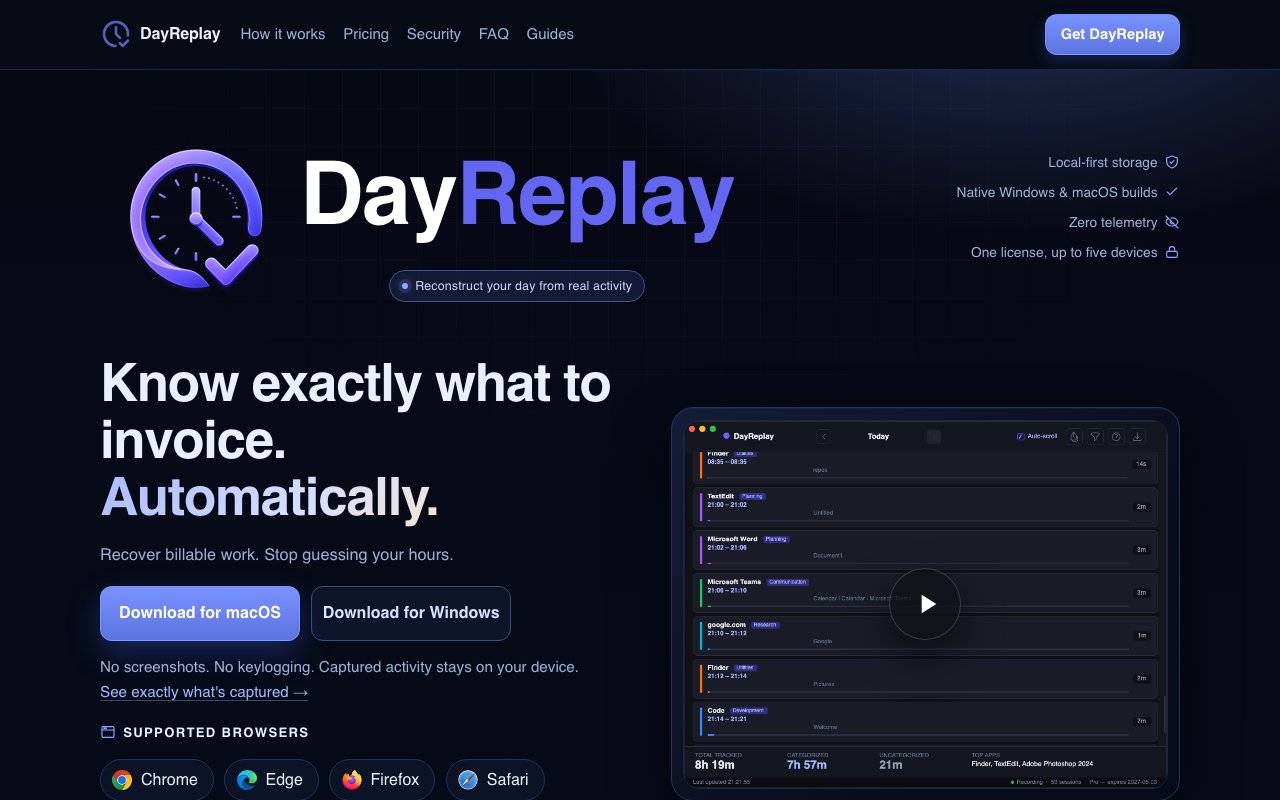
DayReplay is a desktop time tracker for Windows and macOS that reconstructs your workday from what you actually did, instead of from timers you remembered to start. It samples the foreground application and browser context in the background, groups those samples into readable sessions, and hands you a timeline you can review at the end of the day. It's aimed squarely at people who bill for their hours and keep losing money in the gap between doing the work and writing it down.
The problem it goes after is manual reconstruction. Anyone who invoices hourly knows the Friday afternoon ritual of staring at a calendar, a browser history, and a commit log, trying to remember what happened on Tuesday. Timers are the usual answer, but they only work if you never forget to start one, and a fragmented day full of context switches is exactly when you forget. DayReplay drops the discipline requirement by capturing passively and letting you sort the record out afterward.
Capture runs on a five-second interval. The app snapshots the foreground window's process name and title, and for tracked browsers it also reads the active tab's URL plus the titles of the other open tabs in that window. On Windows it enumerates the foreground through Win32 APIs and pulls tab data via UI Automation from Chrome, Microsoft Edge, and Firefox. On macOS it uses the Accessibility API and covers Chrome, Microsoft Edge, Firefox, and Safari, which means granting the Accessibility permission the first time you run it. Raw events then merge into sessions using three timing rules, a five-second capture interval, a ninety-second gap threshold that starts a new session, and a ten-second minimum that drops noise. Sessions group by domain, so clicking around inside one site stays a single block rather than shattering into fragments.
Privacy is the structural argument here, and it's specific rather than hand-waved. There are no screenshots, no screen recording, no keylogging, and no clipboard, microphone, or camera access. There's no analytics, no telemetry, and no remote crash reporting. Captured activity lands in a single SQLite file under your user profile, set to mode 0600 on macOS, and you can open it with any SQLite browser to read the tables yourself. The only outbound calls are update checks and license validation, and license keys live in OS-native secret storage, Keychain on macOS and DPAPI on Windows. That posture matters, because this category is crowded with employee-monitoring tools that screenshot your desktop every few minutes.
Categorization is what turns the timeline into something you can invoice against. Out of the box it detects browsers, IDEs, mail clients, and chat apps, and sorts sessions into Development, Communication, Planning, Research, Media, Utilities, or Uncategorized. Free users can read the built-in rules but not change them. Pro adds two editable rule types, domain rules for browser activity so linear.app lands in Planning and github.com lands in Development, and process rules for desktop apps so OUTLOOK.EXE lands in Communication. You can add your own categories and colours too. Pro's CSV export then produces one row per session with start, end, duration, process, URL, domain, tabs, and category, which is a structured artifact you can hand a client or import straight into a billing tool.
It fits contractors, freelancers, agencies, and anyone whose day is too fragmented to run manual timers honestly. It's less useful if your work is one long focused block in a single app, since there isn't much to reconstruct. It's also not a team surveillance product, so a manager hoping to watch staff should look somewhere else.
Access is freemium and the split is reasonable. Free costs nothing and covers today's replay with one-day history, the full app and browser timeline, URL and tab context, detected categories, read-only rules, and email support. Pro runs $7 a month or $59 a year, roughly $4.92 monthly, and unlocks thirty-day history, day navigation, custom categories and colours, rule editing, and CSV export. One license key works on both Windows and macOS across up to five devices, with no account to create. Checkout runs through Lemon Squeezy as merchant of record, and the app revalidates at most once every 24 hours with a seven-day offline grace window so travel doesn't lock you out. The Windows build is an Authenticode-signed MSI for Windows 10 and 11, and the macOS build is a signed, notarized .dmg for macOS 13 and up on Apple Silicon that lives in the menu bar.
Key Features
- Passive five-second activity capture
- Browser tab and URL context
- Local-first SQLite storage
- Editable domain and process rules
- Invoice-ready CSV export
- One license across Windows and macOS
Pros & Cons
What we like
- Captures automatically, so there are no timers to forget
- No screenshots, keylogging, or telemetry of any kind
- Activity data stays in a SQLite file you can inspect yourself
- One key covers both platforms on up to five devices
Room for improvement
- Free tier keeps only one day of history
- Windows and macOS only, with no Linux build
- Tab context works only in supported browsers
- macOS build needs Apple Silicon and Accessibility permission
Frequently Asked Questions
What is DayReplay?
Does DayReplay take screenshots or log keystrokes?
Is DayReplay free?
Who is DayReplay for?
Best For
Featured in
Alternatives to DayReplay
View all
CalendHub
Smart scheduling and calendar management for teams
Kevin Gabeci Toolkits
Seven AI toolkits for writing books, making music, cutting video, and building agents.

Confluence
Atlassian's long-running team wiki that anchors many enterprise knowledge stacks
Kibu
Vertical software for disability service providers covering compliance, documentation, and programming
Reviews (12)
Pulled its weight from week one
DayReplay has quietly become part of my daily flow. What stands out is how it handles captures automatically, so there are no timers to forget. What stands out is how little babysitting it needs. No regrets so far.
Does the job, a few gripes
Picked DayReplay for the price, stayed for the quality. Their take on no screenshots, keylogging, or telemetry of any kind is genuinely good. My only gripe is tab context works only in supported browsers. Recommending it to people in a similar spot.
It just works
Found DayReplay on a Show HN thread and I am glad I clicked. The passive five-second activity capture is more useful than I expected. Would sign up again without thinking twice.
Finally something that fits
Hadn't planned on switching, but DayReplay was hard to ignore. Setup was painless and I was productive the same day. Glad I made the switch.
Decent with some rough edges
Came to DayReplay after getting frustrated with what I had before. The interface stays out of my way, which I appreciate. Found it works best for recovering billable hours you forgot to log. My only gripe is macos build needs apple silicon and accessibility permission. Would sign up again without thinking twice.
Genuinely impressed
Hadn't planned on switching, but DayReplay was hard to ignore. Got real value out of no screenshots, keylogging, or telemetry of any kind. Performance has been steady even when I lean on it hard. It fits well for recovering billable hours you forgot to log. Hard to imagine going back to my old setup.
Genuinely impressed
Have been running DayReplay for a while, here is where I land. Setup was painless and I was productive the same day. Mostly using it for recovering billable hours you forgot to log. No regrets so far.
Finally something that fits
Found DayReplay on a Show HN thread and I am glad I clicked. Their take on one license across windows and macos is genuinely good. The defaults are sensible, so I was not fighting settings on day one. Recommending it to people in a similar spot.
Two months in, no regrets
Three months of DayReplay later, here is what holds up. Their take on passive five-second activity capture is genuinely good. Mostly using it for recovering billable hours you forgot to log. Glad I made the switch.
Two months in, no regrets
Picked DayReplay for the price, stayed for the quality. What stands out is how little babysitting it needs. It fits well for exporting session data into a billing system. Worth it for what I get out of it.
Exactly what I needed
Came to DayReplay after getting frustrated with what I had before. Where it really wins is local-first sqlite storage. Mostly using it for reviewing where a week's deep-work time actually went. Would sign up again without thinking twice.
Solid daily driver
Have been running DayReplay for a while, here is where I land. Got real value out of editable domain and process rules. It earns its place in my stack.
Badge builder
Add DayReplay to your website
Choose a badge style and size, preview it here, then copy the generated HTML. Badge images are self-contained SVGs and do not require an external script.

<a href="https://toolindex.net/tools/dayreplay?ref=badge" target="_blank" rel="noopener">
  <img src="https://toolindex.net/badge/dayreplay/medium.svg" alt="DayReplay - Listed on Tool Index" width="180" height="50" />
</a>How to use the badge
- 1. Pick the style, size, and theme that fit your layout.
- 2. Copy the generated HTML from the code block.
- 3. Paste it into your footer, homepage, or press page.
Standard badge available
The standard listing badge is available now. Score and circle badges are limited to tools currently ranked in the top 10 of a category.
Badge clicks return visitors to this profile with a referral tag so the source remains identifiable.
Related Tools
Confluence
Atlassian's long-running team wiki that anchors many enterprise knowledge stacks
Asana
Project management for teams that live in projects, tasks and dependencies
Kevin Gabeci Toolkits
Seven AI toolkits for writing books, making music, cutting video, and building agents.

Logseq
An open-source outliner notes app where every bullet is a first-class block
Work on DayReplay? Request listing access or correction