DH Tools
Run PDF, image, OCR, and developer utilities privately in the browser
Gallery
About DH Tools
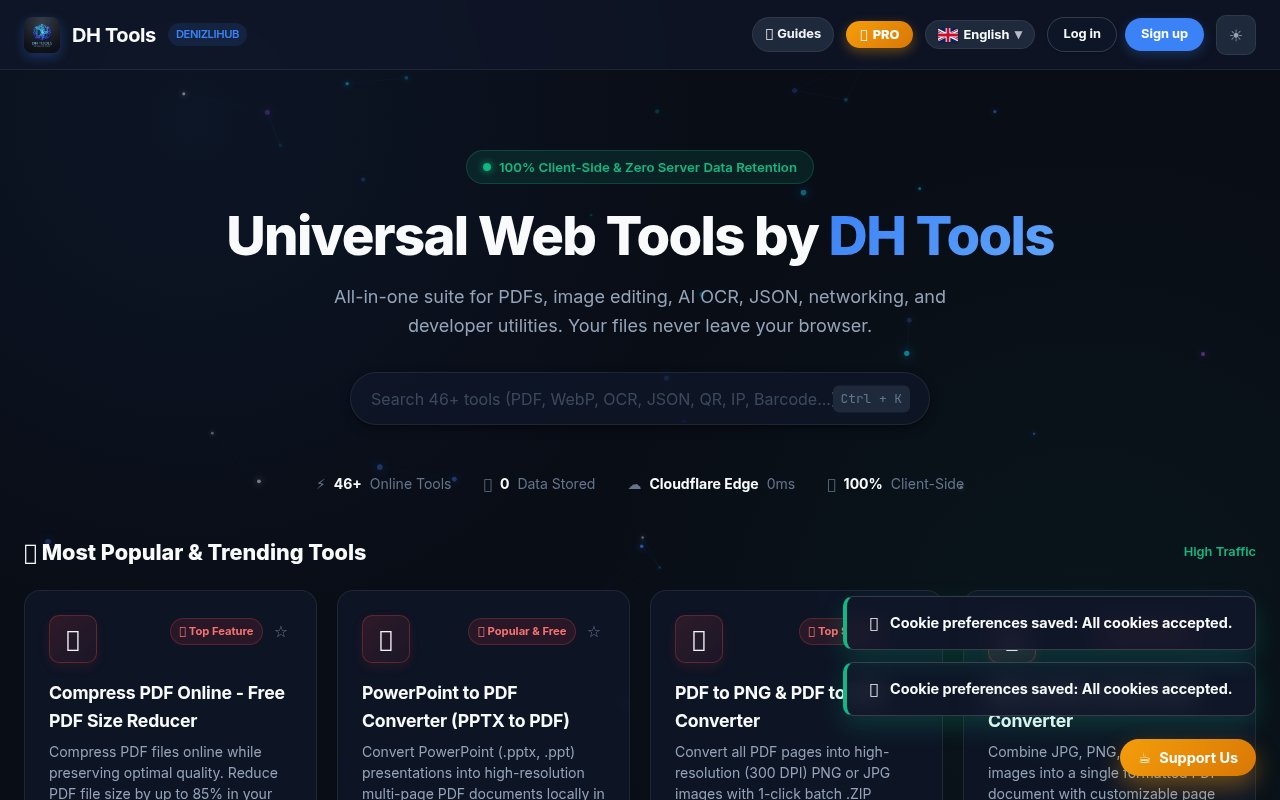
DH Tools is a browser based collection of more than 46 small utilities for documents, images, code, networking, text, audio, and routine office work. It puts jobs such as compressing a PDF, converting an image, formatting JSON, checking a token, or generating a QR code in one searchable site. The appeal is practical. Instead of finding a different unknown website every time a file needs a quick edit, a user can return to the same interface and choose the right workspace. The collection spans both general productivity and developer tasks, so it's useful when a job is too small to justify installing a desktop application.
Most file operations run on the user's device. DH Tools says PDFs, photos, invoices, passwords, and other local inputs are processed in browser memory rather than uploaded to its servers. Its workspaces use browser technologies such as WebAssembly, Canvas, Web Workers, Web Audio, PDF.js, SheetJS, and native JavaScript. That local approach matters for confidential files and also removes the usual upload, queue, and download wait. The site can be installed as a progressive web app, and the company says supported local tools continue to work offline. Network utilities, naturally, still need a connection to query outside information.
The document section covers PDF compression, merging, splitting, rotation, image conversion, spreadsheet conversion, and Markdown export. Image tools can resize, crop, compress, change formats, remove backgrounds, extract palettes, and render SVG files as PNG or favicon assets. Its OCR workspace reads tables from images and turns them into editable Excel files, with language and column sensitivity controls plus a cell preview before export. There are also focused media tools for trimming audio, recording voice, and viewing video thumbnails. The breadth is the product here, not a single flagship workflow.
Developers get a similarly varied set of quick workbenches. The JSON tool formats, validates, beautifies, and minifies data while showing syntax problems. Nearby tools convert JSON and CSV, inspect JWT payloads, create hashes and UUIDs, test regular expressions, compare text, encode URLs, generate passwords, and inspect DNS records or HTTP headers. A code formatter handles HTML, CSS, and JavaScript, while a code image studio produces presentation ready graphics. These aren't replacements for an IDE or command line toolchain. They're convenient browser surfaces for one-off checks, transformations, and exports when opening a project would be unnecessary.
DH Tools fits developers, students, office workers, accountants, and anyone who regularly receives awkward files from other people. A support person can merge evidence into one PDF, a front end developer can verify a JWT or color contrast, and a small business can turn photographed tables into a spreadsheet. The site's local processing posture is especially relevant when the material shouldn't be handed to a random conversion service. Because each utility has its own direct URL and brief instructions, it's also easy to share the exact tool with a colleague rather than explain a multistep desktop workflow.
What distinguishes the suite is the combination of breadth and client-side execution. Many all-purpose utility sites depend on server uploads, aggressive advertising, or separate subscriptions for every format. DH Tools places its workspaces under one navigation system with global search, favorites, English and Turkish interfaces, light and dark themes, and PWA installation. Popular tools are surfaced on the home page, while category filters make the larger catalog manageable without memorizing tool names. The experience is still a portal containing many focused tools, so quality and controls vary by task. Complex document layouts, unusual file formats, and imperfect source images may still need dedicated software or a manual review after conversion.
Access is freemium. The free plan includes the full collection and five AI OCR extractions per day. Pro is listed at $5 per month, while the yearly option is $24, and paid access removes ads, lifts AI and OCR limits, adds multi-device cloud sync, raises output options, and includes priority processing and support. Most visitors can try a utility without making a large commitment, then pay only if repeated OCR work or an ad-free workflow justifies it. DH Tools is a young independent product, but its active workspaces, public support address, clear pricing, and installable browser app make it more substantial than a loose page of links.
Key Features
- Client-side PDF workspaces
- Image and format conversion
- AI OCR table extraction
- JSON and code utilities
- Network and security tools
- Installable progressive web app
Pros & Cons
What we like
- Keeps supported file processing inside the browser
- Combines more than 46 focused utilities
- Offers useful tools without requiring payment
- Covers office and developer workflows together
Room for improvement
- Five daily OCR extractions on the free plan
- Browser performance depends on the user's device
- Complex conversions may need dedicated desktop software
- Younger suite from a small independent team
Frequently Asked Questions
What is DH Tools?
Does DH Tools upload my files?
Is DH Tools free?
Can DH Tools work offline?
Best For
Featured in
Alternatives to DH Tools
View all
CalendHub
Smart scheduling and calendar management for teams
Kevin Gabeci Toolkits
Seven AI toolkits for writing books, making music, cutting video, and building agents.

Eased Into AI
Learn AI from zero. No jargon, no hype, just steps that work.

Fix It Gently
Calm, plain-English fixes for everyday tech problems.
Our take
Tool Index Editorial · Sep 2026· 3.5/5
DH Tools is a collection of more than 46 browser utilities for PDFs, images, OCR, audio, text, networking, and developer data. We found the client-side approach its best feature. Common files are processed in browser memory, and the installable PWA can keep supported tools available offline. The full collection is free with five AI OCR extractions per day, while Pro is $5 monthly or $24 yearly for higher limits, sync, fewer ads, and added support.
The breadth makes it a handy return destination for one-off conversions and checks, especially when uploading a sensitive PDF to an unknown service would be uncomfortable. Breadth also produces uneven depth. Complex layouts, poor source images, and unusual formats still need review or dedicated desktop software, and performance depends on the user's browser and hardware. Network lookup tools naturally aren't local or offline.
Editorial opinion from the Tool Index team, written from the public product pages. Not a user review.
Reviews (0)
Badge builder
Add DH Tools to your website
Choose a badge style and size, preview it here, then copy the generated HTML. Badge images are self-contained SVGs and do not require an external script.

<a href="https://toolindex.net/tools/dh-tools?ref=badge" target="_blank" rel="noopener">
  <img src="https://toolindex.net/badge/dh-tools/medium.svg" alt="DH Tools - Listed on Tool Index" width="180" height="50" />
</a>How to use the badge
- 1. Pick the style, size, and theme that fit your layout.
- 2. Copy the generated HTML from the code block.
- 3. Paste it into your footer, homepage, or press page.
Standard badge available
The standard listing badge is available now. Score and circle badges are limited to tools currently ranked in the top 10 of a category.
Badge clicks return visitors to this profile with a referral tag so the source remains identifiable.
Related Tools

Confluence
Atlassian's long-running team wiki that anchors many enterprise knowledge stacks
Asana
Project management for teams that live in projects, tasks and dependencies
Kevin Gabeci Toolkits
Seven AI toolkits for writing books, making music, cutting video, and building agents.

Logseq
An open-source outliner notes app where every bullet is a first-class block
Work on DH Tools? Request listing access or correction