
Disband
Separate songs into vocals, instruments, and detailed drum stems through the web or API
Gallery
About Disband
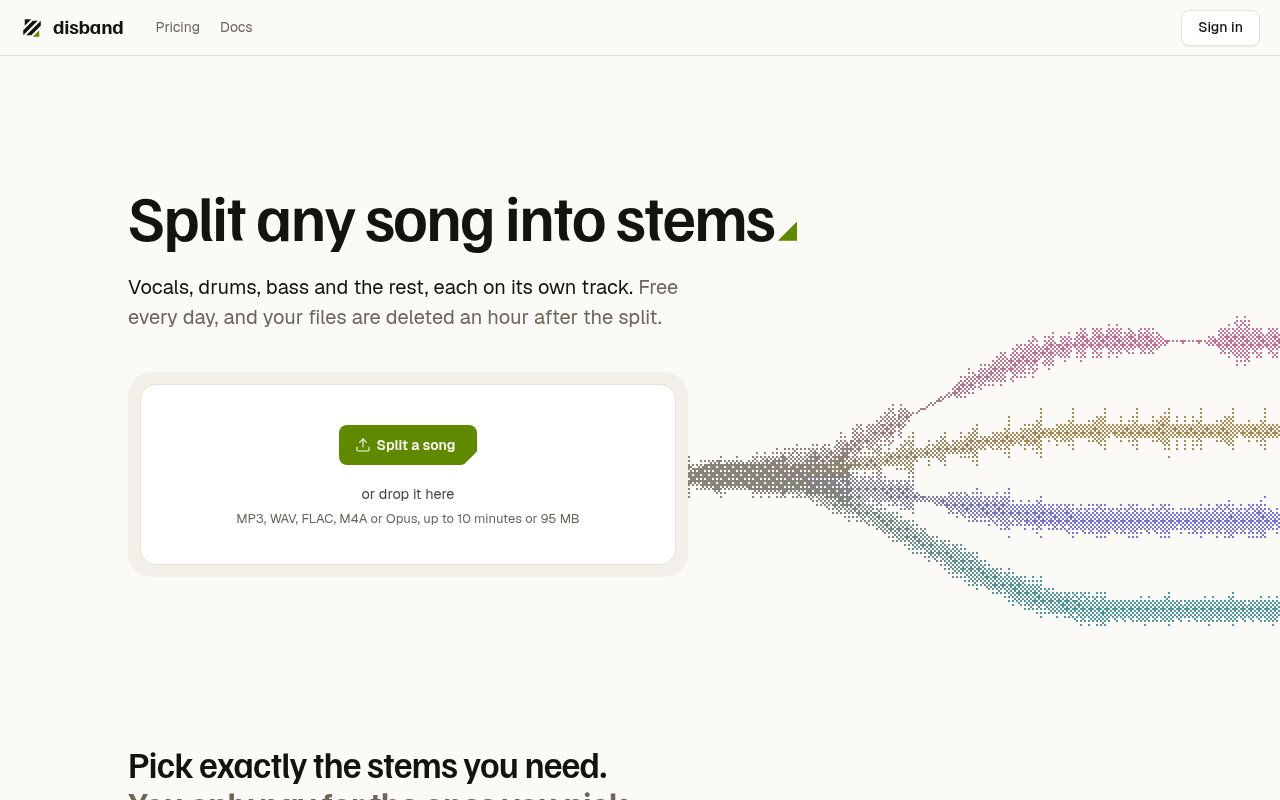
Disband is an audio stem separator available as a web tool and an API. A user uploads a song, chooses the parts they need, waits for the separation to finish, and downloads the resulting audio files. It handles familiar groups such as vocals, instrumental, drums, bass, guitar, and piano, while also going deeper when a production needs more control. Vocal output can be separated into lead and backing parts, and drums can be broken into kick, snare, toms, hi-hat, and the remaining kit. That range makes it useful for quick practice tracks as well as more detailed production and analysis work.
Stem separation solves a common problem for musicians and audio teams. A finished mix normally combines every performance into one file, yet a remixer may need the vocal alone, a drummer may want to hear the kick pattern, and a developer may need isolated components inside another application. Rebuilding those parts from a mastered song is usually impossible without the original session. Disband applies a separation model to estimate them from the mixed recording. The results won't turn a compressed master back into its original multitrack session, but they provide editable, listenable layers without access to the source project.
The web workflow keeps the number of outputs under the user's control. Disband offers preset split options that cover between two and six broad stems, and users can select only the stems they need. The service charges credits according to audio duration and the chosen outputs rather than locking every job to one large bundle. This can be economical when someone only needs a vocal or drum part, though it also means the cost of a job varies with the song length and separation choice. An example on the landing page lets visitors hear the product direction before creating an account. That preview is useful because it gives a musician a reference point before deciding whether the separation style suits a particular project.
Disband accepts MP3, WAV, FLAC, M4A, and Opus files, which covers the formats most people are likely to bring from a music library, recorder, or production tool. After processing, the generated stems are available to download rather than being reserved for paid accounts. The service says uploaded files and resulting stems are deleted automatically after one hour. That short retention window reduces how long source audio sits on the service, but users need to download their results promptly and keep their own copies if they plan to revisit a project.
The API brings the same separation workflow into software and automated pipelines. Documentation examples are provided for cURL, JavaScript, and Python, so a developer can submit audio and retrieve stems without driving the browser interface. API access requires purchased credits, which also unlock queue priority and larger file limits. This setup fits music utilities, creator platforms, transcription or analysis workflows, and internal production tools that need separation on demand. It also lets a team use one paid credit balance across repeated automated jobs instead of sending every file through a manual upload. It's narrower than a complete digital audio workstation, and it doesn't claim to replace recording, arrangement, mixing, or mastering software.
Disband is a sensible option for producers making remixes or reference edits, musicians building practice versions, DJs preparing elements for a set, audio engineers inspecting a mix, and creators who need a clean speech or music layer. The detailed drum options are especially distinctive because many simple separators stop at a single combined drum stem. Lead and backing vocal separation can also save another processing step. Quality will still vary with the source mix, as it does with any model that estimates overlapping sounds, so important material should be auditioned before it is used in a final production.
The service is freemium and uses credits instead of a subscription. An account receives 300 free credits each day, described as enough for roughly eight songs depending on the jobs selected. Paid packs start at $5 for 2,500 credits and scale through larger one-time purchases, with the best listed pack providing 110,000 credits for $100. Purchased credits don't expire. Paying also provides API access, priority in the processing queue, and higher file limits, while free users can still download their separated stems. The model is approachable for occasional use, but regular API users will need to estimate credit consumption from their typical audio length and output choices.
Key Features
- Two-to-six stem separation
- Detailed drum kit splitting
- Lead and backing vocals
- Multiple audio format support
- Programmatic stem separation API
- One-hour automatic file deletion
Pros & Cons
What we like
- Free daily credits include downloadable stems
- Drums can be split into individual kit parts
- Purchased credits don't expire
- API examples cover common developer workflows
Room for improvement
- Free daily credits require an account
- Separation quality depends on the original mix
- Files must be downloaded before the short retention window closes
- Credit cost varies with audio length and selected stems
Frequently Asked Questions
What is Disband?
Is Disband free?
Which audio formats does Disband accept?
Can developers use Disband through an API?
Best For
Featured in
Alternatives to Disband
View all
Apatero AI
The creator studio for AI image, video, audio, 3D, and avatars, now at apatero.ai.

SoloDevStack
A solo developer blog built on head-to-head tool comparisons, 580+ posts deep.
Apatero Studio
Creator studio for AI image, video, audio, 3D, and avatars. Every model worth using, in one workspace.

Melodex
Turn your idea into an AI-generated music video
Reviews (0)
Badge builder
Add Disband to your website
Choose a badge style and size, preview it here, then copy the generated HTML. Badge images are self-contained SVGs and do not require an external script.

<a href="https://toolindex.net/tools/disband?ref=badge" target="_blank" rel="noopener">
  <img src="https://toolindex.net/badge/disband/medium.svg" alt="Disband - Listed on Tool Index" width="180" height="50" />
</a>How to use the badge
- 1. Pick the style, size, and theme that fit your layout.
- 2. Copy the generated HTML from the code block.
- 3. Paste it into your footer, homepage, or press page.
Standard badge available
The standard listing badge is available now. Score and circle badges are limited to tools currently ranked in the top 10 of a category.
Badge clicks return visitors to this profile with a referral tag so the source remains identifiable.
Related Tools
Apatero AI
The creator studio for AI image, video, audio, 3D, and avatars, now at apatero.ai.
Kevin Gabeci Toolkits
Seven AI toolkits for writing books, making music, cutting video, and building agents.

Warp
The modern terminal reimagined with AI and collaboration

Bolt.new
Prompt-to-deployed full-stack app inside the browser
Work on Disband? Request listing access or correction