
dol
Local-first Markdown notes for desktop and mobile that sync through a CouchDB you own
Gallery
About dol
dol is a small Markdown notes app for Windows, macOS, iOS and Android. Notes are plain .md files on your machine, with live preview, wikilinks and full-text search, and when you want them on more than one device you point dol at a CouchDB database that you run or rent yourself. Nothing passes through the developer's servers. It's built for people who like the plain-text vault way of working but don't want to pay for a vendor's sync service or trust one with their notes.
Sync is where local-first apps usually get complicated. Either you buy the vendor's sync, or you drop a folder into a cloud drive and hope two devices never edit the same file at once. dol's answer is CouchDB, a database designed around replication. You stand one up, or use a hosted instance, enter the address and credentials once, and edits replicate between machines automatically. The credentials go into the operating system's keychain rather than a config file, and the site says the setup guide takes about five minutes.
The editor is deliberately plain. You write Markdown, and live preview renders headings, lists and checkboxes inline while you type rather than in a separate pane. Double square brackets make a wikilink to another note, and the App Store listing adds backlinks to the feature list, so connections run both ways. Full-text search covers everything, notes sit in a folder tree with collapsible sections that remembers its state, image attachments are supported, and there are light and dark themes. Bringing an existing vault in means importing a zip of .md files, and taking everything out again is the same operation in reverse.
Getting started on a desktop means downloading the installer, 6.5 MB on Windows, or the macOS build for Intel or Apple Silicon, and starting to write. Sync can wait until you want a second device. When you do, the guide on the site walks through creating a CouchDB database, and the same credentials go into the phone apps so everything replicates through the one database. Because notes are plain files, you can also skip sync entirely and treat dol as a fast local editor with search and links, then export the zip whenever you want to move on. Compared with the big vault-style note apps, dol is smaller in every sense. Fewer features, a fraction of the download size, and the site lists no plugin system. What it keeps is the part that matters to the people it's for, plain text, links between notes, search, and sync that goes through infrastructure you control. Compared with syncing a folder through a cloud drive, CouchDB replication is built for exactly this job, and the credentials never sit in a plain config file waiting to be copied.
The support page is candid about what goes wrong. The most common sync problem is a database name mismatch between devices, or accidentally creating a new database instead of connecting to the existing one. Cloudant instances configured for IAM-only authentication need legacy credentials enabled. Sync conflicts shouldn't be fixed by hand, deleted notes go to the Trash first, and missing data is usually sitting on another device. Bugs go to the GitHub releases repository or to email, and the developer answers directly, with no ticket queue and no bot, typically within two or three days.
It fits developers and self-hosters who already run a server, privacy-minded writers who want their notes to stay theirs, and anyone with a mixed fleet of devices, a Windows PC at work and an iPhone in a pocket, or a Mac and an Android phone. Being on Android as well as the Apple platforms widens that considerably, since a lot of polished note apps stop at the Apple ecosystem. What makes it different is what it refuses to do. There's no account with dol, no cloud of its own and no subscription. The Windows installer is 6.5 MB. Notes stay local unless you switch sync on, and then they sync only with the CouchDB you specified. The price of that independence is that you own the database, with everything that implies about backups and uptime. The Windows installer isn't code-signed, so SmartScreen shows a warning on first run and you click through More info and Run anyway. And while releases and bug reports live on GitHub, the site doesn't describe the source as open.
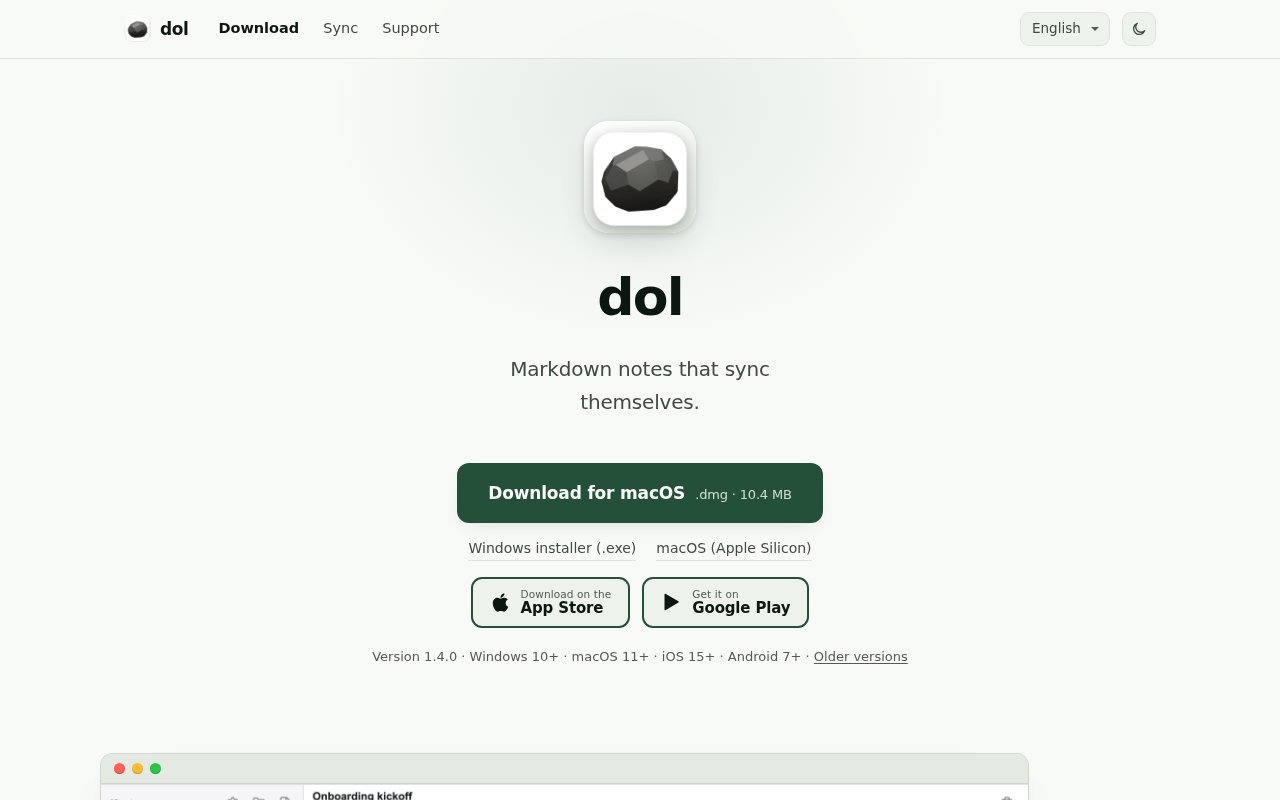
Access is free. The Windows and macOS builds download directly from the site, the iOS version is free on the App Store with no in-app purchases listed, and there's a Google Play release for Android. The current version is 1.4.0, with older releases on GitHub. It's made by Praxo Studio, and support is at admin@praxostudio.com.
Key Features
- Plain Markdown files with live inline preview
- Wikilinks, backlinks and full-text search
- Sync through your own CouchDB server
- Credentials stored in the OS keychain
- Windows, macOS, iOS and Android apps
- Zip import and export of .md notes
Pros & Cons
What we like
- Your notes never touch the developer's servers
- Works on Windows and Android as well as Apple devices
- Free with no in-app purchases listed
- Plain files you can take anywhere
Room for improvement
- You have to run or rent a CouchDB yourself
- Windows installer isn't code-signed, so SmartScreen warns
- Email support only, with replies in two to three days
- Source isn't published, only releases
Frequently Asked Questions
What is dol?
Is dol free?
Do I need to run a server?
Is dol open source?
Best For
Featured in
Alternatives to dol
View all
CalendHub
Smart scheduling and calendar management for teams
Kevin Gabeci Toolkits
Seven AI toolkits for writing books, making music, cutting video, and building agents.

Eased Into AI
Learn AI from zero. No jargon, no hype, just steps that work.

Fix It Gently
Calm, plain-English fixes for everyday tech problems.
Our take
Tool Index Editorial · Sep 2026· 3.5/5
dol is a compact Markdown notes app for Windows, macOS, iOS, and Android that can sync through a CouchDB chosen by the user. It is for people who value plain files, wikilinks, search, and cross platform access more than a large plugin ecosystem. Notes stay local until sync is configured, and credentials are stored in the operating system keychain. The public site offers direct downloads but does not show a paid plan.
We like the simple import and export path, live preview, and the fact that the developer never becomes the note host. Independence comes with work. Users must run or rent CouchDB, keep it backed up and available, and troubleshoot replication themselves. The Windows installer is not signed, so SmartScreen will warn on first run. The site publishes releases rather than source, which also limits independent inspection of the privacy claims.
Editorial opinion from the Tool Index team, written from the public product pages. Not a user review.
Reviews (0)
Badge builder
Add dol to your website
Choose a badge style and size, preview it here, then copy the generated HTML. Badge images are self-contained SVGs and do not require an external script.

<a href="https://toolindex.net/tools/dol?ref=badge" target="_blank" rel="noopener">
  <img src="https://toolindex.net/badge/dol/medium.svg" alt="dol - Listed on Tool Index" width="180" height="50" />
</a>How to use the badge
- 1. Pick the style, size, and theme that fit your layout.
- 2. Copy the generated HTML from the code block.
- 3. Paste it into your footer, homepage, or press page.
Standard badge available
The standard listing badge is available now. Score and circle badges are limited to tools currently ranked in the top 10 of a category.
Badge clicks return visitors to this profile with a referral tag so the source remains identifiable.
Related Tools

Confluence
Atlassian's long-running team wiki that anchors many enterprise knowledge stacks
Asana
Project management for teams that live in projects, tasks and dependencies
Kevin Gabeci Toolkits
Seven AI toolkits for writing books, making music, cutting video, and building agents.

Logseq
An open-source outliner notes app where every bullet is a first-class block
Work on dol? Request listing access or correction