
Dragomand
Give Linux desktop apps one shared service for fully offline machine translation
Gallery
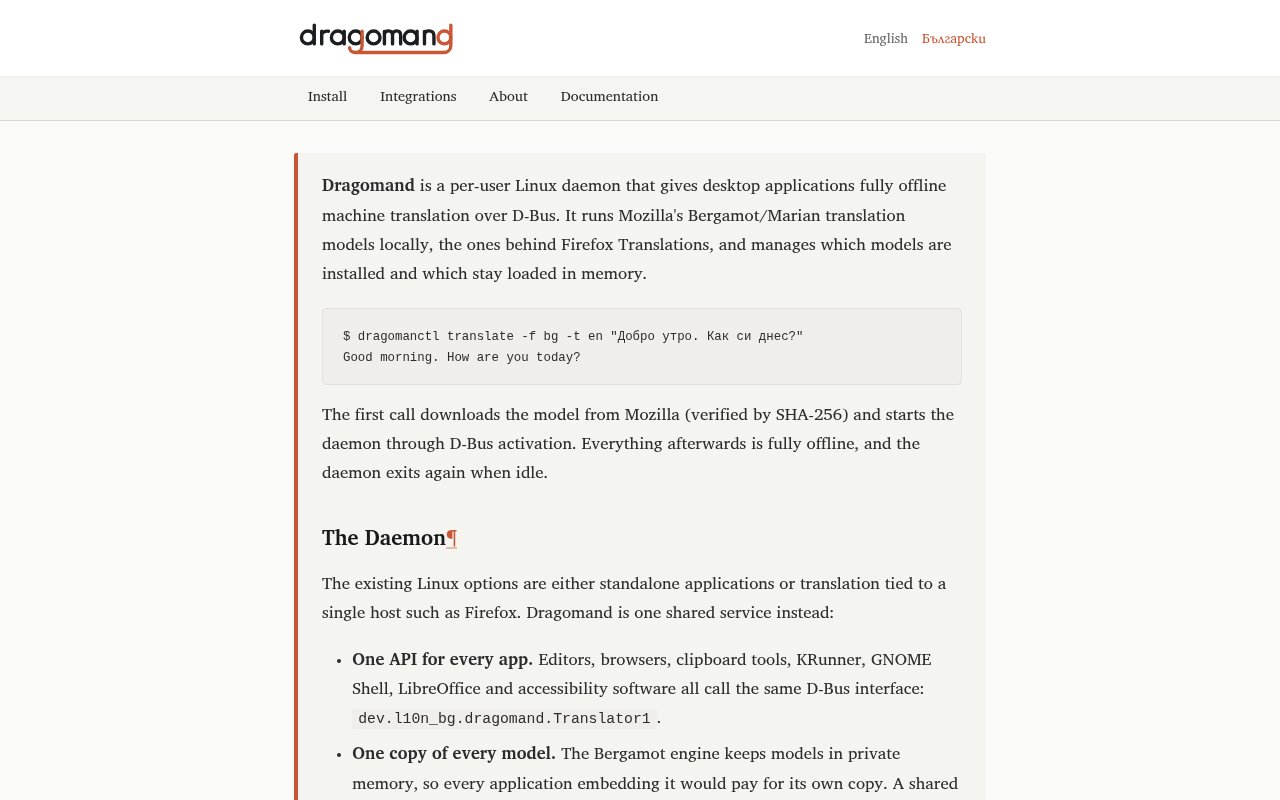
About Dragomand
Dragomand is a per-user Linux service that gives desktop applications a shared way to translate text locally. It runs Mozilla's Bergamot and Marian translation technology, the same foundation used by Firefox Translations, and exposes it through a D-Bus interface. An editor, desktop widget, office extension, shell command, or accessibility tool can call the same service instead of bundling a separate translation engine and another copy of every model. Once a requested language model has been downloaded, the text being translated stays on the computer.
The product addresses an awkward gap in Linux translation tools. A standalone translator may work well for one task, while translation embedded in a browser is useful only inside that browser. Developers who want translation in another application otherwise need to ship an engine, manage model downloads, and absorb the memory cost themselves. Dragomand centralizes those jobs. Every compatible client talks to one daemon, installed models live in one user store, and a model that is already loaded can serve several applications. That shared architecture is the main reason to consider it over another isolated desktop translator.
Day to day use can be as direct as running dragomanctl with a source language, a target language, and some text. The first request for a pair downloads its model from Mozilla, verifies it with SHA-256, starts the daemon through D-Bus activation, and returns the translation. Later requests for that pair work offline. The command line client can also read one segment per line from standard input, write translated output to a file, and mark large work as batch traffic so interactive requests can move ahead. Users can list installed and available pairs, prefetch models before travel, check memory use and queued jobs, update models, or remove pairs they no longer need.
The daemon is designed to stay out of the way when it isn't needed. D-Bus starts it on demand, and it exits after an idle period rather than occupying resources permanently. Dragomand can keep recently used models warm, evict them with a least recently used policy, and respond to memory pressure within a configurable budget. Model updates happen only when the user asks or enables the optional weekly systemd timer. The available model catalog is cached, so it can still be inspected without a connection. Network access is for obtaining models and updates, not for sending translation text to a remote service. Whole document requests, language detection, sentence alignment, and model quality information are available through the shared API, so clients can do more than submit a single short phrase.
Dragomand is most useful to Linux users who want private translation across several desktop workflows and to application developers who would rather call a stable system service than embed machine translation. The project documents integrations for KRunner and GNOME Shell search, LibreOffice, and the KTextEditor component used by Kate, KWrite, and KDevelop. Its companion KDE tools include the Krakoman graphical translator, a System Settings module, and a Plasma widget. Sandboxed Flatpak applications need explicit permission to talk to the D-Bus name, so integration is not completely automatic in every packaging environment.
Its maturity and language coverage need to be read carefully. Version 0.2.0 includes the daemon, its first D-Bus API, document translation, language detection, sentence alignment, live settings, model management, and several desktop integrations. Bulgarian and English are the first pair working through the complete path. The broader goal covers every pair Mozilla publishes, but buyers should not read that roadmap as a promise that every pair already has the same end to end support. It is also infrastructure rather than a universal polished app on its own, although companion interfaces make it approachable for KDE users.
Dragomand is free and open-source software under GPL version 3 or later. Packages are published through the openSUSE Build Service for current openSUSE, Fedora, Debian, Ubuntu, and Arch Linux targets listed in the installation guide, and experienced users can build the C++ engine and Rust workspace from source. There is no hosted subscription or metered translation plan. The practical costs are local disk space, model memory, and the setup needed for the distribution and desktop clients a user chooses. For people comfortable with that Linux native model, it offers a focused way to add offline translation once and make it available across the desktop.
Key Features
- Shared D-Bus translation service
- Fully offline text translation
- On-demand Mozilla model downloads
- Command line translation client
- Automatic idle shutdown
- Linux desktop integrations
Pros & Cons
What we like
- Keeps translated text on the local machine
- Shares models and memory across compatible apps
- Starts only when requested and exits when idle
- Offers packages plus complete source code
Room for improvement
- Complete language support currently starts with Bulgarian and English
- Requires Linux setup and compatible desktop clients
- Flatpak clients need explicit D-Bus permission
- Younger project with a small public community
Frequently Asked Questions
What is Dragomand?
Does Dragomand send translation text online?
Which languages does Dragomand support?
Is Dragomand free?
Best For
Featured in
Alternatives to Dragomand

Apatero AI
The creator studio for AI image, video, audio, 3D, and avatars, now at apatero.ai.

SoloDevStack
A solo developer blog built on head-to-head tool comparisons, 580+ posts deep.
Apatero Studio
Creator studio for AI image, video, audio, 3D, and avatars. Every model worth using, in one workspace.

Melodex
Turn your idea into an AI-generated music video
Reviews (0)
Badge builder
Add Dragomand to your website
Choose a badge style and size, preview it here, then copy the generated HTML. Badge images are self-contained SVGs and do not require an external script.

<a href="https://toolindex.net/tools/dragomand?ref=badge" target="_blank" rel="noopener">
  <img src="https://toolindex.net/badge/dragomand/medium.svg" alt="Dragomand - Listed on Tool Index" width="180" height="50" />
</a>How to use the badge
- 1. Pick the style, size, and theme that fit your layout.
- 2. Copy the generated HTML from the code block.
- 3. Paste it into your footer, homepage, or press page.
Standard badge available
The standard listing badge is available now. Score and circle badges are limited to tools currently ranked in the top 10 of a category.
Badge clicks return visitors to this profile with a referral tag so the source remains identifiable.
Related Tools
Apatero AI
The creator studio for AI image, video, audio, 3D, and avatars, now at apatero.ai.
Kevin Gabeci Toolkits
Seven AI toolkits for writing books, making music, cutting video, and building agents.

Warp
The modern terminal reimagined with AI and collaboration

Bolt.new
Prompt-to-deployed full-stack app inside the browser
Work on Dragomand? Request listing access or correction