
Emoji Kitchen Browser
Browse and download all 147,000 official Google Emoji Kitchen mashups without Gboard
Gallery
About Emoji Kitchen Browser
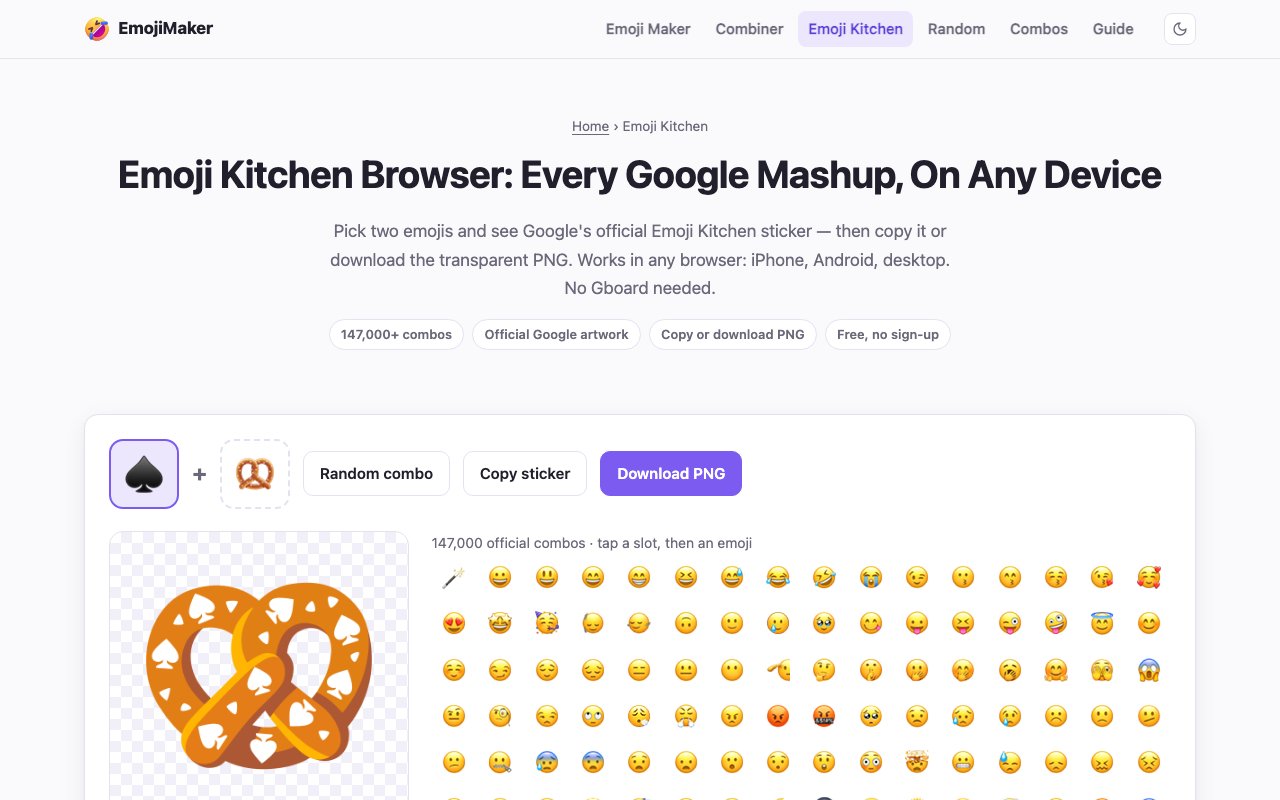
Emoji Kitchen Browser brings Google's viral emoji mashup feature directly to your web browser, eliminating the need for Gboard or any app installation. The tool accesses the same professionally designed stickers that Google created for its keyboard app, but presents them through a straightforward web interface that works on any device. Anyone who has seen those delightful hybrid emojis floating around Discord servers or Slack workspaces can now create their own combinations in seconds, regardless of which phone or operating system they use. The browser-based approach means no storage space consumed by apps, no permissions granted, and no waiting for downloads to complete before you can start experimenting with combinations.
The library behind this tool is genuinely massive and continues to grow as Google adds new designs. Over 147,000 unique combinations exist across 619 base emojis, each one hand-crafted by Google's design team rather than algorithmically generated through simple overlays. When you select two emojis, the interface instantly displays what happens when they collide. A crying face combined with a heart might produce a melting heart with tears. A cat merged with a sunflower creates something unexpectedly adorable. The system automatically greys out emoji partners that don't have official artwork, so you'll never waste time hunting for combinations that don't exist. This intelligent filtering saves considerable frustration compared to trial-and-error approaches.
What separates this browser version from using Gboard directly is the ability to download full-resolution transparent PNG files. Gboard's native implementation only lets you send stickers within supported apps, but this web tool gives you actual image files you can use anywhere. Copy them to your clipboard for quick pasting into conversations, download them for permanent storage in your creative assets folder, or share direct links to specific combinations with friends and colleagues. Content creators who need emoji mashups for thumbnails, stream overlays, video edits, or social media posts finally have a reliable source for these assets without needing to screenshot and manually crop.
The interface respects your privacy in a way that many similar tools do not. Everything runs locally in your browser without uploading images to external servers. There's no account creation required, no email collection happening in the background, and no tracking of which combinations you explore or download. The site loads quickly and works offline once cached, making it reliable even on spotty connections. For those who enjoy serendipity and creative discovery, a random mode surfaces unexpected pairings you might never have thought to try yourself. Some of the most shareable combinations come from random exploration rather than deliberate searching.
iPhone users benefit particularly from this tool since Apple's ecosystem doesn't include Gboard's Emoji Kitchen integration by default. Rather than switching keyboards, learning new typing habits, or installing additional apps that consume storage and require updates, they can simply bookmark this website and access the full sticker library whenever inspiration strikes. Android users who prefer not to use Google's keyboard also gain easy access to these creative assets without compromising their preferred typing setup. The browser approach creates platform independence that native app implementations simply cannot match.
The tool also includes an alternative emoji combiner for unrestricted overlays when you want to create mashups that fall outside Google's official library. This secondary feature lets you layer any two emojis together without waiting for Google to design an official combination. The results won't have the same polished artwork quality, but they expand creative possibilities beyond the curated collection. Community managers, social media coordinators, and anyone who communicates heavily through visual messaging will find ongoing value in having both options available.
Shareable links mean you can send someone a specific combination and they'll see exactly what you created without needing to recreate the selection process themselves. This works particularly well for team communication or when recommending specific mashups to friends. Whether you're spicing up work communications, adding personality to community Discord servers, creating reaction images for group chats, or just entertaining yourself by discovering which emoji pairs produce the strangest offspring, this browser implementation makes Google's Emoji Kitchen universally accessible at no cost with no strings attached.
Key Features
- 147,000 official Google Emoji Kitchen mashups
- Transparent PNG downloads for stickers
- Cross-platform access on iPhone, Android, and desktop
- Random combo discovery mode
- Copy-to-clipboard for quick sharing
- No account or app installation required
Pros & Cons
What we like
- Opens Emoji Kitchen to iOS and desktop users without Gboard
- Downloads transparent PNGs that Gboard itself doesn't offer
- All mashups are official Google designs, not AI-generated
- Completely free with no account required
Room for improvement
- Limited to pre-designed combos, no custom mashups
- Only covers Google's Emoji Kitchen artwork
- No batch download or export options
- Depends on Google continuing to publish new designs
Frequently Asked Questions
What is Emoji Kitchen Browser?
Is Emoji Kitchen Browser free?
Can I use the mashups commercially?
Why can't I combine certain emojis?
Best For
Featured in
Alternatives to Emoji Kitchen Browser
View all
Framer
Visual website builder that lets designers ship production-grade marketing sites with real CMS, SEO controls, and code components.

Apatero Studio
Creator studio for AI image, video, audio, 3D, and avatars. Every model worth using, in one workspace.

Pixel Painters
Unlimited graphic design subscriptions built only for churches and ministries
Reviews (0)
No reviews yet
Be the first to share your experience with Emoji Kitchen Browser
Sign in to write a reviewBadge builder
Add Emoji Kitchen Browser to your website
Choose a badge style and size, preview it here, then copy the generated HTML. Badge images are self-contained SVGs and do not require an external script.

<a href="https://toolindex.net/tools/emoji-kitchen-browser?ref=badge" target="_blank" rel="noopener">
  <img src="https://toolindex.net/badge/emoji-kitchen-browser/medium.svg" alt="Emoji Kitchen Browser - Listed on Tool Index" width="180" height="50" />
</a>How to use the badge
- 1. Pick the style, size, and theme that fit your layout.
- 2. Copy the generated HTML from the code block.
- 3. Paste it into your footer, homepage, or press page.
Standard badge available
The standard listing badge is available now. Score and circle badges are limited to tools currently ranked in the top 10 of a category.
Badge clicks return visitors to this profile with a referral tag so the source remains identifiable.
Related Tools
Apatero Studio
Creator studio for AI image, video, audio, 3D, and avatars. Every model worth using, in one workspace.

Tailwind CSS
Rapidly build custom designs without leaving your HTML

Figma
Collaborative interface design tool

Marvel
Lightweight prototyping platform for turning images and screens into clickable mobile and web prototypes.
Work on Emoji Kitchen Browser? Request listing access or correction