
FetchMark
Archive articles permanently, then read them ad-free with search, highlights, and AI summaries
Gallery
About FetchMark
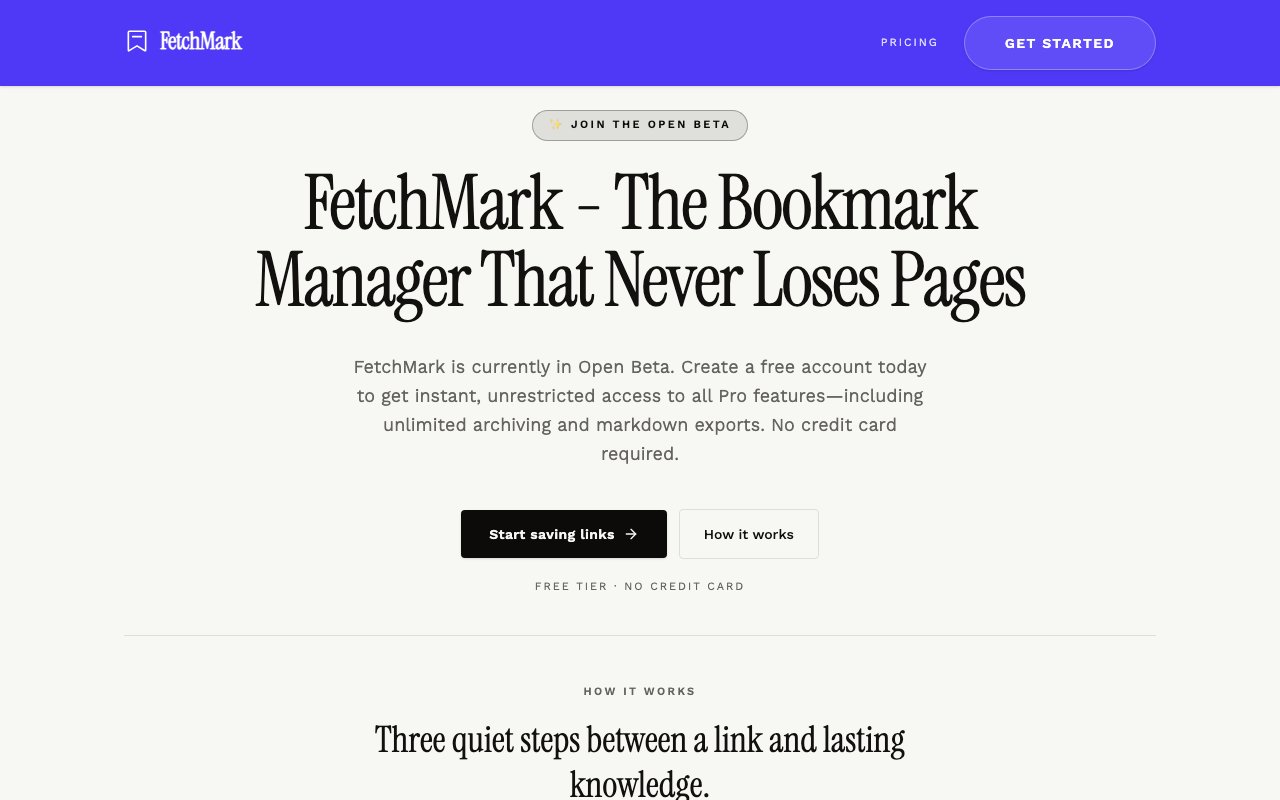
FetchMark is a bookmark manager that keeps a real copy of whatever you saved. Instead of storing a link and hoping the page is still there later, it archives the article itself, strips out the ads, navigation, and trackers, and files a clean readable version in a library you control. The problem it goes after is link rot, where a bookmark folder built over years quietly turns into a list of dead URLs, pages that went behind a paywall, and posts that got edited into something else. A saved copy sidesteps all of that, because what you read later is what was actually published when you found it. It's aimed at the gap between a bookmark, which is really just a promise to come back, and a proper archive, which is what you need once the source is part of your work.
Saving works two ways. You can paste a URL into the composer, or use the Chrome extension to capture a page in one click without leaving the tab. Either way the archive is permanent, and the article shows up in a reader view built around typography rather than the original page's layout, which is the practical difference between a saved link and something you'll actually finish reading. Everything in the library is searchable full text, so a half-remembered phrase from six months ago is usually enough to find the piece it came from. The composer also means anything can be saved from a phone browser or a machine without the extension installed, since a URL and a paste is the whole requirement.
The reading tools go past storage. Highlights pull quotes out of an article and notes attach your own thinking to them, so the library turns into a research file instead of a pile. AI summaries are one click and produce structured takeaways, which is most useful as triage, deciding what deserves a full read and what can be skimmed and set aside. For a backlog that grew faster than the reading did, that's the feature that makes the whole stack approachable again rather than a source of guilt. Summaries come out structured rather than as one block of prose, which makes them scannable when the point is to sort twenty saved pieces into read now and read never.
Getting data in and out is deliberately easy. The universal importer pulls libraries across from Pocket, Instapaper, Raindrop, or a plain CSV, which matters given how many people had to find a new home after Pocket wound down. Going the other way, articles export as Markdown files that drop straight into Obsidian, VS Code, or anything else that reads plain text. Saved articles are also available offline, so a stored library still works on a plane or a bad hotel connection, which is exactly when a read-later app is supposed to earn its place. That combination, an importer on one side and Markdown on the other, is what makes trying it cheap, because a library that came in easily can leave the same way.
Privacy is handled at the database level, with libraries kept private through row-level security and export available at any time, which the company frames as an anti-lock-in stance. The audience is readers who treat saved articles as working material rather than trivia, so researchers, students, writers, and anyone keeping a running file on a subject. It's less suited to someone who just wants a tidier bookmarks bar, since the archiving, search, and summaries only pay off when there's a real reason to come back to something later. Row-level security is worth calling out, since a read-later library says a lot about a person and plenty of tools in this category treat that as an unstated default rather than a promise.
The product is in open beta right now and everything is free while that lasts. That covers unlimited archiving, unlimited bookmarks, AI summaries, deep search, the importer, Markdown export, highlights, notes, the Chrome clipper, and offline reading, all with no card required. When the beta ends, accounts move automatically to a standard free tier and existing saves are kept, though that permanent free plan is described as five saves, with paid tiers for more capacity not yet priced on the site. Beta terms like these usually signal a team buying usage and feedback rather than revenue, so the offer is generous now and the real cost arrives later.
That transition is the main thing to weigh before importing a large library. The commitment to keep existing data is stated plainly, and Markdown export means nothing is trapped either way, but anyone planning to save heavily should expect to be on a paid plan once the beta closes and should check the numbers when they're published. As a younger product it's also thinner on platform coverage than the incumbents, with a web app and a Chrome extension rather than native apps everywhere. For the core job, keeping a permanent readable copy of things worth keeping, it's already doing the work. Set against that, the archiving works today and the export path is real, which is the part that actually protects the hours spent building a library in the first place.
Key Features
- Permanent article archiving
- Ad-free reader view
- Full-text search across the library
- One-click AI summaries
- Highlights and notes
- Markdown export and universal importer
Pros & Cons
What we like
- Keeps a readable copy after the original goes offline
- Imports directly from Pocket, Instapaper, and Raindrop
- Markdown export means there's no lock-in
- Everything is free during the open beta, no card needed
Room for improvement
- Chrome is the only browser extension offered
- No native mobile apps listed on the site
- Post-beta free tier drops to five saves
- Paid tier pricing hasn't been published yet
Frequently Asked Questions
What is FetchMark?
Is FetchMark free?
Can I import from Pocket or Instapaper?
Who is FetchMark for?
Best For
Featured in
Alternatives to FetchMark
View all
CalendHub
Smart scheduling and calendar management for teams
Kevin Gabeci Toolkits
Seven AI toolkits for writing books, making music, cutting video, and building agents.

Eased Into AI
Learn AI from zero. No jargon, no hype, just steps that work.

Fix It Gently
Calm, plain-English fixes for everyday tech problems.
Our take
Tool Index Editorial · Oct 2026· 3.5/5
FetchMark archives a clean copy of saved articles and adds full-text search, highlights, notes, offline reading, AI summaries, imports, and Markdown export. It is for researchers and serious read-later users who need the content to survive after the original URL changes or disappears. During the open beta, every account gets the Pro feature set with unlimited saves for $0 and no card. The site says users later move to a standard free tier, but paid pricing is not yet published.
We found the import and Markdown export paths as important as the archive itself because they lower the risk of moving a large library into a young product. Searchable copies and attached annotations form a more useful research record than ordinary bookmarks. The uncertainty is what happens after beta. Capacity will tighten, future paid cost is unknown, and the only browser extension shown is for Chrome. A permanent archive also depends on the service continuing to store it, so regular exports remain wise. FetchMark is already useful, but buyers should not mistake generous beta terms for final pricing.
Editorial opinion from the Tool Index team, written from the public product pages. Not a user review.
Reviews (0)
Badge builder
Add FetchMark to your website
Choose a badge style and size, preview it here, then copy the generated HTML. Badge images are self-contained SVGs and do not require an external script.

<a href="https://toolindex.net/tools/fetchmark?ref=badge" target="_blank" rel="noopener">
  <img src="https://toolindex.net/badge/fetchmark/medium.svg" alt="FetchMark - Listed on Tool Index" width="180" height="50" />
</a>How to use the badge
- 1. Pick the style, size, and theme that fit your layout.
- 2. Copy the generated HTML from the code block.
- 3. Paste it into your footer, homepage, or press page.
Standard badge available
The standard listing badge is available now. Score and circle badges are limited to tools currently ranked in the top 10 of a category.
Badge clicks return visitors to this profile with a referral tag so the source remains identifiable.
Related Tools

Confluence
Atlassian's long-running team wiki that anchors many enterprise knowledge stacks
Asana
Project management for teams that live in projects, tasks and dependencies
Kevin Gabeci Toolkits
Seven AI toolkits for writing books, making music, cutting video, and building agents.

Logseq
An open-source outliner notes app where every bullet is a first-class block
Work on FetchMark? Request listing access or correction