
Flo State
A fast native Markdown editor that keeps every note in plain files
Gallery
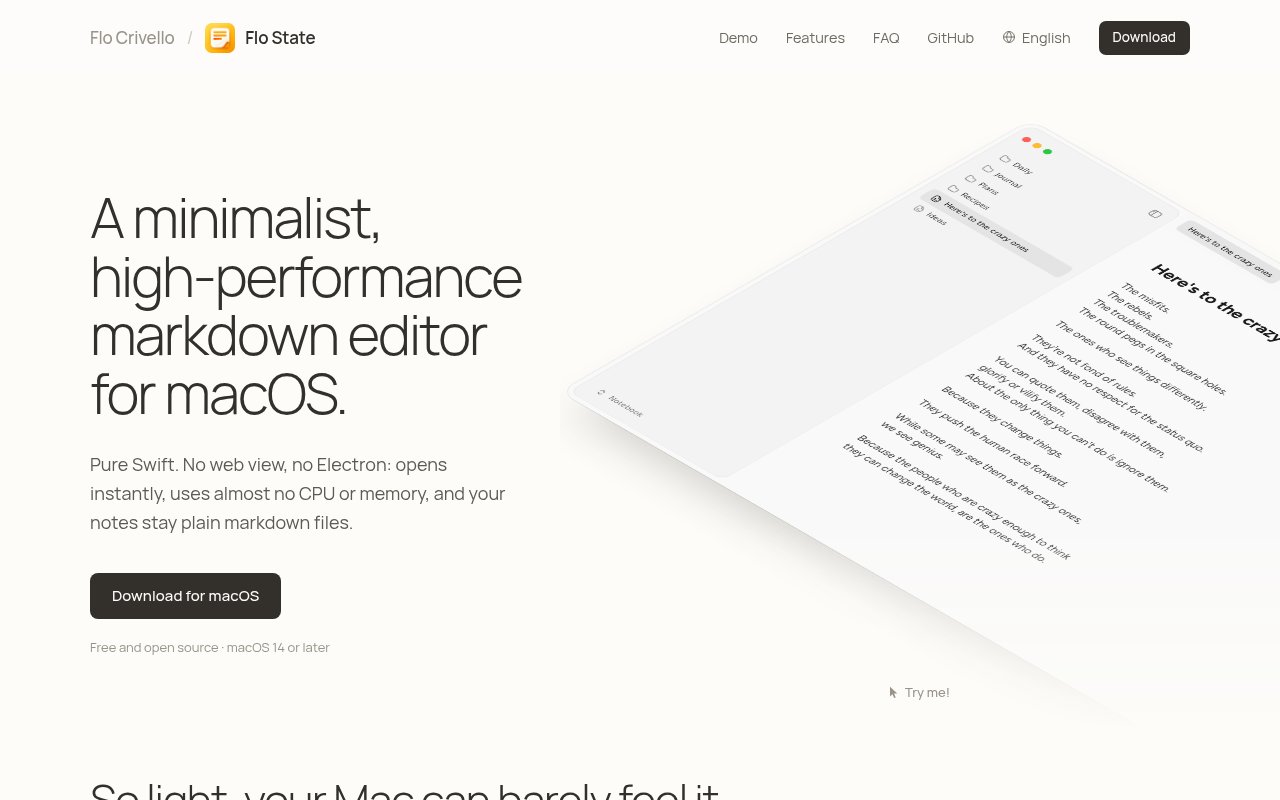
About Flo State
Flo State is a minimalist Markdown editor for macOS that puts speed, local files, and focused writing ahead of a large workspace platform. It opens a folder of notes, treats every note as an ordinary .md file, and gives that collection a clean native interface. There isn't a proprietary database sitting between the writer and the work. Other editors, scripts, version control tools, and file sync services can keep reading the same files, which makes the app appealing to people who want a pleasant editor without committing their notes to another closed system.
The app is written in Swift and uses a native Mac editing experience rather than wrapping a web editor in Electron. Flo State says it launches in about a tenth of a second, uses roughly 50 MB of memory after launch, and sits at 0.0 percent CPU while idle with a note open. Those numbers describe its central design choice. The editor should stay out of the way, appear quickly when an idea arrives, and avoid consuming a noticeable share of the machine while it waits. That posture matters most for people who leave their notes open all day and don't need a browser-scale application just to edit text.
Writing happens in a live Markdown view. Syntax remains editable, while common structures can appear in a more readable form as the document settles. Typewriter mode keeps the current line at a steady height on screen, heading folding collapses sections in longer documents, and clickable checklists support task-oriented notes. Wiki links connect notes with double brackets and provide autocomplete, including support for aliases, heading links, and embedded images. Pinned notes keep frequently used material near the top of the sidebar, and keyboard shortcuts cover formatting, headings, lists, folding, tabs, and search.
Flo State also handles richer technical notation without turning the source into a custom document format. GitHub-flavored Markdown tables render as aligned tables. Fenced Mermaid blocks become flowcharts or sequence diagrams, while inline and block LaTeX render through KaTeX. Images can be pasted or dropped into a note, then the app saves them in an attachments folder beside the notebook and displays them inline. These features make it useful for technical journals, architecture notes, research, and project documentation where plain prose isn't enough but portable source files still matter.
It fits Mac users who already think of a notebook as a folder rather than an online account. Someone with an existing Obsidian vault can open the same folder in Flo State because wiki links, image embeds, and front matter are supported. Someone starting fresh can place a notebook in any chosen location, including iCloud Drive, and use the normal file system around it. A shortcut opens the daily note and adds a dated title when that note doesn't exist, which supports lightweight journaling without introducing a separate calendar system. Light and dark themes can be adjusted with background, text, heading, accent, font, and contrast choices. That gives the interface some flexibility without making visual configuration the main event. It also keeps the same notebook understandable outside the app, whether a user searches it from Finder, processes it with a script, reviews changes in Git, or opens an individual file in another text editor.
The clearest distinction is how little infrastructure Flo State asks the writer to accept. Notes stay on disk, there is no account requirement described on the product page, and the app doesn't operate its own synchronization service. If cross-device sync matters, the folder can live in iCloud Drive, Dropbox, or a Git repository and move the same way other files do. That keeps ownership simple, but it also means the user is responsible for choosing and managing sync and backups. The app is deliberately Mac-only, with support starting at macOS 14, and the product page says there are no plans for Linux or Windows versions.
Flo State is free and open source under the GPL 3.0 license. The source code is available on GitHub, so developers can inspect it, build it, contribute changes, or follow the project as it evolves. There isn't a paid tier or bundled cloud service to evaluate. The practical decision is whether its focused native experience and portable file model cover enough of a writer's workflow. For Mac users who value quick launch times, low idle overhead, live Markdown rendering, and direct control of their files, it's a thoughtfully narrow option. Teams needing browser collaboration, managed sync, or broad platform support will need to supply those pieces elsewhere.
Key Features
- Live Markdown preview
- Wiki links with autocomplete
- Heading folding for long documents
- Rendered tables, math, and diagrams
- Plain files in chosen folders
- Custom light and dark themes
Pros & Cons
What we like
- Launches quickly with modest resource use
- Keeps every note in portable Markdown
- Works with existing Obsidian vaults
- Open source under GPL 3.0
Room for improvement
- Only supports macOS 14 and later
- No built-in synchronization service
- No Linux or Windows version planned
- Young project with a smaller ecosystem
Frequently Asked Questions
What is Flo State?
Is Flo State free?
Where does Flo State store notes?
Can Flo State open an Obsidian vault?
Best For
Featured in
Alternatives to Flo State

CalendHub
Smart scheduling and calendar management for teams
Kevin Gabeci Toolkits
Seven AI toolkits for writing books, making music, cutting video, and building agents.

Eased Into AI
Learn AI from zero. No jargon, no hype, just steps that work.

Fix It Gently
Calm, plain-English fixes for everyday tech problems.
Our take
Tool Index Editorial · Oct 2026· 4.0/5
Flo State is a fast native Markdown editor for Mac users who want their notes to remain ordinary files. We found its narrowness refreshing. Wiki links, folding, checklists, tables, Mermaid diagrams, math, images, and theme controls cover serious writing without turning the notebook into a proprietary service. It can also open an existing Obsidian vault.
The app is free and open source, and the site reports very low idle resource use. Its limits are equally clear. It requires macOS 14 or later, has no built in sync or collaboration, and has no Windows or Linux version planned. Users must bring their own backup and sync system, but that is a reasonable trade for direct ownership of the files.
Editorial opinion from the Tool Index team, written from the public product pages. Not a user review.
Reviews (0)
Badge builder
Add Flo State to your website
Choose a badge style and size, preview it here, then copy the generated HTML. Badge images are self-contained SVGs and do not require an external script.

<a href="https://toolindex.net/tools/flo-state?ref=badge" target="_blank" rel="noopener">
  <img src="https://toolindex.net/badge/flo-state/medium.svg" alt="Flo State - Listed on Tool Index" width="180" height="50" />
</a>How to use the badge
- 1. Pick the style, size, and theme that fit your layout.
- 2. Copy the generated HTML from the code block.
- 3. Paste it into your footer, homepage, or press page.
Standard badge available
The standard listing badge is available now. Score and circle badges are limited to tools currently ranked in the top 10 of a category.
Badge clicks return visitors to this profile with a referral tag so the source remains identifiable.
Related Tools

Confluence
Atlassian's long-running team wiki that anchors many enterprise knowledge stacks
Asana
Project management for teams that live in projects, tasks and dependencies
Kevin Gabeci Toolkits
Seven AI toolkits for writing books, making music, cutting video, and building agents.

Logseq
An open-source outliner notes app where every bullet is a first-class block
Work on Flo State? Request listing access or correction