Framewrite
Turn any video into a searchable document with transcription and visual extraction
Gallery
About Framewrite
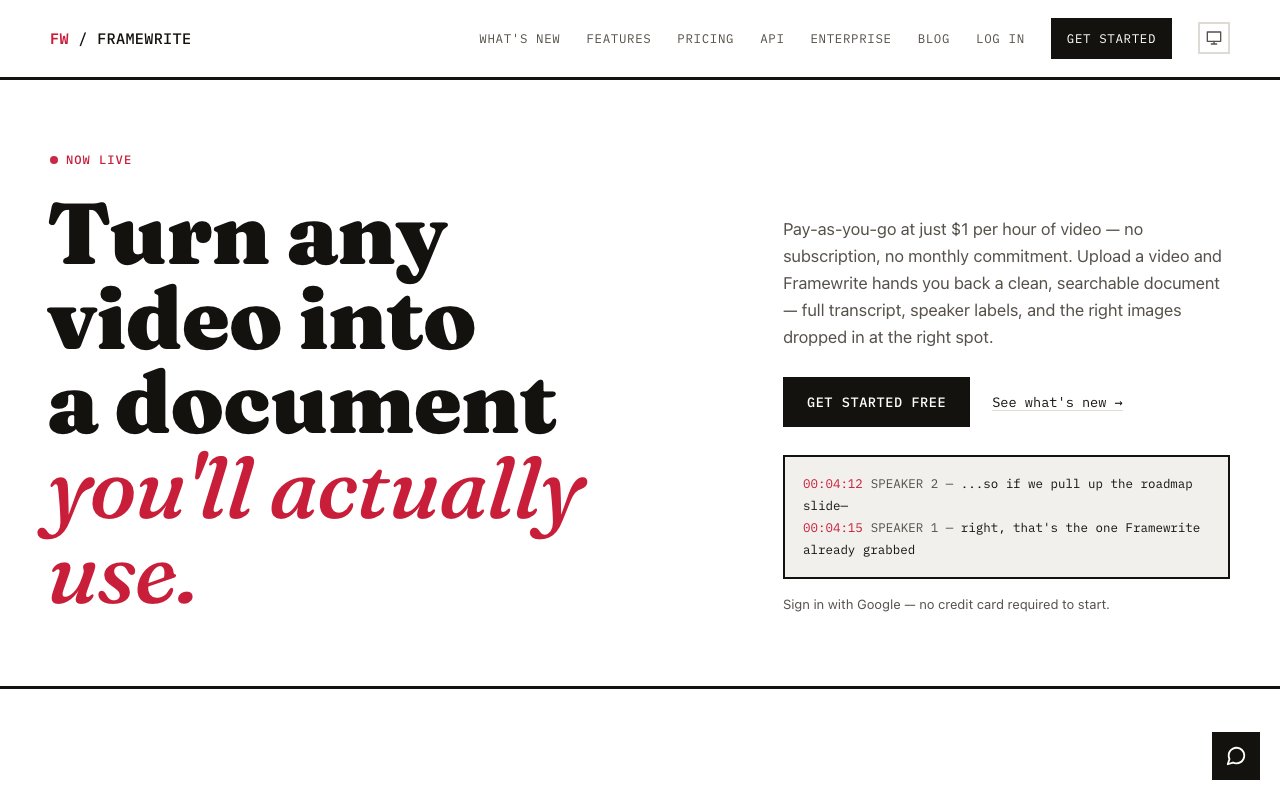
Framewrite converts video and audio files into formatted, searchable documents. You upload a recording, and the platform transcribes the content with speaker identification, extracts relevant visuals like slides and diagrams, and delivers everything as Markdown, PDF, or Word. The output is a document you can search by keyword, share with colleagues, and reference months later without scrubbing through hours of footage. For anyone who captures recordings but struggles to retrieve information from them, this is the conversion layer that makes archives useful.
The underlying problem is that recordings become black holes once they're saved. Meetings get captured, training sessions get archived, customer calls get logged, but finding a specific moment or quote means watching the whole thing again. Nobody does that, so the recordings accumulate without providing value. Framewrite turns that passive archive into active documentation. Transcripts are full-text searchable. Key visuals are extracted and embedded. AI-generated summaries sit at the top of each document so you can get the gist in thirty seconds instead of watching a ninety-minute recording.
Speaker diarization is built in, which means the transcript labels who said what rather than presenting one undifferentiated wall of text. For interviews, panel discussions, customer calls, or any multi-person conversation, this transforms the output into something closer to a readable script. You can scan for a specific speaker's contributions or jump to a segment where a particular person was talking. Without diarization, transcripts are hard to navigate. With it, you can actually use them as reference material.
Visual extraction works automatically. If someone shared their screen during a video, Framewrite identifies the key frames and includes them in the document. This is particularly valuable for training videos, webinars, and presentations where the slides contain critical information the speaker references but doesn't fully articulate. Instead of describing what was on screen, the document shows it. The extraction is smart enough to skip redundant frames and capture only the visuals that matter, which keeps the document concise rather than bloated with every frozen moment.
Import options cover the common sources. You can upload video or audio files directly from your computer. You can paste a YouTube link and let Framewrite pull the content without requiring you to download and re-upload. Google Drive integration handles files stored in the cloud. For teams that already use Drive as their recording archive, this connection means you can process existing libraries without moving them around. Output formats include Markdown for developers and note-taking apps like Obsidian, PDF for sharing with stakeholders who want a static document, and Word for teams embedded in the Microsoft ecosystem.
The target audience is anyone who records more than they retrieve. Product teams sitting on hundreds of customer interview videos they've never revisited. Educators with lecture archives students struggle to navigate. Podcasters who want show notes and searchable transcripts without doing the work manually. Consultants who record client calls and need a searchable record for follow-ups. Research teams conducting interviews that need to be coded and referenced later. If you've ever wished a video were a document, this is the tool that makes that conversion happen without manual effort.
Enterprise features extend the platform for larger deployments. Teams processing high volumes of recordings can negotiate custom pricing and API access for integration into existing workflows. The API allows programmatic uploads and retrieval, which suits organizations that want to automate transcription as part of a larger pipeline. For companies with compliance or retention requirements, having searchable documentation of every recorded call or meeting provides a trail that raw video files don't.
Pricing is pay-as-you-go with no subscription required. Video processing costs one dollar per hour, audio costs forty cents per hour. A free trial covers up to ten minutes of video or thirty minutes of audio per day, which lets you test the quality before committing. Volume pricing is available for enterprises processing large archives. The model aligns cost with usage, so you're not paying a flat monthly fee if you only process recordings occasionally. For one-time projects like transcribing an old lecture series or a backlog of customer calls, this flexibility makes Framewrite practical even for sporadic use.
Key Features
- Automatic transcription with speaker identification
- Smart visual and slide extraction from video
- AI-generated summaries for transcripts
- YouTube link import without downloading
- Export to Markdown, PDF, and Word
- Google Drive integration
Pros & Cons
What we like
- Turns passive video archives into searchable text documents
- Speaker diarization labels who said what automatically
- Pay-as-you-go pricing with no subscription required
- Extracts slides and diagrams alongside transcripts
Room for improvement
- Per-hour pricing adds up for large video libraries
- Visual extraction quality depends on video clarity
- Free trial is limited to short clips per day
- Less useful for videos without speech or presentations
Frequently Asked Questions
What is Framewrite?
How much does Framewrite cost?
Can Framewrite handle YouTube videos?
Who is Framewrite for?
Best For
Featured in
Alternatives to Framewrite

CalendHub
Smart scheduling and calendar management for teams
Kevin Gabeci Toolkits
Seven AI toolkits for writing books, making music, cutting video, and building agents.

Eased Into AI
Learn AI from zero. No jargon, no hype, just steps that work.

Fix It Gently
Calm, plain-English fixes for everyday tech problems.
Reviews (0)
Badge builder
Add Framewrite to your website
Choose a badge style and size, preview it here, then copy the generated HTML. Badge images are self-contained SVGs and do not require an external script.

<a href="https://toolindex.net/tools/framewrite?ref=badge" target="_blank" rel="noopener">
  <img src="https://toolindex.net/badge/framewrite/medium.svg" alt="Framewrite - Listed on Tool Index" width="180" height="50" />
</a>How to use the badge
- 1. Pick the style, size, and theme that fit your layout.
- 2. Copy the generated HTML from the code block.
- 3. Paste it into your footer, homepage, or press page.
Standard badge available
The standard listing badge is available now. Score and circle badges are limited to tools currently ranked in the top 10 of a category.
Badge clicks return visitors to this profile with a referral tag so the source remains identifiable.
Related Tools

Confluence
Atlassian's long-running team wiki that anchors many enterprise knowledge stacks
Asana
Project management for teams that live in projects, tasks and dependencies
Kevin Gabeci Toolkits
Seven AI toolkits for writing books, making music, cutting video, and building agents.

Logseq
An open-source outliner notes app where every bullet is a first-class block
Work on Framewrite? Request listing access or correction