
GateProof
Offline event check-in that verifies passes on the device, with no guest list in the cloud
Gallery
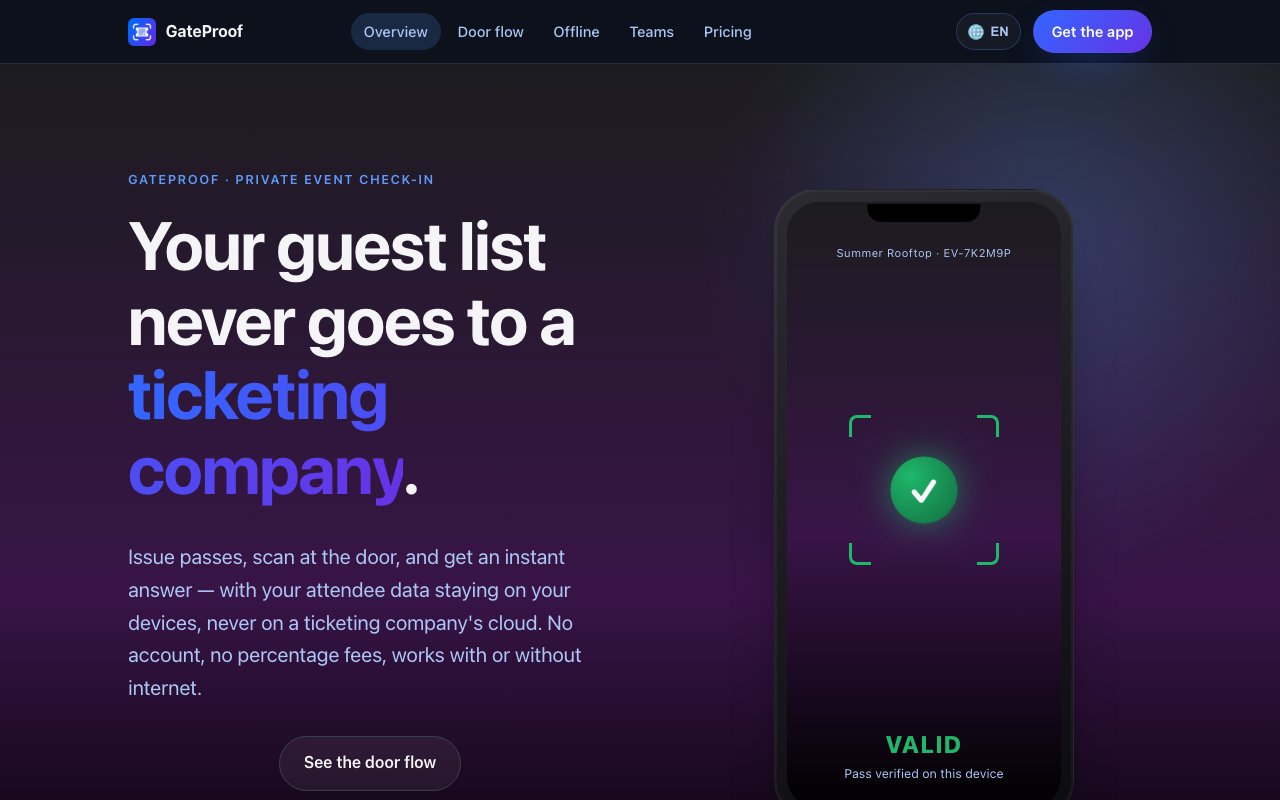
About GateProof
GateProof is an event check-in app for iPhone, iPad, and Mac that issues guest passes and verifies them at the door without uploading the guest list anywhere. It's built for the organizer who has a private event and a list of names, and who doesn't want that list sitting in a ticketing company's database. Passes are cryptographically signed when they're created, and the scan at the door checks the signature on the device itself, so the whole entry flow works with the phone in airplane mode if it has to. That one decision, verifying locally instead of calling a server, is what the rest of the product is built around.
Setup is short. You create an event, bring in a guest list, generate passes, and send them out. Lists import from CSV, TSV, Excel, or plain text, and the app detects the columns on its own instead of making you map fields by hand. Passes go out as PDFs, images, or plain QR codes, which means guests don't install anything, don't create an account, and don't need a wallet app. Anyone who can open an email or a message can get through the door. The company puts a working event at about two minutes from a standing start, with no backend to configure and no account to set up first. Because passes are generated and signed locally, they stay valid whether or not the organizer's device is online when a guest opens theirs.
At the door, a scan returns one of three answers, valid, already used, or invalid, and the interface leans hard on making those three unmistakable to someone working fast in bad light. Scan state is tracked, so a pass that's already been used can't quietly walk in a second time. When several doors run at once, devices sync over Wi-Fi or a direct peer-to-peer connection so they share one view of who's already inside. Without that sync, two unconnected devices can each accept the same pass once, which the support documentation states outright rather than glossing over. That tradeoff is the honest cost of working offline, and the fix is simply putting the doors on the same network whenever the venue has one.
Platform coverage is Apple only. iPhone and iPad do the scanning, and the Mac can create events, manage them, and watch check-ins land live, but it can't scan, so it works as a desk console rather than a door device. Events move one way through draft, active, completed, and archived. Ownership stays with the device that created the event, so only the owner can change the core details. Cloud backup exists but it's optional and set per event, which keeps the default posture local. Recurring events aren't supported yet, so a weekly series means creating each occurrence separately.
The fit is private and corporate events rather than public ticket sales. Corporate offsites, VIP gatherings, member nights, and anything run by an organization with real confidentiality obligations, including legal, medical, and nonprofit settings where the guest list is sensitive on its own. It also suits venues where connectivity is unreliable or missing entirely, like farms, rooftops, basements, and remote sites, since nothing in the check-in flow depends on a signal being there when the doors open. Membership clubs, private dinners, and screenings fit the same shape, where the list is small enough to manage directly and sensitive enough that handing it to a third party is a real objection rather than a theoretical one.
What sets it apart is posture more than any single feature. Most check-in tools assume an account, a cloud-hosted guest list, and a live connection, and they treat privacy as a settings page. GateProof starts from the other end, where the list stays on the organizer's hardware, verification is math done on the device, and the network is a convenience for syncing rather than a dependency. That makes it narrower than a full ticketing platform, with no payment processing, no marketing tools, and no public event pages, but it handles the door well and leaves the rest alone. Anyone running a paid public event with refunds, seat maps, and marketing emails will still need a full ticketing product alongside it, and the site doesn't pretend otherwise.
Charging works through prepaid issuance credits bought in the App Store. One credit covers one issued ticket, debited when an event first goes live, and there's no subscription and no percentage taken out of ticket revenue. For an organizer selling tickets at a real price, that's a meaningfully different arrangement from platforms that take a cut per sale, and it means the cost is known before the event rather than after it. Specific credit pack prices aren't listed on the site and are pointed to the App Store at launch, so the exact numbers need checking there. The app is published by Prisma Divergente, Lda., and support runs through hello@gateproof.app. It also means there's nothing to renegotiate when a platform changes its terms, since the events, the passes, and the scan history all live on hardware the organizer already owns.
Key Features
- Local pass verification with no server call
- Cryptographically signed guest passes
- Three unmistakable scan outcomes
- Multi-device door sync over Wi-Fi
- CSV and spreadsheet guest import
- Passes shared as PDF, image, or QR
Pros & Cons
What we like
- Works with no internet connection at the door
- Guest lists never leave the organizer's own devices
- Guests need no app, account, or wallet pass
- Flat credits with no percentage cut of ticket revenue
Room for improvement
- Apple devices only, with no Android or web version
- Mac can manage events but can't scan at a door
- Credit pack prices aren't published on the site yet
- Unsynced devices can each accept the same pass once
Frequently Asked Questions
What is GateProof?
Does GateProof need an internet connection?
How does GateProof charge?
Do guests need to install anything?
Best For
Featured in
Alternatives to GateProof
View all
CalendHub
Smart scheduling and calendar management for teams
Kevin Gabeci Toolkits
Seven AI toolkits for writing books, making music, cutting video, and building agents.

Eased Into AI
Learn AI from zero. No jargon, no hype, just steps that work.

Fix It Gently
Calm, plain-English fixes for everyday tech problems.
Our take
Tool Index Editorial · Oct 2026· 3.5/5
GateProof is an Apple-only event check-in app that creates signed guest passes and verifies them locally at the door. It is for private events where unreliable connectivity or guest-list privacy makes a cloud ticketing service unattractive. Guests receive a PDF, PNG, or QR code and need no app or account, while staff get clear valid, already used, or invalid results on iPhone or iPad. The site promises no subscription percentage fee, but the captured page does not show the actual issuance cost.
We found the offline-first design coherent from setup through scanning. The guest list stays on the organizer's devices, verification needs no server call, and optional Wi-Fi or direct sync can coordinate several doors. That coordination is also a limitation because separate scanners need a connection to share redemption state. The product has no Android or web door app, and it is much narrower than a ticketing platform with sales, refunds, seating, or marketing. For a private Apple-based event, that restraint is an advantage. For public ticket sales, it is only the check-in layer.
Editorial opinion from the Tool Index team, written from the public product pages. Not a user review.
Reviews (0)
Badge builder
Add GateProof to your website
Choose a badge style and size, preview it here, then copy the generated HTML. Badge images are self-contained SVGs and do not require an external script.

<a href="https://toolindex.net/tools/gateproof?ref=badge" target="_blank" rel="noopener">
  <img src="https://toolindex.net/badge/gateproof/medium.svg" alt="GateProof - Listed on Tool Index" width="180" height="50" />
</a>How to use the badge
- 1. Pick the style, size, and theme that fit your layout.
- 2. Copy the generated HTML from the code block.
- 3. Paste it into your footer, homepage, or press page.
Standard badge available
The standard listing badge is available now. Score and circle badges are limited to tools currently ranked in the top 10 of a category.
Badge clicks return visitors to this profile with a referral tag so the source remains identifiable.
Related Tools

Confluence
Atlassian's long-running team wiki that anchors many enterprise knowledge stacks
Asana
Project management for teams that live in projects, tasks and dependencies
Kevin Gabeci Toolkits
Seven AI toolkits for writing books, making music, cutting video, and building agents.

Logseq
An open-source outliner notes app where every bullet is a first-class block
Work on GateProof? Request listing access or correction