
GeneratePPT
Free AI presentation generator that turns a topic, document, or URL into an editable PPTX deck
Gallery
About GeneratePPT
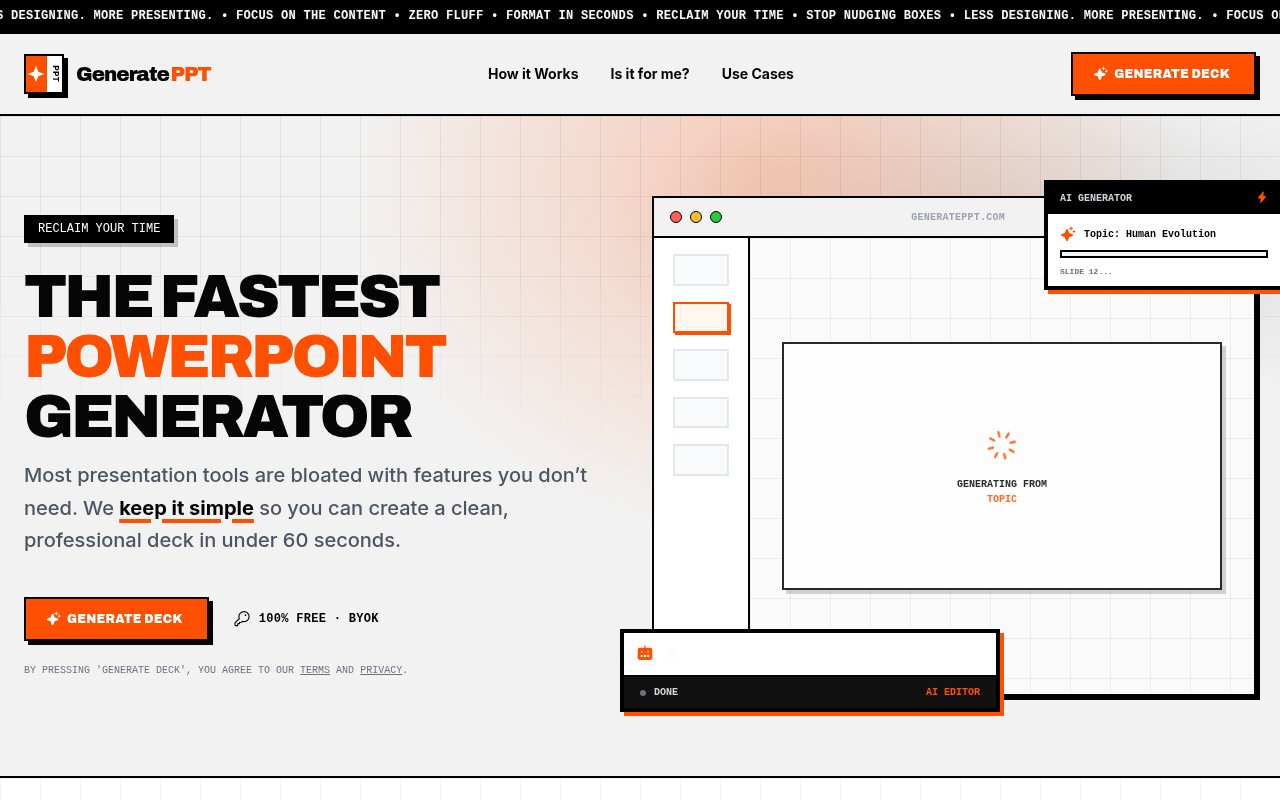
GeneratePPT is a free, browser-based AI presentation generator that turns a topic, a set of notes, a URL, a PDF or a Word file into a structured slide deck and exports it as PPTX or PDF. It calls itself an anti-bloat presentation tool, and the pitch is a finished first draft in under a minute rather than an afternoon lost to layout. The problem it's aimed at is the gap between having the content for a deck and having the deck, which for most people is filled with dragging text boxes and second-guessing fonts.
You start from whatever you already have. That can be a one-line topic, pasted text, an outline, a URL, a PDF, DOCX or TXT file, or a YouTube transcript. The AI drafts the slides and picks a layout for each, choosing bullets or a chart depending on what the content is, then sources photos that match each slide and applies a theme so colours and typography are consistent across the deck. From there you edit in the browser. Chart slides can be edited live, one click swaps the whole theme, and an AI Director mode lets you type instructions in plain language, such as making a chart bigger, instead of hunting for the right handle. Export goes to PPTX for PowerPoint or to PDF for sharing.
The editor is where the anti-bloat idea shows. Themes apply globally with a single click, so you don't restyle slide by slide. Layouts adapt to the content type automatically, which is how a run of numbers ends up as a chart slide without you choosing one. And because the output is a real PPTX file rather than a locked web view, whatever the generator gets wrong can be fixed in PowerPoint afterwards, which is a practical answer to the customisation ceiling.
Access follows a bring-your-own-key model. The site describes the tool as 100 percent free with BYOK, which means you supply your own API key from an AI provider and generation runs on your account rather than on credits sold by GeneratePPT. That keeps the tool itself free of charge, but it also means you need a key before the AI features do anything, and the site doesn't list which providers it supports, so check that yours is accepted before you plan a deck around it. For someone who already holds a provider key it's a small step. For someone who has never created one it's a real hurdle.
Alongside the generator there's a set of free tools, and the one that drew attention on launch is a public speaking rehearsal simulator that runs entirely in the browser with no login. You upload your slides as a PDF, as images or, experimentally, as a PPTX, then set up a virtual stage that matches the real event, including the monitors, timers and lectern you'll have, the size of the audience and how the seats are arranged, and rehearse against the clock. It works in an ordinary browser window and, through WebXR, on a compatible headset for VR rehearsal. A realistic view shows only the physical stage, a practice view adds floating timing data, and at the end you get a timing report comparing elapsed time and slide pacing against the plan. The line on the page is to rehearse with only the equipment you'll have when it counts.
It's for people with a deadline rather than a design brief. The site names executives, founders, teachers, students, consultants and sales teams, and it's just as clear about who it isn't for. If you want endless customisation or design-perfect micro-adjustments, it says to look elsewhere, because the product treats a deck as a communication tool and optimises for getting it done. A teacher turning lesson notes into a lecture deck, a founder building an update from a document, or a salesperson generating a deck from a product page are the shapes of work it has in mind. It's built by Fernando Pessagno, a solo founder with a design background who previously made aicarousels.com and resumemaker.online.
Where it differs from the larger AI deck builders is the combination of no account wall, no credit packs and a deliberately small surface area. Many deck generators sell credits or subscriptions and run generation on their own keys. GeneratePPT hands you the editor and lets you bring the model. The trade-offs are the ones you'd expect from a solo-built free product. There's no support desk and no enterprise story, the customisation ceiling is intentional, and the PPTX import into the rehearsal simulator is still marked experimental. Access is free. Open the editor in the browser, connect a key, and generate. There's no pricing page and no paid tier anywhere on the site, the free tools need no login at all, and the only contact route published is the founder's LinkedIn profile through the contact page.
Key Features
- AI deck generation from topic, URL, or file
- Automatic layouts with bullets or charts
- Auto-sourced images per slide
- AI Director plain-language editing
- PPTX and PDF export
- Browser and WebXR rehearsal simulator
Pros & Cons
What we like
- Free with your own API key, no credit packs
- Accepts PDFs, DOCX, URLs, and transcripts as input
- Exports real PPTX files you can keep editing
- Rehearsal simulator needs no login
Room for improvement
- You need your own AI provider key before it generates anything
- Customisation is deliberately limited
- Solo-built product without a support team
- PPTX import in the simulator is experimental
Frequently Asked Questions
What is GeneratePPT?
Is GeneratePPT free?
What is the public speaking simulator?
Who is GeneratePPT for?
Best For
Featured in
Alternatives to GeneratePPT
View all
Apatero AI
The creator studio for AI image, video, audio, 3D, and avatars, now at apatero.ai.

SoloDevStack
A solo developer blog built on head-to-head tool comparisons, 580+ posts deep.
Apatero Studio
Creator studio for AI image, video, audio, 3D, and avatars. Every model worth using, in one workspace.

Melodex
Turn your idea into an AI-generated music video
Our take
Tool Index Editorial · Sep 2026· 3.5/5
GeneratePPT is a browser deck builder for founders, teachers, consultants, and sales teams that need a usable first draft more than fine-grained design control. It can start from a topic, text, file, URL, outline, or YouTube source, then edit slides, images, charts, and themes before exporting PPTX or PDF. The tool itself is free, but generation uses the user's own OpenAI or Gemini API key and therefore still incurs provider charges.
We found the documentation unusually practical, including exact workspace steps and image export advice. Real PPTX output is the strongest point because a rough slide can be repaired elsewhere. The deliberate lack of detailed design controls will frustrate brand teams, and entering an API key is a meaningful hurdle for casual users. It is best treated as a fast drafting tool, not an automatic source of presentation-ready judgment.
Editorial opinion from the Tool Index team, written from the public product pages. Not a user review.
Reviews (0)
Badge builder
Add GeneratePPT to your website
Choose a badge style and size, preview it here, then copy the generated HTML. Badge images are self-contained SVGs and do not require an external script.

<a href="https://toolindex.net/tools/generateppt?ref=badge" target="_blank" rel="noopener">
  <img src="https://toolindex.net/badge/generateppt/medium.svg" alt="GeneratePPT - Listed on Tool Index" width="180" height="50" />
</a>How to use the badge
- 1. Pick the style, size, and theme that fit your layout.
- 2. Copy the generated HTML from the code block.
- 3. Paste it into your footer, homepage, or press page.
Standard badge available
The standard listing badge is available now. Score and circle badges are limited to tools currently ranked in the top 10 of a category.
Badge clicks return visitors to this profile with a referral tag so the source remains identifiable.
Related Tools
Apatero AI
The creator studio for AI image, video, audio, 3D, and avatars, now at apatero.ai.
Kevin Gabeci Toolkits
Seven AI toolkits for writing books, making music, cutting video, and building agents.

Warp
The modern terminal reimagined with AI and collaboration

Bolt.new
Prompt-to-deployed full-stack app inside the browser
Work on GeneratePPT? Request listing access or correction