Ghostmeet
Self-hosted meeting transcription and AI summaries that stay on your machine
Gallery
About Ghostmeet
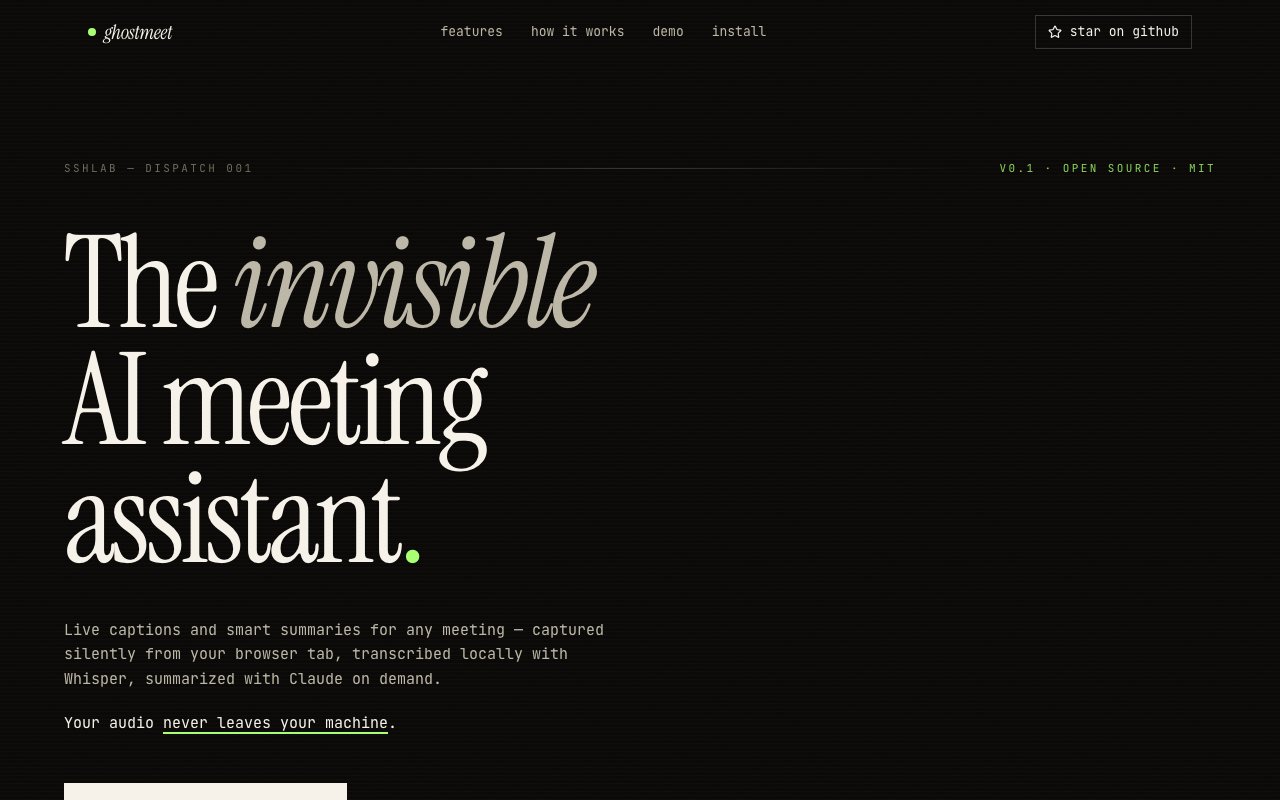
Ghostmeet is a self-hosted meeting assistant that transcribes your calls and writes up summaries without sending a single second of audio to someone else's server. It runs as an invisible Chrome side panel, captures the audio from a browser tab, and does the transcription right there on your own machine. No bot shows up in the call, no third-party service records the room, and nothing gets uploaded anywhere unless you explicitly ask for a summary. For a growing number of people, that's the difference between using a meeting-notes tool and quietly deciding not to.
The problem it solves is the low-grade discomfort a lot of teams feel about the convenient options. Most meeting-notes products work by sending a bot into your Zoom or Meet call and streaming everything to a cloud you don't control. That's fine for a throwaway standup and a genuine problem for a coaching session, a user interview under NDA, or any conversation a client would rather not see leave the building. Ghostmeet keeps the whole pipeline local, so the awkward question of where your recordings actually live mostly disappears.
It works through Chrome's tab-capture API. Audio from Meet, Zoom, Teams, Discord, or any other tab is streamed to a local FastAPI backend, transcribed by Whisper with a choice of model sizes so you can trade speed against accuracy, and turned into live captions that refresh every few seconds while the meeting is still going. The whole stack runs on localhost, and the transcription step never touches the network at all. What you get is a running transcript on your own screen, produced by software you can see and control.
Running it as an invisible side panel matters more than it sounds. Because Ghostmeet reads the tab's audio directly instead of dialing into the meeting as a participant, there's no extra attendee for anyone to notice, no recording banner, and no changed dynamic in the room. Everyone talks the way they normally would, and you still walk away with a full transcript. The choice of Whisper model size lets you tune that transcript, a smaller model for a fast, low-overhead pass on a quick call, a larger one when you need the accuracy to hold up for something you'll act on later. It's a deliberately small surface area with one firm rule, capture everything locally and send nothing out unless you press the button for a summary.
Summaries are a separate, deliberate step. When you actually want a write-up, Ghostmeet sends the transcript to the Claude API using your own key and returns a structured summary with the decisions that were made, the action items that came out of it, and the next steps. You can also feed it context before or during the call, an agenda, a design doc, or a prior transcript, so the summary understands what the meeting was really about instead of guessing from raw dialogue. Because that Claude call only fires on demand, the one privacy-sensitive and paid part of the process is something you choose rather than something that happens automatically in the background.
That split is the heart of the design. Accurate live transcription is free and completely local, and the AI summary is an occasional, opt-in extra you reach for when a particular meeting is worth it. It means a day full of quick internal calls costs you nothing, while the one client conversation you actually need documented gets a clean, structured recap for the price of a single API request. You never pay for a summary you didn't ask for, and you never wonder whether a background process is quietly shipping your audio somewhere.
It's aimed at a few clear audiences. Engineers who want tidy standup notes and a reliable list of action items. Managers and coaches running sensitive one-on-ones where a cloud recording would change the tone of the conversation. And researchers conducting user interviews they've promised, sometimes contractually, to keep private. More broadly it fits anyone who has liked the idea of automatic meeting notes but hesitated to hand a vendor a steady stream of their calls.
Ghostmeet is open source under the MIT license and free to run. Setup is a one-command Docker deployment that brings the stack up on localhost, and you supply your own Anthropic API key for the summary feature, so the only running cost is whatever those summaries consume. Issues, the roadmap, and discussion live on the project's GitHub repository. It's a younger, self-hosted tool rather than a polished commercial service with a support desk, which is exactly the trade a privacy-first team tends to be happy to make.
Key Features
- Invisible Chrome side panel
- Local Whisper transcription on device
- Real-time captions every few seconds
- On-demand Claude API summaries
- Meeting context from agendas and docs
- One-command Docker self-hosting
Pros & Cons
What we like
- Audio and transcription never leave your computer
- No bot joins the call to record it
- Open source and free to self-host
- AI summaries fire only when you ask
Room for improvement
- Requires technical setup with Docker
- Bring your own Claude API key for summaries
- Chrome only, no other browsers
- Younger project with a smaller community
Frequently Asked Questions
What is Ghostmeet?
Is Ghostmeet free?
How does Ghostmeet keep meetings private?
Who is Ghostmeet for?
Best For
Featured in
Alternatives to Ghostmeet

CalendHub
Smart scheduling and calendar management for teams

Confluence
Atlassian's long-running team wiki that anchors many enterprise knowledge stacks

Calculator.Free
200+ free online calculators for money, health, math and everyday questions

Reassign
A visual day planner that lays your whole day on a 24-hour circular dial
Reviews (11)
Quietly excellent
Ghostmeet solves a real problem for me without making a fuss about it. Where it really wins is open source and free to self-host. The output quality holds up better than I expected. Glad I made the switch.
It just works
Hadn't planned on switching, but Ghostmeet was hard to ignore. The invisible chrome side panel is more useful than I expected. Mostly using it for summarizing a long call into decisions and next steps. Easy yes for anyone weighing the same trade offs.
Solid but not perfect
Tried Ghostmeet on a side project first, then rolled it out everywhere. It has shaved real time off my week. It does what it says, which is rarer than it should be. It would be a five if not for bring your own claude api key for summaries. Easy yes for anyone weighing the same trade offs.
Genuinely impressed
Three months of Ghostmeet later, here is what holds up. Where it really wins is ai summaries fire only when you ask. Recommending it to people in a similar spot.
Finally something that fits
Came to Ghostmeet after getting frustrated with what I had before. Setup was painless and I was productive the same day.
Finally something that fits
Came to Ghostmeet after getting frustrated with what I had before. Setup was painless and I was productive the same day. No regrets so far.
Does the job, a few gripes
Started using Ghostmeet casually, now it is pinned in my dock. Support actually answered when I had a question, which surprised me. It fits well for summarizing a long call into decisions and next steps. It would be a five if not for chrome only, no other browsers. Worth it for what I get out of it.
Finally something that fits
Ghostmeet has quietly become part of my daily flow. Their take on ai summaries fire only when you ask is genuinely good. Setup was painless and I was productive the same day. Worth it for what I get out of it.
Exactly what I needed
Found Ghostmeet on a Show HN thread and I am glad I clicked. It does what it says, which is rarer than it should be. Found it works best for summarizing a long call into decisions and next steps. Hard to imagine going back to my old setup.
It just works
Picked Ghostmeet for the price, stayed for the quality. The meeting context from agendas and docs is more useful than I expected. Easy yes for anyone weighing the same trade offs.
Solid daily driver
Ghostmeet has quietly become part of my daily flow. Got real value out of open source and free to self-host. It fits well for capturing standup notes and action items. Hard to imagine going back to my old setup.
Badge builder
Add Ghostmeet to your website
Choose a badge style and size, preview it here, then copy the generated HTML. Badge images are self-contained SVGs and do not require an external script.

<a href="https://toolindex.net/tools/ghostmeet?ref=badge" target="_blank" rel="noopener">
  <img src="https://toolindex.net/badge/ghostmeet/medium.svg" alt="Ghostmeet - Listed on Tool Index" width="180" height="50" />
</a>How to use the badge
- 1. Pick the style, size, and theme that fit your layout.
- 2. Copy the generated HTML from the code block.
- 3. Paste it into your footer, homepage, or press page.
Standard badge available
The standard listing badge is available now. Score and circle badges are limited to tools currently ranked in the top 10 of a category.
Badge clicks return visitors to this profile with a referral tag so the source remains identifiable.
Related Tools
Confluence
Atlassian's long-running team wiki that anchors many enterprise knowledge stacks
Asana
Project management for teams that live in projects, tasks and dependencies
Kevin Gabeci Toolkits
Seven AI toolkits for writing books, making music, cutting video, and building agents.

Logseq
An open-source outliner notes app where every bullet is a first-class block
Work on Ghostmeet? Request listing access or correction