
Glypho
Generate editable SVG logos, icons, and illustrations from text prompts
Gallery
About Glypho
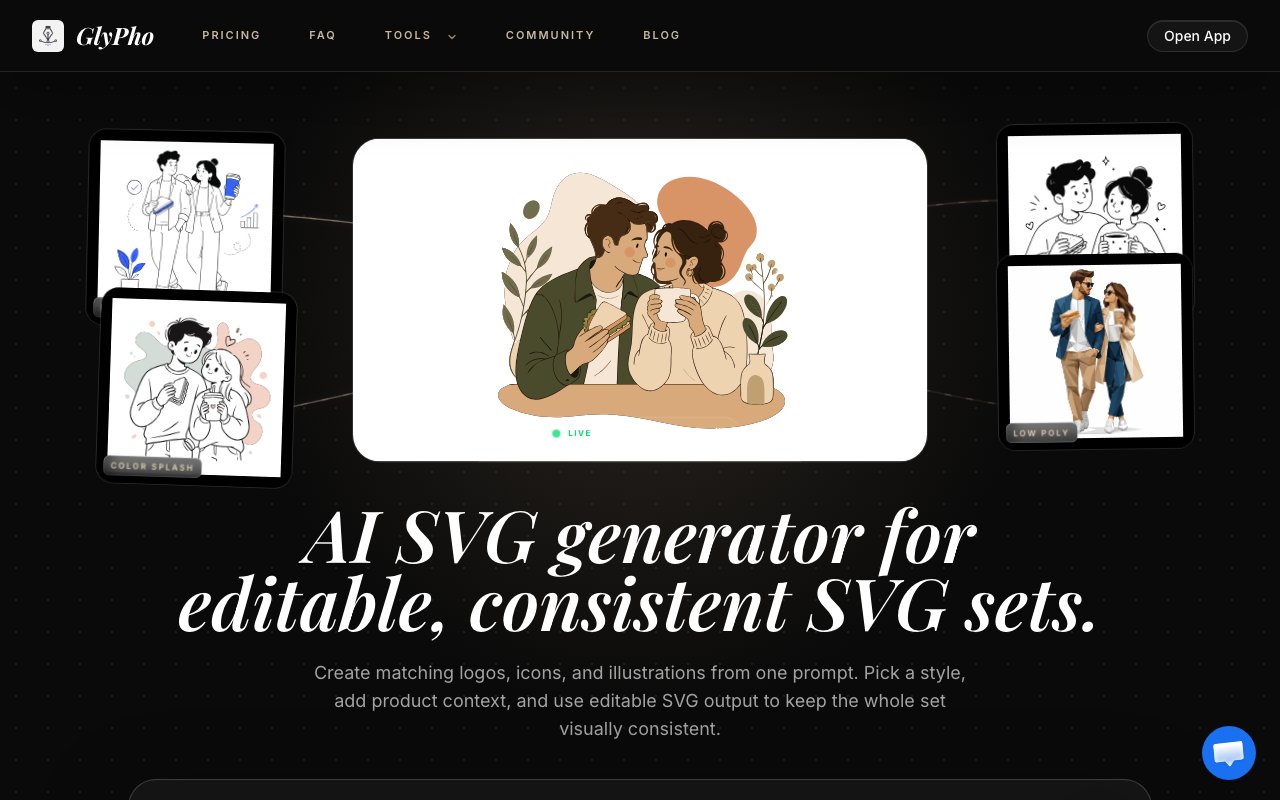
Glypho is an AI-powered generator that turns text prompts into editable SVG graphics. Unlike raster image generators that output pixels, it produces true vector files you can scale, modify, and export for any use. The output covers logos, icons, illustrations, patterns, and UI assets, all generated from simple descriptions and all editable after the fact. If you need graphics for a product page or documentation and don't want to hire a designer for every small asset, this is the tool that fills that gap. The key differentiator from most AI image tools is that Glypho outputs genuine SVG code, meaning clean vector paths rather than a raster image embedded in an SVG container. The distinction matters because embedded raster images inside SVG wrappers don't scale cleanly and balloon file sizes.
The generation process is built around style presets. You pick from options like Minimal Outline, Notion Style, Duotone, Line Art, or Sticker, write a prompt describing what you want, and Glypho produces a set of directions you can choose from. Each preset enforces a specific visual language, so the output stays consistent even across multiple generations. Once you have something close, you can tweak colors, paths, and spacing directly in the browser-based editor. The result is an SVG file that behaves like any other vector, scalable without quality loss and compatible with design tools like Figma or Illustrator. The workflow is generate, review directions, edit, export, and the loop is fast enough to try multiple approaches in a single session. You're not waiting minutes between generations.
Where Glypho stands apart from general purpose image generators is the focus on practical design assets. Most AI image tools are optimized for complex scenes and photorealistic output. Glypho is optimized for the clean, simple graphics that actually appear in interfaces and marketing materials. The style presets enforce visual consistency, which matters when you're building a set of icons that need to look like they belong together. You can reuse prompt patterns and presets across multiple generations to keep a unified aesthetic. For teams without a dedicated designer, this consistency is what makes the output production-ready rather than just draft material. The graphics are intended to ship, not just inspire. A set of icons generated with the same preset will share line weights, corner radii, and color palette.
Beyond generation, the platform includes a few utility tools that round out the workflow. There's an image-to-SVG converter for turning existing raster files into vectors, useful when you have a logo or icon in PNG format and need a scalable version. An SVG compressor handles optimization, reducing file sizes for web performance without losing visual fidelity. And an SVG-to-DXF converter supports CAD and laser cutting workflows, so the same graphics you create for digital products can transfer to physical fabrication. These aren't the main draw, but they turn Glypho from a single-purpose generator into a more complete vector graphics toolkit. The converter is helpful for bringing legacy assets into a vector workflow.
The credit-based pricing keeps costs predictable. The free tier lets you browse the community gallery and generate one direction to see how the output looks before paying. This is enough to evaluate whether the style presets fit your needs. Pro runs 16 dollars a month billed yearly with 70 AI credits per month. Business is 48 dollars a month billed yearly with 250 credits. Credits refresh monthly, and sharing your work publicly earns additional free credits through a community rewards system, so active contributors effectively pay less. Commercial use is included in paid plans, meaning you can use generated SVGs in client work or products without additional licensing. The community gallery doubles as a discovery surface for prompt patterns that work well.
Glypho targets product teams, indie makers, and solo founders who need steady asset production without waiting on a designer. It's particularly useful for landing page visuals, documentation artwork, empty states in UI, and early brand exploration. The output won't replace a full design system built by a senior brand designer, but for most practical use cases it gets you to a polished graphic faster than alternatives. The speed matters because you can iterate on visual direction in real time rather than briefing someone and waiting days. For early-stage products where everything changes constantly, that rapid iteration can be the difference between shipping with placeholder graphics and shipping with something that looks intentional.
The editing capabilities matter as much as the generation. Most AI tools give you an image and that's it. Here you can adjust paths, swap colors, and refine the output before exporting. The in-browser editor handles basic adjustments without needing to open Figma or Illustrator. For developers who don't have design software installed, that means the entire workflow stays inside the browser. The exported SVGs are clean enough to inline in HTML or drop into a component library without manual cleanup. That end-to-end flow is what makes the tool practical for people shipping real products.
Key Features
- AI SVG generation from text prompts
- Multiple style presets for consistent output
- In-browser editing of colors and paths
- Image-to-SVG raster conversion
- SVG compressor and DXF export
- Community gallery with credit rewards
Pros & Cons
What we like
- Outputs editable vectors instead of raster images
- Style presets maintain visual consistency across assets
- Free tier lets you test output quality before paying
- Commercial use included in paid plans
Room for improvement
- Credit-based pricing can add up with heavy usage
- Style options limited to provided presets
- Output is best for simple graphics not complex illustrations
- Smaller community compared to general image generators
Frequently Asked Questions
What is Glypho?
Is Glypho free?
Can I use Glypho graphics commercially?
How is Glypho different from other AI image generators?
Best For
Featured in
Alternatives to Glypho

Framer
Visual website builder that lets designers ship production-grade marketing sites with real CMS, SEO controls, and code components.

Tailwind CSS
Rapidly build custom designs without leaving your HTML

Apatero Studio
Creator studio for AI image, video, audio, 3D, and avatars. Every model worth using, in one workspace.

Pixel Painters
Unlimited graphic design subscriptions built only for churches and ministries
Reviews (0)
Badge builder
Add Glypho to your website
Choose a badge style and size, preview it here, then copy the generated HTML. Badge images are self-contained SVGs and do not require an external script.

<a href="https://toolindex.net/tools/glypho?ref=badge" target="_blank" rel="noopener">
  <img src="https://toolindex.net/badge/glypho/medium.svg" alt="Glypho - Listed on Tool Index" width="180" height="50" />
</a>How to use the badge
- 1. Pick the style, size, and theme that fit your layout.
- 2. Copy the generated HTML from the code block.
- 3. Paste it into your footer, homepage, or press page.
Standard badge available
The standard listing badge is available now. Score and circle badges are limited to tools currently ranked in the top 10 of a category.
Badge clicks return visitors to this profile with a referral tag so the source remains identifiable.
Related Tools
Apatero Studio
Creator studio for AI image, video, audio, 3D, and avatars. Every model worth using, in one workspace.
Tailwind CSS
Rapidly build custom designs without leaving your HTML

Figma
Collaborative interface design tool

Marvel
Lightweight prototyping platform for turning images and screens into clickable mobile and web prototypes.
Work on Glypho? Request listing access or correction