
GreatArrow.ai
Unified workspace that gives every AI assistant shared memory and business tool actions
Gallery
About GreatArrow.ai
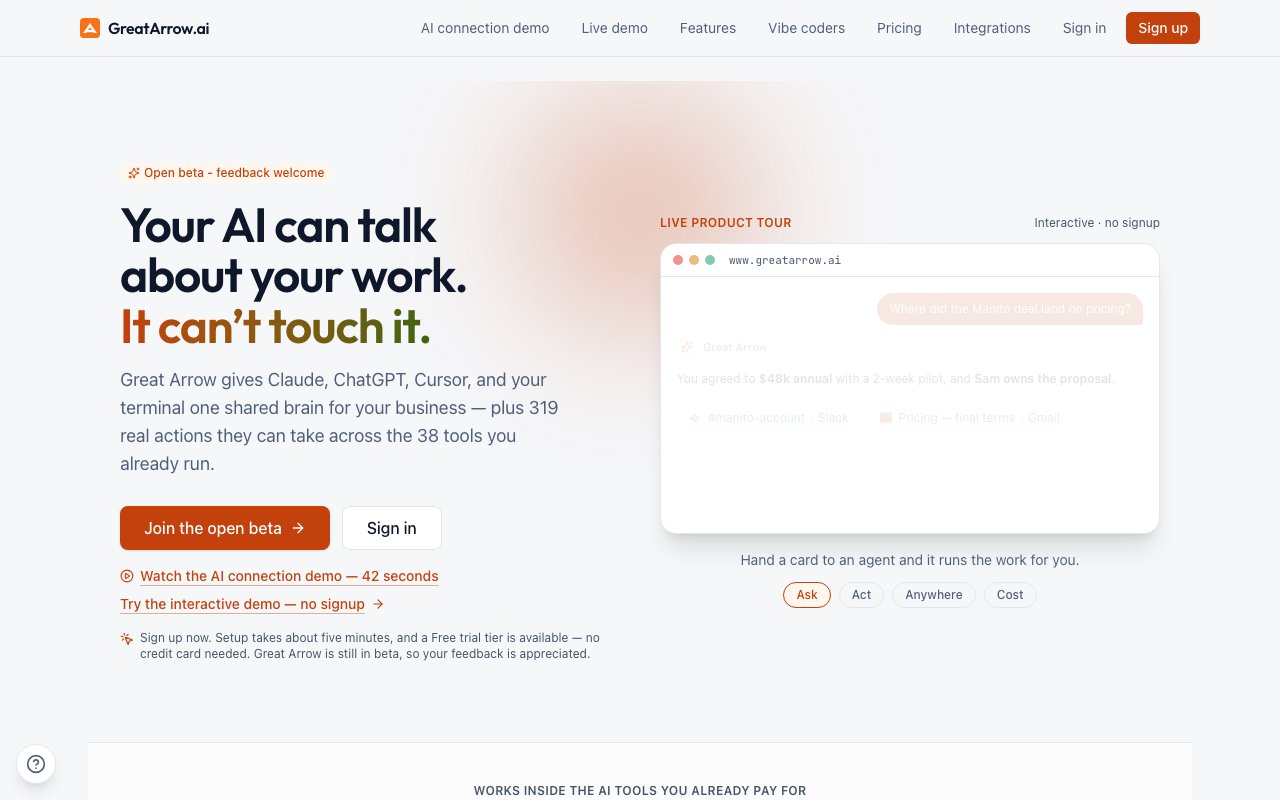
GreatArrow.ai is a workspace platform that connects multiple AI assistants to the same memory layer and lets them take actions across your business tools. If you use Claude, ChatGPT, Gemini, Cursor, GitHub Copilot, Windsurf, and other AI clients on different tasks but find that each one starts from zero every time, this is the product trying to fix that problem. It creates a single knowledge store with semantic search that every connected client can read from, so the context you build up in one place carries over to the next. The platform currently supports seventeen AI clients with first-class installation paths, including Claude on desktop, web, and Claude Code, plus ChatGPT, Gemini on web and CLI, Cursor, Codex, Windsurf, Zed, JetBrains IDEs, Kiro, Anti-Gravity, Hermes, and OpenClaw. Any MCP-compatible client can also connect through the standard server interface.
The workspace runs on a four-layer memory model covering working memory, episodic memory, semantic memory, and procedural memory. That sounds academic, but in practice it means the system remembers what you talked about recently, what happened in past conversations, what facts it has ingested from your documents, and what processes you have taught it to follow. When you ask a question, the answer comes back with source citations attached so you can trace where the information came from rather than wondering whether the AI fabricated something. It also parses your uploaded documents with OCR, making them fully searchable, and builds a typed knowledge graph of entities and relationships including people and organizations it finds across your data. This grounded approach is designed to prevent hallucination by anchoring responses in documented facts from your workspace.
Beyond memory, GreatArrow can actually do things in the tools you already use. It ships with 319 built-in actions across 38 integrations, covering Gmail, Google Drive, Slack, Notion, GitHub, Jira, Microsoft 365, Google Workspace, and more. These actions are grouped into five permission levels that you control, so you decide what the AI is allowed to touch. You give the orchestrator a task, it delegates to one of 21 specialist agents, and those agents can draft emails, schedule meetings with timezone-aware availability and calendar sync, create documents, update project boards, or move deals through your pipeline. Every run is logged, costed, and reversible, so you have visibility into what happened and can undo changes if something goes wrong.
The Kanban-style task board tracks what each agent is working on with status columns and agent assignment. You can set agents to run on a recurring schedule so routine work happens without you asking, turning the platform into an automation layer rather than just a chat interface. There is also a lightweight CRM for tracking contacts across pipeline stages with deal values and metrics, plus voice-command routing that matches Web Speech transcripts against intent catalogs for hands-free operation. Agents can even autofill Canva templates, extending the action system into design work. The breadth of what the platform can do is unusual for a unified workspace product.
The cost intelligence features address a real problem with AI usage. The dashboard shows spend breakdown per assistant, per tool, and per day, with budget ceilings that enforce hard caps so you will not wake up to a surprise bill. Smart routing automatically selects models for cost and capability optimization, which matters when you have agents running autonomously and do not want them defaulting to the most expensive option for every task. Plans cover underlying AI costs up to a monthly allowance with optional capped overage, so pricing is predictable even when usage fluctuates.
Security includes bank-grade encryption at rest with AES-256-GCM, workspace isolation via Postgres row-level security, OAuth 2.1 with PKCE, hashed and revocable API tokens, and prompt injection screening for integrated content. Enterprise teams get bring-your-own-key encryption, multi-seat workspaces, and custom token caps. Installation is available through a universal web flow or an Apple-notarized macOS package for local setup. The platform is currently in open beta, which means features are still evolving but also that early feedback shapes the roadmap.
Pricing starts at thirty-nine dollars per month for the Personal tier, which provides approximately seventy grounded conversations monthly with memory and chat features, fifty million embed tokens, and seven hundred thousand chat tokens. Pro at one hundred nineteen per month unlocks the full orchestration system with roughly one hundred eighty conversations or thirty multi-step agent runs, two hundred million embed tokens, and 1.8 million chat tokens. Enterprise pricing is custom. There is a free trial with no credit card required. The product is aimed at solo operators and small teams who want to consolidate their AI usage into one place rather than bouncing between separate apps and manually copying context. If you have been pasting the same background information into every new Claude conversation or triggering Zapier workflows because your AI cannot touch your tools directly, this is the gap GreatArrow is trying to close.
Key Features
- Cross-model shared memory store
- 319 built-in actions across 38 integrations
- 21 specialist agents with orchestrator
- Document parsing with OCR search
- Cost intelligence and budget controls
- Role-based team workspaces
Pros & Cons
What we like
- Unifies context across Claude, ChatGPT, Gemini, and Cursor
- Agents can take real actions in your business tools
- Answers cite their sources for traceability
- Hard usage caps prevent unexpected bills
Room for improvement
- No free tier beyond the trial period
- Agent orchestration requires the higher-priced Pro plan
- Still in open beta with evolving features
- Value depends on how many integrations you actually use
Frequently Asked Questions
What is GreatArrow.ai?
Is GreatArrow.ai free?
What integrations does GreatArrow.ai support?
Who is GreatArrow.ai for?
Best For
Featured in
Alternatives to GreatArrow.ai

Apatero AI
The creator studio for AI image, video, audio, 3D, and avatars, now at apatero.ai.

SoloDevStack
A solo developer blog built on head-to-head tool comparisons, 580+ posts deep.
Apatero Studio
Creator studio for AI image, video, audio, 3D, and avatars. Every model worth using, in one workspace.

Melodex
Turn your idea into an AI-generated music video
Reviews (0)
Badge builder
Add GreatArrow.ai to your website
Choose a badge style and size, preview it here, then copy the generated HTML. Badge images are self-contained SVGs and do not require an external script.

<a href="https://toolindex.net/tools/greatarrow-ai?ref=badge" target="_blank" rel="noopener">
  <img src="https://toolindex.net/badge/greatarrow-ai/medium.svg" alt="GreatArrow.ai - Listed on Tool Index" width="180" height="50" />
</a>How to use the badge
- 1. Pick the style, size, and theme that fit your layout.
- 2. Copy the generated HTML from the code block.
- 3. Paste it into your footer, homepage, or press page.
Standard badge available
The standard listing badge is available now. Score and circle badges are limited to tools currently ranked in the top 10 of a category.
Badge clicks return visitors to this profile with a referral tag so the source remains identifiable.
Related Tools
Apatero AI
The creator studio for AI image, video, audio, 3D, and avatars, now at apatero.ai.
Kevin Gabeci Toolkits
Seven AI toolkits for writing books, making music, cutting video, and building agents.

Warp
The modern terminal reimagined with AI and collaboration

Bolt.new
Prompt-to-deployed full-stack app inside the browser
Work on GreatArrow.ai? Request listing access or correction