
GrowSpot Spot Checker
Check whether a specific indoor spot suits a houseplant
Gallery
About GrowSpot Spot Checker
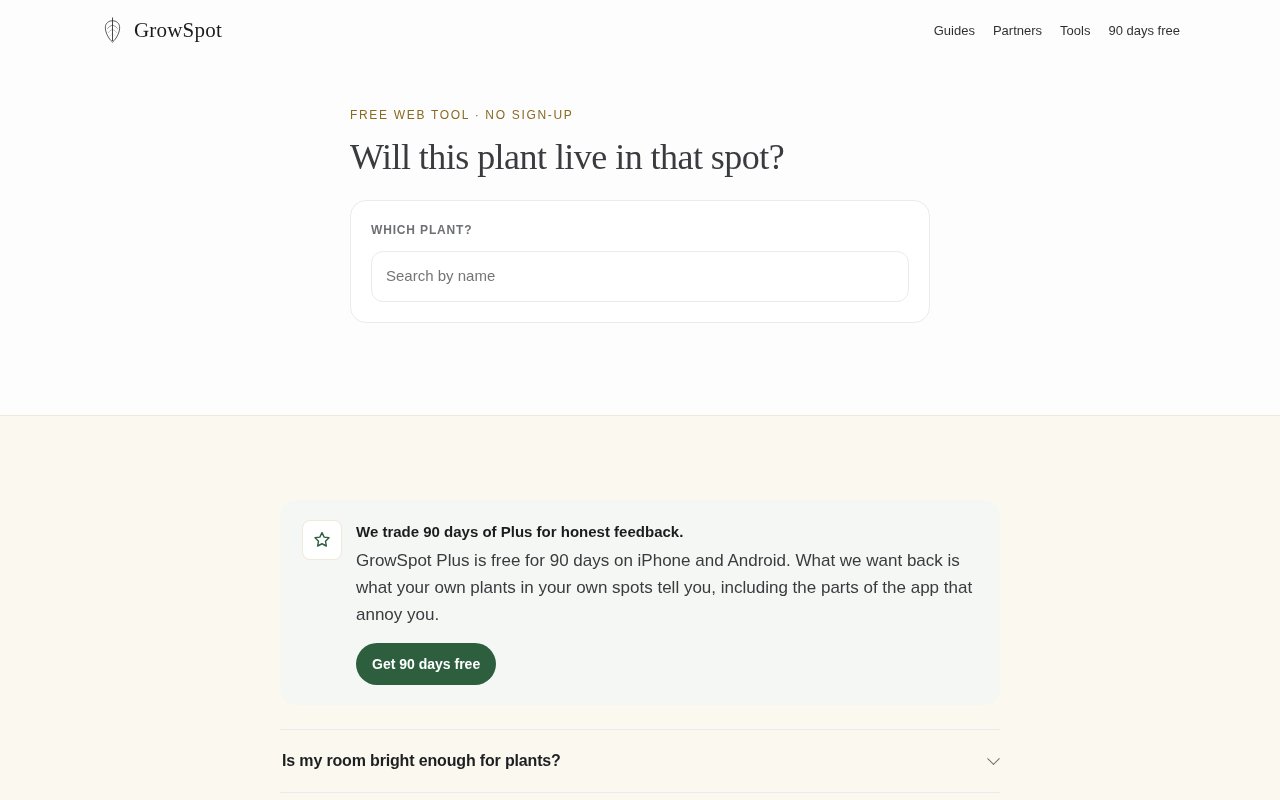
GrowSpot Spot Checker is a free browser tool for deciding whether a particular place in a home suits a particular houseplant. Instead of treating an entire room as bright, dim, warm, or humid, it looks at the exact shelf, sill, or corner where the pot would stand. The checker considers four parts of that local growing environment, including light, temperature, humidity, and airflow, then gives a plant-specific fit result. It takes about a minute, requires no account, and works without installing the broader GrowSpot mobile app. That makes it easy to use while standing in a shop or considering a space at home.
The check begins with the plant, because the same conditions can help one species and harm another. A sunny windowsill may suit a jade plant while being too intense for a plant that prefers indirect light. The user describes the chosen spot and supplies details such as location, distance from a window, window direction, and the direct sun that reaches it. GrowSpot combines that description with local weather and seasonal context to estimate the four environmental dimensions. The result is presented as an estimate rather than a sensor reading, which is an important distinction when the tool hasn't seen the room. If the user leaves out location, the checker can still work on light but can't add estimates for warmth, humidity, and airflow.
This narrow approach helps with a common problem in indoor plant care. Human vision adjusts so well that a corner can feel bright even when it receives a small fraction of the light at the window. GrowSpot demonstrates that gap with readings from six places in one living room, where the brightest window and darkest corner differed by roughly a thousand times. The checker turns the placement question into something more specific than whether a room is bright enough. It asks whether one named plant can live in one described spot, while also accounting for warmth, moisture in the air, and air movement rather than reducing plant health to light alone. That distinction is useful because two shelves separated by one wall can still have meaningfully different growing conditions.
The free web version is best for a quick check before buying a plant, moving a pot, or comparing likely positions without downloading an app. It can help a new plant owner narrow several plausible locations before waiting for slow signs such as small new leaves, long bare spaces between leaves, or growth that leans hard toward a window. Plant shops, educators, and publishers can also embed the checker on their own pages at no charge. GrowSpot provides an iframe and a small resizing script, and asks publishers to leave two attribution links visible. The embedded version still checks light, warmth, humidity, and airflow. Because an embedded frame can't read a visitor's location, it asks for window direction instead. If a content system removes the resizing script, the frame remains usable with internal scrolling.
GrowSpot is unusually direct about the limits of the browser estimate. It can't see blinds, window coatings, nearby buildings, seasonal tree cover, or other obstacles between the sky and the plant. It doesn't know what the same spot will do in winter, and it can't detect a grow light that is providing illumination. Skipping the location step also means it can't estimate warmth, humidity, or airflow. The tool says a phone reading taken at plant height is better evidence for the actual light in a spot. GrowSpot's mobile app adds that measurement workflow, keeps repeated spot checks, and reads the phone's light sensor on the device, but even the app presents useful bands rather than pretending every phone can produce laboratory precision. The site recommends using a phone reading to compare spots and light tiers instead of relying on impressive but uncertain digits.
The Spot Checker itself is free, runs in a browser, and has no signup requirement. Its role is intentionally modest. It offers a quick placement estimate and a plainly labeled verdict, not a complete diagnosis or a permanent monitoring system. People who want measured readings, saved plant histories, care reminders, identification, or diagnosis can move to the GrowSpot app. That app has a free plan for two spots and two plants with its features included, plus paid access for higher limits, but none of that is required to use the web checker. For anyone choosing a place for a houseplant, the free tool is a practical first pass as long as its estimate is treated as guidance and checked against what the plant and the real spot reveal over time.
Key Features
- Plant-specific spot fit verdicts
- Four environmental fit dimensions
- Local weather informed estimates
- No-account browser access
- Free website embed code
- Clearly labeled estimate limits
Pros & Cons
What we like
- Works free without an account
- Judges a precise spot for a named plant
- Considers more than light alone
- Can be embedded on other websites
Room for improvement
- Results are estimates rather than measurements
- It can't account for window obstructions
- Grow lights aren't included in estimates
- Winter conditions require a later check
Frequently Asked Questions
What is GrowSpot Spot Checker?
Does the Spot Checker measure my room?
Is GrowSpot Spot Checker free?
What can the checker miss?
Best For
Featured in
Alternatives to GrowSpot Spot Checker
View all
PropGPT
iOS app that uses AI to analyze player props, spreads, and bets across major sports leagues

Expo
The React Native framework and cloud build service that ships native iOS and Android apps without touching Xcode.

Glide
No-code platform that turns spreadsheets and databases into mobile and web apps, with computed columns and AI actions.

Fix It Gently
Calm, plain-English fixes for everyday tech problems.
Our take
Tool Index Editorial · Sep 2026· 3.5/5
GrowSpot Spot Checker is a free, no-signup browser tool that estimates whether one named houseplant suits one exact shelf, sill, or corner. It considers light, warmth, humidity, and airflow, using location and seasonal context when available. We like that it asks about the plant and the precise spot rather than treating an entire room as one light level.
The result is useful for narrowing choices before buying or moving a plant, and publishers can embed the checker for free. It remains an estimate, not a sensor reading. The tool can't see blinds, coatings, buildings, trees, grow lights, or future winter conditions, and omitting location removes several dimensions. Owners should treat its verdict as a first pass and confirm it with measurements and the plant's response.
Editorial opinion from the Tool Index team, written from the public product pages. Not a user review.
Reviews (0)
No reviews yet
Be the first to share your experience with GrowSpot Spot Checker
Sign in to write a reviewBadge builder
Add GrowSpot Spot Checker to your website
Choose a badge style and size, preview it here, then copy the generated HTML. Badge images are self-contained SVGs and do not require an external script.

<a href="https://toolindex.net/tools/growspot?ref=badge" target="_blank" rel="noopener">
  <img src="https://toolindex.net/badge/growspot/medium.svg" alt="GrowSpot Spot Checker - Listed on Tool Index" width="180" height="50" />
</a>How to use the badge
- 1. Pick the style, size, and theme that fit your layout.
- 2. Copy the generated HTML from the code block.
- 3. Paste it into your footer, homepage, or press page.
Score badge available
GrowSpot Spot Checker qualifies for the score and circle badges based on its current top-10 positionin Mobile.
Badge clicks return visitors to this profile with a referral tag so the source remains identifiable.
Related Tools

Sleep Suivour
Track your sleep, improve your rest
Glide
No-code platform that turns spreadsheets and databases into mobile and web apps, with computed columns and AI actions.
ProtoPie
High-fidelity prototyping tool that simulates sensor input, IoT triggers, and complex interactions without writing code.

FlutterFlow
Visual builder that compiles to real Flutter source code, producing native iOS, Android, web, and desktop apps from one project.
Work on GrowSpot Spot Checker? Request listing access or correction