GRSSHPPR
Hand your Magic Mouse, Trackpad, and Keyboard between Macs with one click, no cloud or subscription
Gallery
About GRSSHPPR
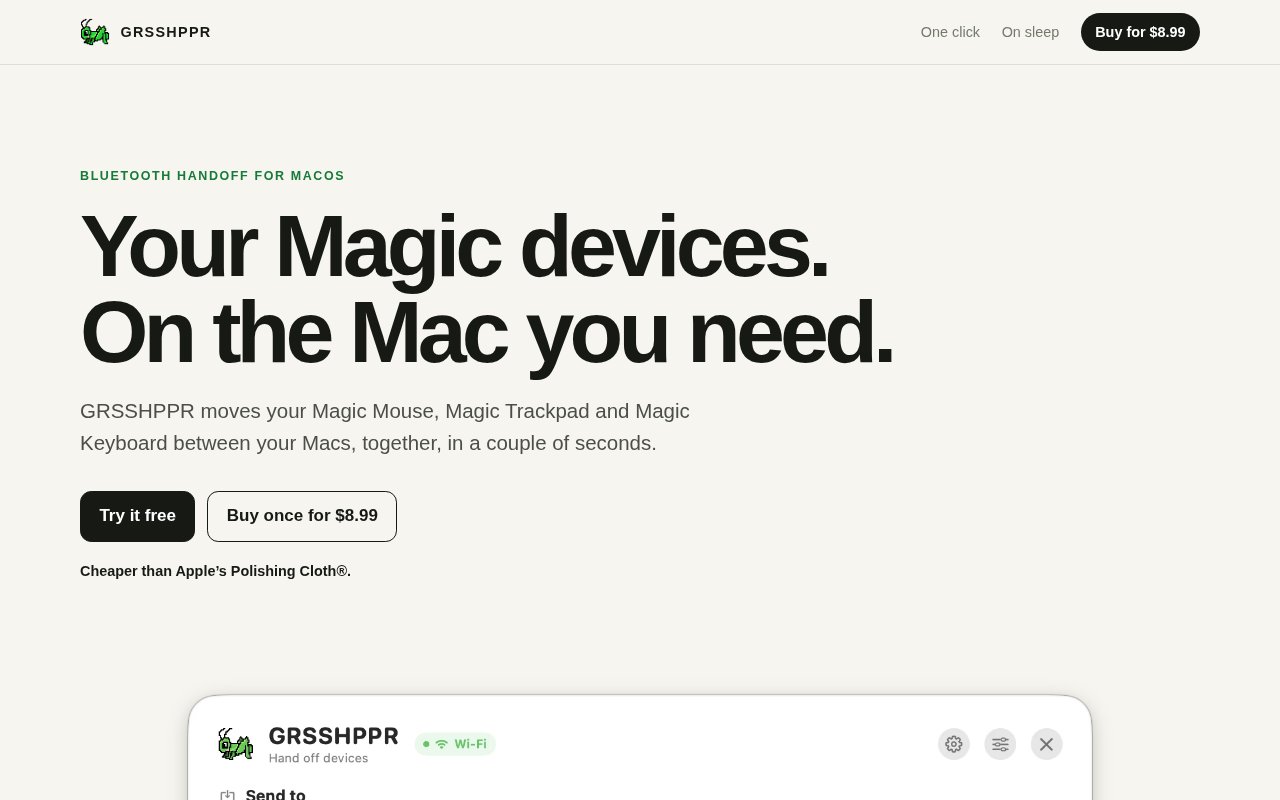
GRSSHPPR is a small macOS app that moves Apple's Magic Mouse, Magic Trackpad and Magic Keyboard between your Macs, together, in a couple of seconds. If you keep a work laptop and a personal desktop on the same desk, you know the routine, unpair from one machine, re-pair with the other, wait, and repeat in reverse a few hours later, or give up and buy a second set. GRSSHPPR replaces that with a click.
You pair your Macs once, choose which devices should travel, and GRSSHPPR puts each paired Mac in your Dock. One click on a Mac sends everything you chose to it. There's no menu, no confirmation and no second click, and the site is upfront that this is a little dangerous, since that click can send away the mouse and keyboard you're using, so it suggests keeping a built-in trackpad, a spare input device or a charging cable within reach until you're used to it. The choice of what travels is made per paired Mac, so the set that goes to the desktop needn't be the set that goes to the laptop. Handoffs usually take a couple of seconds, and because the Dock icon is always there, the move is one click away from whatever you're doing. A transfer-on-sleep option handles the most common case automatically. Tell it where devices should go when this Mac sleeps, close the lid, and the handoff starts, either to one specific paired Mac or to any paired Mac that's awake. If nowhere is ready to receive them, the devices stay where they are.
The menu bar view shows your whole desk at a glance, every paired Mac, which devices are connected to each one, and how much battery they have left, and lets you send devices away or take them back without opening the switcher. Battery levels are a small thing that matters when a device is about to go flat on the other machine. It's also reachable through a global shortcut, drag and drop, number keys, Shortcuts actions for automating a move, and native notifications when a move finishes. The site's own phrase for this is extremely Mac-assed, meaning it stays out of the way until you need it and then uses the parts of macOS you already know.
Under the hood the Macs talk directly to each other over the local network or Apple Wireless Direct Link, with an optional encrypted Bluetooth Low Energy link for when a VPN or a restrictive Wi-Fi network blocks local discovery. Mac-to-Mac traffic is authenticated and encrypted, no GRSSHPPR account exists, and nothing passes through a cloud. The licence is verified locally on your Mac with no activation server and no phone-home, so it keeps working without internet.
It's for anyone running two or more Macs on macOS 15 or later with Apple's Magic peripherals, which in practice means developers and designers with a laptop and a desktop, people who split their week between a work machine and a personal one, and anyone who refuses to have two keyboards on one desk. It only handles the three Magic devices, so third-party keyboards and mice are out of scope, and every Mac involved needs macOS 15 or newer. Because the licence covers every Mac you own rather than a seat, a three-Mac setup costs the same as a two-Mac one, and the trial build is a direct download from the site.
What distinguishes it from a KVM switch or a software mouse-sharing tool is that it's a real Bluetooth move. The devices genuinely re-pair to the other Mac, so there's no relay in the middle and no host machine that has to stay awake, and the cost is a short pause with no cursor while the devices cross. If a device ever gets stranded, you open GRSSHPPR on the Mac you want and take it back, and as a last resort any Magic device reconnects to a Mac over its charging cable. Against buying duplicate hardware, it's a one-off purchase for the price of a lunch. The app is independent and not affiliated with or endorsed by Apple.
GRSSHPPR costs $8.99 as a one-time purchase, with no subscription, renewal or upgrade fee, and one licence key covers every Mac you own. The site's own comparison is that it's cheaper than Apple's polishing cloth. A seven-day free trial with no card required comes first, so you can check it works on your Macs before paying anything, and there's a 30-day money-back guarantee after purchase for any reason or none, refunded through Paddle to the card you paid with. The buy button is even phrased as a confirmation that you tried the trial and it works on your Macs, which says something about how the developer expects people to arrive at the purchase. Support is reachable at support@grsshppr.app, and it's made in Brazil.
Key Features
- One-click device handoff from the Dock
- Automatic transfer when a Mac sleeps
- Menu bar view of paired Macs and batteries
- Encrypted Bluetooth Low Energy fallback link
- Shortcuts actions and native notifications
- Local licence check with no account
Pros & Cons
What we like
- One $8.99 purchase covers every Mac you own
- No account, cloud, or subscription
- Works without shared Wi-Fi over the BLE link
- Seven-day trial and 30-day refund window
Room for improvement
- Only Apple Magic Mouse, Trackpad, and Keyboard
- Requires macOS 15 or later on every Mac
- A stray click can send away the input you're using
- Short cursorless pause during each handoff
Frequently Asked Questions
What is GRSSHPPR?
How much does GRSSHPPR cost?
Does GRSSHPPR need the internet?
Which devices and Macs does it support?
Best For
Featured in
Alternatives to GRSSHPPR
View all
CalendHub
Smart scheduling and calendar management for teams
Kevin Gabeci Toolkits
Seven AI toolkits for writing books, making music, cutting video, and building agents.

Eased Into AI
Learn AI from zero. No jargon, no hype, just steps that work.

Fix It Gently
Calm, plain-English fixes for everyday tech problems.
Our take
Tool Index Editorial · Sep 2026· 4.0/5
GRSSHPPR is a sharply scoped Mac utility that hands an Apple Magic Mouse, Trackpad, and Keyboard from one Mac to another. It is built for people with two or more Macs on one desk and offers one-click Dock transfers, transfer on sleep, battery status, Shortcuts actions, and an encrypted Bluetooth fallback when local networking is awkward. It costs $8.99 once, covers every Mac the buyer owns, and has a seven-day trial.
We found the candid warning about sending away the active mouse and keyboard reassuring, not alarming. A spare input or cable is sensible during setup. The larger limits are firm. It requires macOS 15 or later and supports Apple's Magic peripherals, not arbitrary Bluetooth devices. Within that narrow setup, the price and direct, no-account design are hard to fault.
Editorial opinion from the Tool Index team, written from the public product pages. Not a user review.
Reviews (0)
Badge builder
Add GRSSHPPR to your website
Choose a badge style and size, preview it here, then copy the generated HTML. Badge images are self-contained SVGs and do not require an external script.

<a href="https://toolindex.net/tools/grsshppr?ref=badge" target="_blank" rel="noopener">
  <img src="https://toolindex.net/badge/grsshppr/medium.svg" alt="GRSSHPPR - Listed on Tool Index" width="180" height="50" />
</a>How to use the badge
- 1. Pick the style, size, and theme that fit your layout.
- 2. Copy the generated HTML from the code block.
- 3. Paste it into your footer, homepage, or press page.
Standard badge available
The standard listing badge is available now. Score and circle badges are limited to tools currently ranked in the top 10 of a category.
Badge clicks return visitors to this profile with a referral tag so the source remains identifiable.
Related Tools

Confluence
Atlassian's long-running team wiki that anchors many enterprise knowledge stacks
Asana
Project management for teams that live in projects, tasks and dependencies
Kevin Gabeci Toolkits
Seven AI toolkits for writing books, making music, cutting video, and building agents.

Logseq
An open-source outliner notes app where every bullet is a first-class block
Work on GRSSHPPR? Request listing access or correction