Haserupt
An iOS screen time app that asks why you're opening an app, times the visit, and enforces a cooloff
Gallery
About Haserupt
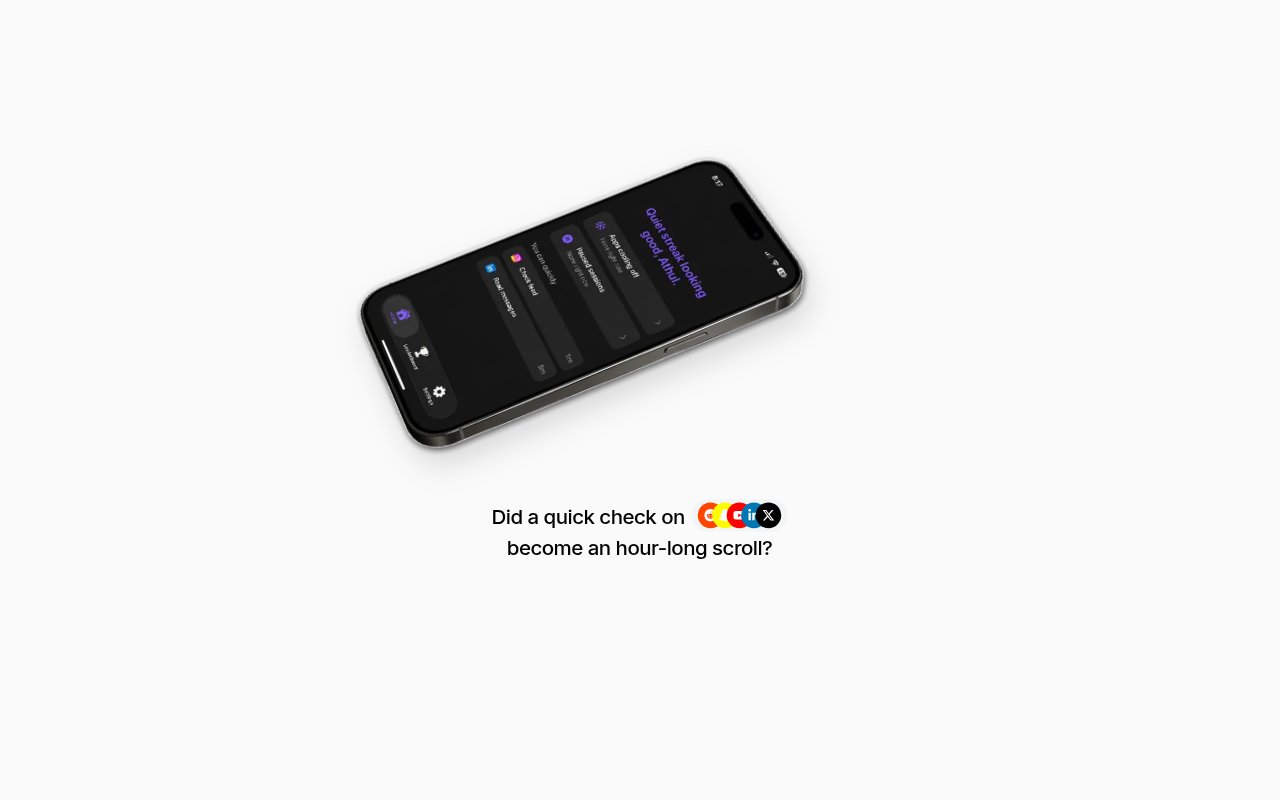
Haserupt is an iOS screen time app built to cut doomscrolling without banning the apps that cause it. Instead of blocking Instagram or YouTube outright, it makes you say why you're opening the app, gives you a window of time to do that thing, and then puts the app into a cooloff so you can't drift straight back into the feed. The App Store listing sums it up as an app that asks what task you aim to accomplish, gives you time to finish it, and helps prevent return visits to endless feeds, and the marketing site pitches it as a new way to reduce your phone usage.
The problem it's aimed at is the gap between intention and behaviour. Most people open a social app for a reason, a message to answer or a post to check, and then lose twenty minutes to the feed. Hard blockers fail because those apps also carry real tasks, so people disable the blocker the first time it gets in the way of something legitimate and never turn it back on. Daily limits fail for a different reason, since the extension button is always one tap away. Haserupt keeps the legitimate use and attacks the aimless part, which is why the site describes it as reducing social media consumption while keeping real workflows intact. The friction is placed at the right moment, before the feed loads rather than after twenty minutes have gone.
The loop has five parts, and the site describes them in the app's own first-person voice. Intent declaration comes first. You decide why you're opening an app and tell Haserupt, and it grants a time window. During the window it keeps an eye on you while you complete the task at hand. When the session ends the app enters a cooloff and can't be reopened until the cooloff ends. If you need to get back in right away you tell it why, and it grants a reopen if the reason is truly urgent. Finally there are coins. You earn them for completing cooloffs without reopening, and a leaderboard ranks people by how many they've earned, which turns restraint into a small game you can play against friends or strangers. The App Store description adds that the app learns your habits over time and tracks your progress, so the stats are there to check whether it's working.
The apps it targets are the usual suspects. The site shows Instagram, Reddit, Snapchat, YouTube, LinkedIn, and X. It's iOS only, published on the App Store under the Productivity category by developer Vishal Krishna, and the listing requires iOS 26.2 or later, which rules out older iPhones. There's no Android or web version mentioned anywhere on the site, so households split across platforms will only get it on the iPhone side, and there's no desktop component either. At the time of writing it was on version 1.0.3 with an update a few days old, so it's being actively worked on.
It's for people who know they overuse a handful of apps but can't delete them, because work, friends, or a side project live there. The site carries testimonials from people at BMC, Deloitte, and Brototype, including one whose weekly Instagram usage dropped from 51 hours to 28. Those are self-reported figures from a young product, but they sketch the audience well, professionals who want a nudge and a cost to reopening rather than a wall, and who are willing to type a reason before scrolling. If you'd rather have an app that simply locks things for the day, this isn't that. Typing a reason every time you open Instagram is a small tax, and the people it works for are the ones who find that tax useful rather than irritating, which is worth knowing before you install it.
What makes it different from a standard screen time limiter is that the friction is about intent rather than minutes. A daily limit doesn't care whether you opened the app to reply to a client or to scroll, and it's trivial to extend. Haserupt asks the question up front, makes you justify an early return, and rewards the people who wait. The leaderboard adds social pressure, which will appeal to some and annoy others. Whether the approach holds up over months is something only your own usage stats will tell you, and the app's progress tracking is there for exactly that. The site doesn't explain how the app monitors other apps under the hood, so anyone curious about the Screen Time mechanics will have to ask.
Access is freemium. The app is free to download with in-app purchases listed at $4.99 for Premium, $49.99 for a yearly plan, and $59.99 for a Believer tier, and the marketing site doesn't spell out what each unlocks, so check the App Store listing before you buy. It's a young product with too few ratings to show a score. The founders are reachable at founders@haserupt.com, support goes through team@haserupt.com, there's a community on the r/hase subreddit, and the site carries a blog, a careers page, terms, and a privacy policy, plus social accounts on X, LinkedIn, and Instagram, so there's a public footprint to judge the team by.
Key Features
- Intent declaration before opening an app
- Timed windows for the stated task
- Cooloff period after each session
- Urgent reopen with a justification
- Coins and a leaderboard for completed cooloffs
- Covers Instagram, Reddit, Snapchat, YouTube, LinkedIn, and X
Pros & Cons
What we like
- Keeps legitimate use of social apps intact
- Intent-based friction beats a plain daily limit
- Free to download with paid upgrades optional
- Founders and support emails are published
Room for improvement
- iOS only, no Android or web version
- Requires iOS 26.2 or later
- Marketing site doesn't explain what each paid tier unlocks
- Very new app with few ratings so far
Frequently Asked Questions
What is Haserupt?
Is Haserupt free?
Does Haserupt block apps completely?
Is there an Android version?
Best For
Featured in
Alternatives to Haserupt
View all
CalendHub
Smart scheduling and calendar management for teams
Kevin Gabeci Toolkits
Seven AI toolkits for writing books, making music, cutting video, and building agents.

Eased Into AI
Learn AI from zero. No jargon, no hype, just steps that work.

Fix It Gently
Calm, plain-English fixes for everyday tech problems.
Our take
Tool Index Editorial · Sep 2026· 3.0/5
Haserupt is an iPhone screen time app that asks why a distracting app is being opened, gives the user a limited session, and then enforces a cooloff. It is aimed at people who still need Instagram, YouTube, Reddit, or similar services for real tasks but want friction before they drift into a feed. Coins and a leaderboard add a light social incentive to complete cooloffs.
We think intent based friction is a sharper idea than another daily timer, and the site explains the basic loop clearly. It doesn't explain how the Screen Time integration works, what data leaves the phone, or what the paid options unlock. The visible usage improvement is a testimonial, not controlled evidence, and the approach requires users to tolerate repeated prompts. With no public price details on the captured pages, this remains a promising but lightly documented young app.
Editorial opinion from the Tool Index team, written from the public product pages. Not a user review.
Reviews (0)
Badge builder
Add Haserupt to your website
Choose a badge style and size, preview it here, then copy the generated HTML. Badge images are self-contained SVGs and do not require an external script.

<a href="https://toolindex.net/tools/haserupt?ref=badge" target="_blank" rel="noopener">
  <img src="https://toolindex.net/badge/haserupt/medium.svg" alt="Haserupt - Listed on Tool Index" width="180" height="50" />
</a>How to use the badge
- 1. Pick the style, size, and theme that fit your layout.
- 2. Copy the generated HTML from the code block.
- 3. Paste it into your footer, homepage, or press page.
Standard badge available
The standard listing badge is available now. Score and circle badges are limited to tools currently ranked in the top 10 of a category.
Badge clicks return visitors to this profile with a referral tag so the source remains identifiable.
Related Tools

Confluence
Atlassian's long-running team wiki that anchors many enterprise knowledge stacks
Asana
Project management for teams that live in projects, tasks and dependencies
Kevin Gabeci Toolkits
Seven AI toolkits for writing books, making music, cutting video, and building agents.

Logseq
An open-source outliner notes app where every bullet is a first-class block
Work on Haserupt? Request listing access or correction