
ImageSage
Windows photo manager with local AI search, OCR, and AI-powered file renaming
Gallery
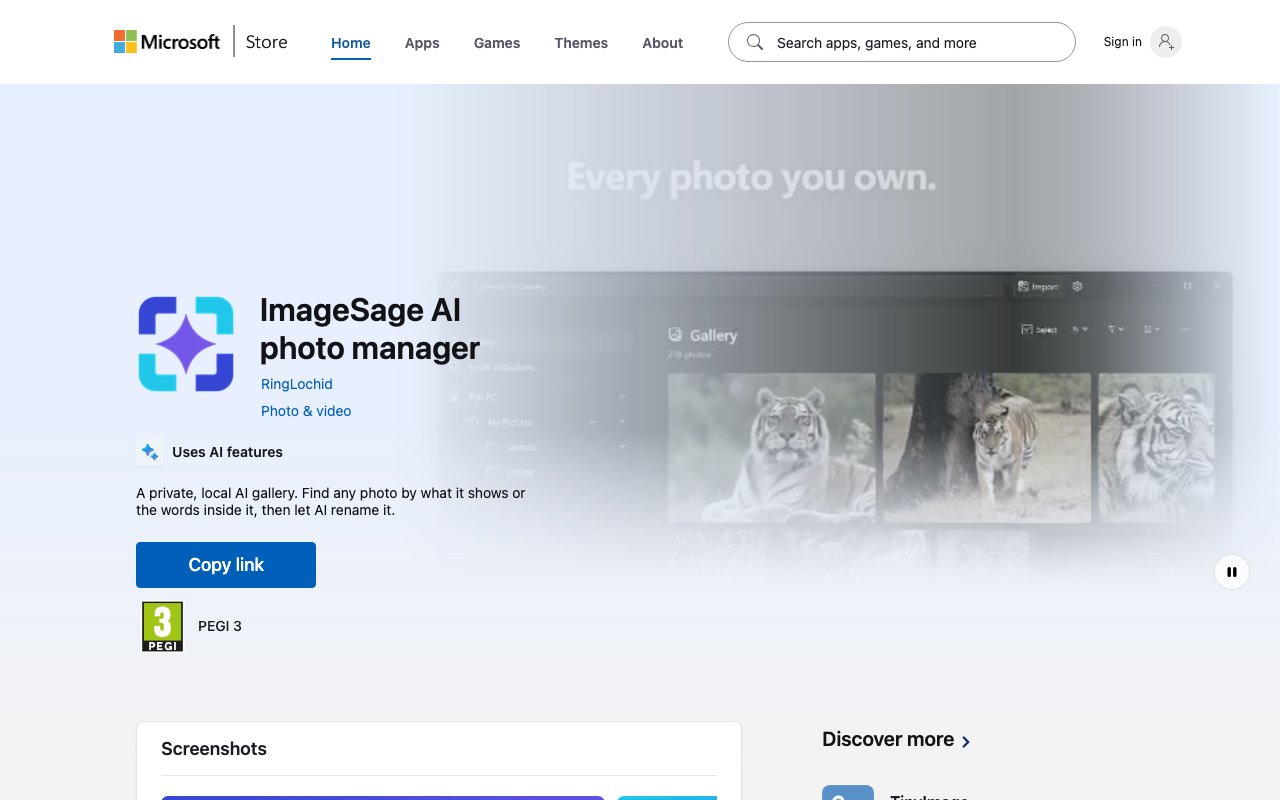
About ImageSage
ImageSage is a Windows photo management app that uses AI to help you search, organize, and rename your images without sending anything to the cloud. You describe what you are looking for in plain language, and it finds matching photos based on visual content, text within the images, or filenames. All the AI processing happens on your machine, so your photos stay private. There is no account to create, no server to communicate with, and no subscription required to access the full feature set. You install it from the Microsoft Store, point it at your folders, and start searching.
The core problem it solves is the familiar mess of an unorganized photo library. You know the image exists somewhere, but you cannot remember the filename or folder. Traditional file browsers force you to navigate directory trees or rely on whatever metadata happened to be embedded when the photo was taken. ImageSage changes that by letting you search by what the image actually shows. Type a description like sunset over water or person holding coffee, and it returns matches based on visual similarity. This is the same kind of semantic search that powers large cloud photo services, but running entirely on your local hardware.
The app also reads text inside screenshots, receipts, scanned documents, and photos of whiteboards using on-device OCR. If you take a lot of screenshots of error messages, product receipts, or notes, you can find them later by searching for any word visible in the image. This makes ImageSage especially useful for people who capture information visually and need to retrieve it without manually tagging every file. The OCR runs locally alongside the visual search model, so the same privacy guarantees apply.
Beyond search, the app offers a feature called Magic Rename. You select a batch of images, and the AI suggests descriptive filenames based on what it sees in each one. The suggestions appear in a review list where you can edit, approve, or reject them before applying any changes. Nothing happens to your files until you confirm, which keeps you in control of the renaming process. This is useful for cleaning up folders full of IMG_0001.jpg or screenshot_20240512.png style names without manually inspecting every image.
Browsing works through two gallery layouts: River, which displays images in a flowing timeline, and Square, which arranges them in a grid. You can navigate folders recursively, save frequent searches as Smart Collections that update automatically, and perform batch operations like moving, copying, or deleting files directly from search results. The app never relocates your original files during indexing, so your existing folder structure stays intact. If you have years of photos organized into dated folders, ImageSage will index them in place without restructuring anything.
It fits anyone on Windows 11 who has a large photo collection and wants to find things faster without relying on cloud services. Photographers, designers, content creators, and anyone who screenshots a lot will find the OCR search useful. The local-first approach also appeals to privacy-conscious users who do not want their images processed on remote servers or tied to an online account. Because the AI models run on your hardware, there is no usage limit, no API quota, and no risk of the service shutting down and taking your search index with it.
What makes it different from cloud-based alternatives is the privacy model combined with the depth of features. There is no data leaving your device, and no subscription tied to server-side features. The tradeoff is that you need a reasonably capable Windows machine to run the AI models locally. The developer recommends Windows 11 build 22000 or later with at least 8 GB of RAM. Indexing speed and search responsiveness will scale with your hardware, so faster machines will feel snappier, but even modest setups should work for typical photo libraries.
ImageSage is free to download from the Microsoft Store. There is no paid tier mentioned on the site, so the full feature set, including visual search, OCR, Magic Rename, and batch operations, is available without spending anything. Support and documentation are available through the developer's website at ringlochid.me, where you can also find contact information and release notes. For anyone managing thousands of photos locally and wanting search functionality that rivals cloud services without the privacy tradeoffs, ImageSage is a compelling option to explore.
Key Features
- Natural language image search
- On-device OCR for text in images
- AI-powered Magic Rename suggestions
- Smart Collections for saved searches
- Batch move, copy, and delete from results
- River and Square gallery layouts
Pros & Cons
What we like
- All AI processing runs locally on your device
- No account or cloud upload required
- OCR search finds text inside screenshots and documents
- Rename suggestions require confirmation before applying
Room for improvement
- Windows 11 only, no Mac or Linux support
- Requires at least 8 GB of RAM for smooth performance
- Indexing speed depends on your local hardware
- Smaller community compared to established photo managers
Frequently Asked Questions
What is ImageSage?
Is ImageSage free?
Does ImageSage upload my photos?
What are the system requirements?
Best For
Featured in
Alternatives to ImageSage
View all
Apatero AI
The creator studio for AI image, video, audio, 3D, and avatars, now at apatero.ai.

SoloDevStack
A solo developer blog built on head-to-head tool comparisons, 580+ posts deep.
Apatero Studio
Creator studio for AI image, video, audio, 3D, and avatars. Every model worth using, in one workspace.

Melodex
Turn your idea into an AI-generated music video
Reviews (0)
Badge builder
Add ImageSage to your website
Choose a badge style and size, preview it here, then copy the generated HTML. Badge images are self-contained SVGs and do not require an external script.

<a href="https://toolindex.net/tools/imagesage?ref=badge" target="_blank" rel="noopener">
  <img src="https://toolindex.net/badge/imagesage/medium.svg" alt="ImageSage - Listed on Tool Index" width="180" height="50" />
</a>How to use the badge
- 1. Pick the style, size, and theme that fit your layout.
- 2. Copy the generated HTML from the code block.
- 3. Paste it into your footer, homepage, or press page.
Standard badge available
The standard listing badge is available now. Score and circle badges are limited to tools currently ranked in the top 10 of a category.
Badge clicks return visitors to this profile with a referral tag so the source remains identifiable.
Related Tools
Apatero AI
The creator studio for AI image, video, audio, 3D, and avatars, now at apatero.ai.
Kevin Gabeci Toolkits
Seven AI toolkits for writing books, making music, cutting video, and building agents.

Warp
The modern terminal reimagined with AI and collaboration

Bolt.new
Prompt-to-deployed full-stack app inside the browser
Work on ImageSage? Request listing access or correction