Kagelin
An offline-first, AGPL tasks, habits, focus timer, and calendar app with no dark patterns
Gallery
About Kagelin
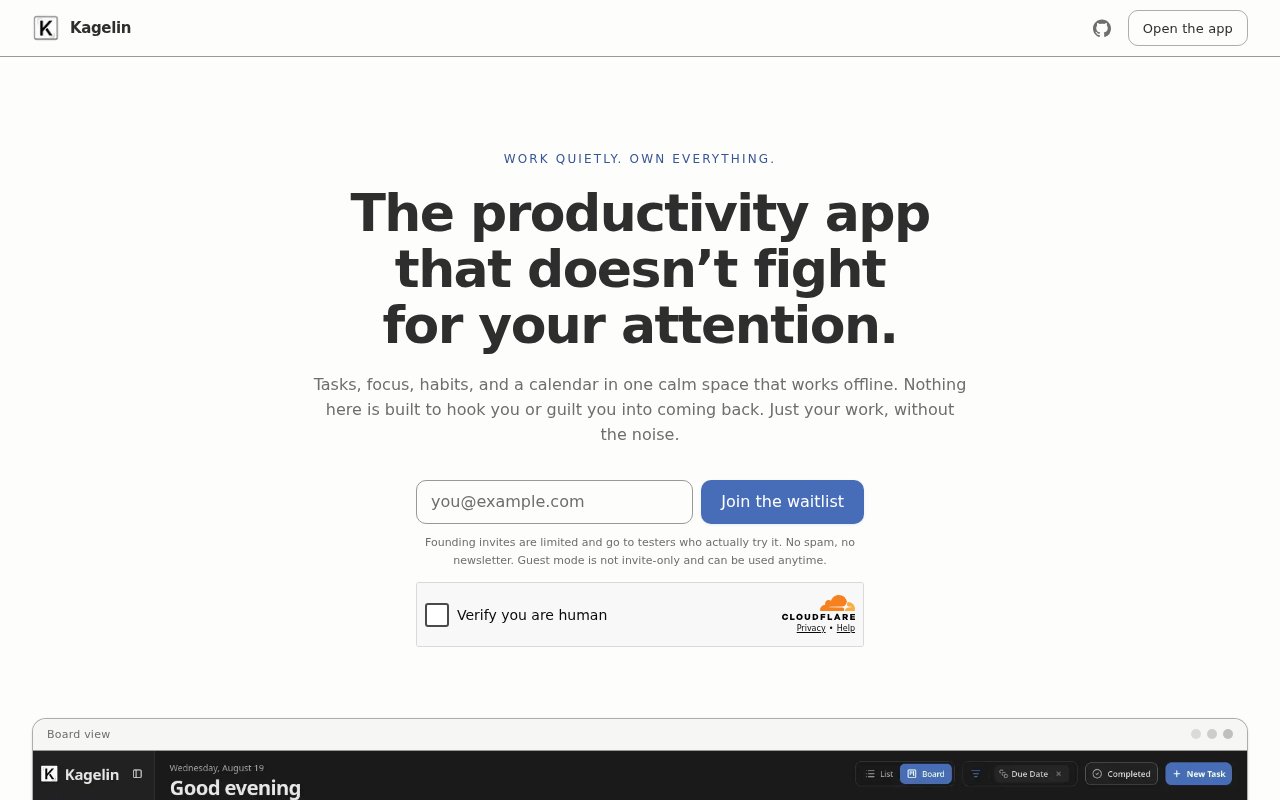
Kagelin is a productivity app that puts tasks, habits, a focus timer and a calendar in one offline-first workspace, and it's published under the AGPL-3.0 licence so you can run it yourself. It works as an installable web app, opens in a guest mode with no account, and keeps your data on your device unless you choose to sync. The design brief is stated plainly on the site. No confetti, no dark patterns, no notifications engineered to pull you back.
The problem it's reacting to is the way productivity software has drifted towards engagement. Streak animations, upsell nudges and push notifications that exist to raise daily active users, not to help you finish anything. Kagelin's answer is a quieter tool with an ink-and-matte look, full keyboard control, and a data model you own outright.
The pieces fit together in the usual way, but the details show where the effort went. Tasks live in board and list views with Vim-style navigation and recurring schedules. Habits are tracked against activity heatmaps. The focus timer runs a Pomodoro cycle, can float in a picture-in-picture window while you work in something else, and syncs across devices. The calendar offers month, week and four-day views, imports and exports .ics files, and can sync with Google Calendar and Outlook. A command palette on Ctrl or Cmd plus K ties it all together so you rarely need the mouse.
Data ownership is more than a slogan here. Guest mode stores everything locally in the browser. If you want your data elsewhere, you can back it up to a personal WebDAV server such as Nextcloud or a Synology NAS, or export and import an encrypted ZIP. Cloud sync is optional, telemetry is optional, and the self-hosting path is documented in the repository. Self-hosting means running the Next.js app on Node 20 or later against your own Supabase project with the provided schema, which is a reasonable evening's work for anyone comfortable with that stack. Getting started takes no commitment. Open app.kagelin.app, which drops you straight into guest mode, and start adding tasks. Install it as a PWA from the browser menu if you want it to behave like a native app and work with no connection. The command palette is the fastest way to learn the tool, since it lists what you can do and the keys that do it. If you later want your data on a second device, you can turn on sync or point a WebDAV backup at a server you control, and the encrypted ZIP export is there for anyone who'd rather move data by hand.
It's for people who want a calm, keyboard-driven planner and care about where their data lives. Developers will feel at home with the Vim navigation and command palette. Privacy-minded users get an offline tool that doesn't need an account. Anyone who has abandoned a habit tracker because the gamification got irritating is squarely the audience.
What makes it different is the combination. Offline-first productivity apps exist, open-source ones exist, and calm ones exist, but getting all three in a single tool that also handles calendar sync with the big providers is unusual. The AGPL licence keeps the core free, and the optional Premium subscription only covers hosted extras, meaning background calendar sync, cross-device focus sessions and push briefings, which are exactly the things that genuinely need a server. Compared with the mainstream choices, the trade is deliberate. The popular task and habit apps are polished, cloud-first and free until they aren't, and they're tuned to keep you opening them. The self-hosted alternatives tend to cover one thing, tasks or habits or calendar, so you end up running three. Kagelin bundles the four pieces, works without a server, and lets you add one later on your own terms. What you give up is maturity; it's a preview, and the polish and integrations of a five-year-old product aren't there yet.
The caveats are those of a young project. It's in preview, with founding testers being invited and a full launch still pending, and the GitHub repository is small with a handful of stars. Self-hosting depends on Supabase, which is one more moving part than a single container. And the calm design won't suit everyone; if you like your streaks celebrated, this will feel austere. The stack is also fairly modern, Next.js 16 and React 19 with Supabase behind it, which is fine for self-hosters who track those releases and a chore for anyone who doesn't. Access is open source. The hosted app at app.kagelin.app is free to use, self-hosting is fully supported, and the optional Premium tier covers the server-backed features. The project accepts support through GitHub Sponsors and Ko-fi, and the code and self-hosting instructions are on GitHub.
Key Features
- Tasks with board, list, and Vim navigation
- Habit tracking with activity heatmaps
- Pomodoro timer with picture-in-picture
- Calendar with Google and Outlook sync
- WebDAV backup and encrypted ZIP export
- Installable PWA with a full offline mode
Pros & Cons
What we like
- Works offline with no account
- AGPL-3.0 and self-hostable
- Keyboard-first with a command palette
- No engagement tricks by design
Room for improvement
- Still in preview, launch pending
- Small community so far
- Self-hosting requires a Supabase project
- Austere design won't suit everyone
Frequently Asked Questions
What is Kagelin?
Is Kagelin free?
Does Kagelin work offline?
Can I self-host Kagelin?
Best For
Featured in
Alternatives to Kagelin
View all
CalendHub
Smart scheduling and calendar management for teams
Kevin Gabeci Toolkits
Seven AI toolkits for writing books, making music, cutting video, and building agents.

Eased Into AI
Learn AI from zero. No jargon, no hype, just steps that work.

Fix It Gently
Calm, plain-English fixes for everyday tech problems.
Our take
Tool Index Editorial · Sep 2026· 3.0/5
Kagelin combines tasks, habits, a focus timer, and a calendar in an offline first, keyboard friendly web app. Guest mode works without an account and keeps data on the device, while the AGPL source supports self hosting with a personal Supabase project. WebDAV backup, encrypted export, calendar files, and a command palette reinforce the emphasis on ownership rather than engagement tricks.
We found the direction thoughtful, but the product is explicitly in preview. Premium features such as background calendar sync and live device mirroring are planned rather than built, there is no Docker image, and the public community is still small. The restrained interface will appeal to some users and feel bare to others. The free guest app is worth trying now, but it is too early to rely on the hosted roadmap or expect the polish of an established planner.
Editorial opinion from the Tool Index team, written from the public product pages. Not a user review.
Reviews (0)
Badge builder
Add Kagelin to your website
Choose a badge style and size, preview it here, then copy the generated HTML. Badge images are self-contained SVGs and do not require an external script.

<a href="https://toolindex.net/tools/kagelin?ref=badge" target="_blank" rel="noopener">
  <img src="https://toolindex.net/badge/kagelin/medium.svg" alt="Kagelin - Listed on Tool Index" width="180" height="50" />
</a>How to use the badge
- 1. Pick the style, size, and theme that fit your layout.
- 2. Copy the generated HTML from the code block.
- 3. Paste it into your footer, homepage, or press page.
Standard badge available
The standard listing badge is available now. Score and circle badges are limited to tools currently ranked in the top 10 of a category.
Badge clicks return visitors to this profile with a referral tag so the source remains identifiable.
Related Tools

Confluence
Atlassian's long-running team wiki that anchors many enterprise knowledge stacks
Asana
Project management for teams that live in projects, tasks and dependencies
Kevin Gabeci Toolkits
Seven AI toolkits for writing books, making music, cutting video, and building agents.

Logseq
An open-source outliner notes app where every bullet is a first-class block
Work on Kagelin? Request listing access or correction