
Knowable
AI tutor that sees your notebook through your Mac camera and guides you through problems
Gallery
About Knowable
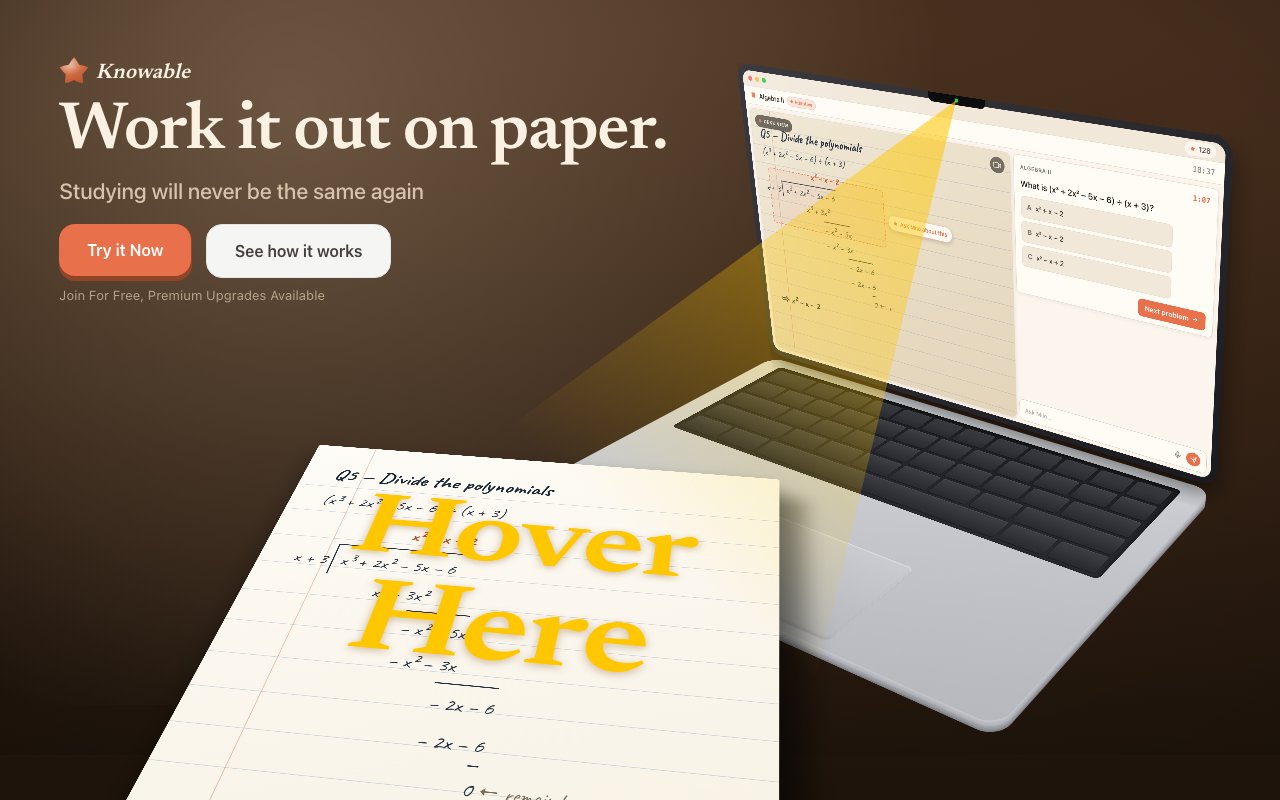
Knowable is an AI tutoring application for Mac that sees your physical notebook through your camera and provides real time coaching as you work. The AI tutor is named Milo. You point your camera at a textbook, notebook, or problem set, press a keyboard shortcut, and Milo looks at what you have written. Instead of giving you the answer, it asks guiding questions designed to push you toward figuring it out yourself. That pedagogical approach mimics what a good human tutor does. The difference is that Milo costs a fraction of hourly tutoring rates and is available at midnight before an exam when human tutors are not. The vision is that every student should have access to patient, contextual help regardless of whether their family can afford private tutoring.
The visual understanding covers more than printed text. Milo reads handwritten equations, interprets diagrams, parses prose, and handles subjects across the high school curriculum. Math subjects including algebra, calculus, geometry, and trigonometry. Sciences including physics, chemistry, and biology. English including essay analysis and composition. History, geography, and foreign languages. If you are stuck on a calculus problem and your scratch work is visible on the page, the tutor sees that context. It responds to where you actually are in the problem rather than asking you to explain from scratch. That contextual awareness is what separates Knowable from typing a question into a chatbot. The tutor can see your partial progress and tailor its hints accordingly.
Responses render LaTeX for mathematical notation so equations display correctly rather than as awkward ASCII approximations. Text to speech reads responses aloud if you prefer to listen while you write. The combination means you can keep your eyes on your notebook and your pencil moving while Milo talks you through the next step. That flow is closer to working with a human tutor than switching between typing and reading on a screen.
Setup requires a Mac running Ventura or later. The built in camera works, but you can also connect an iPhone via Continuity Camera if you want a better angle looking down at your desk. That flexibility is useful because the built in webcam on most Macs points straight ahead rather than down at your desk. No additional hardware is required beyond what you likely already own. The demo runs in Safari without downloading anything, so you can try it before committing to the app.
The interaction model supports voice or text input, whichever fits your workflow. You ask a question by pressing option plus M, speaking or typing, and Milo responds with hints rather than answers. The conversation continues as you make progress through your homework or study session. You can go back and forth multiple times on a single problem, and Milo will remember the context of your earlier attempts and adjust its guidance accordingly.
Privacy is handled carefully. Camera frames exist only in memory during a session. They are not written to disk or stored in a database. The raw video feed never leaves your device. Messages and metadata are encrypted and stored on AWS DynamoDB, but AWS contractually guarantees that user data is not used for model training. For families concerned about student data, this architecture means the visual information stays local and the conversation history is encrypted at rest. The company publishes these details on their site rather than hiding them in a privacy policy nobody reads.
An educator portal lets teachers create classes and share invite codes with students. Once students join, teachers see aggregated struggle point analytics showing which concepts caused the most difficulty. That visibility helps teachers identify where to spend more time in class without manually grading a stack of papers. Teachers can also configure parent sharing levels, from off to stats only to full activity logs, depending on what fits their classroom and privacy requirements. The educator features are accessed at a separate portal URL rather than inside the student facing app.
Pricing is freemium. A free tier gives you 1,000 credits per month with no credit card required. Knowable Plus costs $24.99 per month or $249.99 per year and includes 10,000 credits per month. The annual plan saves about seventeen percent compared to monthly billing. One time credit packs are available at $4.99 for 500 credits or $24.99 for 3,000 credits if you need a burst of tutoring before an exam without committing to a subscription. For the cost of one or two human tutoring sessions, you get a month of on demand help that actually sees your work and guides you through it rather than simply telling you the answer.
Key Features
- Live visual coaching through Mac camera
- Handwriting and diagram recognition
- Multi-subject support across STEM and humanities
- Guided hints instead of direct answers
- Educator portal for class monitoring
- LaTeX rendering and text-to-speech
Pros & Cons
What we like
- Sees your actual work and responds in context
- Guides understanding rather than just giving answers
- Significantly cheaper than human tutoring
- Free tier available with no credit card required
Room for improvement
- Requires a Mac with camera access
- Credit system limits heavy usage on free tier
- Visual accuracy depends on camera angle and lighting
- Best suited for structured problem-solving subjects
Frequently Asked Questions
What is Knowable?
Is Knowable free?
What subjects does Knowable cover?
Do I need special hardware?
Best For
Featured in
Alternatives to Knowable
View all
Apatero AI
The creator studio for AI image, video, audio, 3D, and avatars, now at apatero.ai.

SoloDevStack
A solo developer blog built on head-to-head tool comparisons, 580+ posts deep.
Apatero Studio
Creator studio for AI image, video, audio, 3D, and avatars. Every model worth using, in one workspace.

Melodex
Turn your idea into an AI-generated music video
Reviews (0)
Badge builder
Add Knowable to your website
Choose a badge style and size, preview it here, then copy the generated HTML. Badge images are self-contained SVGs and do not require an external script.

<a href="https://toolindex.net/tools/knowable?ref=badge" target="_blank" rel="noopener">
  <img src="https://toolindex.net/badge/knowable/medium.svg" alt="Knowable - Listed on Tool Index" width="180" height="50" />
</a>How to use the badge
- 1. Pick the style, size, and theme that fit your layout.
- 2. Copy the generated HTML from the code block.
- 3. Paste it into your footer, homepage, or press page.
Standard badge available
The standard listing badge is available now. Score and circle badges are limited to tools currently ranked in the top 10 of a category.
Badge clicks return visitors to this profile with a referral tag so the source remains identifiable.
Related Tools
Apatero AI
The creator studio for AI image, video, audio, 3D, and avatars, now at apatero.ai.
Kevin Gabeci Toolkits
Seven AI toolkits for writing books, making music, cutting video, and building agents.

Warp
The modern terminal reimagined with AI and collaboration

Bolt.new
Prompt-to-deployed full-stack app inside the browser
Work on Knowable? Request listing access or correction