
Lanes
Run Claude Code and Codex agents in parallel on isolated worktrees with shared, governed context
Gallery
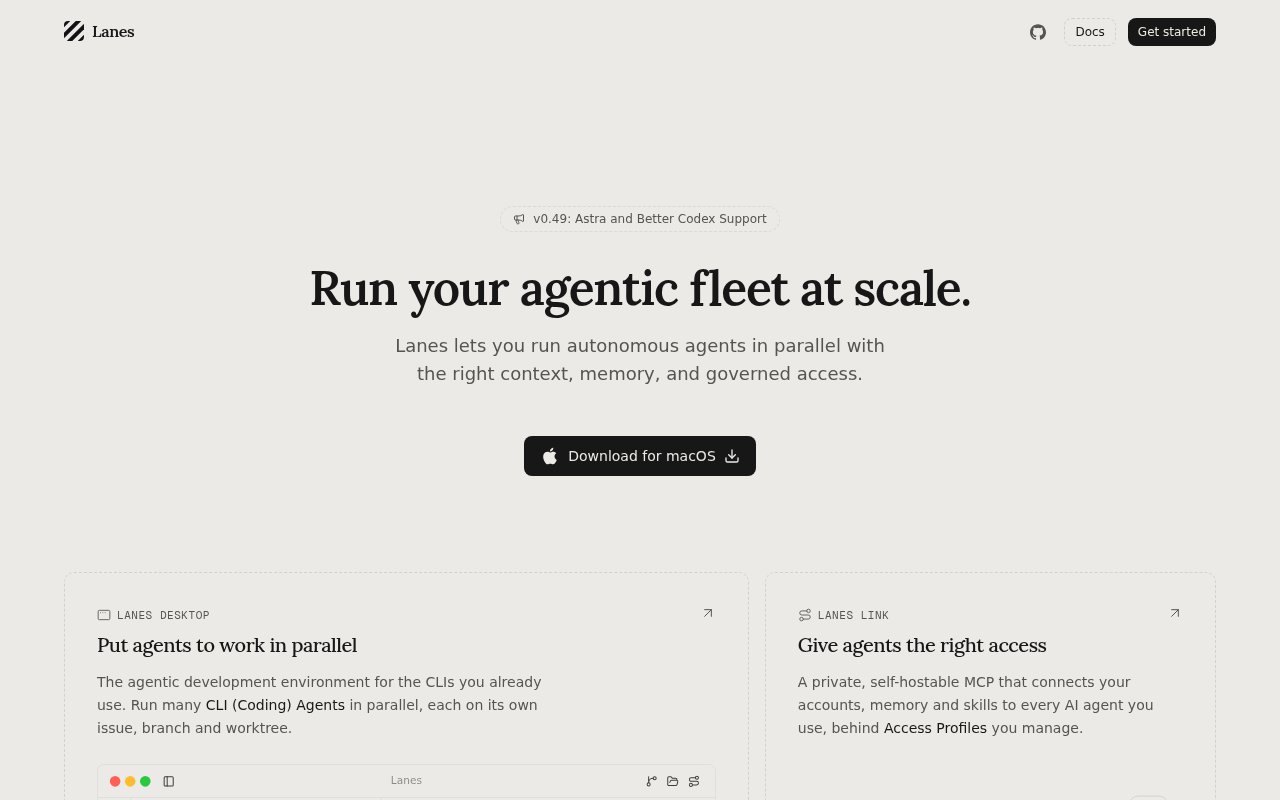
About Lanes
Lanes is a macOS app for running several AI coding agents at once without them stepping on each other, paired with an open-source endpoint that gives those agents one governed door to your accounts and context. The desktop side puts every agent session on a board, gives each task its own git worktree, and adds the editor, database browser and git client you'd otherwise keep switching to. The endpoint side, called Lanes Link, holds your credentials and memory in one place so you can change the AI you use and keep the context.
The problem it solves is what happens when parallel agents share a checkout. Two Claude Code sessions editing the same branch collide, half-finished work leaks between tasks, and you lose track of which agent is doing what. Lanes gives each issue an isolated worktree with an auto-generated branch name and automatic cleanup, then tracks the work through planning, implementation, review and completion stages on one board.
Claude Code and Codex are first class, and plain shell sessions work too. Inside the app there's a Monaco editor with a file tree, a SQLite browser, and a git client that commits and publishes, plus a built-in MCP server and a gateway for external MCP providers. Forms let an agent pause mid-task and ask a person for input, and they can be provisioned without an account through a POST endpoint that returns a claim link. Optional remote workspaces sync issues and chat in real time for a team, and a Claude Code plugin marketplace extends the app further. It installs through Homebrew as a cask and runs on macOS Ventura or later as a universal binary. A typical session starts with an issue on the board. You create it, pick an agent, and Lanes opens a worktree on a fresh branch and starts the session there, so the agent's edits never touch your main checkout. While it works you can watch the diff in the built-in editor, poke at the local database in the SQLite browser, or answer a form the agent has raised, and when it's done the git client commits and publishes from the same window. A second issue gets a second worktree and a second agent, and the board is where you see both moving through review.
Lanes Link is the personal context half. It's an Apache-2.0 licensed MCP endpoint you install with Bun, run locally at 127.0.0.1 on port 7337, or push to the cloud with lanes link deploy. Rather than every agent holding its own copy of your tokens, credentials stay on the server and agents receive results only, across Gmail, GitHub, Linear, Notion, Slack and more than a hundred other providers. Profiles separate work from personal access, every agent request lands in an append-only audit log, and your data is stored as readable Markdown files you can put under version control.
It's built for developers and small teams who already run autonomous coding agents and want coordination, isolation and an audit trail rather than another chat window. Solo users get the full local product free. Teams get roles, permissions and invitations on the paid plan, and anyone with GPU-hungry jobs can use Lanes Compute, which is billed by the second.
What makes it different is the combination. Plenty of tools orchestrate agents, and a few MCP hubs aggregate integrations, but Lanes pairs a native multi-agent workspace with a self-hostable context endpoint under one design, so the agent that writes the code and the agent that reads your Linear tickets share a governed setup. The desktop app's source is on GitHub with around 270 stars, though its license is proprietary, while Link is genuinely open source. The limits are that the desktop app is macOS only, Link needs Bun on macOS or Linux, and the whole thing assumes you're comfortable with worktrees, MCP and a terminal. Compared with the usual alternative, several terminals and a lot of discipline, the difference is that the isolation and the bookkeeping are built in. Running agents by hand in separate tabs works until two of them touch the same file, and it leaves no record of who changed what or which account an agent used. Lanes puts each one in its own tree, logs every request through Link, and keeps the human in the loop through forms and review stages, which is what a small team needs before it trusts agents with real work.
Access is freemium. The Free plan is one seat at no cost and includes local sessions, multi-agent orchestration, worktrees, terminal and editor integration, MCP and CLI access, and unlimited API keys. Pro is $19 a month for up to ten members and adds team invitations, roles and permissions and higher Forms limits, and Enterprise is custom priced. Compute is billed separately by the second. No contact email is published, so support runs through the site and the GitHub repositories.
Key Features
- Parallel agent sessions on one board
- Git worktree per task with auto cleanup
- Claude Code and Codex first class
- Built-in editor, SQLite browser and git client
- Lanes Link MCP endpoint with 100 plus providers
- Audit log and work and personal profiles
Pros & Cons
What we like
- Agents can't collide on a shared branch
- Credentials stay server-side, agents get results
- Free plan covers the full local workflow
- Link is Apache-2.0 and self-hostable
Room for improvement
- Desktop app is macOS only
- Desktop app source is public but proprietary
- Assumes comfort with worktrees and MCP
- Link requires Bun on macOS or Linux
Frequently Asked Questions
What is Lanes?
Is Lanes free?
Which agents does Lanes support?
What is Lanes Link?
Best For
Featured in
Alternatives to Lanes
View all
Almanac
A hosted, source-cited wiki that turns your files into context your AI agents can use

Demi AI
Demi helps busy professionals eliminate repetitive admin work across their favorite tools.

Lindy
No-code AI agents that handle email, meetings, and recurring workflows
Vapi
Build voice AI agents that take and place phone calls
Our take
Tool Index Editorial · Sep 2026· 4.0/5
Lanes is a macOS workspace for running coding agents in parallel, with each task isolated in its own branch and worktree. The site puts Claude Code and Codex sessions on an issue board, then adds an editor, change review and access to shared context through Lanes Link. This is for developers who already run several agents and need coordination more than another chat interface.
The solo plan is free, and Pro costs $19 a month for up to ten members. We like that the local multi-agent workflow is included free and that worktree isolation addresses a real failure mode. The limits are meaningful. Desktop is macOS only, several collaboration features are still marked coming soon, and the product assumes users already understand agents, Git and MCP. It is promising and unusually coherent, but parts of the team story remain ahead of the shipped product.
Editorial opinion from the Tool Index team, written from the public product pages. Not a user review.
Reviews (0)
Badge builder
Add Lanes to your website
Choose a badge style and size, preview it here, then copy the generated HTML. Badge images are self-contained SVGs and do not require an external script.

<a href="https://toolindex.net/tools/lanes?ref=badge" target="_blank" rel="noopener">
  <img src="https://toolindex.net/badge/lanes/medium.svg" alt="Lanes - Listed on Tool Index" width="180" height="50" />
</a>How to use the badge
- 1. Pick the style, size, and theme that fit your layout.
- 2. Copy the generated HTML from the code block.
- 3. Paste it into your footer, homepage, or press page.
Standard badge available
The standard listing badge is available now. Score and circle badges are limited to tools currently ranked in the top 10 of a category.
Badge clicks return visitors to this profile with a referral tag so the source remains identifiable.
Related Tools

OpenBenchmarks
Public, externally validated benchmarks that help agents pick SaaS APIs
Almanac
A hosted, source-cited wiki that turns your files into context your AI agents can use

Wizard
Self-extending Rust terminal AI agent that works with any model

Chariot
Elastic cloud infrastructure for deploying and scaling AI agent fleets with persistent storage
Work on Lanes? Request listing access or correction