
LaTeX To Image
Render LaTeX equations locally and export them as clean image files
Gallery
About LaTeX To Image
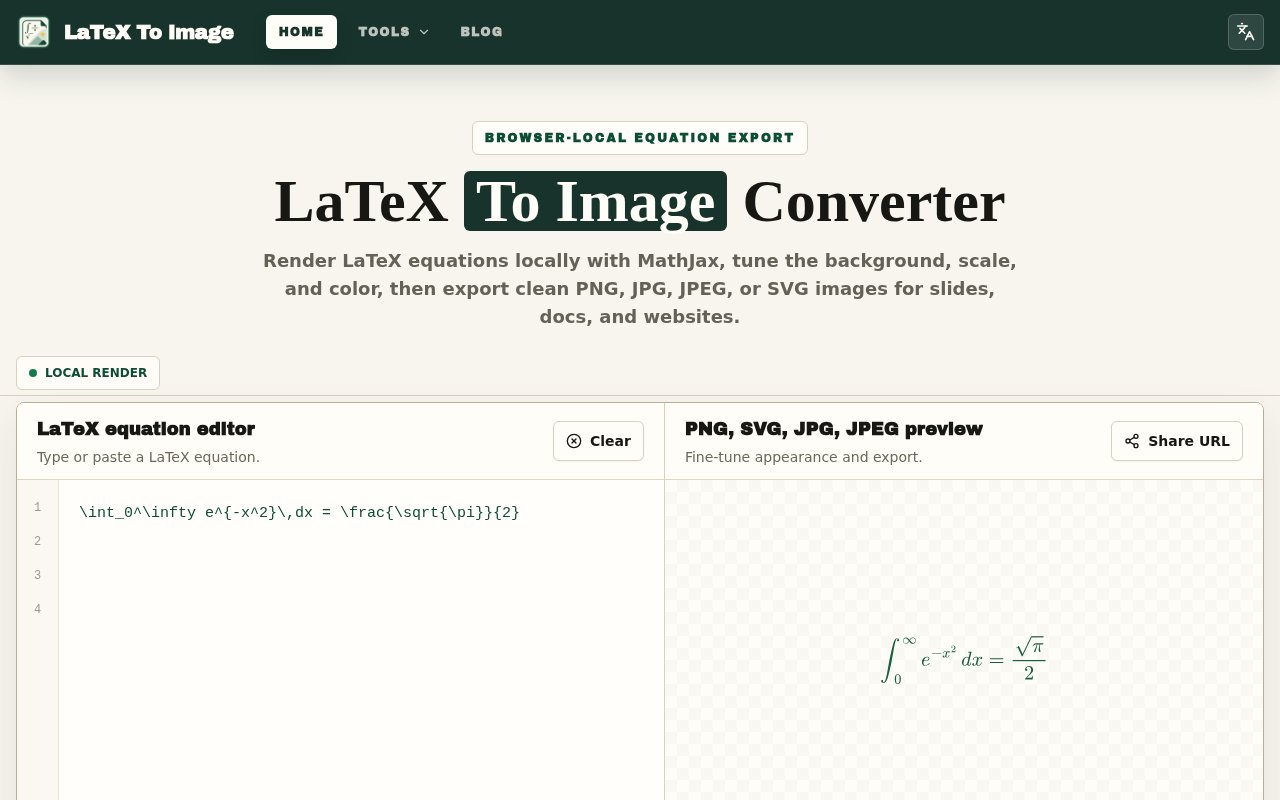
LaTeX To Image is a focused browser utility for turning mathematical equations into image files. It solves a small but common publishing problem. A formula may be written correctly in LaTeX, while the slide deck, learning system, content editor, chat, or design canvas where it needs to appear cannot render that source. The tool gives that equation a stable visual form without asking the user to open a full LaTeX environment. It renders through MathJax in the browser and offers PNG, SVG, JPG, and JPEG output, so the same formula can move into presentation software, documentation, websites, worksheets, or other destinations that accept images.
The working process is direct. A user types or pastes an equation into the editor, chooses from examples or inserts common symbols, and sees a rendered preview. From there, the formula color, background, output format, and scale can be adjusted before export. Transparent backgrounds are available for PNG and SVG, which is useful when an equation needs to sit on a colored slide or page without a visible box around it. The color control supports a solid treatment or a gradient. Recent formulas remain available in the current browser, and a shareable URL can preserve the chosen equation and settings for reuse.
Export is more flexible than a single download button. Users can download the finished image, copy a rendered image, copy SVG markup, copy the original LaTeX, or copy a reusable URL. An SVG can also be opened directly. That makes the tool practical for several kinds of destination. PNG gives a familiar raster image for learning platforms, messaging apps, and slides. SVG stays sharp when it is resized inside documentation or a website. JPG and JPEG provide a flattened result for systems that do not support transparency or vector files. The choices are simple enough that someone does not need to understand an image production pipeline before getting useful output.
Privacy is one of the clearer parts of the design. Once MathJax has loaded, equation rendering and image export happen locally in the browser rather than on a conversion server. The site says formulas are not uploaded for processing, and recent entries are stored only in that browser. That boundary can matter for unpublished research, internal notes, assessments, or any formula a user would rather not send to a remote rendering service. It also explains why there is no account, cloud library, or collaboration layer. The product is a local conversion surface, not a hosted document workspace.
The audience is broader than LaTeX specialists. Students can turn derivations into images for homework portals, study notes, or flashcards. Teachers can make transparent formulas for slides, worksheets, and answer keys. Researchers can prepare stable equations for posters, review notes, and presentations. Developers can place crisp SVG equations in READMEs, documentation, issue discussions, and technical articles. Designers and publishers can match a formula to an existing color system, then use the exported asset in a layout or content management system that does not understand raw LaTeX.
Its narrow scope is also the most important limitation to understand. LaTeX To Image is a MathJax equation renderer, not a complete TeX installation. It does not compile full `.tex` documents, run TikZ, install arbitrary packages, recognize equations from images, or export PDF files. A malformed expression can still fail because of mismatched braces, an unclosed environment, or a command outside the supported MathJax packages. There is no cloud storage or project organization, and a shareable URL is not the same thing as a private hosted document. Users who need complex typesetting, package management, or complete papers will still need a full LaTeX editor.
The service is presented as free, with no paid plan or account requirement shown on the site. That makes it easy to use for occasional equations as well as repeated classroom and documentation work. Its main distinction is not a broad set of writing features. It is the combination of local rendering, useful appearance controls, and several copy or export paths in one small interface. Because the preview is immediate, it also works well for checking small formatting changes before an equation moves into a larger document. The examples and symbol picker lower the setup cost for occasional users, while the copy controls keep experienced users from repeating manual export steps. For someone who already has the LaTeX source and simply needs a dependable image, the product keeps the distance between formula and finished asset short.
Key Features
- Browser-local MathJax rendering
- PNG SVG and JPEG export
- Transparent background support
- Formula color and scale controls
- Copy image SVG or LaTeX
- Reusable settings share links
Pros & Cons
What we like
- Keeps equation rendering inside the browser
- Covers both raster and vector export needs
- Works without an account or paid plan
- Offers several fast copy and download paths
Room for improvement
- Does not compile complete LaTeX documents
- Cannot render TikZ or arbitrary packages
- Offers no OCR or PDF export
- Has no cloud library or collaboration tools
Frequently Asked Questions
What is LaTeX To Image?
Are formulas uploaded to a server?
Is LaTeX To Image free?
Can it compile a full LaTeX document?
Best For
Featured in
Alternatives to LaTeX To Image
View all
CalendHub
Smart scheduling and calendar management for teams
Kevin Gabeci Toolkits
Seven AI toolkits for writing books, making music, cutting video, and building agents.

Eased Into AI
Learn AI from zero. No jargon, no hype, just steps that work.

Fix It Gently
Calm, plain-English fixes for everyday tech problems.
Our take
Tool Index Editorial · Sep 2026· 4.0/5
LaTeX To Image turns equation snippets into PNG, SVG, JPG, or JPEG files directly in the browser. It is for students, teachers, researchers, developers, and designers who already have LaTeX but need an image for slides, documentation, or a system that can't render math. We found immediate preview, transparent backgrounds, color and scale controls, several copy options, and local MathJax rendering. It is free and requires no account.
The tool succeeds by keeping the job small and making both raster and vector export easy. Local rendering is also a genuine privacy advantage for unpublished material. It is not a complete TeX environment, however. It can't compile documents, install arbitrary packages, run TikZ, recognize equations from images, or export PDF. For isolated formulas it is excellent; for complex typesetting it stops exactly where MathJax does.
Editorial opinion from the Tool Index team, written from the public product pages. Not a user review.
Reviews (0)
Badge builder
Add LaTeX To Image to your website
Choose a badge style and size, preview it here, then copy the generated HTML. Badge images are self-contained SVGs and do not require an external script.

<a href="https://toolindex.net/tools/latex-to-image-converter?ref=badge" target="_blank" rel="noopener">
  <img src="https://toolindex.net/badge/latex-to-image-converter/medium.svg" alt="LaTeX To Image - Listed on Tool Index" width="180" height="50" />
</a>How to use the badge
- 1. Pick the style, size, and theme that fit your layout.
- 2. Copy the generated HTML from the code block.
- 3. Paste it into your footer, homepage, or press page.
Standard badge available
The standard listing badge is available now. Score and circle badges are limited to tools currently ranked in the top 10 of a category.
Badge clicks return visitors to this profile with a referral tag so the source remains identifiable.
Related Tools

Confluence
Atlassian's long-running team wiki that anchors many enterprise knowledge stacks
Asana
Project management for teams that live in projects, tasks and dependencies
Kevin Gabeci Toolkits
Seven AI toolkits for writing books, making music, cutting video, and building agents.

Logseq
An open-source outliner notes app where every bullet is a first-class block
Work on LaTeX To Image? Request listing access or correction