
Lens AI
Centralized knowledge layer that keeps AI tools and teams in sync with your business data
Gallery
About Lens AI
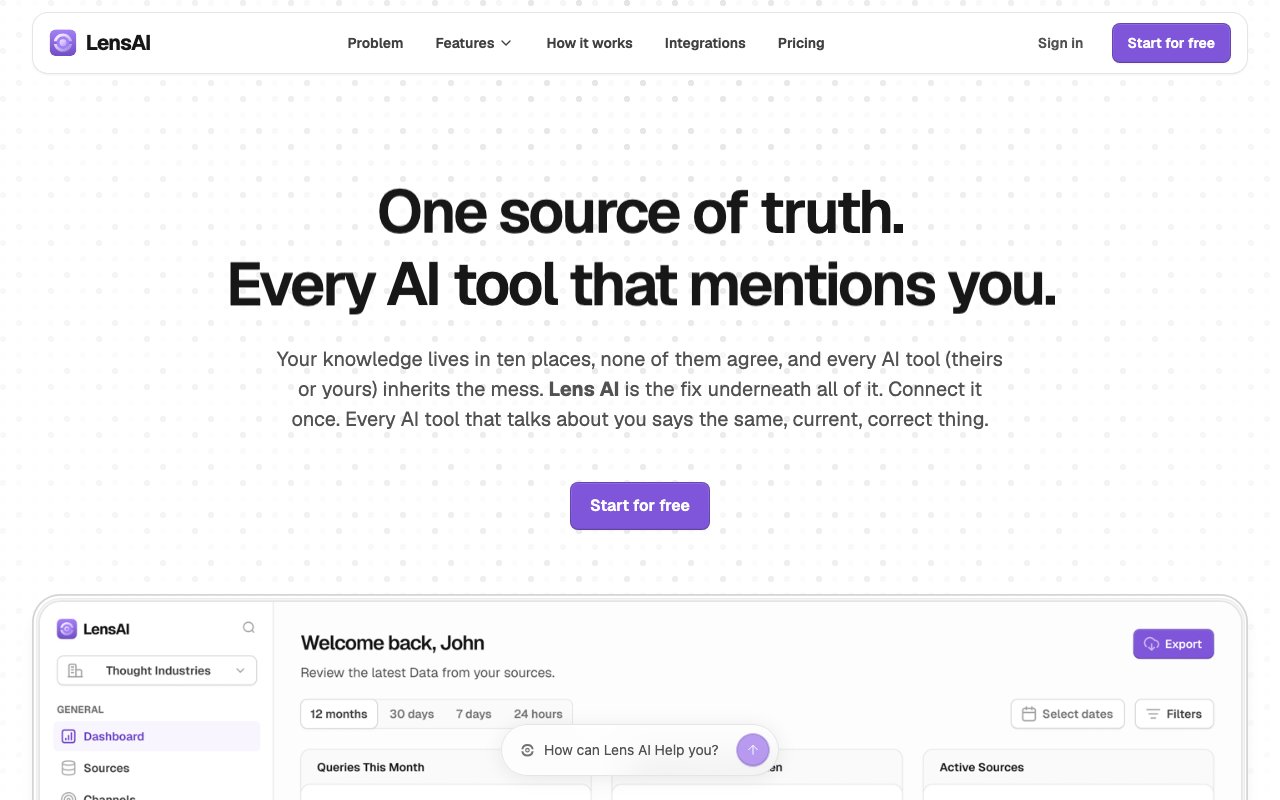
Lens AI is a knowledge management platform that creates a single authoritative source for all your business information, then makes that source available to every AI tool, chatbot, website, and team member that needs it. The problem it solves is fragmentation. Most companies store knowledge across help docs, internal wikis, product databases, Notion pages, and support tickets. When you deploy an AI assistant or chatbot, it typically pulls from one source and ignores the rest. That assistant quickly becomes outdated or gives incomplete answers because the information it needs lives somewhere it can't reach. Lens AI connects your sources once and keeps everything synchronized, so when your product details change or pricing updates, every downstream system reflects the current state.
The platform positions itself around what it calls AI Engine Optimization. This addresses a specific annoyance that companies face with public AI tools. When a customer asks ChatGPT or Claude about your product, the answer comes from whatever the model scraped from the web during training, which might be years old or simply wrong. Lens AI tracks what information appears in public AI responses about your business and flags inaccuracies. It also provides a mechanism to surface your current, correct information through the knowledge layer, so at least the AI tools you control give accurate answers even if the public models remain confused.
Under the hood, the platform automatically indexes connected sources without requiring manual tagging or categorization. Updates propagate in real time as source content changes. There's no batch sync process to wait for or schedule. An analytics dashboard shows what questions customers and team members are actually asking, revealing patterns in what people want to know. More usefully, it highlights gaps in your knowledge coverage where questions go unanswered or get weak responses. This feedback loop helps you spot missing documentation before it becomes a support burden.
Integrations cover the tools teams already use. Zendesk connects for support workflows, allowing agents to access unified knowledge without switching contexts. OpenAI, Claude, and Perplexity integrations work through what Lens AI describes as Model Context Protocol support, enabling your knowledge to feed into conversations happening in those platforms. You can also upload documents directly for materials that don't live in a connected system, like PDFs of contracts or product sheets.
The product targets three main audiences. Customer support teams can deploy an AI assistant on their website that draws from the unified knowledge layer. This assistant stays accurate because it's always pulling current information rather than relying on a static training set. Sales organizations use it to maintain consistent messaging across every touchpoint, ensuring that what a prospect hears on the website matches what the sales team says in calls. Internal enablement functions benefit because new hires get immediate access to accurate, searchable company knowledge without waiting for someone to onboard them manually.
Website conversion is another focus area. The platform powers an always available assistant that can engage visitors and answer product questions at any hour. Because this assistant draws from your unified knowledge layer, it handles questions about features, pricing, compatibility, and use cases without needing to be retrained every time something changes. This differs from traditional chatbots that require constant maintenance to stay current.
Pricing follows a freemium model. The Starter tier is free and includes up to 1,000 prompts per month with a single workspace. This lets smaller teams or individual users test the platform without commitment. The Pro plan runs $99 per month and removes limits on workspaces, assistants, connected sources, and query volume. Setup takes minutes according to the company, and you don't need an existing knowledge base to begin. The platform emphasizes that your content isn't used to train external AI models, which matters for companies handling sensitive product specifications, pricing details, or customer information.
The value proposition scales with how fragmented your knowledge currently is and how many touchpoints need access to it. A company with well organized documentation in a single location gets less benefit than one whose information is scattered across five different systems with no central index. For the latter case, Lens AI provides the connective layer that makes disparate sources act like a unified whole.
Key Features
- Automatic real-time content indexing
- Multi-source knowledge unification
- AI engine optimization for public LLMs
- Analytics dashboard for knowledge gaps
- Zendesk and document upload integrations
- Website assistant deployment
Pros & Cons
What we like
- Keeps all AI touchpoints synchronized from one source
- Real-time updates without manual re-syncing
- Analytics reveal what customers actually ask about
- Content isn't used to train external models
Room for improvement
- Pro tier at $99/month may be steep for small teams
- Value depends on how fragmented your knowledge is
- Newer product with smaller user community
- Limited to supported integration targets
Frequently Asked Questions
What is Lens AI?
Is Lens AI free?
Does Lens AI use my content to train AI models?
Who is Lens AI for?
Best For
Featured in
Alternatives to Lens AI
View all
Apatero AI
The creator studio for AI image, video, audio, 3D, and avatars, now at apatero.ai.

SoloDevStack
A solo developer blog built on head-to-head tool comparisons, 580+ posts deep.
Apatero Studio
Creator studio for AI image, video, audio, 3D, and avatars. Every model worth using, in one workspace.

Melodex
Turn your idea into an AI-generated music video
Reviews (0)
Badge builder
Add Lens AI to your website
Choose a badge style and size, preview it here, then copy the generated HTML. Badge images are self-contained SVGs and do not require an external script.

<a href="https://toolindex.net/tools/lens-ai?ref=badge" target="_blank" rel="noopener">
  <img src="https://toolindex.net/badge/lens-ai/medium.svg" alt="Lens AI - Listed on Tool Index" width="180" height="50" />
</a>How to use the badge
- 1. Pick the style, size, and theme that fit your layout.
- 2. Copy the generated HTML from the code block.
- 3. Paste it into your footer, homepage, or press page.
Standard badge available
The standard listing badge is available now. Score and circle badges are limited to tools currently ranked in the top 10 of a category.
Badge clicks return visitors to this profile with a referral tag so the source remains identifiable.
Related Tools
Apatero AI
The creator studio for AI image, video, audio, 3D, and avatars, now at apatero.ai.
Kevin Gabeci Toolkits
Seven AI toolkits for writing books, making music, cutting video, and building agents.

Warp
The modern terminal reimagined with AI and collaboration

Bolt.new
Prompt-to-deployed full-stack app inside the browser
Work on Lens AI? Request listing access or correction