
LinkShip
Turn files, media, and static sites into trackable browser links
Gallery
About LinkShip
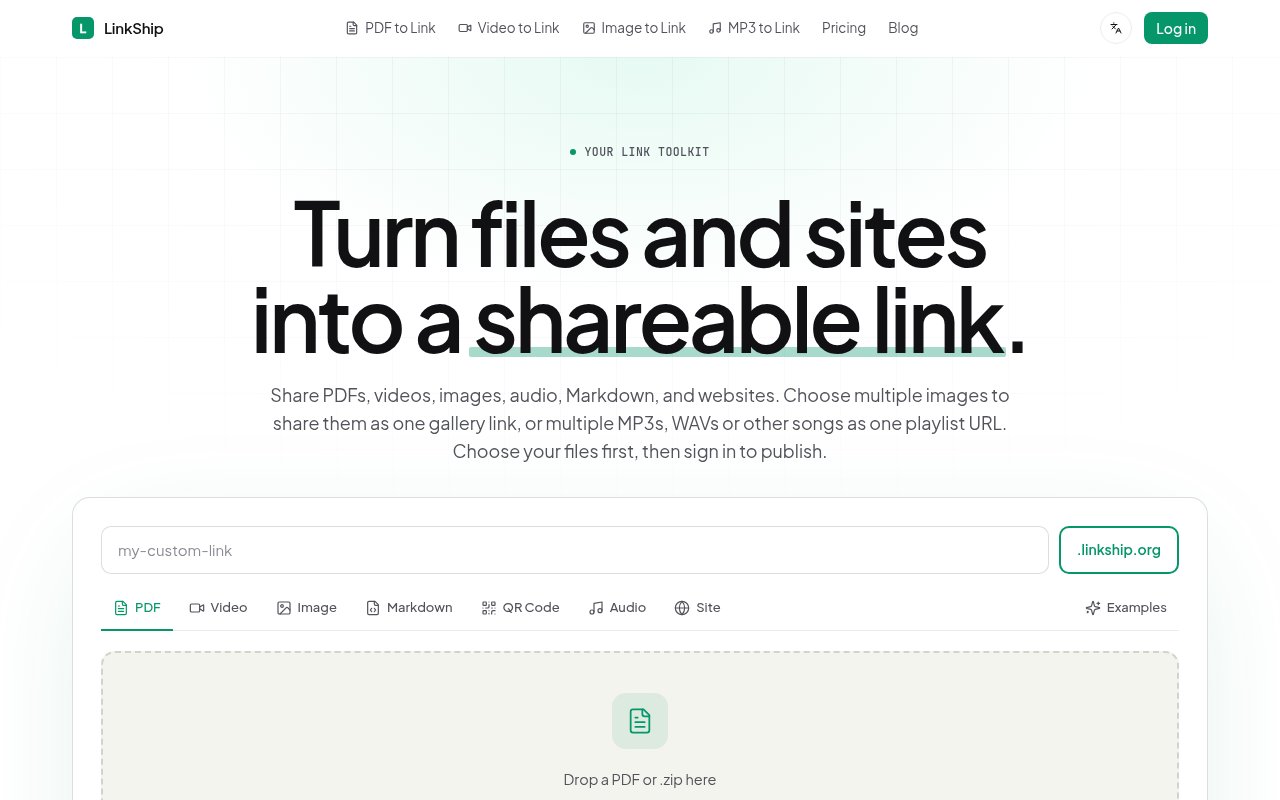
LinkShip turns files and small websites into links that are easier to present, control, and measure than ordinary attachments. A user can upload a PDF, video, image, audio file, Markdown document, HTML file, or ZIP archive of a static site, choose a memorable address, and publish a browser-ready page. Recipients don't need an account or an installed app to open it. The service also supports image galleries and audio collections, so several pictures can sit behind one gallery URL and several songs can play from one playlist link. Documented formats include MP4, WebM, and MOV video, JPEG, PNG, WebP, and GIF images, plus MP3, WAV, OGG, AAC, and M4A audio where relevant.
The basic workflow is deliberately direct. The sender chooses a file, signs in to publish, selects an available LinkShip slug, and shares the resulting link anywhere a URL works. Single files on the free tier can be up to 25 MB, and the free account keeps one sharing link active at a time. Links are permanent by default rather than expiring after a fixed transfer window. Each separately shared file occupies an active-link slot, while an audio collection uses one slot for the collection. That model suits people who want a stable public destination, not merely a temporary download handoff.
What LinkShip adds is a managed viewer around the content. The shared page can carry a custom URL and brand treatment, while paid controls include passwords, expiration, and view limits where the chosen plan and content type support them. A built-in QR code makes the same destination useful on menus, packaging, printed programs, and handouts. Supported individual files can be replaced without sending everyone a new address. Audio collection owners can add, replace, rename, remove, or reorder songs from project settings while retaining the original playlist URL. Password protection is intended for people who have both the address and password, so it is useful access friction but shouldn't be confused with individual recipient identity.
Analytics make the product useful when delivery is only half the job. The management dashboard can report visits, downloads, locations, devices, timestamps, referral sources, and engagement. LinkShip is careful about the boundary of that data. Its access statistics don't identify every visitor, and audio analytics don't claim that a listener completed a song. That still gives a freelancer, sales team, publisher, or creator a practical signal about whether a pitch deck, report, portfolio, catalog, demo, or media file was opened after it was sent. Senders can pair that activity with an expiration or view limit when a supported plan and format call for tighter circulation.
The static-site option broadens the tool beyond conventional file sharing. A user can upload one HTML file or a ZIP containing a built site with HTML, CSS, JavaScript, and fonts, then serve it at its own link without configuring a web server. The same access and expiry controls apply as they do to other supported shares. It won't replace a deployment platform for an application with a backend, but it's a convenient route for prototypes, interactive documents, campaign pages, and other client-side work that needs a clean address quickly. LinkShip says transfers use SSL encryption, users retain ownership, and uploaded material can be deleted from the service.
LinkShip is best for people who care about the experience after a file leaves their desktop. It sits between raw cloud storage and a full digital sales-room product, with fewer collaboration features than the former and less operational weight than the latter. Designers can keep a portfolio URL current, restaurants can update a linked menu without reprinting its QR code, and musicians can send a playable collection instead of a folder of tracks. The narrow active-link allowances on entry plans mean frequent publishers will need to manage slots or move up a tier.
Access is freemium. The free tier includes one active link, permanent hosting, and a 25 MB limit for a single file. Paid plans expand the number of simultaneous links and the per-file ceiling, with higher tiers adding features such as QR codes, password protection, analytics, customization, support, and larger limits. Annual prices shown on the official pricing page begin with Tiny at $66.99 per year, while Solo includes a seven-day trial. The upper published plans increase individual file limits to 500 MB and 2 GB and expand active slots to fifteen or unlimited. The service publishes support@linkship.net for help, which gives prospective users a direct contact before committing to a plan.
Key Features
- Multi-format file publishing
- Custom share link slugs
- Visitor and download analytics
- Password and expiry controls
- Replaceable files at stable URLs
- Static site ZIP hosting
Pros & Cons
What we like
- Recipients open shares without an account
- Links stay live by default
- QR codes connect print and web
- Analytics cover visits and downloads
Room for improvement
- Free accounts allow one active link
- Free uploads stop at 25 MB
- Advanced access controls require paid plans
- Analytics don't identify every visitor
Frequently Asked Questions
What is LinkShip?
Is LinkShip free?
What can LinkShip publish?
Can a LinkShip file change without changing its URL?
Best For
Featured in
Alternatives to LinkShip

CalendHub
Smart scheduling and calendar management for teams
Kevin Gabeci Toolkits
Seven AI toolkits for writing books, making music, cutting video, and building agents.

Eased Into AI
Learn AI from zero. No jargon, no hype, just steps that work.

Fix It Gently
Calm, plain-English fixes for everyday tech problems.
Our take
Tool Index Editorial · Oct 2026· 3.5/5
LinkShip turns files into permanent browser links with controls such as QR codes, password protection, replacement, and analytics depending on the plan. It is best for freelancers and professionals who want a cleaner delivery experience and more feedback than an email attachment provides. The free tier supports one active link and a 25 MB file. Paid annual plans start at $5.58 a month for two links, while analytics arrive on the $20.83 Pro plan.
We found the plan table clear about active-link and upload limits, and keeping a stable URL while replacing a file is genuinely useful for printed QR codes and recurring documents. The limits are tight, though. Solo allows only five active links, Pro allows 15, and larger files or unlimited links quickly push the price upward. Passwords also protect possession of a link rather than establish the identity of a recipient. LinkShip sits neatly between raw cloud storage and a deal room, but high-volume teams should check the slot economics carefully.
Editorial opinion from the Tool Index team, written from the public product pages. Not a user review.
Reviews (0)
Badge builder
Add LinkShip to your website
Choose a badge style and size, preview it here, then copy the generated HTML. Badge images are self-contained SVGs and do not require an external script.

<a href="https://toolindex.net/tools/linkship?ref=badge" target="_blank" rel="noopener">
  <img src="https://toolindex.net/badge/linkship/medium.svg" alt="LinkShip - Listed on Tool Index" width="180" height="50" />
</a>How to use the badge
- 1. Pick the style, size, and theme that fit your layout.
- 2. Copy the generated HTML from the code block.
- 3. Paste it into your footer, homepage, or press page.
Standard badge available
The standard listing badge is available now. Score and circle badges are limited to tools currently ranked in the top 10 of a category.
Badge clicks return visitors to this profile with a referral tag so the source remains identifiable.
Related Tools

Confluence
Atlassian's long-running team wiki that anchors many enterprise knowledge stacks
Asana
Project management for teams that live in projects, tasks and dependencies
Kevin Gabeci Toolkits
Seven AI toolkits for writing books, making music, cutting video, and building agents.

Logseq
An open-source outliner notes app where every bullet is a first-class block
Work on LinkShip? Request listing access or correction